
Introduction
This manual provides detailed instructions for the installation, operation, and maintenance of your Veise Door Lock with Handle Set Bundle. This product offers advanced keyless entry features, combining security with convenience for your home or office.

Setup and Installation
The Veise Door Lock is designed for easy installation with minimal tools. Please follow these steps carefully to ensure proper functionality.
1. Door Compatibility and Measurement
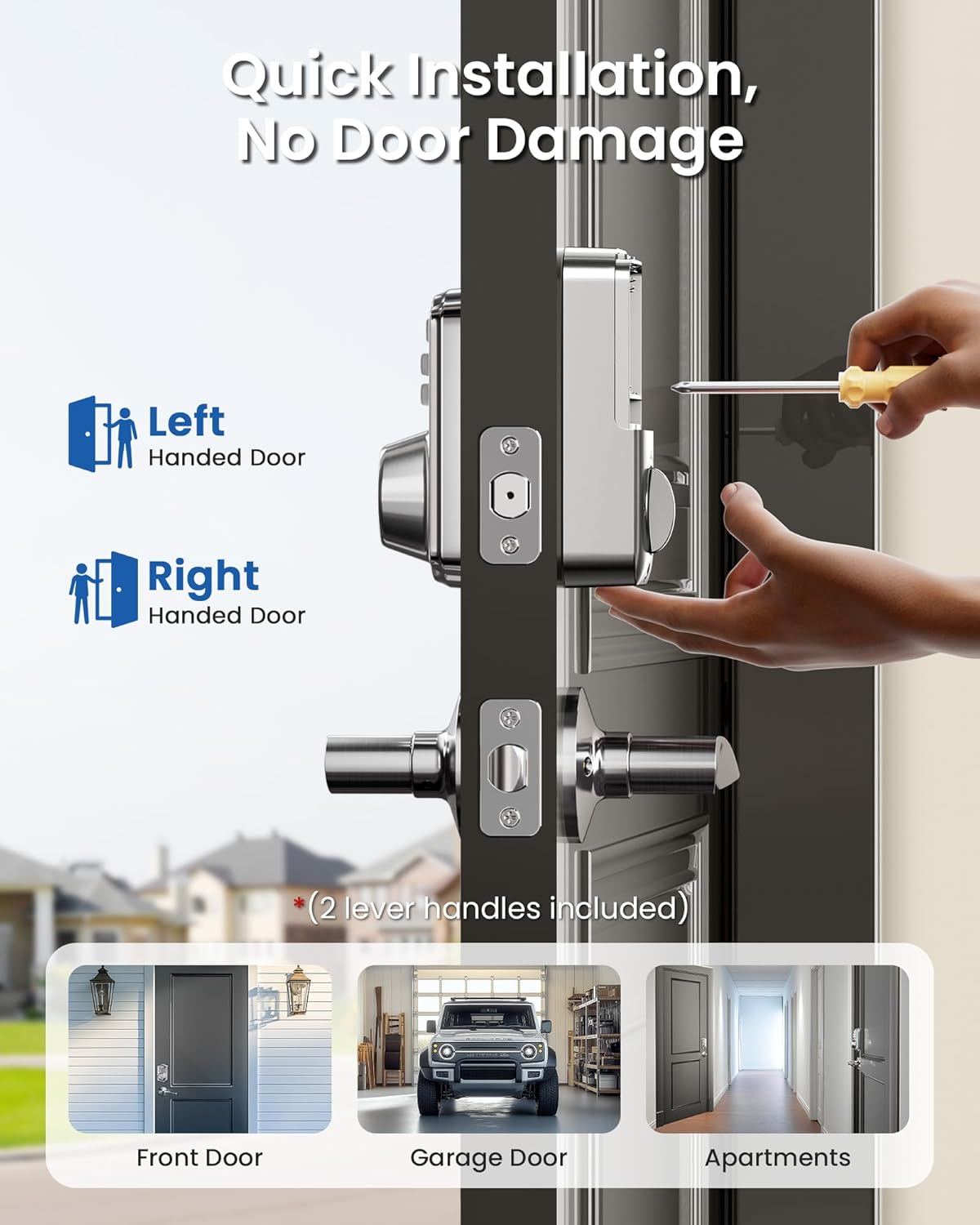
Before installation, verify your door's dimensions and compatibility. The lock is compatible with American standard left and right-handed doors, specifically single cylinder types. It is not compatible with mortise or integrated lock systems.

2. Installation Process
Installation typically requires only a screwdriver. The process involves fitting the deadbolt and handle components into the pre-drilled holes on your door. Ensure all components are aligned correctly for smooth operation.
3. Initial Programming
After physical installation, you will need to program your initial user codes. Refer to the included quick start guide for specific steps on setting up master codes and user codes.
Operating Instructions
Your Veise Door Lock offers multiple convenient ways to secure and access your property.
1. Keyless Entry Options
The lock supports various keyless entry methods:
- User Codes: Store up to 20 unique password codes for regular access.
- One-Time Password: Generate a temporary code that automatically deletes after a single use, ideal for visitors or service personnel.
- Physical Keys: Two spare keys are provided for traditional manual unlocking.

2. Auto-Lock and One-Touch Lock
- Auto-Lock: Configure the lock to automatically re-lock after a set period, ranging from 10 to 99 seconds. This feature ensures your door is always secured after entry or exit.
- One-Touch Lock: For quick locking from the outside, simply press any button on the keypad for 2 seconds. This is convenient when you are in a hurry.

3. Special Modes and Features
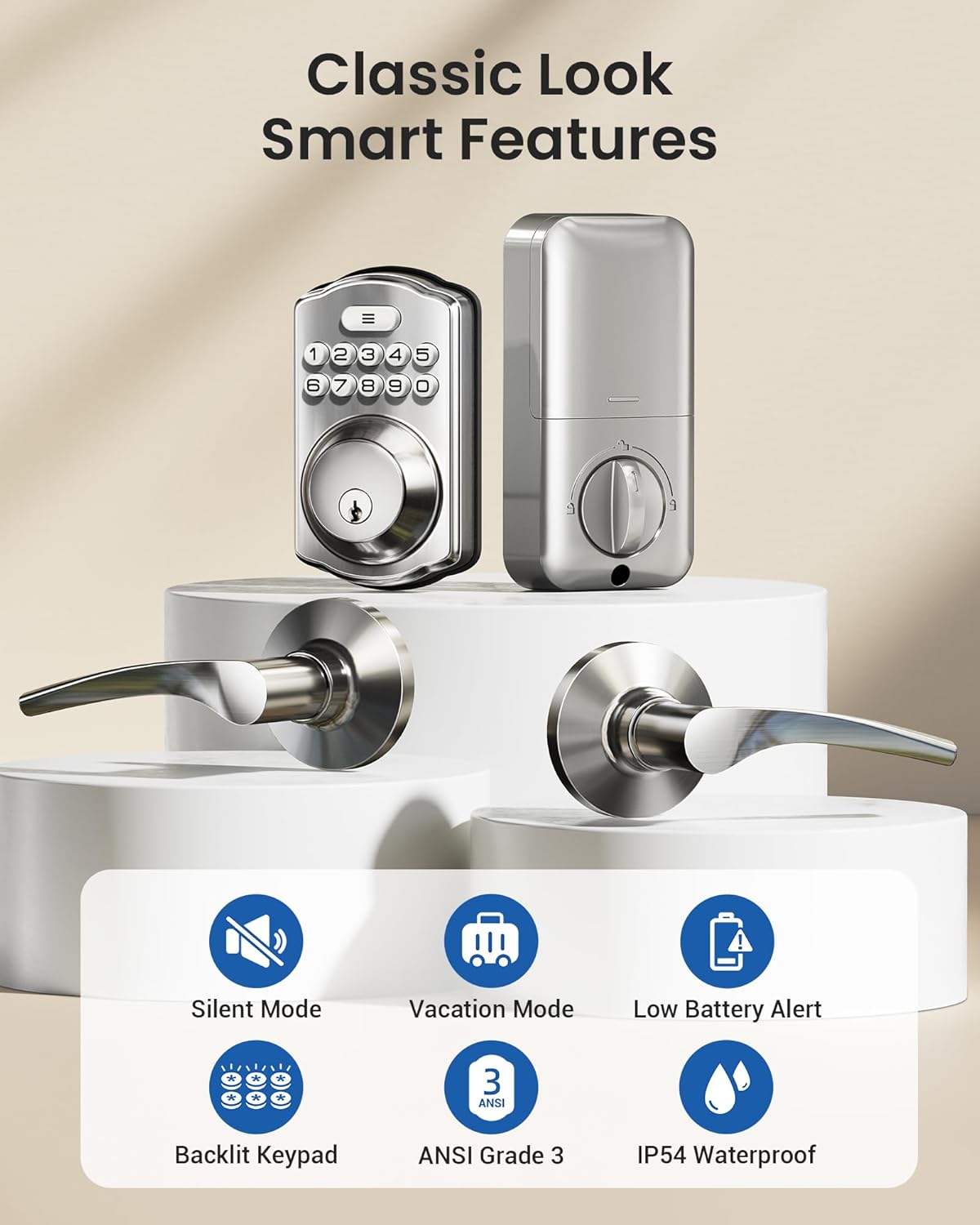
The Veise door lock includes several smart features for enhanced usability:
- Mute Mode: Silence keypad beeps for quiet operation.
- Vacation Mode: A security feature designed for extended absences, disabling normal user code entry.
- Backlit Keypad: The keypad illuminates for easy visibility in low-light conditions.
- Low Battery Alert: Notifies you when the batteries are running low.
- Water Resistant: Rated IP54 for protection against splashes.
Maintenance
Proper maintenance ensures the longevity and optimal performance of your Veise Door Lock.
1. Battery Replacement
The lock is powered by 4 AA batteries, which typically last for over one year. Replace batteries promptly when the low battery alert is activated to avoid interruption of service.
2. Cleaning
Clean the keypad and lock body with a soft, dry cloth. Avoid using abrasive cleaners or solvents, as these can damage the finish or electronic components.
Troubleshooting
If you encounter issues with your Veise Door Lock, refer to the following common problems and solutions.
- Lock not responding: Check battery level. Replace batteries if low.
- Keypad not lighting up: Ensure batteries are correctly installed and charged.
- Codes not working: Verify that the correct code is being entered. Ensure the lock is not in Vacation Mode.
- Auto-lock not engaging: Check the auto-lock settings and ensure the door is fully closed.
For persistent issues, consult the full product manual or contact customer support.
Specifications
| Feature | Description |
|---|---|
| Brand | Veise |
| Special Feature | Keyless Entry |
| Lock Type | Keypad Deadbolt |
| Style | Veise Door Lock with Handle Set Bundle |
| Color | Satin Nickel |
| Controller Type | Hand Control, Mechanical knob |
| Control Method | Touch |
| Item Model Number | KS02A and KS01B |
| ASIN | B0CTHT7T1S |
| Date First Available | July 5, 2023 |
| Power Source | 4 AA Batteries |
| Security Rating | ANSI Grade 3 |
| Water Resistance | IP54 |
Warranty Information
For detailed warranty information, please refer to the documentation included with your product or visit the official Veise website. Keep your proof of purchase for warranty claims.
Customer Support
If you require assistance with your Veise Door Lock, please contact Veise customer support through their official website or the contact information provided in your product packaging. When contacting support, please have your model number (KS02A and KS01B) and purchase details ready.


