Introduction
Welcome to the user manual for your new Boat Airdopes Hype wireless earbuds. These earbuds are designed to provide a superior audio experience with advanced features and comfortable wear. This manual will guide you through the setup, operation, maintenance, and troubleshooting of your device, ensuring you get the most out of your Airdopes Hype.
Product Overview
The Boat Airdopes Hype are sleek, in-ear wireless earbuds that come with a compact charging case. They are engineered for immersive sound and extended listening sessions, making them ideal for daily use, calls, and music.
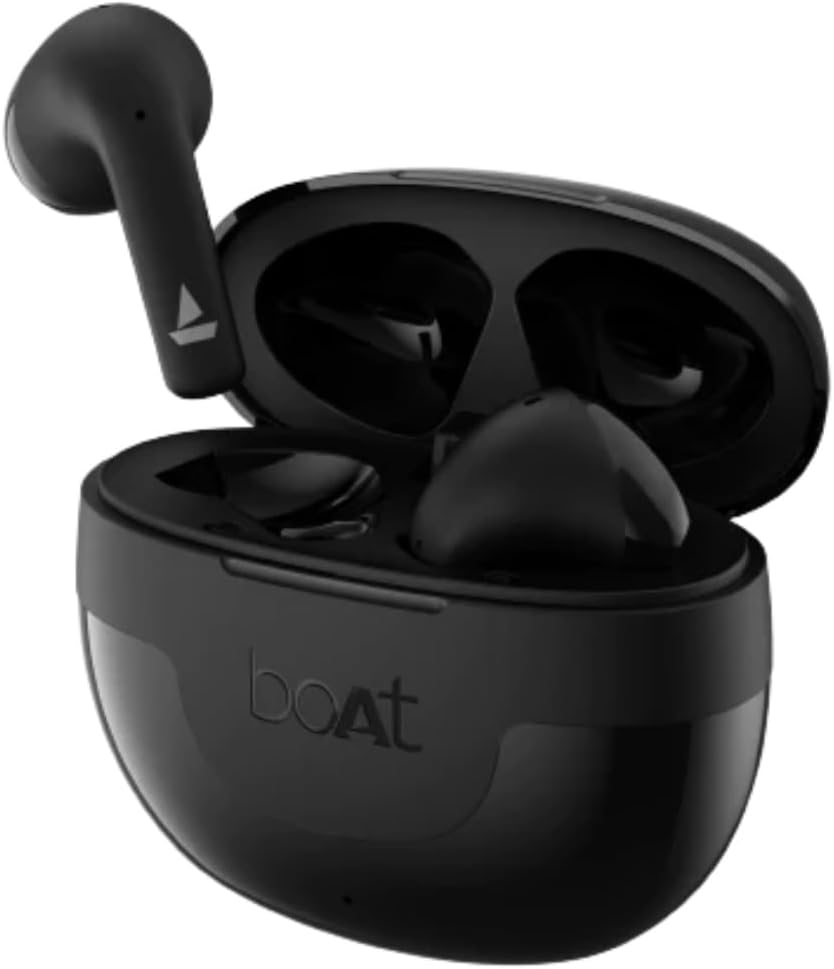
Figure 1: Boat Airdopes Hype Earbuds and Charging Case. The image displays the black earbuds nestled within their open charging case, highlighting their compact and ergonomic design.
Video 1: Official Product Overview for Boat Airdopes Hype Wireless Earbuds. This video provides a visual introduction to the earbuds, showcasing their design and key functionalities.
Key Features
- Immersive Audio: Equipped with 13mm drivers for rich, clear sound and a frequency response range of 20Hz-20Khz.

Figure 2: 13mm Drivers for Signature Sound. This image highlights the audio quality delivered by the earbuds' 13mm drivers.
- Clear Communication: Features Dual Mics with ENx™ Technology for enhanced call clarity.
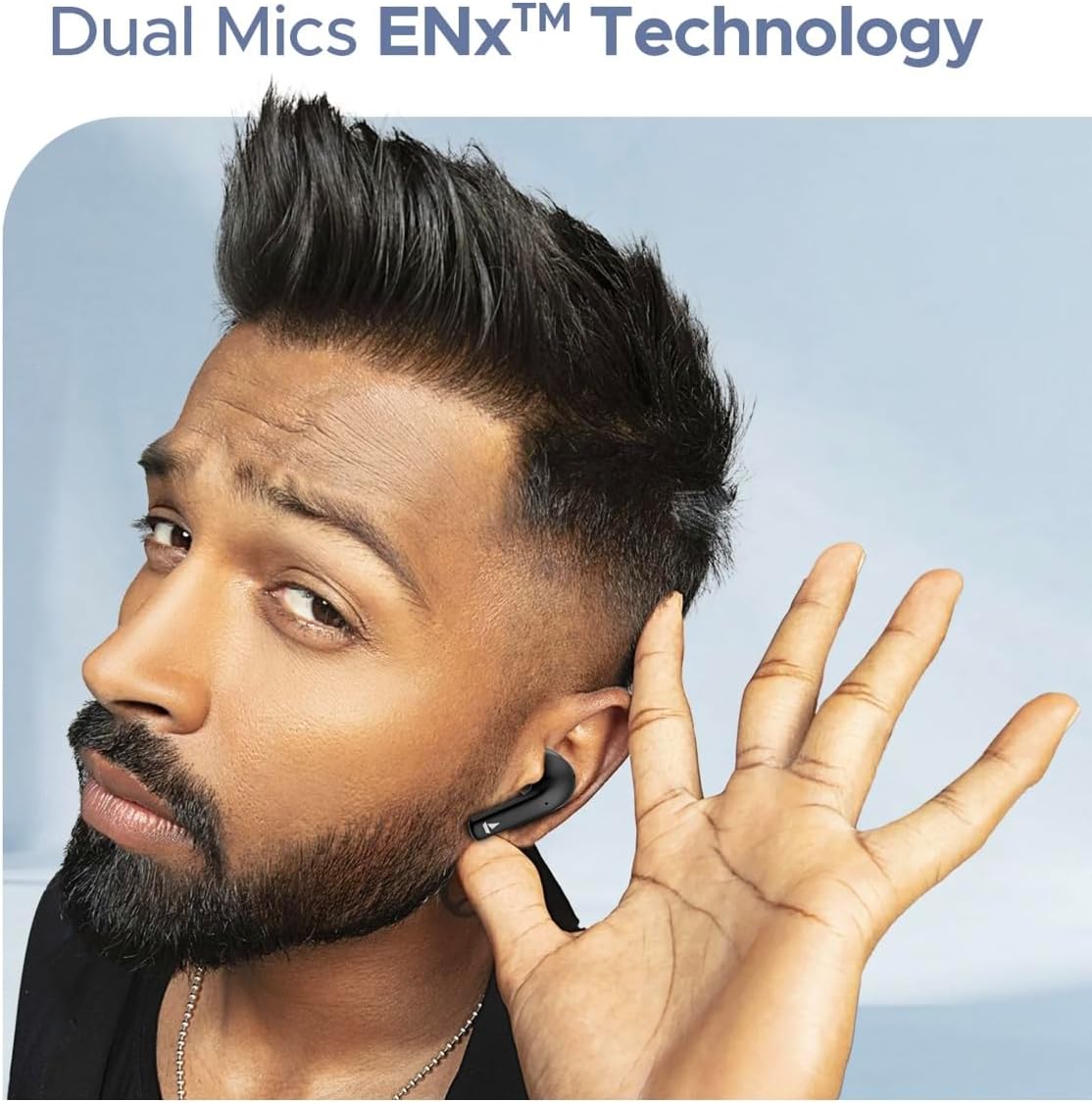
Figure 3: Dual Mics with ENx™ Technology. Demonstrates the earbud's microphone capability for clear voice transmission.
- Low Latency Gaming: BEAST™ Mode provides ultra-low 50ms latency for a seamless gaming experience.

Figure 4: BEAST™ Mode for Low Latency. Illustrates the earbuds' low-latency feature, beneficial for gaming.
- Extended Playtime: Enjoy up to 100 hours of total playback with the charging case. Fast charging provides 120 minutes of playtime from just 10 minutes of charge.
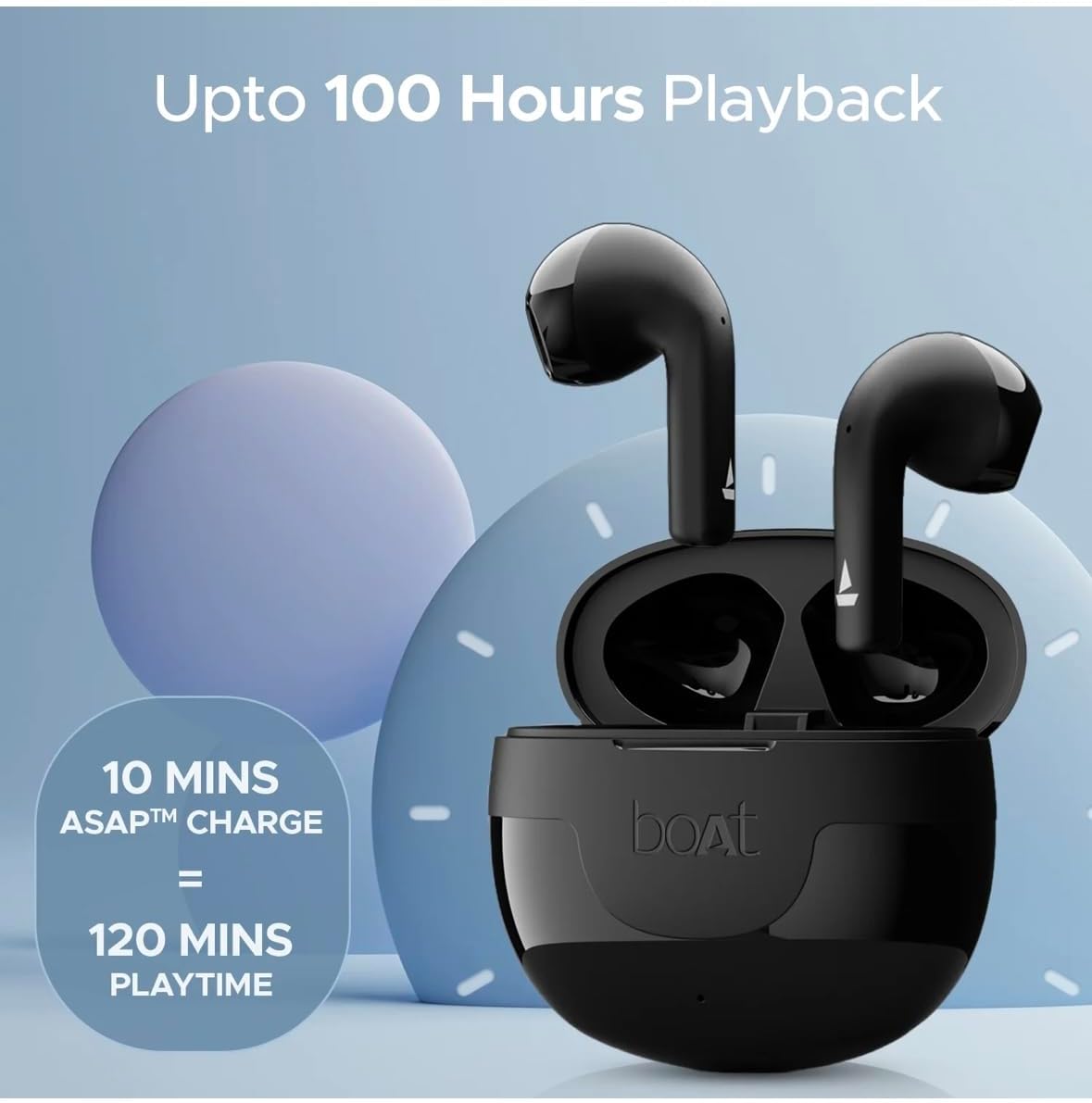
Figure 5: Extended Playback and Fast Charging. Highlights the impressive battery life and quick charging capabilities.
- Seamless Connectivity: Bluetooth v5.3 with IWP™ Technology for instant pairing and stable connection within a 10-meter operating range.
- Durable Design: IPX5 sweat and splash resistance, making them suitable for workouts and outdoor activities.
- Convenient Charging: USB Type-C interface for modern and efficient charging.
- Intuitive Controls: Touch control functionality for easy management of music and calls.
- Portable: Pocketable design for easy carrying.

Figure 6: Connectivity, Durability, and Design Features. This composite image showcases the Bluetooth connectivity, IPX5 rating, Type-C charging, and portable design of the earbuds.
What's in the Box
- 1 UNIT boAt Airdopes Hype
- 1 Unit USB Type-C Charging Cable
- 1 UNIT Manual (this document)
- 1 UNIT Catalogue
- 1 UNIT Warranty Card
Setup
1. Initial Charging
Before first use, fully charge your Boat Airdopes Hype. Place both earbuds into the charging case and connect the USB Type-C cable to the charging port on the case and a power source. The indicator lights on the case will show the charging status. A full charge typically takes about 1 hour for the case and earbuds.
2. Pairing with Your Device
- Ensure both earbuds are charged and inside the charging case.
- Open the lid of the charging case. The earbuds will automatically enter pairing mode (indicated by flashing lights on the earbuds).
- On your mobile device (cellphone), go to Bluetooth settings.
- Search for available devices and select "Boat Airdopes Hype" from the list.
- Once connected, you will hear a confirmation tone, and the earbud lights will stop flashing.
Note: The earbuds feature IWP™ (Insta Wake N' Pair) Technology, allowing them to connect instantly to your last paired device as soon as you open the case lid.
Operating Instructions
The Boat Airdopes Hype features intuitive touch controls on each earbud for easy management of your audio and calls.
Touch Controls
| Function | Action |
|---|---|
| Play/Pause Music | Single tap on either earbud |
| Next Track | Double tap on the right earbud |
| Previous Track | Double tap on the left earbud |
| Answer/End Call | Single tap on either earbud |
| Reject Call | Long press (2 seconds) on either earbud |
| Activate Voice Assistant (Google Assistant) | Triple tap on either earbud |
| Toggle BEAST™ Mode (Low Latency) | Long press (3 seconds) on the right earbud |
Power On/Off
- Power On: Open the charging case lid, or long press the touch area on both earbuds for 3 seconds if they are outside the case and off.
- Power Off: Place the earbuds back into the charging case and close the lid. Alternatively, long press the touch area on both earbuds for 5 seconds.
Maintenance
Proper care will extend the lifespan of your Boat Airdopes Hype earbuds.
- Cleaning: Regularly clean the earbuds and charging case with a soft, dry, lint-free cloth. Do not use harsh chemicals or abrasive materials. Gently clean the charging contacts on both the earbuds and the case to ensure proper charging.
- Storage: When not in use, store the earbuds in their charging case to protect them from dust and damage. Store in a cool, dry place away from direct sunlight and extreme temperatures.
- Battery Care: To preserve battery life, avoid fully discharging the earbuds and case frequently. Charge them regularly, even if not in constant use.
- Water Resistance: The earbuds are IPX5 sweat and splash resistant. This means they can withstand light rain and sweat, but they are not waterproof. Do not submerge them in water or expose them to heavy rain or strong water jets. Dry them thoroughly before placing them back in the charging case.
Troubleshooting
If you encounter any issues with your Boat Airdopes Hype, try the following solutions:
- Earbuds Not Pairing/Connecting:
- Ensure both earbuds are charged.
- Turn off Bluetooth on your device, then turn it back on.
- Forget "Boat Airdopes Hype" from your device's Bluetooth list and try pairing again.
- Place both earbuds back into the charging case, close the lid for 5 seconds, then open it again to re-initiate pairing mode.
- Only One Earbud Working:
- Ensure both earbuds are charged.
- Place both earbuds back into the charging case, close the lid, and then open it again. This often re-syncs them.
- Perform a factory reset (refer to the specific reset procedure in the full manual if available, or try long-pressing both earbuds while in the case for 10 seconds).
- Earbuds Not Charging:
- Check the USB Type-C cable and power adapter. Try a different cable or adapter.
- Ensure the charging contacts on the earbuds and inside the case are clean and free of debris.
- Make sure the earbuds are correctly seated in the charging case.
- Low Volume/Poor Sound Quality:
- Adjust the volume on both your device and the earbuds.
- Ensure the earbuds are clean and free from earwax buildup.
- Check if the earbuds are properly seated in your ears for an optimal seal.
Technical Specifications
| Feature | Detail |
|---|---|
| Model Name | Airdopes Hype |
| Driver Size | 13 mm |
| Playtime | Up to 100 Hours (Total) |
| Charging Interface | USB Type-C |
| Frequency Response | 20Hz-20Khz |
| Operating Range | 10 meters |
| Bluetooth Version | 5.3 |
| Compatible Devices | Cellphones |
| Material | Plastic |
| Dimensions (Product) | 4.45 x 2.87 x 1.34 inches |
| Color | Opal Black |
| Water Resistance | IPX5 (Sweat & Splash Resistant) |
| Control Type | Touch Control |
| Form Factor | In Ear |
Warranty and Support
Your Boat Airdopes Hype comes with a Warranty Card included in the box. Please refer to this card for detailed information regarding warranty terms and conditions.
For further assistance, product registration, or to access the latest support resources, please visit the official Boat website or the product detail page on Amazon.com.
Manufacturer: Imagine Marketing Limited


