
1. Introduction
This manual provides comprehensive instructions for the installation, operation, and maintenance of your ieGeek Solar Security Camera. Please read this manual thoroughly before using the product to ensure proper function and safety. Keep this manual for future reference.
2. What's in the Box
- 2 x PTZ Security Camera
- 2 x 1.6W Solar Panel
- 10 x Screws
- 2 x Type-C Cable
- 1 x User Manual
3. Product Overview
The ieGeek Solar Security Camera is a 2K wireless outdoor surveillance system designed for home security. It features 360° PTZ (Pan-Tilt-Zoom) capabilities, color night vision, PIR motion detection, and two-way audio. The camera is powered by a rechargeable battery and a high-efficiency solar panel, ensuring continuous operation.

Image: Two ieGeek Solar Security Cameras with accompanying solar panels.

Image: The camera offers 360° coverage with 355° pan and 120° tilt, controllable via the mobile application.

Image: The solar panel continuously charges the camera's battery, providing up to 365 days of operation without manual recharging.
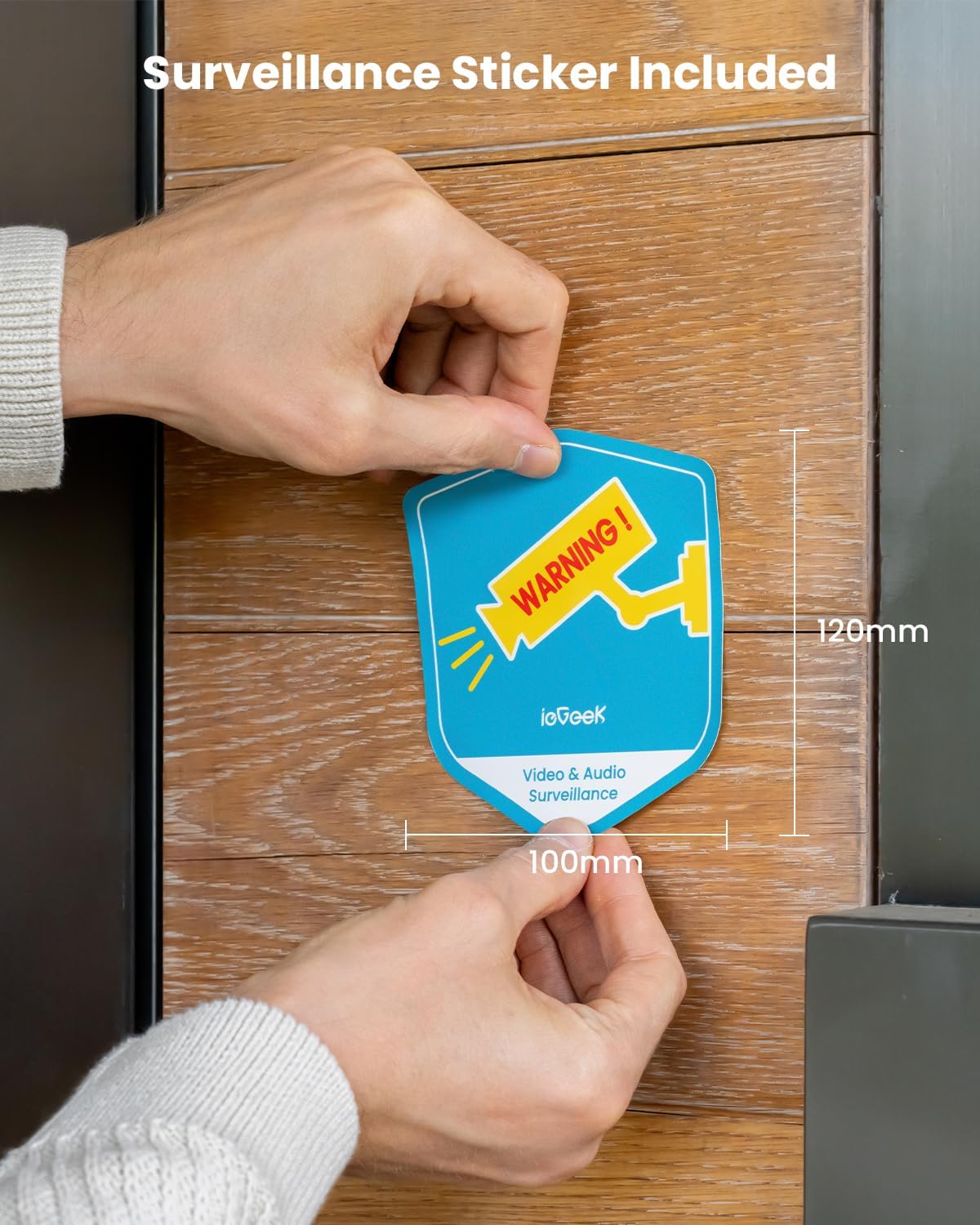
Image: The camera features 2K resolution and color night vision, offering clear images even in low-light conditions up to 50 feet.

Image: A surveillance sticker is included to deter potential intruders.

Image: The camera supports various alarm modes, including siren warning, spotlight warning, or both, with 2-second alert notifications.

Image: Designed for outdoor use, the camera is IP65 waterproof and dustproof, capable of withstanding various weather conditions.
4. Setup
4.1 Installation
The ieGeek camera is 100% wire-free, offering flexible placement options. It supports both wall and ceiling mounting.

Image: Installation is quick and easy, involving fixing the bracket with screws, snapping the camera into place, and allowing for easy removal.
4.2 App and Wi-Fi Connection
To begin monitoring, download the 'ieGeek Cam' APP. The camera supports 2.4GHz Wi-Fi only for stable connectivity.

Image: Connect the camera to your 2.4GHz Wi-Fi network in three simple steps using the ieGeek Cam app.

Image: The app features one-touch pairing for quick and efficient device connection.
5. Operating
5.1 Pan-Tilt-Zoom (PTZ) Control
Control the camera's viewing angle remotely via the 'ieGeek Cam' app. It offers 355° horizontal pan and 120° vertical tilt, providing a 360° surveillance view when combined with the lens's angle.

Image: The camera supports 4X digital zoom for closer inspection of details.
5.2 Night Vision
Equipped with 2 IR lights and 2 white lights, the camera provides clear 2K color night vision, allowing you to see details even in complete darkness.

Image: The camera offers infrared night mode, color night mode, and color daytime mode for versatile surveillance.
5.3 Smart PIR Motion Detection
The advanced PIR motion detection technology allows for customized motion zones and scheduled alert plans, reducing false alarms. Upon detection, the camera sends instant notifications, records videos, and can activate alert sounds and spotlights.

Image: Smart PIR motion detection can differentiate between people, pets, packages, and vehicles, minimizing irrelevant alerts.

Image: Users can set specific time periods for motion detection to be active, customizing surveillance to their needs.
5.4 Two-Way Audio
Communicate with visitors or deter intruders using the built-in speaker and microphone.

Image: The two-way audio feature allows for direct communication through the camera via the app.
5.5 Storage and Access
Recorded video can be saved to a local memory card (up to 128GB, not included) or to the free lifetime cloud storage service (6-second clips, 7-day loop coverage).

Image: Storage options include local Micro SD card (up to 128GB) and free 6-second loop cloud storage.
5.6 Multi-User Sharing and Smart Home Integration
Easily share access to your security cameras with family and friends via a QR scan. The camera also works with Alexa for convenient voice control.

Image: The system supports multiple users and can be accessed from Android, iOS, and Smart Watch devices.

Image: The camera seamlessly integrates with Alexa for voice-controlled viewing.
6. Maintenance
6.1 Solar Charging
The included 1.6W solar panel ensures continuous charging of the camera's battery, minimizing the need for manual recharging. Ensure the solar panel is placed in an area with ample direct sunlight.
Image: The solar panel provides sustainable power to the camera, ensuring year-round operation.
6.2 Weather Resistance
The camera boasts an IP65 waterproof rating, making it suitable for outdoor use in various weather conditions, including heavy rain, snow, and strong winds. Its standard operating temperature range is from -4°F to 140°F (-20°C to 60°C).
Image: The IP65 rating ensures the camera's durability against dust and water splashes, making it ideal for outdoor environments.
7. Troubleshooting
If you encounter any issues with your ieGeek Solar Security Camera, please refer to the following common troubleshooting tips:
- Connectivity Issues: Ensure your Wi-Fi network is 2.4GHz and the camera is within range. Check the Wi-Fi signal strength in the app.
- Battery Not Charging: Verify the solar panel is clean and receiving direct sunlight. Check the connection between the solar panel and the camera.
- False Alarms: Adjust the PIR motion detection sensitivity settings in the app. Define specific motion detection zones to exclude irrelevant areas.
- No Night Vision: Ensure the IR lights and white lights are enabled in the app settings. Check for any obstructions blocking the camera's view.
- Two-Way Audio Problems: Check microphone and speaker permissions in your phone's app settings. Ensure there are no obstructions to the microphone or speaker on the camera.
For more detailed troubleshooting steps, please consult the full user manual provided in the box or contact customer support.
8. Specifications
| Feature | Detail |
|---|---|
| Model Name | ieGeek ZY-C2 |
| Video Capture Resolution | 2K (3MP Effective Still Resolution) |
| Indoor/Outdoor Usage | Outdoor |
| Power Source | Battery & Solar Powered |
| Connectivity Technology | Wireless (Wi-Fi 6 Technology, 2.4GHz only) |
| PTZ Capabilities | 355° Pan, 120° Tilt, 4x Digital Zoom |
| Night Vision Range | 50 Feet (Color Night Vision) |
| Motion Detection | PIR Motion Sensor, Customizable Zones |
| Audio | Two-Way Audio (Built-in Speaker & Microphone) |
| Storage Options | Micro SD Card (up to 128GB, not included), Free Lifetime Cloud Storage (6s & 7 days loop) |
| Water Resistance Level | IP65 Waterproof |
| Operating Temperature | -4°F to 140°F (-20°C to 60°C) |
| Compatible Devices | ieGeek Cam & CloudEdge APP, Works with Alexa |
9. Warranty and Support
ieGeek offers a 2-year warranty for this product. Your privacy is a top priority; ieGeek security cameras use Advanced Encryption Standard (AES128) technology to protect your data.

Image: ieGeek Support Center, ready to assist with any inquiries.
If you encounter any problems or have questions, please do not hesitate to contact us:
- Email: service@iegeek.com (Replies within 24 working hours)

Image: Your privacy is secured with AES128 encryption technology.


