
J-Tech Digital JTECH-AE8K
J-Tech Digital HDMI 2.1 ARC Audio Extractor User Manual
Model: JTECH-AE8K
1. Introduction
The J-Tech Digital HDMI 2.1 ARC Audio Extractor (Model JTECH-AE8K) is designed to separate audio signals from an HDMI source while passing through high-resolution video. This device supports advanced video specifications such as 8K@60Hz and 4K@120Hz, along with HDR and HDCP 2.3. It provides multiple audio output options, including Optical SPDIF and 3.5mm L/R, in addition to an HDMI audio-only output. This manual provides detailed instructions for setup, operation, and troubleshooting to ensure optimal performance.

Image 1.1: Overview of the J-Tech Digital HDMI 2.1 ARC Audio Extractor.
2. Key Features
- High Resolution Video Support: Supports 8K@60Hz and 4K@120Hz resolutions, delivering clear visuals and smooth motion.
- HDR and HDCP 2.3 Compliance: Enhances visual quality with High Dynamic Range (HDR) and ensures compatibility with protected content through HDCP 2.3.
- Versatile Audio Extraction: Extracts audio via HDMI (audio only), Optical SPDIF, and 3.5mm L/R ports for connection to various external audio devices.
- HDMI ARC Functionality: Enables audio transmission from an ARC-compatible display to an external sound system. Note: Audio is extracted via the Optical SPDIF port when ARC is active. This unit does not support eARC.
- Multiple Audio Format Support: Compatible with PCM (via 3.5mm, Optical, HDMI audio-only port), DTS & Dolby Digital 5.1 (via Optical and HDMI audio-only port), and up to 7.1 channel audio (via HDMI audio-only port).
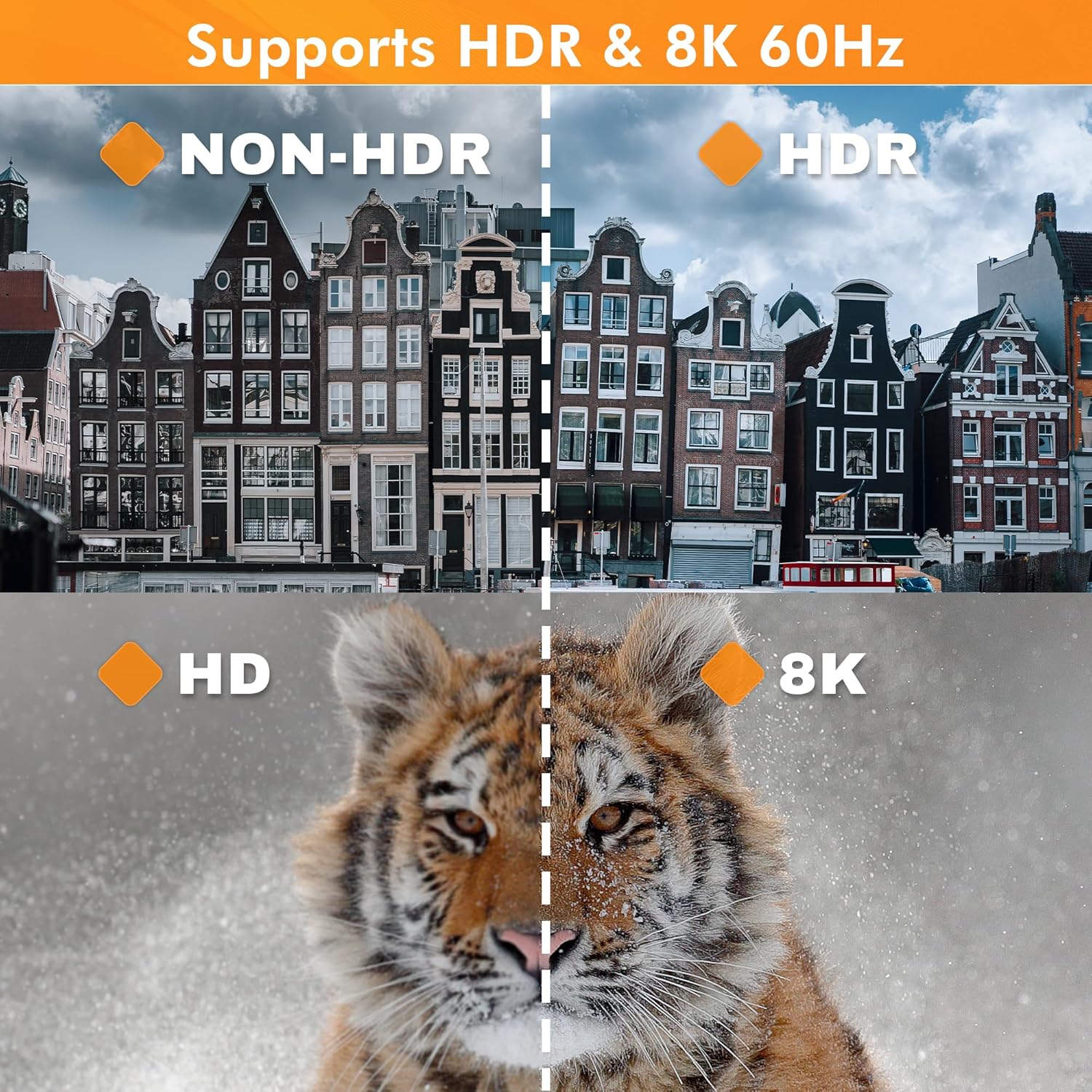
Image 2.1: Visual comparison demonstrating HDR and 8K 60Hz capabilities.

Image 2.2: Example gaming setup showcasing 8K@60Hz and 4K@120Hz support.
3. Package Contents
Please verify that all items listed below are included in your package:
- A. J-Tech Digital HDMI 2.1 ARC Audio Extractor (Model JTECH-AE8K) x1
- B. Operating Instructions (this manual) x1
- C. 3.5mm to RCA cable x1
- D. Power Adapter DC 12V/1A x1

Image 3.1: Visual representation of all items included in the product package.
4. Unit Interface
Familiarize yourself with the ports and indicators on the front and back panels of the audio extractor.

Image 4.1: Detailed diagram of the unit's front and back interfaces, showing all ports and indicators.
Front Panel
- L/R Out: 3.5mm stereo audio output port.
- SPDIF Out: Optical digital audio output port.
- P/2.0/5.1/7.1 (EDID Toggle Button): Press to cycle through EDID modes for audio output (Pass-through, 2.0ch, 5.1ch, 7.1ch).
- ARC (ARC On/Off Button): Press to enable or disable the ARC function.
- Status Indicator: LED indicates the current operational status.
- ARC Out Indicator: LED illuminates when ARC function is active.
- IN Indicator: LED illuminates when an HDMI input signal is detected.
- PWR (Power Input Indicator): LED illuminates when the unit is powered on.
Back Panel
- DC/12V: Power input port for the included 12V DC adapter.
- HDMI IN: Connect your HDMI source device (e.g., game console, Blu-ray player, laptop).
- HDMI OUT: Connect to your display device (e.g., TV, monitor).
- HDMI OUT Only Audio: Connect to an audio receiver or soundbar for HDMI audio signal only.
5. Setup Instructions
Follow these steps to connect your J-Tech Digital HDMI 2.1 ARC Audio Extractor to your devices.
- Power Off Devices: Ensure all devices (source, display, audio system) are powered off before making connections.
- Connect HDMI Source: Connect an HDMI cable from your source device (e.g., game console, Blu-ray player) to the HDMI IN port on the extractor.
- Connect HDMI Display: Connect an HDMI cable from the HDMI OUT port on the extractor to your display device (e.g., TV, monitor).
- Connect Audio Output:
- For optical audio, connect an optical cable from the SPDIF Out port to your audio receiver or soundbar.
- For stereo analog audio, connect the included 3.5mm to RCA cable from the L/R Out port to your analog audio system.
- For HDMI audio only, connect an HDMI cable from the HDMI OUT Only Audio port to your audio receiver or soundbar.
- Connect Power: Connect the included 12V DC power adapter to the DC/12V port on the extractor, then plug the adapter into a power outlet. The PWR indicator will illuminate.
- Power On Devices: Power on your display, audio system, and source device in that order.

Image 5.1: Diagram illustrating typical connection scenarios for the audio extractor with various input and output devices.
6. Operating Instructions
6.1 EDID Management
The EDID (Extended Display Identification Data) toggle button (P/2.0/5.1/7.1) allows you to control the audio format reported to the source device. Press this button to cycle through the following modes:
- Pass-through (P): The extractor passes the EDID from the connected display directly to the source.
- 2.0ch: Forces the source to output 2-channel stereo audio.
- 5.1ch: Forces the source to output 5.1 channel audio.
- 7.1ch: Forces the source to output 7.1 channel audio (primarily for HDMI audio-only output).
Select the appropriate EDID mode based on your audio system's capabilities and the desired audio output.
6.2 ARC Function
The ARC (Audio Return Channel) function allows audio from your TV's internal tuner or smart apps to be sent back to your audio system through the extractor. To activate or deactivate ARC:
- Ensure your TV's HDMI port supports ARC and that ARC is enabled in your TV's settings.
- Press the ARC button on the front panel of the extractor. The ARC Out indicator LED will illuminate when ARC is active.
- When ARC is active, audio will be extracted exclusively from the Optical SPDIF Out port. The 3.5mm L/R and HDMI Audio Only outputs will not carry ARC audio.

Image 6.1: Diagram explaining the ARC function and its audio routing.
7. Troubleshooting
If you encounter issues with your J-Tech Digital HDMI 2.1 ARC Audio Extractor, please refer to the following common solutions:
- No Video Output:
- Check all HDMI cable connections. Ensure they are securely plugged in.
- Verify that the power adapter is correctly connected and the PWR indicator is on.
- Try connecting the HDMI source directly to the display to confirm the source and display are working correctly.
- Ensure your HDMI cables are rated for HDMI 2.1 and support the desired resolution (8K/4K).
- No Audio Output:
- Check audio cable connections (Optical, 3.5mm, HDMI Audio Only).
- Verify that your audio receiver/soundbar is set to the correct input.
- Adjust the EDID toggle button on the extractor to match your audio system's capabilities (e.g., 2.0ch for stereo, 5.1ch for surround sound).
- If using ARC, ensure the ARC function is enabled on both the TV and the extractor, and that your audio system is connected via the Optical SPDIF port.
- Confirm the source device is outputting an audio format supported by your audio system and the extractor.
- Intermittent Video/Audio:
- Ensure all cables are high-quality and not damaged.
- Try restarting all connected devices, including the extractor, by unplugging them from power for a few seconds and then reconnecting.
- Reduce cable lengths if possible, especially for high-resolution signals.
- ARC Not Working:
- Confirm your TV's HDMI port is ARC-enabled and that ARC/CEC is activated in your TV's settings.
- Ensure the ARC button on the extractor is pressed and the ARC Out indicator is lit.
- Remember that ARC audio is only output via the Optical SPDIF port on this unit.
8. Specifications
| Feature | Detail |
|---|---|
| Model Number | JTECH-AE8K (JTD-302) |
| Manufacturer | J-Tech Digital |
| Video Resolution Support | Up to 8K@60Hz, 4K@120Hz |
| HDR Support | Yes |
| HDCP Compliance | HDCP 2.3 |
| HDMI Version | HDMI 2.1 |
| Audio Output Ports | Optical SPDIF, 3.5mm L/R, HDMI Audio Only |
| ARC Support | Yes (via Optical SPDIF only, up to 5.1ch) |
| eARC Support | No |
| Supported Audio Formats | PCM, DTS, Dolby Digital 5.1 (up to 7.1ch via HDMI Audio Only) |
| Product Dimensions (L x W x H) | 9.65 x 5.84 x 0.25 cm (approx. 3.8 x 2.3 x 0.1 inches) |
| Item Weight | 299 g (approx. 0.66 lbs) |
| Color | Black |
| Material | Copper |
| Power Supply | DC 12V/1A |

Image 8.1: Diagram showing the physical dimensions of the audio extractor.
9. Warranty and Support
J-Tech Digital is committed to providing high-quality products and customer satisfaction.
- Manufacturer Exchange Warranty: This product includes a 1-year manufacturer exchange warranty from the date of purchase.
- Lifetime Technical Support: J-Tech Digital offers complimentary lifetime technical support from our customer support team based in Stafford, Texas.
- Support Hours: Technical support is available Monday through Friday, 9 AM to 6 PM CST (Central Standard Time).
- Contact Information: For support inquiries, please refer to the contact information provided on the seller's page where you purchased this product.
Related documentsJTECH-AE8K


Ask a question about this manual
Ask about setup, troubleshooting, compatibility, parts, safety, or missing instructions. Manuals+ will review the question and use this page’s manual context to help answer it.