
1. Important Safety Instructions
Please read these instructions carefully before using the appliance. Failure to follow these instructions may result in electric shock, fire, or serious injury.
- Always connect the dehumidifier to a grounded power outlet.
- Do not operate the unit with a damaged power cord or plug.
- Ensure the unit is placed on a stable, level surface to prevent tipping and water spillage.
- Maintain adequate clearance (at least 20 cm) around the unit for proper air circulation.
- Do not insert objects into the air inlet or outlet grilles.
- Unplug the unit before cleaning or performing any maintenance.
- Do not use the dehumidifier in areas where flammable gases or liquids are stored.
- Keep children and pets away from the appliance during operation.
- This appliance is designed for indoor use only.
2. Product Overview
The Be Cool BC20LEF2301 is an air dehumidifier designed to reduce humidity in spaces up to 20 square meters. It features a 400 W power consumption and can extract up to 20 liters of moisture per day. Its durable and robust construction ensures reliable performance.
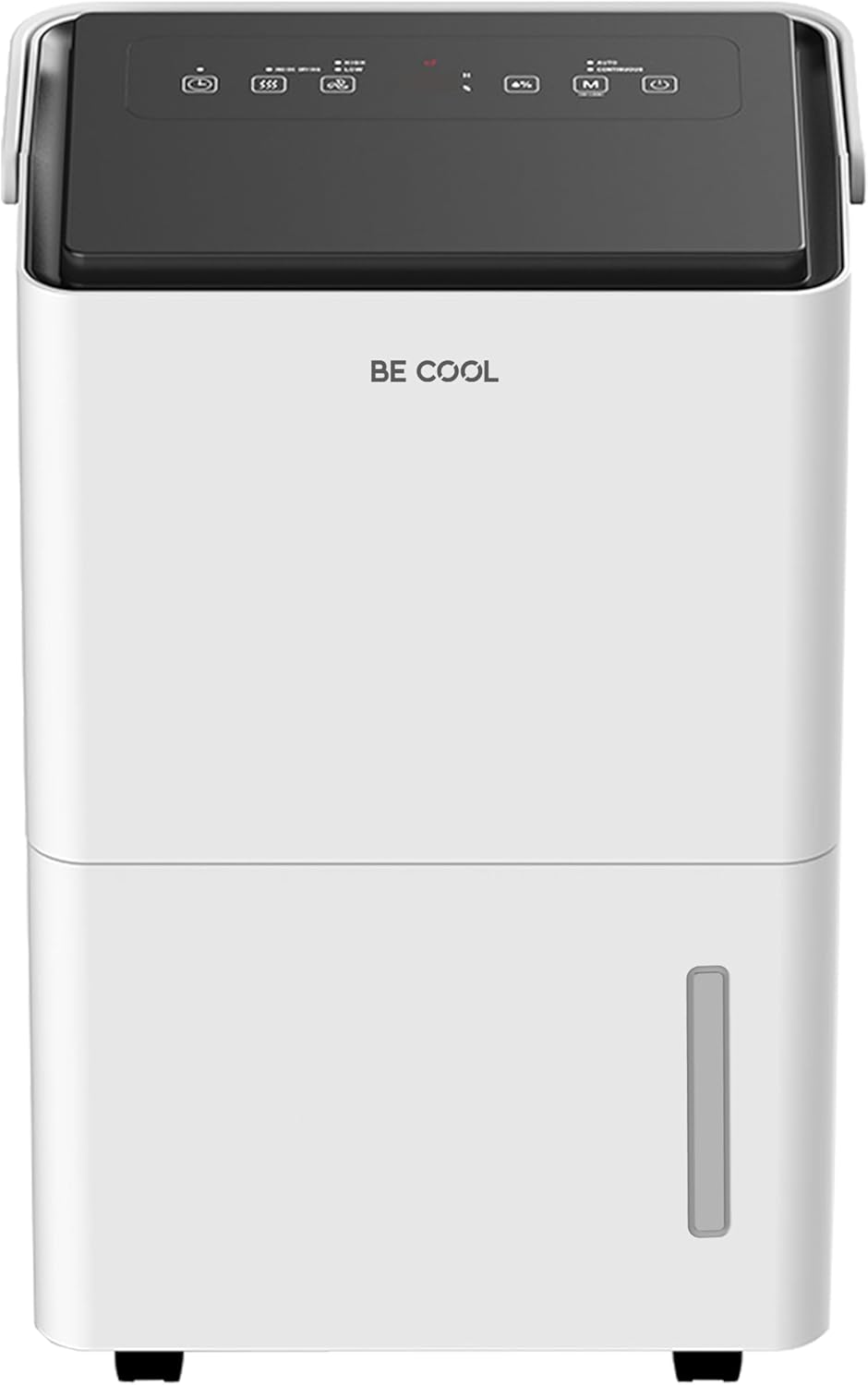
Figure 2.1: Front view of the Be Cool BC20LEF2301 Dehumidifier.
Key Features:
- 24-Hour Timer: Allows for scheduled operation.
- Soft-Touch Control Panel: Intuitive and easy to use.
- Low Noise Operation: Operates quietly at approximately 46 dB(A).
- Two Fan Speeds: Adjustable airflow for different needs.
- Integrated Dust Filter: Helps improve air quality.
- 20 Liters/24 Hours Dehumidification: Efficient moisture removal.
- Automatic Shut-off: Unit stops when the water tank is full.
- Defrost Function: Ensures efficient operation in cooler environments.

Figure 2.2: Overview of the dehumidifier's main features.

Figure 2.3: The dehumidifier operates with a low noise level of 46 dB(A).
3. Setup
Follow these steps for initial setup:
- Unpacking: Carefully remove the dehumidifier from its packaging. Retain packaging materials for future storage or transport.
- Placement: Place the unit on a firm, level surface in the desired room. Ensure there is at least 20 cm of space around all sides of the unit for unrestricted airflow. Do not block the air inlet or outlet.
- Power Connection: Plug the power cord into a suitable grounded electrical outlet.
- Water Tank: Ensure the water tank is correctly inserted into the unit.
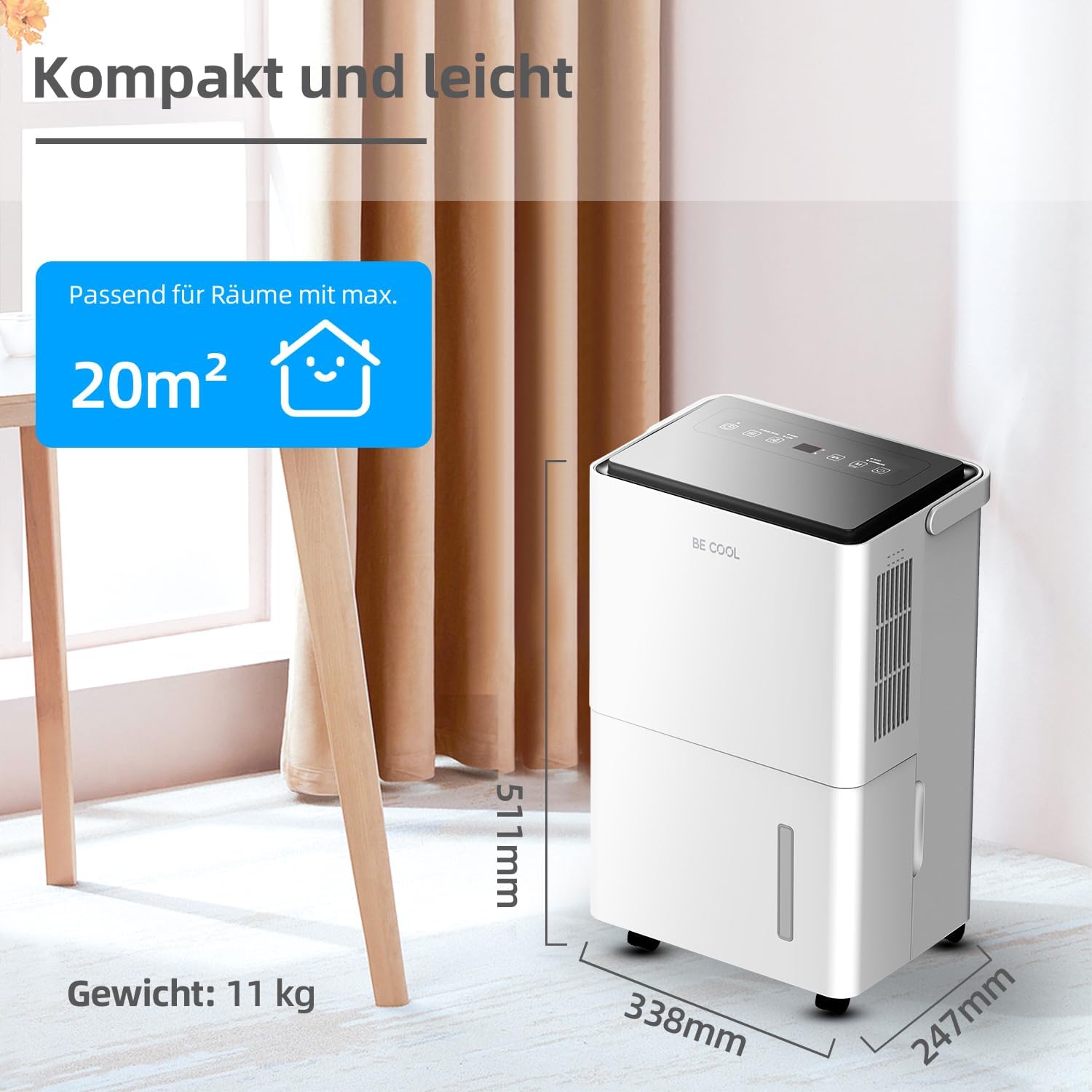
Figure 3.1: Compact design suitable for rooms up to 20m².
4. Operating Instructions
The dehumidifier features an intuitive soft-touch control panel for easy operation.

Figure 4.1: Soft-touch control panel.
Control Panel Functions:
- Power Button (Ein/Ausschalter): Press to turn the unit ON or OFF.
- Mode Button (Verschiedene Modi): Cycle through available operating modes (e.g., Dehumidification, Fan).
- Humidity Setting Button (Luftfeuchtigkeit Einstellbar): Adjust the desired humidity level. The unit will operate until this level is reached.
- Fan Mode Button (Ventilatormodus): Select between two fan speeds.
- Drying Mode Button (Trocknung): Activates a continuous drying mode.
- Timer Button (Timer): Set the 24-hour timer for automatic ON/OFF operation.
Automatic Shut-off:
The dehumidifier is equipped with an automatic shut-off feature. When the 4-liter water tank is full, the unit will stop operating, and a warning signal will sound, accompanied by an indicator light. Empty the water tank to resume operation.

Figure 4.2: Automatic shut-off and warning signal when the water tank is full.
5. Maintenance
Regular maintenance ensures optimal performance and longevity of your dehumidifier.
5.1. Emptying the Water Tank
- When the water tank is full, the unit will stop and alert you.
- Carefully pull out the water tank from the front of the unit.
- Empty the collected water.
- Reinsert the empty water tank firmly into the unit until it clicks into place. The unit will then resume operation.
5.2. Cleaning the Air Filter
The dehumidifier includes an integrated dust filter that should be cleaned regularly (e.g., every two weeks or as needed).
- Turn off and unplug the dehumidifier.
- Locate and remove the air filter (refer to the product diagram for exact location).
- Clean the filter using a vacuum cleaner or wash it gently with warm, soapy water.
- Rinse the filter thoroughly and allow it to air dry completely before reinserting.
- Ensure the filter is dry before placing it back into the unit.

Figure 5.1: Illustration of dehumidification process and dust filter.
6. Troubleshooting
If you encounter issues with your dehumidifier, refer to the following common problems and solutions:
| Problem | Possible Cause | Solution |
|---|---|---|
| Unit does not turn on. | No power supply. Power button not pressed. | Check if the power cord is securely plugged into a working outlet. Press the Power button. |
| No dehumidification. | Water tank is full. Air filter is clogged. Room temperature is too low. Humidity setting is too high. | Empty the water tank. Clean the air filter. Dehumidifiers are less effective in very cold conditions. Lower the target humidity setting. |
| Unit is noisy. | Unit is not on a level surface. Air filter is dirty. | Ensure the unit is on a flat, stable surface. Clean the air filter. |
| Water leaks from the unit. | Water tank not properly inserted. Unit is tilted. | Ensure the water tank is fully and correctly inserted. Place the unit on a level surface. |
7. Specifications
Technical specifications for the Be Cool BC20LEF2301 Dehumidifier:
- Brand: Be Cool
- Model Number: BC20LEF2301
- Color: Multicolored (White/Grey)
- Product Dimensions (L x W x H): 24.7 x 33.8 x 51.1 cm
- Weight: 11 Kilograms
- Water Tank Capacity: 4 Liters
- Dehumidification Capacity: 20 Liters/day (at 30°C, 80% RH)
- Power: 420 Watts
- Material: Plastic (PP or PE)
- Number of Speeds: 2
- Energy Class: A to G
- Annual Energy Consumption: 120 Watts
- Special Features: Adjustable speed control, Programmable (Timer)
- Recommended Uses: Domestic, Industrial
- Noise Level: Approximately 46 dB(A)
- Refrigerant: R290
8. Warranty and Support
For warranty information or technical support, please refer to the documentation provided with your purchase or contact Be Cool customer service. Keep your proof of purchase for warranty claims.


