
1. Product Overview
The ThermoPro Dial Instant Read Meat Thermometer is a reliable, battery-free analog thermometer designed for quick and accurate temperature readings of various foods and liquids. Its durable construction, featuring a tempered glass lens and a stainless steel probe, ensures longevity and safe use in diverse cooking environments.

Image: The ThermoPro Dial Instant Read Meat Thermometer, showing the large analog dial, the 5-inch stainless steel probe, and the protective sheath with a pocket clip.

Image: A banner displaying the ThermoPro APT418 Analog Meat Thermometer, highlighting its wide temperature range of 0°F to 220°F.
2. Key Features
- Battery-Free Operation: Always ready for use without the need for batteries.
- Tempered Glass Lens: More durable and resistant to heat compared to plastic lenses, preventing melting or fogging in hot environments.
- 5-inch Stainless Steel Probe: Food-grade stainless steel for safety, durability, and easy cleaning.
- Flat-Edge Design: Prevents the thermometer from rolling on flat surfaces, enhancing stability during use.
- Protective Sheath: Includes a sheath for safe storage and portability, protecting the probe and user.
- Wide Temperature Range: Measures temperatures from 0°F to 220°F (or -10°C to 100°C).
- Fast Response Time: Provides temperature readings within 3-5 seconds.
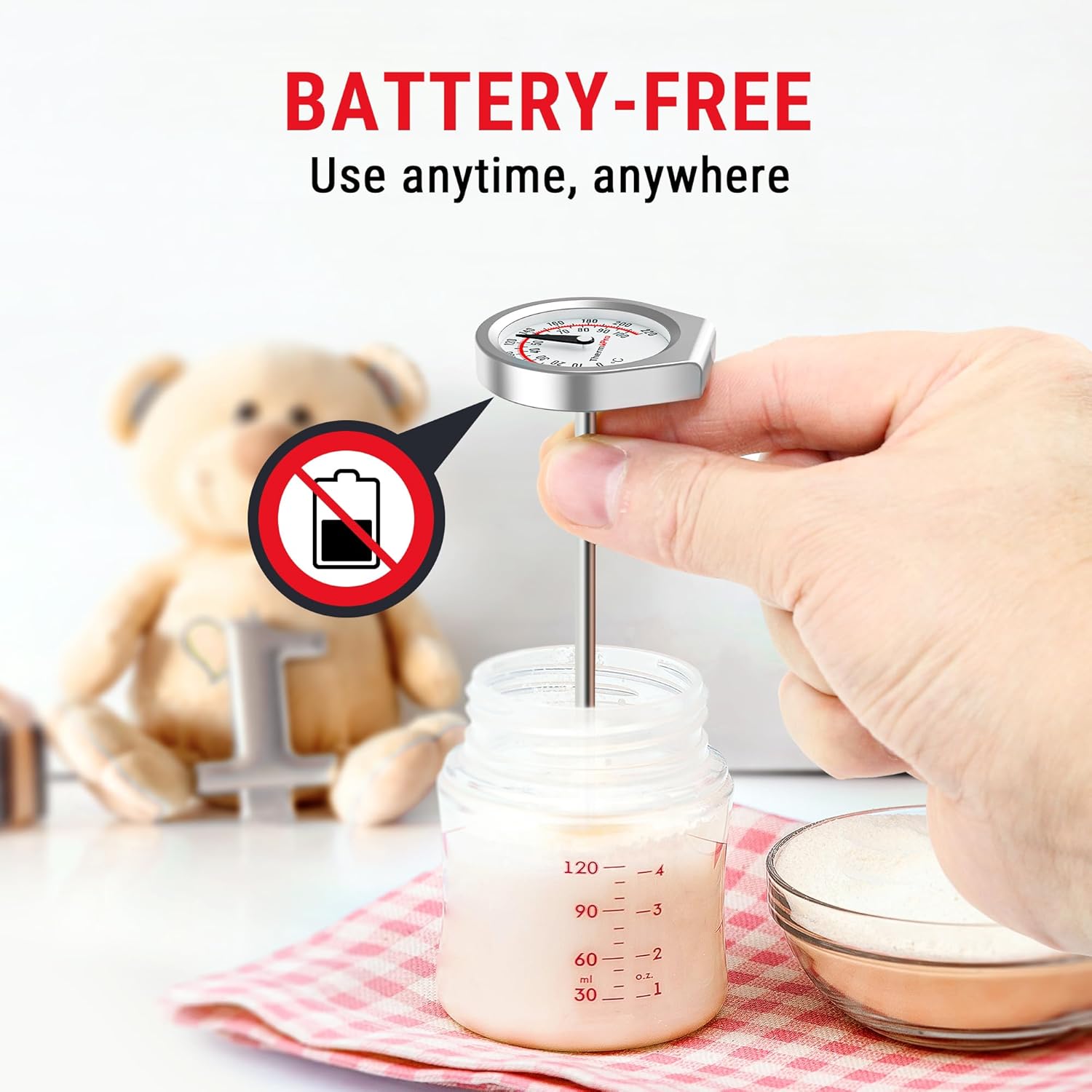
Image: A hand holding the ThermoPro thermometer, inserting it into a baby bottle to check liquid temperature, emphasizing its battery-free operation.

Image: A visual comparison highlighting the ThermoPro thermometer's durable tempered glass lens against a competitor's plastic lens that shows signs of melting or damage from heat.

Image: The ThermoPro thermometer resting on a kitchen counter, showcasing its flat-edge design that prevents it from rolling off surfaces.
3. Setup and First Use
The ThermoPro Dial Instant Read Meat Thermometer requires no batteries or complex setup. It is ready for use directly out of the packaging.
- Unpack: Carefully remove the thermometer from its packaging.
- Remove Sheath: Pull the protective plastic sheath off the stainless steel probe. Keep the sheath for safe storage after use.
- Initial Cleaning: Before first use, and after each subsequent use, clean the stainless steel probe thoroughly with warm, soapy water. Wipe the dial with a damp cloth. Do not immerse the entire thermometer in water.

Image: A two-part image showing the thermometer probe being inserted into a pot of boiling water while held by its protective sheath, and the thermometer stored safely in an apron pocket using the sheath.
4. Operating Instructions
To obtain an accurate temperature reading, insert the stainless steel probe into the thickest part of the food or liquid, avoiding bones or gristle. The dial will display the temperature within 3-5 seconds.
General Use:
- Insert the probe at least 2 inches into the food for optimal accuracy. For thinner items, insert as deep as possible without piercing through.
- Wait for the dial to stabilize, typically within 3-5 seconds, to get the final reading.
- The thermometer displays temperature in both Fahrenheit (°F) and Celsius (°C).
Applications:
This thermometer is suitable for a variety of cooking applications, including:
- Meats: Beef, pork, lamb, chicken, turkey, and other poultry.
- Liquids: Milk, water, oils, and sauces.
- Confections: Chocolate, candy, and syrups.

Image: A collage showing different food items like roasted meat, a whole turkey, melted chocolate, and a glass of milk, illustrating the versatility of the thermometer for various culinary uses.

Image: A close-up of the thermometer dial, clearly showing both Fahrenheit and Celsius temperature scales, allowing users to read their preferred unit.
5. Calibration
The ThermoPro APT418-1 thermometer features customizable calibration. If you suspect the thermometer is not reading accurately, you can recalibrate it.
Calibration Procedure (Ice Bath Method):
- Fill a glass with crushed ice and add cold water until the glass is full. Stir the mixture well.
- Insert the thermometer probe into the ice bath, ensuring the probe tip is fully submerged but not touching the bottom or sides of the glass.
- Wait for the temperature reading to stabilize (approximately 30 seconds). A properly calibrated thermometer should read 32°F (0°C).
- If the reading is not 32°F (0°C), locate the calibration nut on the back of the thermometer dial (often a hexagonal nut).
- Using a small wrench or pliers, carefully turn the calibration nut until the needle points to 32°F (0°C).
- Remove the thermometer from the ice bath and dry it thoroughly.

Image: A split image showing the thermometer being used in an air fryer, highlighting its fast response time, and a diagram illustrating the customizable calibration mechanism on the back of the thermometer.
6. Care and Maintenance
Proper care will extend the life and accuracy of your ThermoPro thermometer.
- Cleaning: The stainless steel probe should be wiped clean with a damp cloth or washed with warm, soapy water after each use. Do not immerse the entire thermometer head (dial) in water, as this can damage the internal components.
- Drying: Ensure the probe is completely dry before storing.
- Storage: Always store the thermometer with its protective sheath to prevent damage to the probe and for safety. Store in a dry place at room temperature.
- Avoid Extreme Temperatures: While designed for cooking temperatures, avoid exposing the thermometer to extreme cold or heat for prolonged periods when not in use.

Image: A hand holding the stainless steel probe of the thermometer under running water from a kitchen faucet, demonstrating the ease of cleaning the durable probe.
7. Troubleshooting
If you encounter issues with your ThermoPro Dial Instant Read Meat Thermometer, consider the following:
- Inaccurate Readings:
- Ensure the probe is inserted deep enough into the food (at least 2 inches) and not touching bones or the cooking vessel.
- Allow sufficient time (3-5 seconds) for the reading to stabilize.
- Perform a calibration check using the ice bath method as described in Section 5. Recalibrate if necessary.
- Fogging under Lens:
- While the tempered glass lens is designed to resist fogging, condensation can sometimes occur in high humidity or rapid temperature changes. Allow the thermometer to return to room temperature and dry completely.
- Ensure the thermometer head is not immersed in water during cleaning.
- Needle Not Moving:
- Check if the probe is bent or damaged.
- Ensure the thermometer is not exposed to temperatures outside its operating range for prolonged periods.
If issues persist, please contact ThermoPro Customer Support.
8. Product Specifications
| Specification | Detail |
|---|---|
| Brand | ThermoPro |
| Model Name | APT418-1 |
| Display Type | Analog |
| Temperature Range | 0°F to 220°F (-10°C to 100°C) |
| Response Time | 3-5 seconds |
| Probe Length | 5 inches |
| Overall Length | 5.7 inches |
| Outer Material | Stainless Steel |
| Special Feature | Tempered Glass Lens, Flat-Edge Design |
| Power Source | Manual Operation (Battery-free) |
| Included Components | Analog Meat Thermometer Body, Protective Sheath |
| Product Care Instructions | Wipe Clean |
| Item Weight | 2.39 ounces |
9. Warranty and Support
ThermoPro products are designed for quality and reliability. For specific warranty information, please refer to the warranty card included with your purchase or visit the official ThermoPro website.
If you require technical assistance, have questions about product operation, or need to report a defect, please contact ThermoPro Customer Support:
- Website: Visit the official ThermoPro website for FAQs, support resources, and contact forms.
- Email: Refer to your product packaging or the ThermoPro website for the customer support email address.
- Phone: Refer to your product packaging or the ThermoPro website for customer support phone numbers.
Please have your model number (APT418-1) and purchase details ready when contacting support.
10. Official Product Videos
No official product videos from the seller are available for this model at this time.


