
Introduction
This manual provides essential information for the proper setup, operation, and maintenance of your Donner DDP-200 Digital Piano. Please read it thoroughly to ensure optimal performance and longevity of your instrument. The DDP-200 features an 88-key graded hammer action weighted keyboard, an LCD screen, multiple reverb effects, Bluetooth MIDI connectivity, and a three-pedal unit.
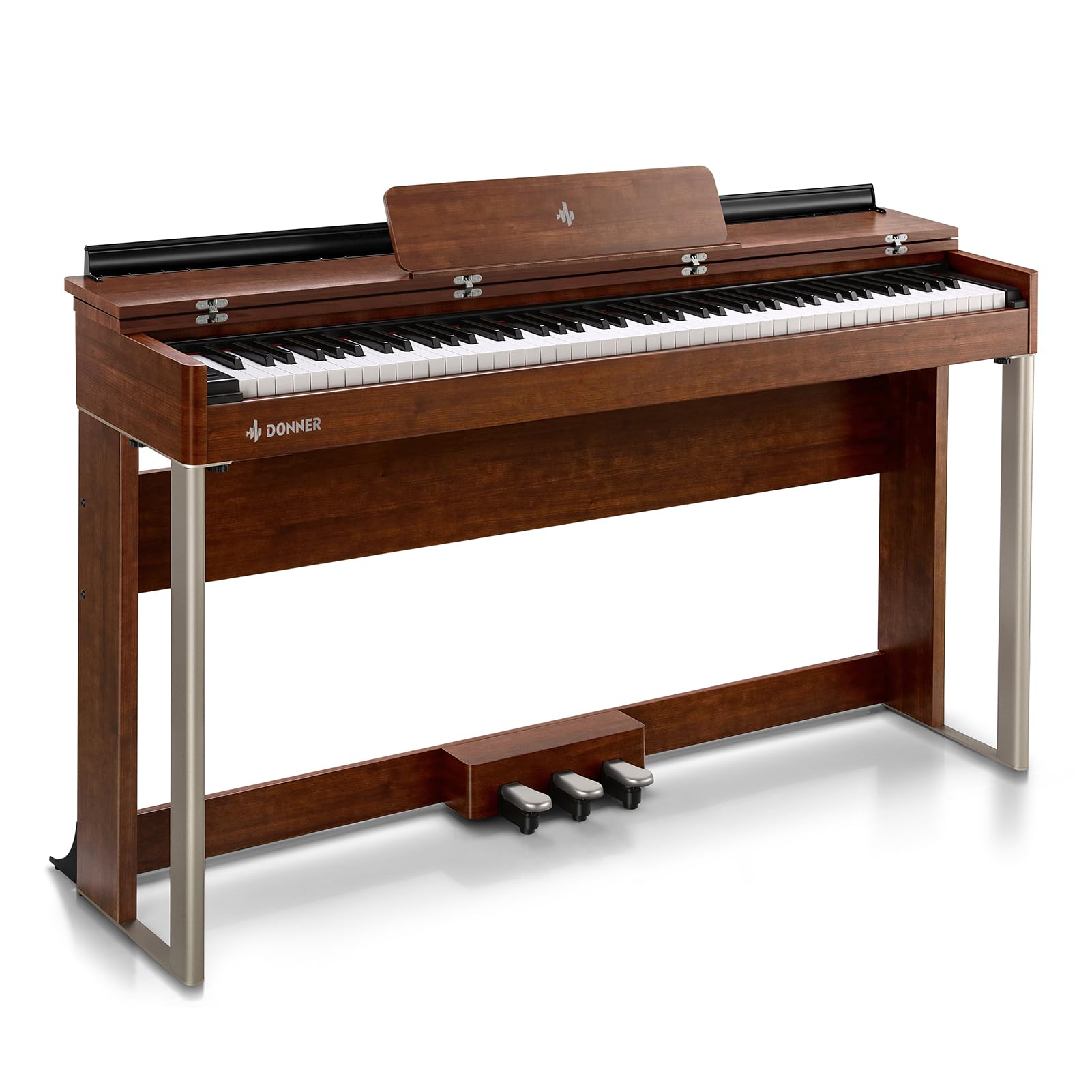
Image: The Donner DDP-200 Digital Piano in Bush Cherry Wood Grain, showcasing its elegant design.
Setup Instructions
Careful assembly is required to ensure the stability and functionality of your digital piano. It is recommended that two people assemble the unit.
Unpacking and Component Check
Before assembly, carefully unpack all components and verify that all parts are present. The package should include:
- Keyboard Unit
- Pedal Unit
- Speakers (integrated)
- Display (integrated)
- Music Stand
- Power Adapter
- User Manual
Assembly Steps
Follow these general steps for assembly. Refer to the detailed diagrams in the included PDF manual for specific instructions.
- Attach the side panels to the main keyboard unit.
- Secure the crossbar connecting the side panels.
- Install the pedal unit to the assembled frame.
- Place the music stand into its designated slot on the keyboard unit.
- Connect the power adapter to the piano and a suitable power outlet.

Image: An overview of the Donner DDP-200 Digital Piano, illustrating its main components and structure.
Key Features
Keyboard and Touch
The DDP-200 features an 88-key dual-sensor graded hammer action keyboard. This design provides a realistic acoustic piano feel, allowing for expressive control over dynamics from soft to strong tones. The standard-sized keys ensure a familiar playing experience.

Image: A close-up view of the 88-key graded hammer action keyboard, highlighting the realistic touch and key design.
Sound System
Equipped with a newly upgraded audio chip and a unique 3D speaker system, the DDP-200 delivers a rich, three-dimensional sound experience. This system aims to replicate the beautiful tone of an acoustic grand piano, providing an immersive musical environment.

Image: A musician playing the DDP-200, illustrating the immersive sound experience provided by the upgraded audio system.
Display and Controls
The 1.3-inch LCD screen displays current settings such as tone selection, reverb effects, and demo songs. This allows for clear monitoring of active functions and parameters during play. Controls include a power button, a volume/function knob, and a dedicated function button.

Image: A close-up of the DDP-200's control panel, showing the 1.3-inch LCD screen and function buttons.
Design and Aesthetics
The DDP-200 features an appealing wood grain finish, designed to complement modern interior styles. The music stand is integrated with a magnetic suction design, providing stability for sheet music or tablets and protecting the keys when closed.

Image: The DDP-200 showcasing its wood grain finish and the magnetic music stand in an open position.
Operating Instructions
Power On/Off
To power on the piano, press the Power button. To power off, press and hold the Power button until the display turns off.
Adjusting Volume and Functions
Rotate the VOL/FUN knob to adjust the master volume. Press the FUNCTION button to enter function selection mode. Use the VOL/FUN knob to navigate through options displayed on the LCD screen, then press the knob to confirm your selection.
Using Reverb Effects
The DDP-200 includes 5 reverb effects. Access these through the function menu on the LCD screen. Select the desired reverb type to add depth and ambiance to your sound.
Bluetooth MIDI Connectivity
The piano supports Bluetooth MIDI for wireless connection to compatible devices and applications. To connect, enable Bluetooth on your device and select the DDP-200 from the list of available MIDI devices. Refer to your device's instructions for specific pairing procedures.
Headphone Use
Two 3.5mm headphone jacks are provided for private practice or duet playing. Connecting headphones will mute the internal speakers.
Video: A demonstration of the DDP-200's sound capabilities, featuring a musical performance.
Video: An audio sample showcasing the various tones and sound quality of the DDP-200 Digital Piano.
Video: A piano teacher's review of the Donner DDP-200 Digital Piano, detailing its features and playability.
Maintenance
To maintain your DDP-200 Digital Piano in optimal condition, follow these guidelines:
- Cleaning: Use a soft, dry cloth to wipe the surface of the piano. Avoid abrasive cleaners or solvents, which can damage the finish. For keys, a slightly damp cloth can be used, followed by a dry cloth.
- Placement: Place the piano on a stable, level surface away from direct sunlight, heat sources, and excessive humidity.
- Dust Protection: When not in use, cover the piano with a dust cover to prevent dust accumulation on the keys and internal components.
- Power: Disconnect the power adapter from the outlet when the piano will not be used for extended periods.
Troubleshooting
If you encounter issues with your DDP-200 Digital Piano, refer to the common problems and solutions below. For more detailed troubleshooting, consult the official Troubleshooting Guide (PDF).
- Dropped notes during sustain pedal use: This issue may be resolved by upgrading the piano's software. Refer to the user guide for software upgrade instructions.
- Cannot find Bluetooth MIDI: Ensure Bluetooth is enabled on your device and the piano's Bluetooth function is active. Consult the user manual for detailed Bluetooth MIDI connection instructions.
- How to upgrade software: Download the installation package from the official Donner Music website and follow the instructions provided in the user guide for the upgrade process.
Specifications
Detailed technical specifications for the Donner DDP-200 Digital Piano:
| Feature | Description |
|---|---|
| Brand | Donner |
| Model Name | DDP 200 |
| Number of Keys | 88 |
| Keyboard Type | Dynamic Graded Hammer Action, Dual-Sensor Weighted Keys |
| Polyphony | 128 |
| Display | 1.3-inch LCD Screen |
| Reverb Effects | 5 types |
| Demo Songs | 5 |
| Connectivity | Bluetooth MIDI, USB-MIDI, 3.5mm Headphone Jack (x2) |
| Sound Profile | Acoustic Grand Piano-like |
| Dimensions (L x W x H) | 135.8 x 32.2 x 77.9 cm (53.55" x 13" x 31.5") |
| Finish Type | Textured Wood Grain |
| Included Components | Keyboard, Pedals, Speakers, Display, Music stand, Headphone sockets, USB-MIDI socket, Power socket, Manual |

Image: The Donner DDP-200 Digital Piano with key dimensions indicated for reference.
Warranty and Support
The Donner DDP-200 Digital Piano comes with a 12-month warranty from the date of purchase. This warranty covers manufacturing defects under normal use. Please retain your proof of purchase for warranty claims.
For technical support, warranty inquiries, or service requests, please contact Donner customer service through their official website or the retailer where the product was purchased. You may also refer to the User Manual (PDF) for additional information.


