
1. Introduction
Thank you for choosing the SANODESK FD5 Computer Desk. This desk is designed to provide a spacious and organized workspace for your home or office. It features a large desktop surface and integrated four-tier storage shelves, offering ample space for your computer, books, office supplies, and other essentials. Constructed with a high-quality metal frame and E0 grade MDF board, this desk ensures durability, stability, and ease of maintenance.
Please read this manual carefully before assembly and use to ensure proper installation and to maximize the lifespan of your product.
2. Setup and Assembly
Assembly of the SANODESK FD5 Computer Desk is designed to be straightforward. It is recommended that one person performs the assembly. Please ensure all parts are present before beginning.
2.1 Package Contents
Verify that all components listed in the packing list (usually included in the box) are present and undamaged. If any parts are missing or damaged, please contact customer support.
2.2 Tools Required
- Screwdriver (usually included or standard Phillips head)
- Allen Wrench (usually included)
2.3 Assembly Steps
- Unpack Components: Carefully remove all parts from the packaging and lay them out on a clean, soft surface (e.g., a blanket or cardboard) to prevent scratches.
- Assemble Frame: Attach the metal frame components together using the provided screws and tools. Ensure all connections are secure but do not fully tighten screws until the entire frame is assembled.
- Attach Shelves: Secure the four-tier storage shelves to the designated frame sections. Pay attention to the orientation of each shelf.
- Mount Desktop: Carefully place the desktop panel onto the assembled frame. Align the pre-drilled holes on the desktop with the frame and secure it using the appropriate screws.
- Final Tightening: Once all components are in place, systematically tighten all screws to ensure the desk is stable and rigid. Avoid over-tightening.
- Adjust Leveling Feet: The desk is equipped with adjustable non-slip feet. Adjust these feet to ensure the desk is level and stable on uneven surfaces, protecting your floor.

Figure 2.1: Overall dimensions of the SANODESK FD5 Computer Desk, illustrating the desktop and integrated shelving unit.
3. Operating Instructions
The SANODESK FD5 Computer Desk is designed for versatile use in various environments, including bedrooms, study rooms, offices, and small spaces.
3.1 Workspace Utilization
- Desktop Surface: The 160 x 60 cm desktop provides ample space for a computer monitor, keyboard, mouse, and other work essentials.
- Storage Shelves: Utilize the four-tier shelves to organize books, documents, office supplies, or even a host computer. The shelves are designed to keep your workspace tidy and efficient.

Figure 3.1: The SANODESK FD5 desk configured for a computer workstation, demonstrating organized storage on the shelves.

Figure 3.2: Detailed view of the four-tier storage shelves, highlighting their capacity for various items.
4. Maintenance
Proper care and maintenance will ensure the longevity and appearance of your SANODESK FD5 Computer Desk.
4.1 Cleaning
- Desktop Surface: The E0 grade MDF board is scratch-resistant and waterproof. Wipe the surface with a soft, damp cloth. For stubborn marks, a mild soap solution can be used, followed by drying with a clean cloth. Avoid abrasive cleaners or harsh chemicals.
- Metal Frame: Clean the metal frame with a soft, dry cloth. If necessary, a slightly damp cloth can be used, ensuring to dry thoroughly afterward to prevent rust.
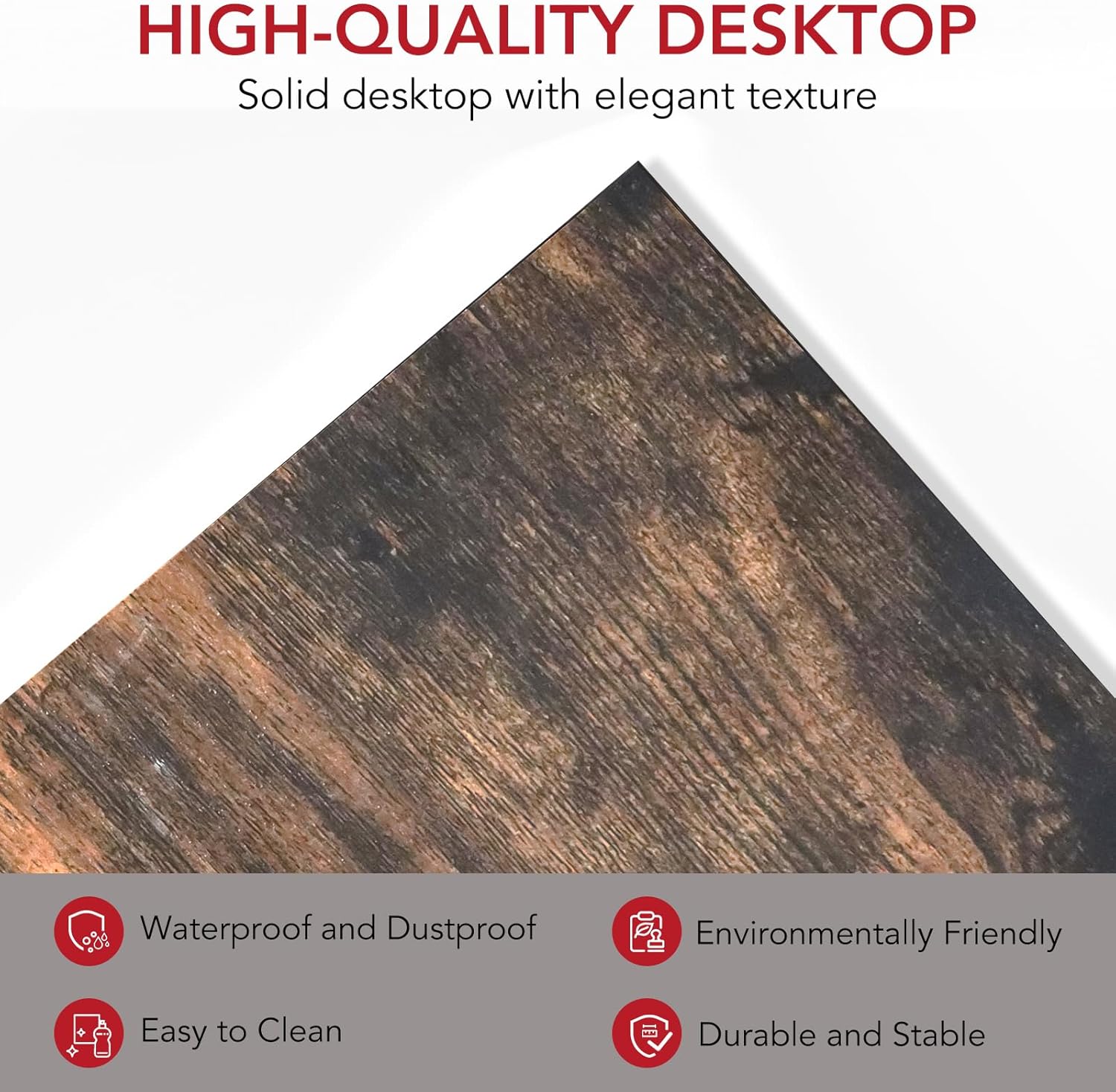
Figure 4.1: Close-up of the high-quality desktop surface, illustrating its texture and ease of cleaning.
4.2 General Care
- Regularly check and tighten all screws and fasteners to maintain stability.
- Avoid placing extremely hot or cold items directly on the desktop without protective coasters.
- Do not overload the shelves or desktop beyond the recommended weight capacity.
5. Troubleshooting
This section addresses common issues you might encounter with your SANODESK FD5 Computer Desk.
5.1 Desk is Wobbly
- Check all fasteners: Ensure all screws and bolts are securely tightened. Loose connections can cause instability.
- Adjust leveling feet: The desk is equipped with adjustable non-slip feet. Rotate these feet at the bottom of the legs to compensate for uneven floor surfaces until the desk is stable.
- Verify assembly: Double-check that all components were assembled correctly according to the instructions.
5.2 Missing or Damaged Parts
- If you discover any missing or damaged parts upon unpacking, please do not proceed with assembly. Contact SANODESK customer support immediately for assistance.
6. Specifications
Detailed specifications for the SANODESK FD5 Computer Desk.
| Feature | Detail |
|---|---|
| Brand | SANODESK |
| Model Number | FD5 |
| Color | Brown |
| Material | E0 Grade MDF Board, Metal Frame |
| Overall Dimensions (L x W x H) | 160 x 60 x 100 cm (62.99 x 23.62 x 39.37 inches) |
| Desktop Dimensions (L x W) | 160 x 60 cm |
| Number of Storage Shelves | 4 |
| Maximum Weight Recommendation | 50 Kilograms (Desktop) |
| Assembly Required | Yes |
| Recommended People for Assembly | 1 |
| Features | Waterproof, Scratch-resistant, Adjustable non-slip feet |

Figure 6.1: Illustration demonstrating the desk's robust load-bearing capacity, supported by its triangular design.
7. Customer Support
For any questions regarding your SANODESK FD5 Computer Desk, including assembly, missing parts, or general inquiries, please contact SANODESK customer support. Refer to the contact information provided with your purchase or visit the official SANODESK website for support details.
We are committed to providing excellent service and assistance.


