
SANODESK QS1B-1460-EU
SANODESK QS1 Electric Standing Desk User Manual
Model: QS1B-1460-EU
Introduction
This manual provides detailed instructions for the assembly, operation, and maintenance of your SANODESK QS1 Electric Standing Desk. Designed for versatility and comfort, this desk allows you to easily switch between sitting and standing positions, promoting a healthier work environment. Please read this manual thoroughly before use to ensure proper setup and safe operation.
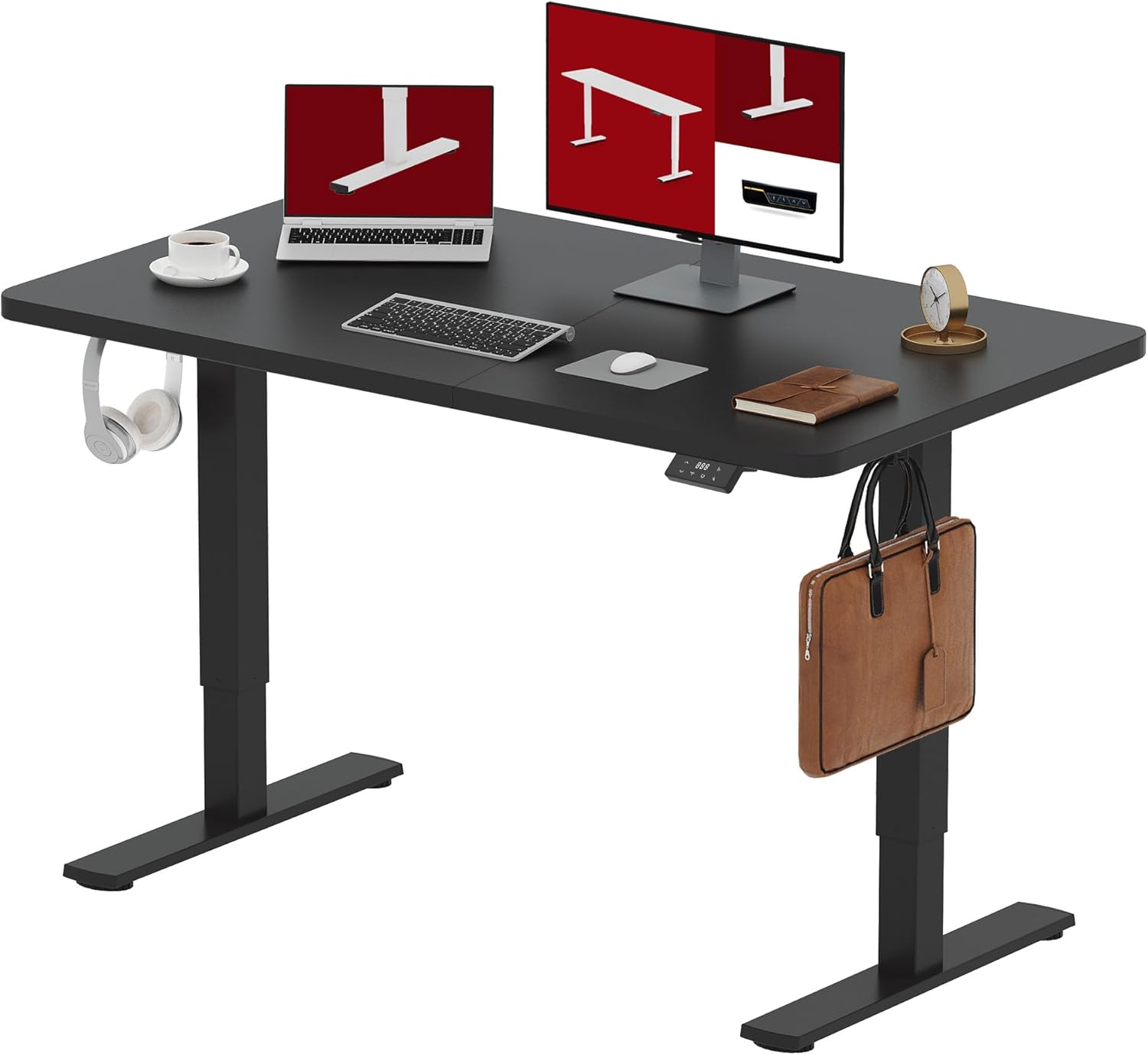
Image: The SANODESK QS1 Electric Standing Desk, showcasing its sleek design and ample workspace, equipped with a laptop, external monitor, and various office accessories. Headphones hang from a hook on the left, and a briefcase from a hook on the right, demonstrating the desk's integrated features.
Safety Warnings
WARNING: Keep out of reach of children. Handle with care to prevent falls or injuries. Always ensure the desk is stable before placing items on it or adjusting its height. Do not overload the desk beyond its stated weight capacity.
- Ensure all screws and fasteners are securely tightened before use.
- Do not place liquids directly on the control panel or motor components.
- Keep hands and fingers clear of moving parts during height adjustment.
- Unplug the desk from the power outlet before cleaning or maintenance.
- If any unusual noise or malfunction occurs, discontinue use immediately and contact customer support.
Setup Guide
The SANODESK QS1 is designed for straightforward assembly. All necessary tools are included in the package. Please follow these steps carefully:
- Unpack Components: Carefully remove all parts from the packaging and verify against the parts list.
- Assemble Frame: Attach the lifting columns to the foot supports. Ensure they are securely fastened.
- Attach Desktop: Place the desktop onto the assembled frame. The desktop consists of two parts for easier handling and assembly. Align the pre-drilled holes and secure the desktop to the frame using the provided screws.
- Install Control Panel: Mount the control panel to the underside of the desktop in an easily accessible location. Connect the motor and power cables to the control box and then to the control panel.
- Cable Management: Use the included cable ties or clips to organize and secure all cables, preventing tangles and ensuring safe operation.
- Initial Power-Up: Plug the desk into a grounded power outlet. The desk is now ready for initial calibration or use.

Image: A technical diagram illustrating the desktop dimensions of the SANODESK QS1, showing a length of 140cm and a width of 60cm. The desktop is depicted as two separate panels, indicating its modular design for assembly.

Image: A visual comparison highlighting the improved stability of the SANODESK desktop, which uses a single, solid top (or two large, well-joined pieces) compared to other brands that might use multiple smaller, less stable segments.
Operating Instructions
Your SANODESK QS1 Electric Standing Desk offers intuitive controls for seamless height adjustment and personalized settings.
Height Adjustment
The desk's height can be adjusted from 71 cm (minimum) to 117 cm (maximum) to accommodate various user preferences and activities, whether sitting or standing.
- Press the Up (▲) button to raise the desk.
- Press the Down (▼) button to lower the desk.
- Release the button once the desired height is reached.

Image: A visual representation of the SANODESK QS1's adjustable height range, showing a black desk at its maximum height of 116cm and a white desk at its minimum height of 71cm, illustrating its versatility for different user needs.
Memory Control Function
The control panel features a memory function, allowing you to save and recall your preferred sitting and standing heights with a single touch.
- To Save a Height: Adjust the desk to your desired height. Press and hold one of the memory preset buttons (e.g., 'Sit' or 'Stand' icon) until the display flashes or a beep is heard, indicating the height has been saved.
- To Recall a Height: Simply press the corresponding memory preset button (e.g., 'Sit' or 'Stand' icon). The desk will automatically move to the saved height.

Image: A detailed view of the SANODESK QS1's memory control panel, highlighting the 'Up/Down' arrows, 'Rest' button, and 'Sit/Stand' preset buttons, demonstrating the intuitive interface for height adjustments and memory functions.
Quiet Operation
The SANODESK QS1 is equipped with an ultra-quiet motor, operating below 51 dB, ensuring a distraction-free work environment during height adjustments.
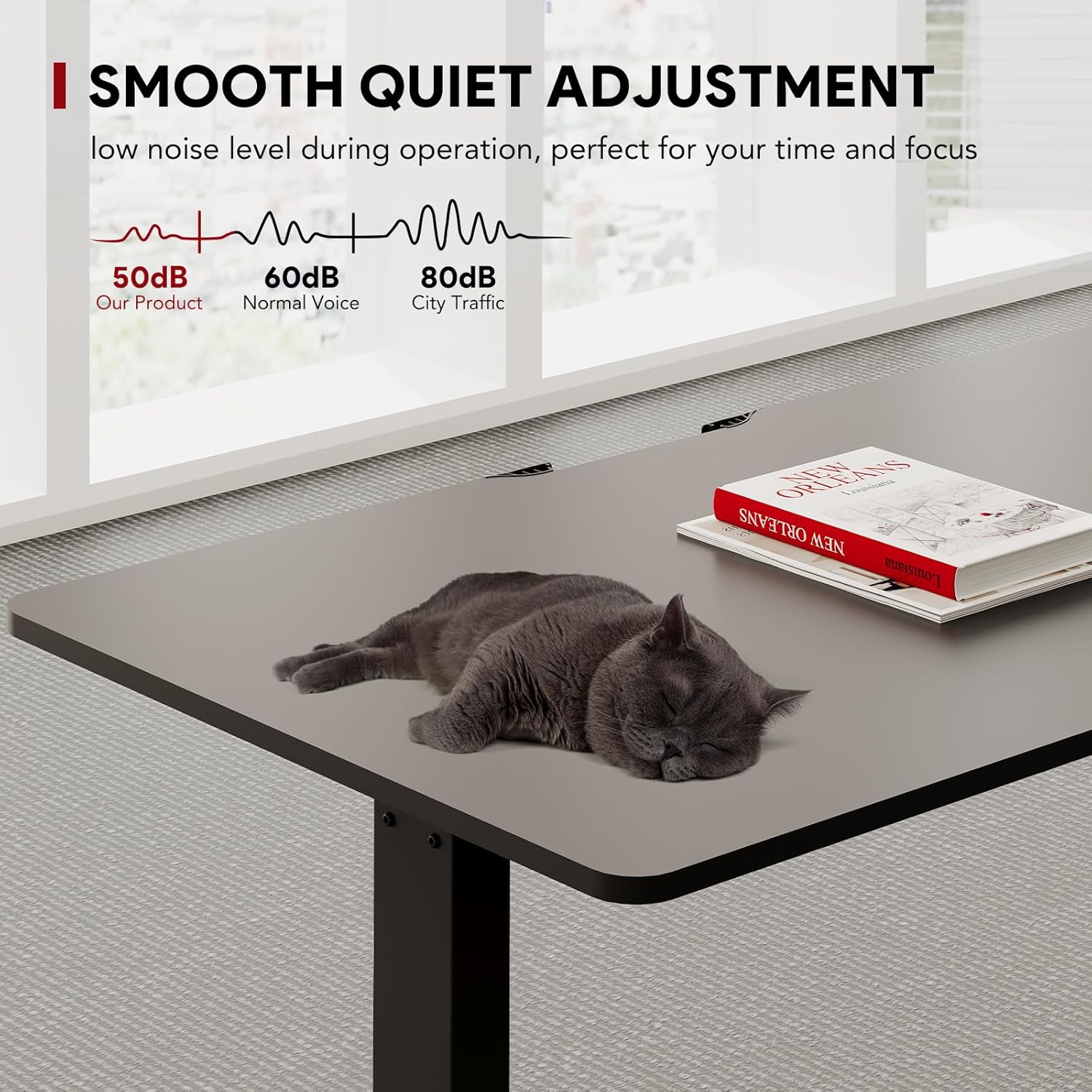
Image: A graphic illustrating the low noise level of the SANODESK QS1 (50dB) compared to normal voice (60dB) and city traffic (80dB), emphasizing its smooth and quiet adjustment feature. A cat sleeping peacefully on the desk further highlights the quiet operation.
Maintenance
Regular maintenance will ensure the longevity and optimal performance of your SANODESK QS1 Electric Standing Desk.
- Cleaning: Wipe the desktop and frame with a soft, damp cloth. Avoid abrasive cleaners or solvents that could damage the finish.
- Inspection: Periodically check all screws and connections to ensure they remain tight. Retighten if necessary.
- Cable Management: Ensure cables remain tidy and are not pinched or tangled, which could affect desk operation or pose a safety hazard.
- Motor Care: The motor is designed for maintenance-free operation. Do not attempt to lubricate or disassemble the motor unit.
Troubleshooting
If you encounter any issues with your SANODESK QS1, please refer to the following common troubleshooting steps:
| Problem | Possible Cause | Solution |
|---|---|---|
| Desk does not move. | Power cable disconnected; overload; motor error. | Check power connection. Reduce load on desk. Unplug for 10 seconds, then plug back in to reset. |
| Desk moves unevenly or makes unusual noise. | Loose connections; obstruction; damaged component. | Check all assembly connections. Ensure no obstructions under the desk. Contact support if issue persists. |
| Memory function not working. | Incorrect saving procedure; power cycle needed. | Ensure you hold the memory button until confirmation. Try resetting the desk by unplugging and replugging. |
If these steps do not resolve the issue, please contact SANODESK customer support for further assistance.
Specifications
Detailed technical specifications for the SANODESK QS1 Electric Standing Desk:
| Feature | Detail |
|---|---|
| Brand | SANODESK |
| Model Number | QS1B-1460-EU |
| Color | Black + Black |
| Product Dimensions (L x W x H) | 140 x 60 x 116 cm (max height) |
| Adjustable Height Range | 71 cm to 117 cm |
| Item Weight | 26.5 Kilograms |
| Load Capacity | 70 kg |
| Special Features | Ergonomic, Height Adjustable, Electric, Memory Control, Anti-collision Technology |
| Material | Engineered Wood (desktop), Metal (frame) |
| Noise Level | Below 51 dB |

Image: A visual representation demonstrating the robust load capacity of the SANODESK QS1 desk, indicating it can support up to 60KG of weight, ensuring stability for various office equipment.
Warranty and Support
For warranty information, technical support, or to inquire about replacement parts, please contact SANODESK customer service. Refer to your purchase documentation for specific warranty terms and contact details.
Online Support: Visit the official SANODESK website for FAQs, product registration, and additional resources.
Contact: For direct assistance, please use the contact information provided with your product or on the SANODESK brand store page on Amazon.
Related documentsQS1B-1460-EU


Ask a question about this manual
Ask about setup, troubleshooting, compatibility, parts, safety, or missing instructions. Manuals+ will review the question and use this page’s manual context to help answer it.