
Introduction
Thank you for choosing the SANODESK QS1 Electric Sit-Stand Desk. This manual provides essential information for the safe and efficient assembly, operation, and maintenance of your new desk. Please read these instructions carefully before use and retain them for future reference. The SANODESK QS1 is designed to enhance your workspace by allowing seamless transitions between sitting and standing positions, promoting a healthier and more productive work environment.
Important Safety Warnings
To ensure safe operation and prevent injury or damage, please observe the following warnings:
- Power Supply: Use only with a 100-240V, 50/60Hz power supply.
- Indoor Use Only: This product is intended for indoor use in dry environments.
- Cleaning: Disconnect the power before cleaning. Wipe with a damp cloth. Avoid water entering components.
- Assembly: Ensure correct installation with manufacturer accessories. Check and tighten screws regularly.
- Clearance: Maintain a safe distance around the desk during movement to prevent pinching or crushing.
- Children and Pets: Keep children and pets away from the desk during operation. The desk includes a child safety system to reduce injury risk.
- Chemicals: Do not use corrosive or abrasive cleaning materials.
- Packaging: Dispose of packaging materials responsibly to prevent suffocation risks.
- Load Capacity: Do not exceed the maximum load capacity of 70 kg (154 lbs).
- Anti-Collision: The integrated automatic shut-off system stops the motor if resistance is detected during movement.

Image: Multi-language safety warnings for the SANODESK QS1 desk.
Package Contents
Please verify that all components are present and undamaged before beginning assembly. If any parts are missing or damaged, please contact customer support.
- Desktop (2 sections)
- Desk Legs (2)
- Foot Pads (2)
- Motor and Control Box
- Control Panel
- Power Adapter and Cable
- Assembly Hardware (screws, tools)
- Cable Management Accessories (grommets, clips)
- Cup Holder
- Headphone Hook
Assembly Instructions
Follow these steps carefully to assemble your SANODESK QS1. It is recommended to have two people for assembly.
- Prepare the Workspace: Clear a spacious area and lay down a soft cloth or cardboard to protect the desktop and floor.
- Assemble the Desktop: The desktop comes in two sections. Align the two sections and secure them together using the provided metal plates and screws. Ensure the surface is flush.
- Attach Desk Legs: Secure the desk legs to the assembled desktop using the provided screws. Ensure they are firmly attached and aligned.
- Install Foot Pads: Attach the foot pads to the bottom of the desk legs.
- Mount Motor and Control Box: Secure the motor and control box to the designated areas under the desktop.
- Connect Cables: Connect the motor cable, control panel cable, and power adapter cable to the control box. Ensure all connections are secure.
- Install Control Panel: Mount the control panel to the front edge of the desk in a convenient location.
- Attach Accessories: Install the cup holder and headphone hook as desired.
- Cable Management: Use the provided cable grommets and clips to organize and secure all cables, preventing tangles and ensuring a neat workspace.
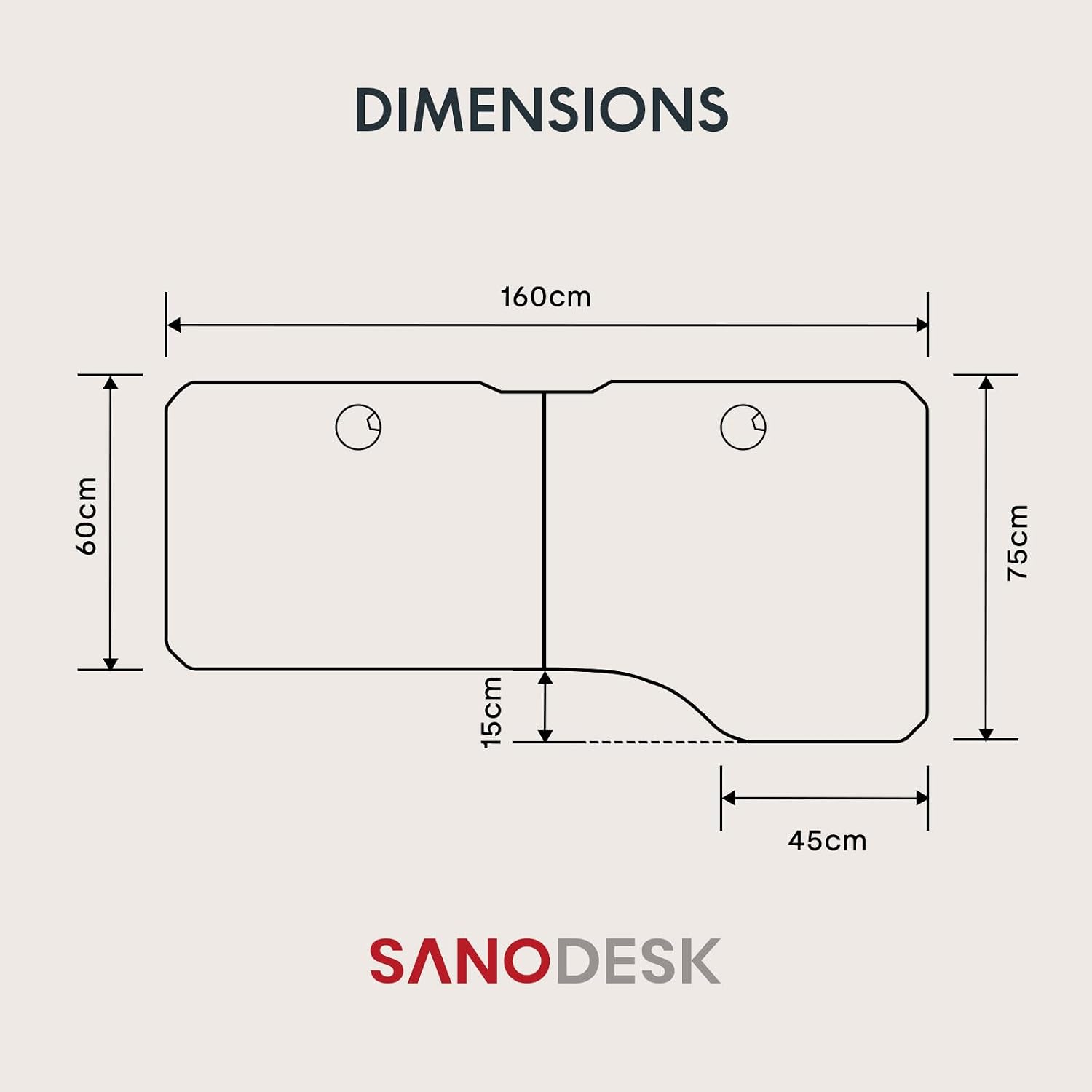
Image: Desk dimensions and two-piece tabletop structure.
Operating Instructions
Control Panel Overview
The SANODESK QS1 features an advanced LED control panel for easy height adjustment and memory functions.

Image: Multifunction Control Panel with Memory Function, Time, Sit/Stand, and Up/Down buttons.
- Up/Down Arrows: Press and hold to adjust the desk height manually.
- Memory Presets (1, 2, 3, 4): Store and recall preferred sitting and standing heights.
- 'M' Button: Used to save memory presets.
- LED Display: Shows the current desk height in centimeters.
- Child Lock: Activates or deactivates the child safety system.
Basic Height Adjustment
To adjust the desk height, press and hold the Up or Down arrow buttons on the control panel. Release the button when the desired height is reached. The desk operates smoothly and quietly, with a noise level below 51 dB.

Image: Desk height adjustment range from 71cm to 116cm.
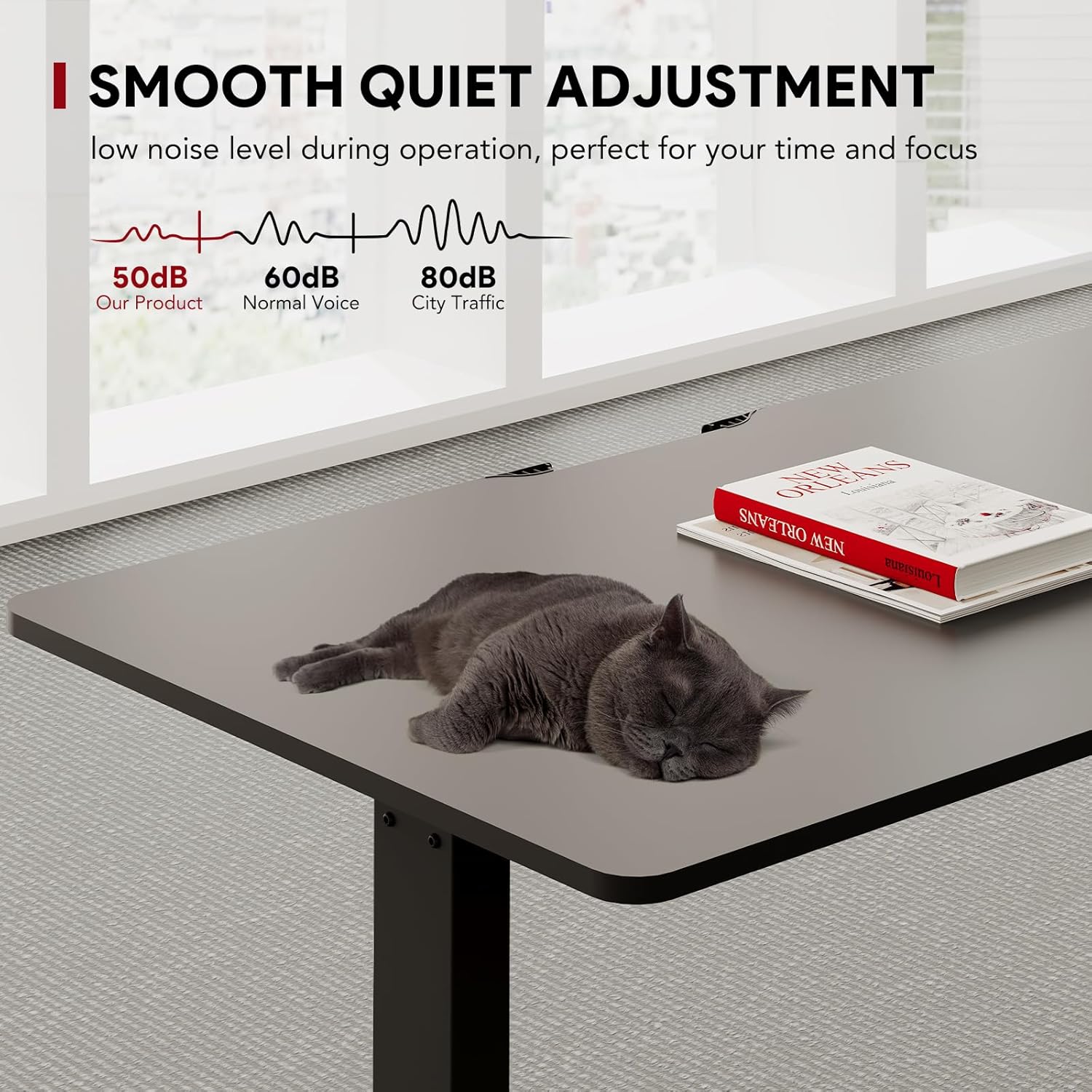
Image: Illustration of the desk's quiet operation (below 51dB).
Memory Presets
The control panel allows you to save up to four preferred height settings for quick recall.
- Set Desired Height: Adjust the desk to your preferred height using the Up/Down arrows.
- Save Preset: Press the 'M' button, then immediately press one of the number buttons (1, 2, 3, or 4) until the display shows 'S-' followed by the number, indicating the height is saved.
- Recall Preset: To move the desk to a saved height, simply press the corresponding number button (1, 2, 3, or 4). The desk will automatically adjust to that height.
Safety Features
- Child Safety System: This feature prevents accidental operation. Refer to your control panel's specific instructions for activation/deactivation (often involves a long press of a specific button or combination).
- Anti-Collision System: The desk is equipped with an automatic shut-off feature that detects resistance during movement. If an obstruction is encountered, the desk will stop and slightly reverse to prevent damage or injury.
Maintenance
Regular maintenance ensures the longevity and optimal performance of your SANODESK QS1.
- Cleaning: Wipe the desk surface and legs with a soft, damp cloth. Avoid harsh chemicals or abrasive cleaners. Ensure the power is disconnected before cleaning.
- Cable Management: Periodically check all cables for wear or damage. Ensure they are neatly organized and not pinched.
- Screw Tightness: Over time, screws may loosen. Periodically check and tighten all assembly screws to maintain stability.
- Load Check: Ensure the desk is not overloaded. The maximum load capacity is 70 kg.
Troubleshooting
If you encounter issues with your SANODESK QS1, refer to the following common problems and solutions:
| Problem | Possible Cause | Solution |
|---|---|---|
| Desk does not move. | Power cable disconnected, motor cable loose, control panel error. | Check all power and motor connections. Ensure the power outlet is functional. Reset the desk (refer to specific reset procedure in full manual if available, usually involves holding down arrow). |
| Desk moves unevenly or makes unusual noise. | Uneven load, loose screws, obstruction. | Distribute weight evenly. Check and tighten all screws. Inspect for any obstructions under the desk. |
| Error code displayed on control panel. | Specific system fault. | Note the error code and consult the full product manual or contact customer support for specific guidance. Often requires a reset. |
| Anti-collision system triggers frequently. | Obstruction, sensitive setting. | Ensure there are no objects in the desk's path. If the issue persists without obstruction, contact support. |
If these solutions do not resolve the issue, please contact SANODESK customer support for further assistance.
Specifications
Key technical specifications for the SANODESK QS1 Electric Sit-Stand Desk:
| Feature | Detail |
|---|---|
| Model Number | QS1B-1675-EU |
| Brand | SANODESK |
| Dimensions (L x W x H) | 160 cm x 75 cm x (71-116 cm) |
| Adjustable Height Range | 71 cm to 116 cm (27.95 inches to 45.67 inches) |
| Load Capacity | Up to 70 kg (154 lbs) |
| Motor Type | Single Motor |
| Noise Level | Below 51 dB |
| Lifting Speed | 2.5 cm/s |
| Material | Engineered Wood (desktop), Alloy Steel (base) |
| Color | Black |
| Special Features | Ergonomic, Height Adjustable, Electric, Memory Presets, Child Safety, Anti-Collision |

Image: Illustration of the desk's 70 kg load capacity.
Warranty and Customer Support
For warranty information, technical support, or any questions regarding your SANODESK QS1 Electric Sit-Stand Desk, please refer to the documentation included with your purchase or visit the official SANODESK website. You may also contact SANODESK customer service directly for assistance.
SANODESK Customer Service: Please refer to your purchase receipt or the SANODESK official website for contact details.


