
1. Introduction
Thank you for choosing the Dreame H12 Dual Smart Wet and Dry Vacuum Cleaner. This innovative 4-in-1 cordless multi-surface cleaning device is designed to simplify your cleaning routine with its powerful suction, wet cleaning capabilities, and intelligent features like hot air self-cleaning and voice control. This manual provides essential information for safe operation, assembly, maintenance, and troubleshooting to ensure optimal performance of your appliance.
2. Important Safety Instructions
Please read all instructions carefully before using this appliance to prevent injury or damage. Keep this manual for future reference.
- This appliance is for household use only. Do not use it for commercial or industrial purposes.
- Do not immerse the main body of the appliance in water or other liquids.
- Use only the original power adapter provided by the manufacturer.
- Do not vacuum flammable or combustible liquids, such as gasoline, or use in areas where they may be present.
- Do not vacuum burning or smoking objects, such as cigarettes, matches, or hot ashes.
- Keep hair, loose clothing, fingers, and all parts of the body away from openings and moving parts.
- Always turn off the appliance before performing any maintenance or cleaning.
- Do not allow children to operate the vacuum cleaner. Close supervision is necessary when used near children.
- Ensure the clean water tank and dirty water tank are properly installed before operation.
- If the power cord is damaged, it must be replaced by the manufacturer, its service agent, or similarly qualified persons to avoid a hazard.
3. Product Components and Overview
Familiarize yourself with the parts of your Dreame H12 Dual vacuum cleaner and its accessories.
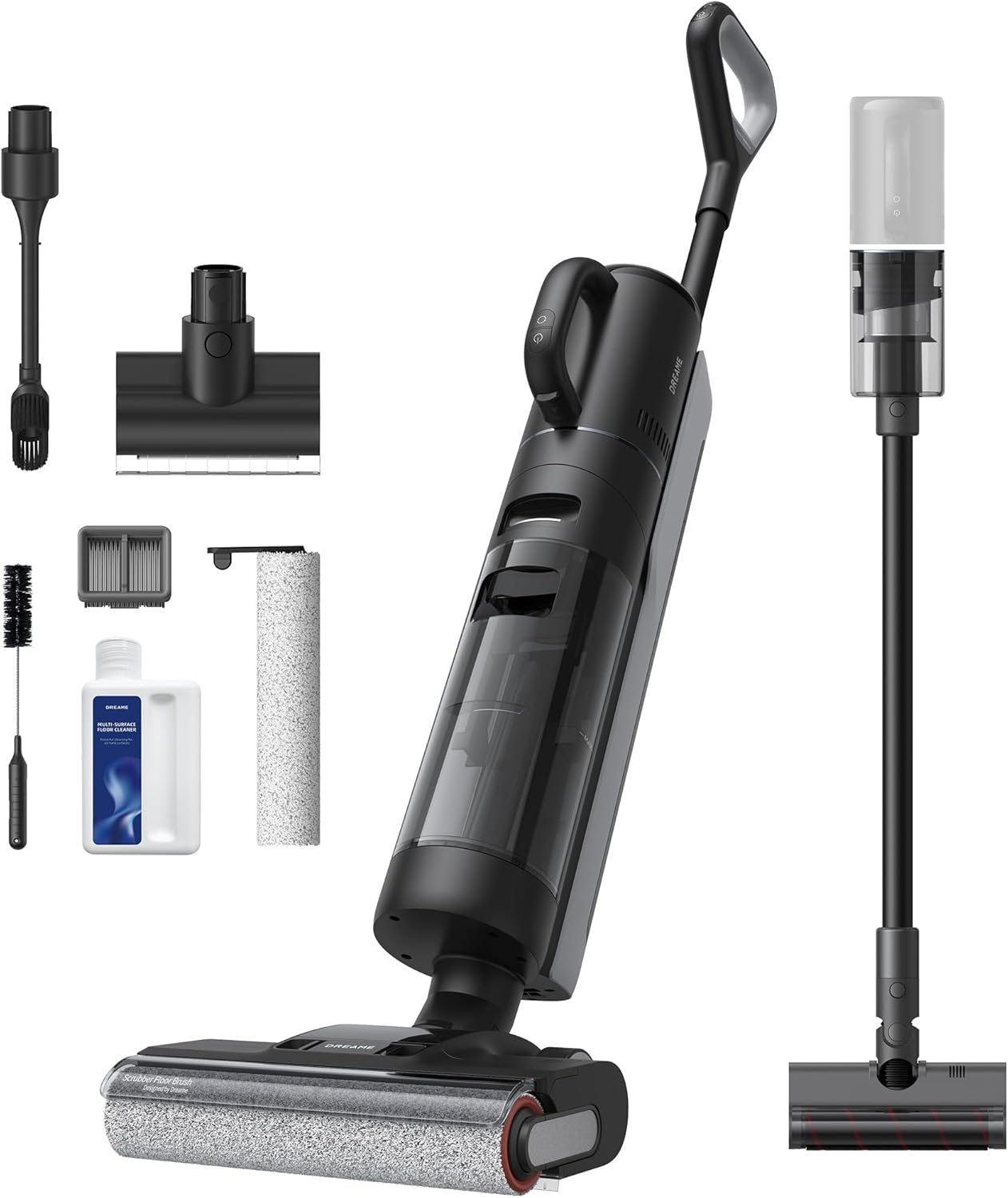
Image: The Dreame H12 Dual vacuum cleaner with its complete set of accessories, including various brushes, tanks, and the charging base.
Package Contents:
- Main Body
- Handle
- Extension Tube
- Soft Brush
- Crevice Tool
- Charging Base
- Mini Motorized Brush
- Dust Collection Assembly
- Replacement Filter
- Replacement Brush Roller
- Cleaning Solution
- Cleaning Brush
- Storage Box
- Storage Accessory Holder
Key Components:
- Clean Water Tank: Holds clean water and cleaning solution for wet cleaning (900 ml capacity).
- Dirty Water Tank: Collects dirty water and debris (700 ml capacity).
- Brush Roller: The primary cleaning component for both wet and dry cleaning.
- LED Display: Shows battery level, cleaning mode, and alerts.
- Handle: Ergonomic design for comfortable operation.
- Charging Base: Used for charging and the self-cleaning cycle.

Image: Visual representation of the 900ml clean water tank, 700ml dirty water tank, and estimated runtimes for wet cleaning (up to 35 minutes) and handheld vacuuming (up to 60 minutes).
4. Assembly and Initial Setup
4.1 Assembly
- Attach the Handle: Insert the handle into the main body until it clicks into place.
- Install Water Tanks: Ensure both the clean water tank and dirty water tank are securely in their respective positions.
- Attach Brush Roller: If not pre-installed, align the brush roller with its slot and press until it locks.
4.2 Initial Charging
Before first use, fully charge the appliance.
- Place the vacuum cleaner on its charging base.
- Connect the power adapter to the charging base and plug it into a power outlet.
- The LED display will indicate charging status. A full charge typically takes approximately 4 hours.
4.3 Filling the Clean Water Tank
- Remove the clean water tank from the main body.
- Open the tank cap and fill with clean tap water up to the MAX line. For enhanced cleaning, add the recommended amount of Dreame cleaning solution.
- Close the cap securely and re-install the tank onto the vacuum cleaner.
5. Operating the Appliance
5.1 Power On/Off
- Press the Power button on the handle to turn the vacuum cleaner on or off.
5.2 Cleaning Modes
The Dreame H12 Dual offers multiple cleaning modes for various needs:

Image: Illustrations of the vacuum cleaner operating in Standard, Turbo, Automatic, and Suction modes, demonstrating its versatility on different surfaces and with various attachments.
- Auto Mode: The vacuum intelligently detects dirt levels and adjusts suction power and water flow automatically. This is the recommended mode for most cleaning tasks.
- Standard Mode: Provides consistent cleaning power for everyday messes.
- Turbo Mode: Delivers maximum suction and water flow for stubborn stains and heavily soiled areas.
- Suction Mode: For vacuuming liquids without dispensing water.
Press the Mode button on the handle to switch between modes.
5.3 Edge Cleaning
The H12 Dual features an enhanced dual-edged brush that cleans close to baseboards and into corners, reaching within 6mm of edges.

Image: A detailed view of the Dreame H12 Dual's brush head demonstrating its ability to clean extremely close to wall edges, highlighting its edge-cleaning capability.
5.4 Smart Dirt Detection and Voice Prompts
The advanced dirt detection system adjusts power based on the level of mess. The vacuum also provides helpful voice prompts for status updates, such as 'Clean the water tank' or 'Place on charger'.

Image: The vacuum cleaner's LED screen displaying operational information, alongside a visual cue for voice prompts, indicating its intelligent feedback system.
5.5 Handheld Vacuuming
Transform your H12 Dual into a handheld vacuum by detaching the main unit and attaching the appropriate accessories (extension tube, soft brush, crevice tool, mini motorized brush) for cleaning furniture, upholstery, and hard-to-reach areas.

Image: The Dreame H12 Dual demonstrating its 4-in-1 versatility, showing its use as an upright wet/dry vacuum for hard floors and carpets, and as a handheld vacuum for upholstered surfaces and beds/sofas.
6. Maintenance and Cleaning
Regular maintenance ensures the longevity and optimal performance of your Dreame H12 Dual.
6.1 One-Button Self-Cleaning and Hot Air Drying
After each use, it is recommended to run the self-cleaning cycle.

Image: The Dreame H12 Dual on its charging base, with the brush roller illuminated in blue, signifying the one-button self-cleaning function in progress.
- Place the vacuum cleaner on its charging base.
- Ensure there is sufficient clean water in the clean water tank.
- Press the self-cleaning button (usually indicated by a water drop icon) on the handle.
- The appliance will automatically clean the brush roller and internal tubing.
- After the cleaning cycle, the 55°C hot air drying function will activate, drying the brush roller in less than 30 minutes to prevent odors.
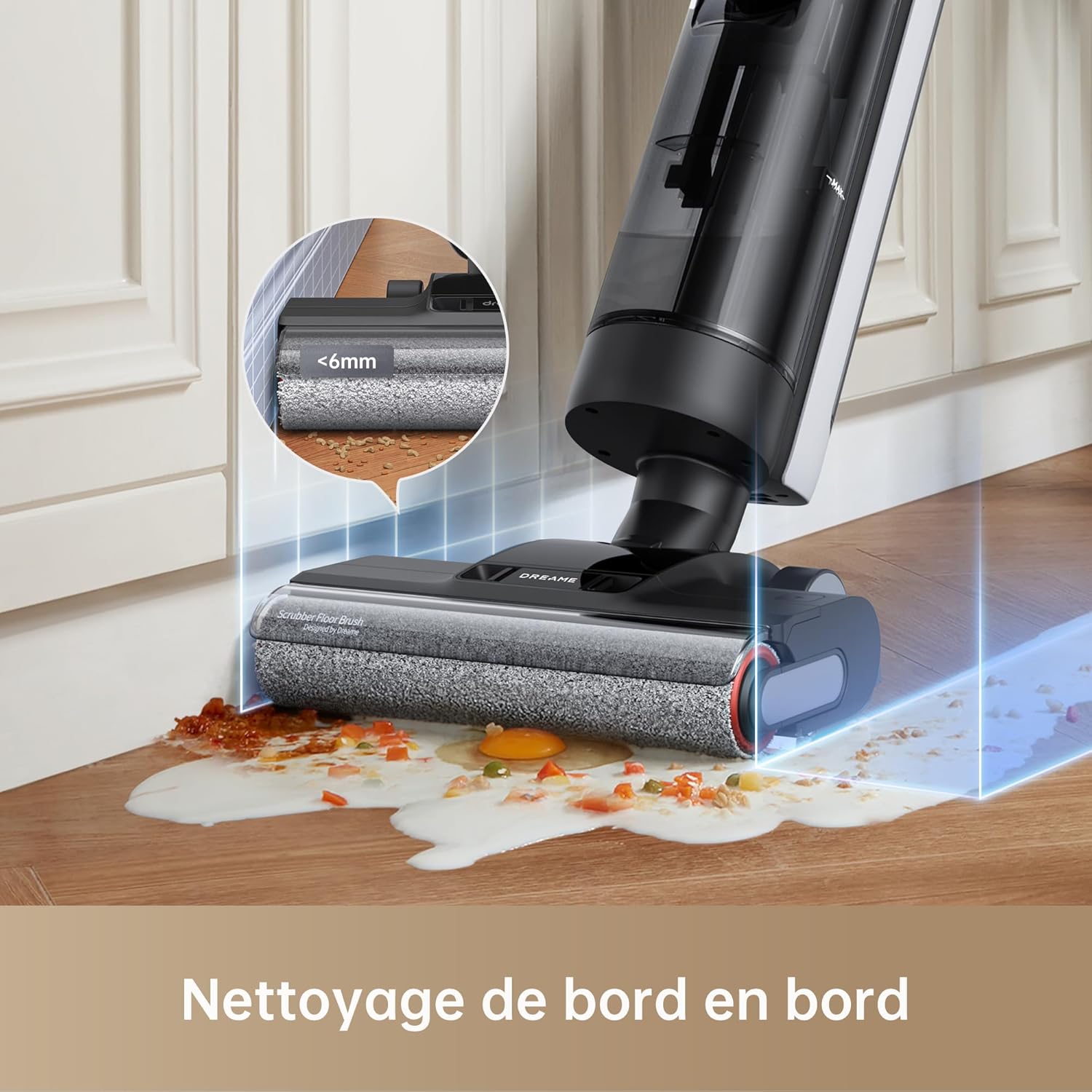
Image: A close-up of the Dreame H12 Dual's brush roller undergoing automatic hot air drying at 55°C, designed to dry the brush in 30 minutes and prevent odors.
6.2 Emptying and Cleaning the Dirty Water Tank
Empty the dirty water tank after each use.
- Press the release button and remove the dirty water tank.
- Carefully open the tank and dispose of the dirty water and debris.
- Rinse the tank thoroughly with clean water.
- Allow the tank to air dry completely before re-installing.
6.3 Cleaning the Brush Roller
Even with self-cleaning, occasional manual cleaning of the brush roller is recommended.
- Remove the brush roller cover and then the brush roller.
- Use the provided cleaning brush to remove any tangled hair or debris.
- Rinse the brush roller under running water.
- Allow it to air dry completely before re-installing.
6.4 Cleaning the Filter
The HEPA filter should be cleaned regularly to maintain suction performance.
- Remove the filter from the dirty water tank assembly.
- Tap off any loose dust.
- Rinse the filter under running water. Do not rub or brush.
- Allow the filter to air dry completely for at least 24 hours before re-installing.
7. Troubleshooting
If you encounter issues with your Dreame H12 Dual, refer to the following common problems and solutions:
| Problem | Possible Cause | Solution |
|---|---|---|
| Appliance does not turn on | Low battery; Not charged; Power button not pressed correctly. | Charge the appliance fully; Ensure the power button is pressed firmly. |
| Poor suction power | Dirty water tank full; Clogged filter; Blocked brush roller; Low battery. | Empty and clean dirty water tank; Clean or replace filter; Remove blockages from brush roller; Charge the appliance. |
| Water leakage | Water tanks not installed correctly; Damaged water tank seal; Overfilled dirty water tank. | Re-install tanks securely; Check seals for damage; Do not overfill dirty water tank. |
| Unpleasant odor | Dirty water tank not cleaned; Brush roller not dried properly. | Empty and thoroughly clean dirty water tank; Run self-cleaning cycle with hot air drying; Ensure brush roller is completely dry. |
| Voice prompts not working | Volume too low; Muted. | Check volume settings on the appliance or app (if applicable). |
If the problem persists after trying these solutions, please contact customer support.
8. Technical Specifications
| Feature | Specification |
|---|---|
| Brand | Dreame |
| Model Number | HHV4 |
| Color | Black |
| Dimensions (L x W x H) | 30.7 x 31.2 x 114.4 cm |
| Weight | 6.1 Kilograms |
| Clean Water Tank Capacity | 900 Milliliters |
| Dirty Water Tank Capacity | 700 Milliliters |
| Power | 300.0 Watts |
| Voltage | 21.6 Volts |
| Noise Level | 68 dB |
| Runtime (Wet Cleaning) | Up to 35 minutes |
| Runtime (Handheld Vacuuming) | Up to 60 minutes |
| Special Features | High-precision sensors, Wet/Dry, Lightweight, Portable, Bagless |
| Filter Type | HEPA Filter |
| Surface Recommendation | All floors |
| Suction Power | 16,000 Pa |
9. Warranty and Support
Dreame Technology provides a warranty for this product in accordance with local consumer laws. Please retain your proof of purchase for warranty claims.
Manufacturer Contact Information:
Dreame Trading (Tianjin) Co., Ltd.
Address: Room 2112-1-1, South District, Finance and Trade Center, No.6975 Yazhou Road, Dongjiang Bonded Port Area, Tianjin Pilot Free Trade Zone, Tianjin, China
Contact Email: legal@dreame.tech
Spare Parts Availability:
Information regarding the availability of spare parts is currently unavailable. Please contact customer support for inquiries.
10. Official Product Videos
Official product videos would be embedded here if specific URLs were provided in the product data. These videos typically offer visual guides for assembly, operation, and maintenance, enhancing the user experience.
Note: No specific video URLs were provided in the product data to embed here.


