
1. Introduction
This manual provides essential information for the safe assembly, proper use, and effective maintenance of your Tribesigns Computer Desk, Model AMZYS0060CD. Please read these instructions thoroughly before assembly and retain this manual for future reference.
The Tribesigns Computer Desk is a versatile, extra-long workstation designed for home offices, study areas, or professional environments. Its robust construction and spacious design accommodate multiple users and various equipment, promoting an organized and efficient workspace.
2. Safety Information
- Weight Capacity: Do not exceed the maximum weight capacity of 147.4 kg (325 lbs) on the desktop. Exceeding this limit may cause structural damage or personal injury.
- Level Surface: Always place the desk on a flat, stable, and level surface to prevent tipping or instability.
- Assembly: Assemble the desk according to the provided instructions. Ensure all fasteners are securely tightened before use.
- Children: Keep small parts and packaging materials away from children during assembly to prevent choking hazards.
- Sharp Objects: While the desk surface is scratch-resistant, avoid placing sharp or abrasive objects directly on the surface without protection to maintain its finish.
- Chemicals: Do not use harsh chemicals or abrasive cleaners, as these can damage the desk's finish.
3. Package Contents
Please refer to the detailed parts list and hardware diagram included in your product packaging for a complete inventory of all components. Ensure all parts are present and undamaged before beginning assembly. If any parts are missing or damaged, please contact customer support.
Typical contents include:
- Desktop Panels (Engineered Wood)
- Metal Leg Frames (Powder-Coated Iron)
- Support Beams and Brackets
- Adjustable Footrests
- Assembly Hardware (Screws, bolts, Allen wrench)
- Instruction Manual
4. Setup and Assembly Instructions
Assembly typically requires two adults. Follow the step-by-step instructions and diagrams provided in your product packaging. An Allen wrench and other necessary tools are usually included.
- Unpack and Identify: Carefully unpack all components and lay them out on a clean, soft surface (e.g., a blanket or carpet) to prevent scratches. Identify each part by comparing it with the parts list in your packaging.
- Attach Leg Frames: Secure the metal leg frames to the desktop panels using the provided screws and bolts. Ensure all connections are firm but do not overtighten initially.
- Install Support Beams: Connect any central support beams or cross-braces between the leg frames as indicated in the diagrams. These enhance the desk's stability.
- Attach Adjustable Footrests: Screw the adjustable footrests into the bottom of each leg.
- Final Tightening: Once all components are loosely assembled, place the desk upright. Adjust the footrests to ensure the desk is level and stable on your floor. Then, systematically tighten all screws and bolts securely.

Image 1: The Tribesigns Computer Desk fully assembled, showcasing its spacious design for multiple users.

Image 2: Dimensional diagram of the desk, indicating its overall length, width, and height.
5. Operating Instructions (Usage)
- Placement: Position the desk in your desired location, ensuring adequate space for movement and access to power outlets if needed.
- Stability Adjustment: Use the adjustable footrests to fine-tune the desk's stability. Turn them clockwise or counter-clockwise to compensate for uneven flooring until the desk is perfectly level and does not wobble.
- Workspace Organization: Utilize the expansive desktop surface for your computer, monitors, keyboard, mouse, and other office essentials. The design supports both single-user and dual-user setups, allowing for independent or collaborative work.
- Weight Distribution: Distribute weight evenly across the desktop. Avoid concentrating heavy items in one small area.
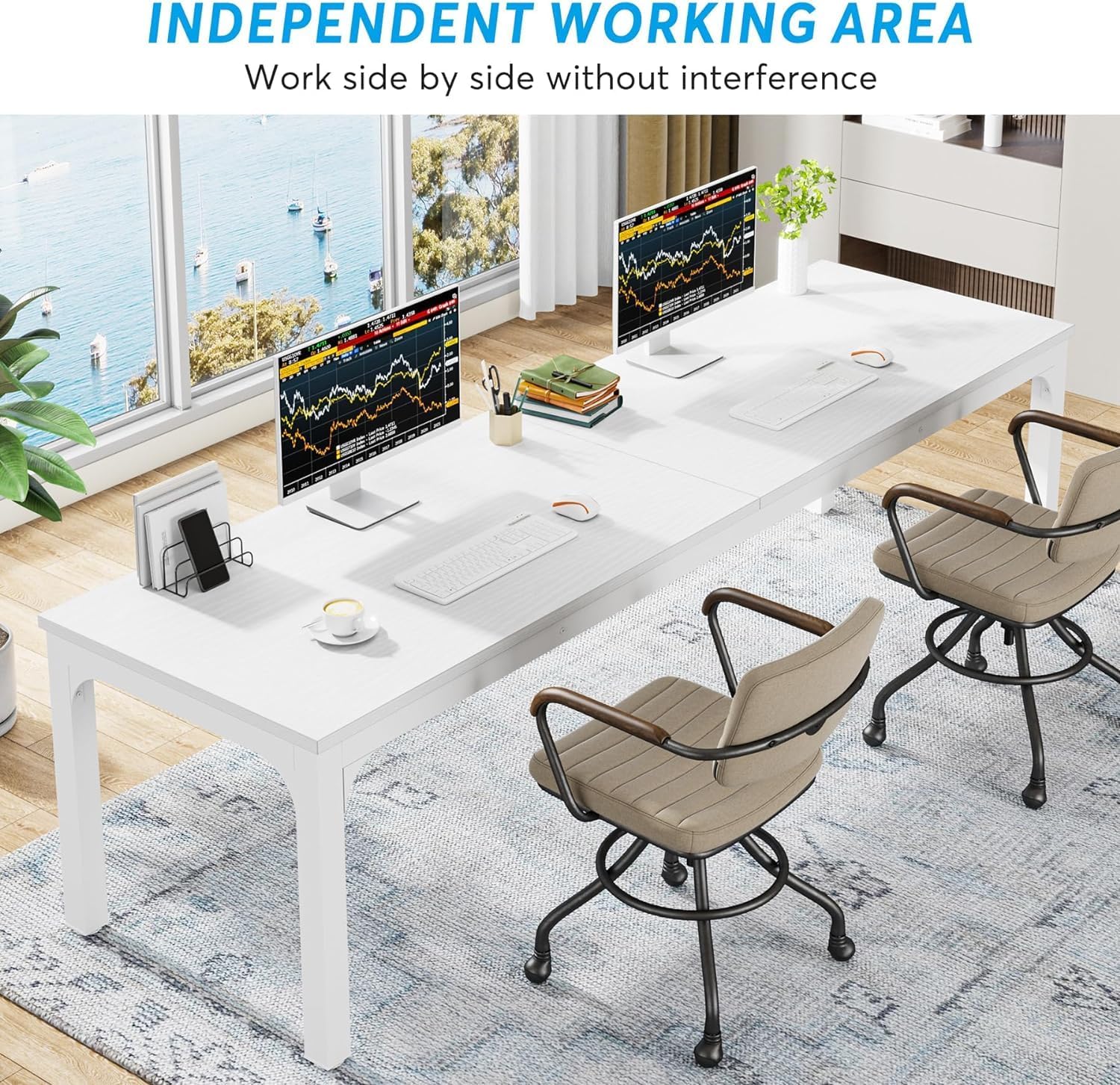
Image 3: The desk configured for two users, highlighting the ample space for independent work.
6. Maintenance
- Cleaning: Wipe the desk surface with a soft, damp cloth. For stubborn marks, a mild soap solution can be used, followed by wiping with a clean, dry cloth.
- Avoid Harsh Cleaners: Do not use abrasive cleaners, solvents, or strong chemical agents, as these can damage the laminate finish and metal components.
- Regular Checks: Periodically inspect all screws and fasteners to ensure they remain tight. Retighten if necessary to maintain structural integrity.
- Spills: Clean up spills immediately to prevent liquid absorption or staining, especially on the edges of the desktop.
7. Troubleshooting
- Desk Wobbles:
- Ensure the desk is placed on a level surface.
- Adjust the individual footrests by turning them until all four feet make firm contact with the floor and the desk is stable.
- Check that all assembly screws and bolts are securely tightened.
- Difficulty Assembling:
- Review the assembly diagrams and instructions carefully.
- Ensure you are using the correct hardware for each step. Some parts may look similar but have slight differences.
- If a part seems difficult to fit, double-check its orientation. Do not force components together.
- Surface Scratches:
- While the desk is scratch-resistant, heavy impact or sharp objects can still cause damage. Use desk mats or coasters for protection.
8. Specifications
| Brand | Tribesigns |
| Model Number | AMZYS0060CD (also YS0097) |
| Dimensions (L x W x H) | 200 cm x 70 cm x 75 cm (78.74 in x 27.55 in x 29.52 in) |
| Product Weight | 29.9 kg (65.9 lbs) |
| Maximum Load Capacity | 147.4 kg (325 lbs) |
| Material | Engineered Wood (MDF), Powder-Coated Iron |
| Color | White |
| Special Features | Scratch-resistant surface, Adjustable footrests |
9. Warranty and Support
Specific warranty terms and conditions for the Tribesigns Computer Desk Model AMZYS0060CD are not detailed within this manual. For information regarding your product's warranty, return policy, or to obtain customer support, please refer to your original purchase documentation or contact Tribesigns customer service directly through their official website or the retailer from whom you purchased the product.


