
1. Introduction
The SYNCO P2ST is a 2.4GHz dual wireless lavalier microphone system designed for use with Android devices. It provides a stable and clear audio transmission solution for various recording scenarios, including interviews, vlogging, and live streaming. This manual provides detailed instructions for the setup, operation, and maintenance of your SYNCO P2ST system.
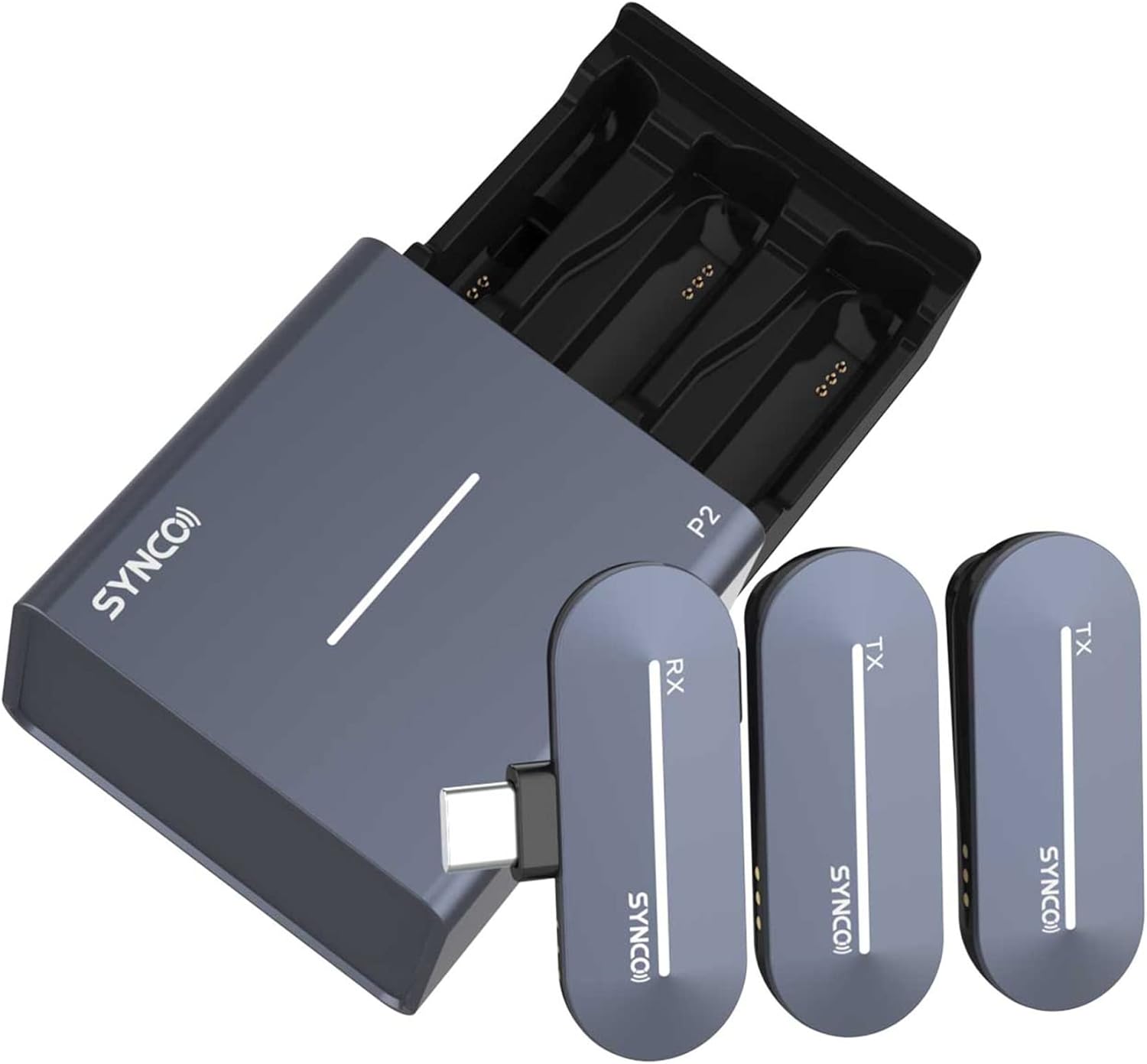
Image 1.1: The SYNCO P2ST system, showing the charging case, two transmitters (TX), and one receiver (RX) with a Type-C connector.
2. Package Contents
Please verify that all items listed below are included in your package:
- 1 x Wireless Charging Case
- 2 x TX Transmitter
- 1 x RX Receiver (Type-C Connector)
- 1 x Charging Cable
- 1 x Type-C to 3.5mm Adapter
- 1 x User Manual (this document)
3. Product Overview
3.1. Components
- Transmitter (TX): The microphone unit worn by the speaker. It captures audio and transmits it wirelessly.
- Receiver (RX): The unit that connects to your Android device (via Type-C port). It receives audio from the transmitters.
- Charging Case: Stores and charges the transmitters and receiver. The case features a drawer-style design for easy access.

Image 3.1: The Type-C receiver (RX) for Android devices, shown alongside an iOS compatible receiver for connector type comparison.

Image 3.2: The SYNCO P2ST system components, illustrating the available color options.
4. Setup
4.1. Initial Charging
Before first use, fully charge the charging case, transmitters, and receiver.
- Place the transmitters and receiver into the charging case.
- Connect the charging cable to the charging case and a power source.
- The indicator lights on the case and devices will show charging status.

Image 4.1: The charging case with devices inserted, illustrating the charging process. A 10-minute charge provides approximately 45 minutes of recording time.
4.2. Connecting the Receiver to Your Android Device
The P2ST receiver is equipped with a Type-C connector for direct connection to compatible Android smartphones and tablets (Android 10 or above recommended).
- Locate the Type-C port on your Android device.
- Insert the SYNCO P2ST receiver's Type-C connector firmly into your device's port.
- The receiver's indicator light will illuminate, indicating a successful connection.
4.3. Pairing Transmitters with Receiver
The transmitters and receiver are typically pre-paired from the factory. If re-pairing is necessary:
- Ensure both transmitters and the receiver are charged.
- Remove the transmitters and receiver from the charging case. They will automatically power on.
- The devices should automatically connect. If not, refer to the troubleshooting section.
5. Operating Instructions
5.1. Power On/Off
- Power On: Remove the transmitters and receiver from the charging case. They will power on automatically.
- Power Off: Place the transmitters and receiver back into the charging case. They will power off automatically and begin charging.

Image 5.1: Illustrates the action of removing a transmitter from the charging case, which powers on the device.
5.2. Volume Adjustment
The transmitters feature a volume adjustment function with four levels, allowing for up to 50dB gain.
- Press the volume button on the transmitter to cycle through the four volume levels.
- Adjust the volume to achieve the desired recording effect.

Image 5.2: Illustration of the four-level volume adjustment on the transmitter, indicating up to 50dB gain.
5.3. Mute Function
To temporarily mute the microphone during recording or live broadcasting:
- Press the mute button on the transmitter. The indicator light will change to confirm mute status.
- Press the mute button again to unmute.
5.4. Active Noise Cancelling (ANC)
The SYNCO P2ST features Active Noise Cancelling technology to reduce ambient noise and enhance audio clarity.
- The ANC function is typically active by default or can be toggled via a dedicated button (refer to specific transmitter design for button location).
- This technology helps achieve clear audio by filtering out unwanted background sounds.

Image 5.3: A visual representation of the effect of Active Noise Cancelling, demonstrating improved audio clarity by reducing background frequencies.
5.5. Indicator Lights
The transmitters, receiver, and charging case are equipped with dynamic light strips that indicate operational status, battery level, and pairing status.
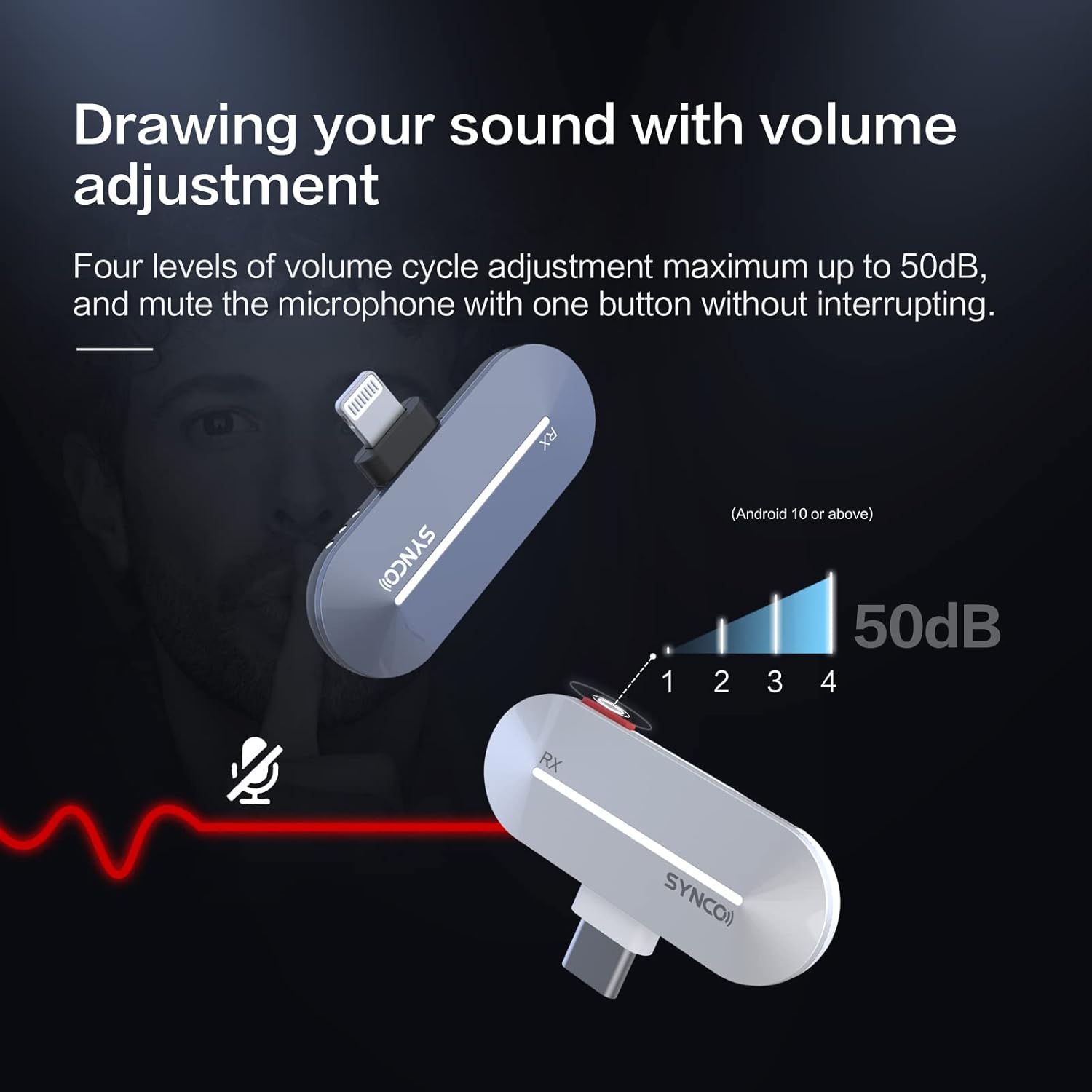
Image 5.4: The dynamic light strips on the devices provide visual feedback on their status.
5.6. Using Two Transmitters for Stereo Recording
The P2ST system allows for simultaneous recording from two transmitters into a single Android device, enabling stereo audio capture.
- Ensure both TX units are powered on and paired with the RX.
- Your recording application on the Android device should automatically detect and record audio from both channels.
6. Maintenance
6.1. Cleaning
- Wipe the devices with a soft, dry cloth.
- Do not use harsh chemicals or abrasive materials.
- Keep the charging contacts clean and free of debris.
6.2. Storage
- Store the system in its charging case when not in use to protect the components and ensure they remain charged.
- Avoid extreme temperatures and high humidity.
7. Troubleshooting
| Problem | Possible Cause | Solution |
|---|---|---|
| No audio output |
|
|
| Poor audio quality / Interference |
|
|
| Devices not charging |
|
|
8. Specifications
| Feature | Detail |
|---|---|
| Brand | SYNCO |
| Model | P2ST |
| Connectivity Technology | 2.4GHz Wireless, Type-C |
| Connector Type | Type-C (for receiver) |
| Compatible Devices | Android Smartphones (Android 10 or above), Tablets |
| Polar Pattern | Omnidirectional |
| Audio Sensitivity | 50 Decibels |
| Power Source | Battery Powered |
| Operating Range | Up to 150m (Line of Sight), 50m (Non-Line of Sight) |
| Battery Life (TX) | Approx. 5 hours per charge |
| Charging Case Capacity | Holds two full charges for TX/RX |
| Fast Charging | 10 minutes charge for 45 minutes use |
| Item Weight | 8.8 ounces (total package) |
9. Warranty and Support
For warranty information and technical support, please refer to the official SYNCO website or contact your local distributor. Keep your proof of purchase for warranty claims.
Online Support: Visit the SYNCO Store on Amazon for additional product information and support resources.


