
1. Introduction
Welcome to the user manual for your new ieGeek 2K Wireless Outdoor Battery Security Camera. This manual provides detailed instructions on setting up, operating, maintaining, and troubleshooting your camera to ensure optimal performance and security for your home or property. Please read this manual thoroughly before using the product.
2. Product Overview
Key Features
- 100% Wireless & Rechargeable Battery: Easy installation without the need for cables.
- 2K Resolution & Color Night Vision: Provides clear, detailed images day and night, with a 130° wide-angle lens and 10m night vision range.
- AI/PIR Motion Detection: Identifies people and sends real-time alarm notifications (0.2s-3s). Supports real-time trigger warnings or manual siren activation.
- Two-Way Audio: Built-in microphone and speaker for live conversation with individuals in front of the camera.
- Multi-Screen View & Sharing: Supports viewing up to 4 cameras on one screen and sharing access with family members.
- IP65 Waterproof: Enhanced sealing for effective resistance against rain and snow.
- Free App Functionality: All features of the "ieGeek Cam" APP are free, with no subscription fees. Supports Alexa integration.
Package Contents
- 1x ieGeek 2K Wireless Outdoor Battery Security Camera (Model ZS-GX3S)
- 1x 5V Micro USB Power Cable
- Mounting Accessories (Screws, Wall Plugs)
- User Manual
Camera Diagram

Front view of the ieGeek 2K Wireless Outdoor Battery Security Camera, showing the lens, LED lights, and PIR sensor.
3. Setup
3.1 Charging the Camera
Before initial use, fully charge the camera using the provided 5V Micro USB power cable. A full charge ensures optimal battery performance.
3.2 Downloading the App
Search for "ieGeek Cam" in your mobile device's app store (Google Play Store for Android or Apple App Store for iOS) and download the application. Create an account and log in.
3.3 Connecting to Wi-Fi
- Open the "ieGeek Cam" app and follow the on-screen instructions to add a new device.
- Ensure your mobile device is connected to a 2.4Ghz Wi-Fi network. Note: The camera does not support 5Ghz Wi-Fi networks.
- Scan the QR code displayed on your phone with the camera lens. You will hear a confirmation sound once connected.
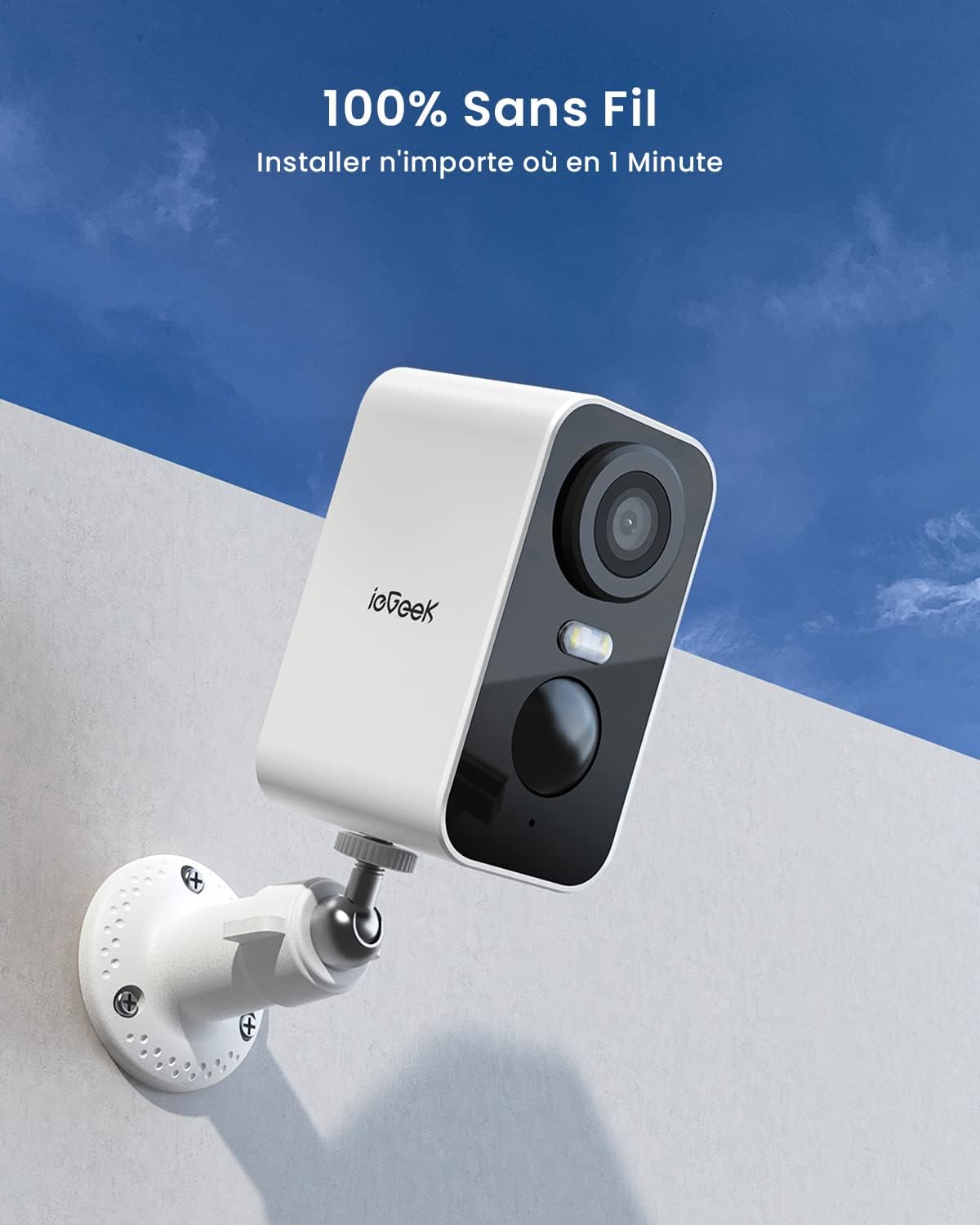
The ieGeek camera is designed for 100% wireless installation, allowing placement anywhere.
3.4 Mounting the Camera
The camera can be installed outdoors or indoors. Choose a location with good Wi-Fi signal and a clear view of the area you wish to monitor. Use the provided mounting accessories to securely attach the camera to a wall or other suitable surface. The camera supports wall mount installation.
4. Operating Instructions
4.1 Live View and Recording
Access the live video feed through the "ieGeek Cam" app. The camera provides 2K resolution for clear image quality. You can manually record video or capture screenshots from the live view.

The camera offers 2K resolution and color night vision for clear monitoring in all lighting conditions.
4.2 Night Vision
The camera features color night vision with a range of up to 10 meters (33 feet), ensuring clear visibility even in complete darkness.
4.3 Motion Detection and Alerts
The camera utilizes advanced AI and PIR (Passive Infrared) detection to accurately identify human movement and reduce false alarms. When motion is detected, the camera sends instant notifications to your phone (within 0.2-3 seconds).

The camera's PIR motion detection triggers an alarm and spotlight to deter unwanted visitors.

AI human detection significantly reduces false alerts, ensuring 99% precision.
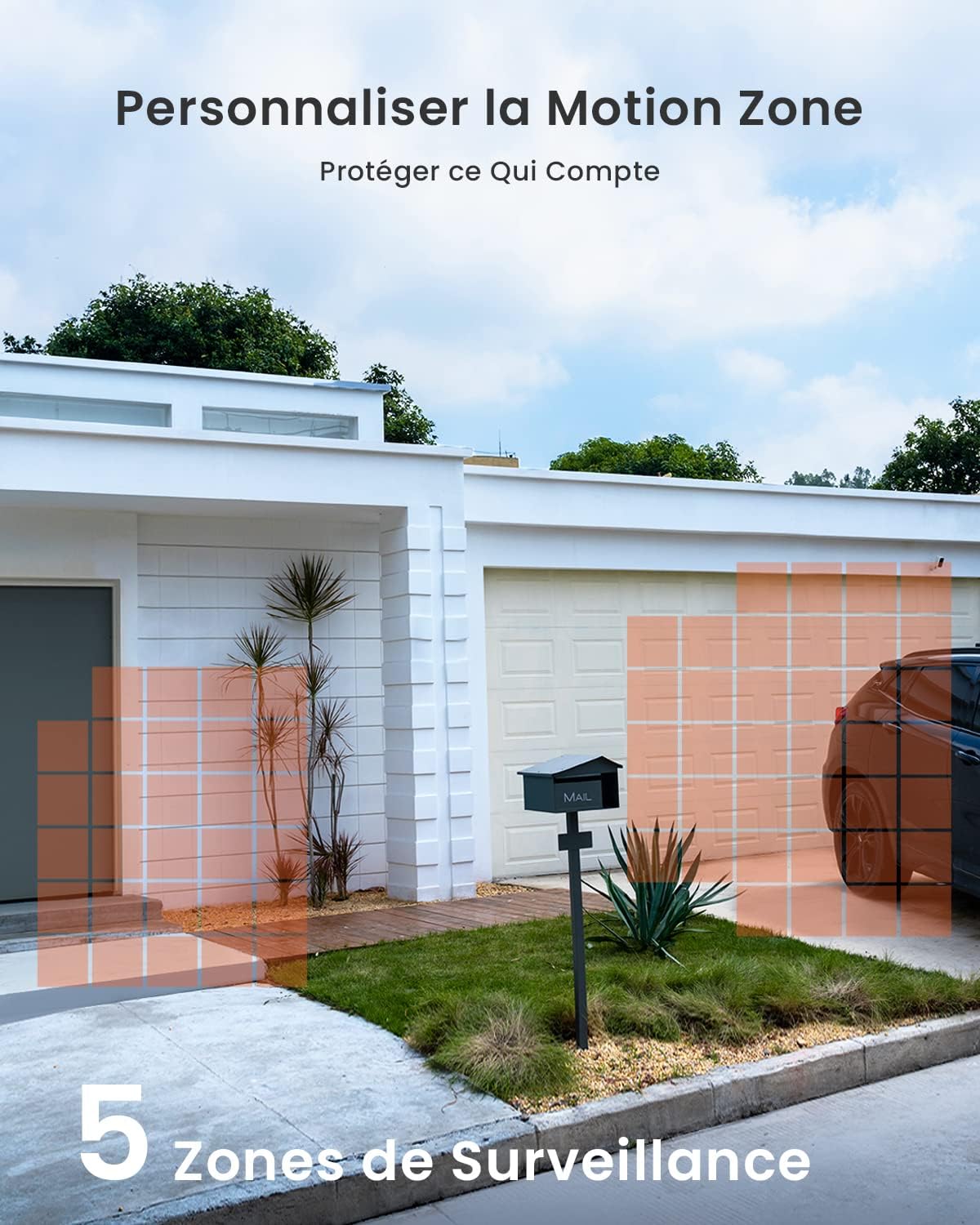
4.4 Customizable Motion Zones
You can define specific motion detection zones within the app to focus on critical areas and avoid unnecessary alerts from high-traffic areas outside your property. Up to 5 surveillance zones can be customized.

Customize up to 5 motion zones to protect what matters most.
4.5 Two-Way Audio Communication
The integrated microphone and speaker allow for real-time two-way communication. You can speak to visitors or deter intruders directly through the camera from your smartphone.
Engage in real-time conversations with two-way audio, facilitating communication with visitors.
4.6 Storage Options
The camera supports local storage via a Micro SD card (32GB to 128GB, not included). Additionally, a 7-day free cloud storage service is available for recorded events.
4.7 Alexa Integration
The ieGeek camera is compatible with Amazon Alexa, allowing you to view live feeds on compatible Alexa-enabled devices.
5. Maintenance
5.1 Weather Resistance
The camera has an IP65 waterproof rating, designed to withstand various weather conditions including rain and snow. Ensure the charging port cover is securely closed when not charging to maintain water resistance.

The camera is IP65 waterproof, designed to work reliably in various weather conditions.
5.2 Battery Management
The camera is equipped with a rechargeable battery. Battery life can vary based on usage, motion detection frequency, and environmental factors. For continuous power, especially in high-traffic areas, consider purchasing an optional ieGeek solar panel (sold separately) to keep the battery charged.
5.3 Cleaning
To maintain optimal image clarity, periodically clean the camera lens with a soft, dry cloth. Avoid using abrasive cleaners or solvents.
6. Troubleshooting
- Camera not connecting to Wi-Fi: Ensure your router is broadcasting a 2.4Ghz Wi-Fi signal. The camera does not support 5Ghz Wi-Fi. Check that the Wi-Fi password is correct and within the character limit (if applicable). Move the camera closer to the router during setup.
- Frequent false alarms: Adjust the motion detection sensitivity settings in the "ieGeek Cam" app. Utilize the customizable motion zones to exclude areas with irrelevant movement (e.g., trees swaying, passing cars).
- Short battery life: Reduce the frequency of live view access and recorded events. Ensure the camera is placed in an area with good Wi-Fi signal, as poor signal can increase battery consumption. Consider installing an ieGeek solar panel for continuous charging.
- No night vision: Ensure the ambient light sensor is not obstructed. Check the night vision settings in the app to confirm it's enabled.
- Two-way audio issues: Ensure your phone's microphone and speaker are enabled for the "ieGeek Cam" app. Check the camera's microphone and speaker for any obstructions.
If you encounter persistent issues not covered here, please contact ieGeek customer support.
7. Specifications
| Feature | Specification |
|---|---|
| Model Name | ZS-GX3S |
| Video Recording Resolution | 3MP (2K) |
| Color | White |
| Wireless Communication Technology | Wi-Fi (2.4Ghz only) |
| Viewing Angle | 130 degrees |
| Power | 3 Watts |
| Power Source | Battery powered (Lithium-ion) |
| Special Features | Motion detector, Night vision |
| Indoor/Outdoor Use | Outdoor, Indoor |
| Mounting Type | Wall mount |
| Dimensions (L x W x H) | 10 x 10 x 10 millimeters |
8. Warranty and Support
ieGeek is committed to providing high-quality products and excellent customer service. If you require assistance with your ieGeek 2K Wireless Outdoor Battery Security Camera, please do not hesitate to contact our support team. We aim to respond to all inquiries within 24 hours on business days.
For more information and support, please visit the official ieGeek brand store: ieGeek Brand Store


