
1. Introduction
This manual provides detailed instructions for the proper use and maintenance of your DieseRC 433Mhz Wireless Remote Control Transmitter Keychain, Model KT182A. Please read this manual thoroughly before operating the device to ensure safe and efficient use.
The KT182A is a 2-button, 433Mhz RF wireless remote control designed to operate with DieseRC 1527 learning code receivers. It offers stable and reliable performance with a long transmission range.
2. Product Overview
The DieseRC KT182A remote control features two buttons (A and B) for transmitting signals, an indicator light, and an extendable antenna for enhanced range. It is powered by a 12V 23A battery.
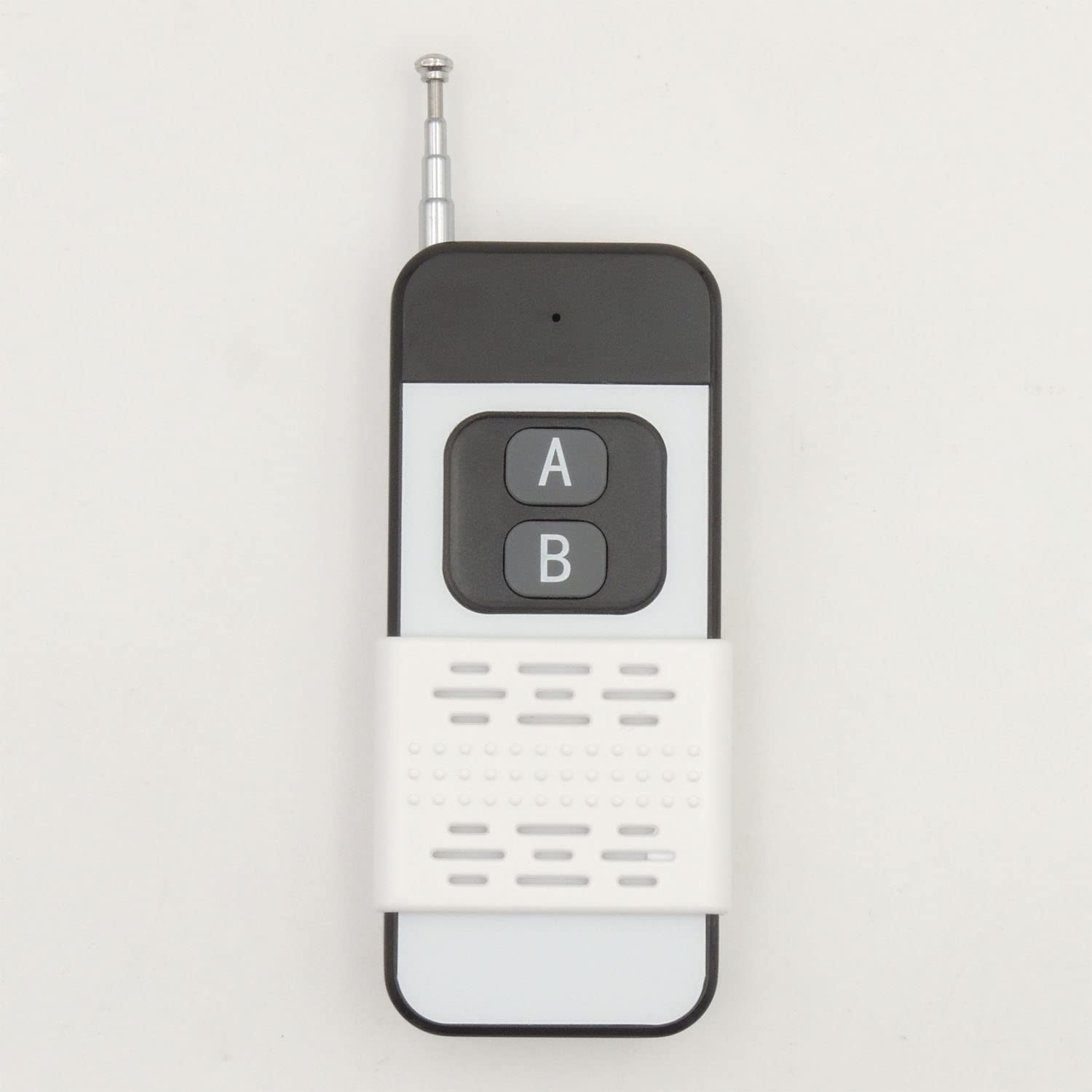
Figure 1: The DieseRC KT182A 433Mhz Wireless Remote Control Transmitter Keychain.

Figure 2: Components of the KT182A Remote Control. This diagram illustrates the key parts of the remote, including the antenna, indicator light, silicone buttons (A and B), and the sliding closure for battery access. It also specifies the 12V 23A battery type.

Figure 3: Various configurations of the DieseRC remote control. This image shows the remote with its antenna retracted and extended, highlighting its compact design and the option for increased range.
3. Specifications
| Parameter | Value |
|---|---|
| Model | KT182A |
| RF Frequency | 433MHz |
| Encoding Type | 1527 Learning Code |
| Receiving Sensitivity | >97dBm |
| RF Operating Mode | ASK Superheterodyne Wireless Reception |
| Transmission Range | >150 meters (open area) |
| Working Temperature | -30°C to +80°C |
| Number of Buttons | 2 |
| Dimensions (L*W*T) | 97 x 40 x 16 mm (3.8 x 1.6 x 0.6 in) |
| Weight | 34g |
| Battery Type | 12V 23A (included) |
| Button Lifespan | 500,000 clicks |
4. Setup
4.1 Battery Installation
The KT182A remote control comes with a 12V 23A battery pre-installed. If replacement is needed, follow these steps:
- Locate the sliding closure on the back of the remote control (refer to Figure 2).
- Slide the closure downwards to open the battery compartment.
- Carefully remove the old 12V 23A battery.
- Insert a new 12V 23A battery, ensuring the correct polarity (+ and -) is observed.
- Slide the closure back into place until it clicks securely.
4.2 Pairing with a Receiver
The KT182A remote control is a 1527 learning code transmitter. It cannot be programmed or cloned from other remotes. It must be paired with a compatible DieseRC 1527 learning code receiver.
The pairing process is performed on the receiver unit, not the remote control. Please refer to the instruction manual of your specific DieseRC 1527 learning code receiver for detailed pairing instructions. Typically, this involves pressing a learning button on the receiver and then pressing a button on the KT182A remote control to establish the connection.
5. Operating Instructions
Once the KT182A remote control is successfully paired with a compatible receiver, operation is straightforward:
- Extend the Antenna (Optional): For maximum transmission range, gently pull the antenna upwards until fully extended. For shorter distances or portability, the antenna can remain retracted.
- Press a Button: Press either button A or button B on the remote control.
- Observe Indicator Light: The red indicator light on the remote will illuminate briefly when a button is pressed, confirming that a signal is being transmitted.
- Signal Transmission: The remote transmits a 433Mhz RF signal. This signal can pass through common obstacles such as walls, floors, and doors, providing a transmission range of over 150 meters in open areas.
The function of each button (A or B) is determined by how it was paired with your receiver. Refer to your receiver's manual for specific button assignments.
6. Maintenance
6.1 Battery Replacement
The 12V 23A battery typically lasts for approximately 5 years under normal use. When the remote's indicator light becomes dim or the transmission range decreases, it is time to replace the battery. Follow the steps outlined in Section 4.1 Battery Installation.
6.2 Cleaning
To clean the remote control, wipe it with a soft, dry cloth. Do not use abrasive cleaners, solvents, or immerse the device in water.
6.3 Storage
Store the remote control in a dry place, away from extreme temperatures and direct sunlight, when not in use for extended periods.
7. Troubleshooting
- Remote is not responding:
- Check Battery: Ensure the 12V 23A battery is correctly installed and has sufficient charge. Replace if necessary (refer to Section 4.1).
- Verify Pairing: Confirm that the remote control is correctly paired with your DieseRC 1527 learning code receiver. If unsure, re-pair the remote with the receiver according to your receiver's manual.
- Receiver Status: Ensure your receiver is powered on and functioning correctly.
- Range: You may be out of range. Move closer to the receiver and try again. Extend the antenna for optimal range.
- Obstructions: While the signal can pass through obstacles, very dense materials or multiple obstructions can reduce range.
- Indicator light does not illuminate:
- This usually indicates a dead or improperly installed battery. Replace the battery (refer to Section 4.1).
- Remote cannot clone other remotes:
- The KT182A is a fixed 1527 learning code transmitter and is not designed to clone or copy signals from other remote controls. It can only be paired with compatible 1527 learning code receivers.
8. Safety Information
- Do not attempt to disassemble or modify the remote control beyond battery replacement. This may void any implied warranty and could cause damage.
- Keep the device away from water and high humidity.
- Avoid dropping the remote control or subjecting it to strong impacts.
- Dispose of used batteries responsibly according to local regulations.
- This device is intended for use with compatible DieseRC 1527 learning code receivers only.


