
Introduction
The Vimtag Mini G3 Security Camera is designed to provide comprehensive home security with advanced features for both indoor and outdoor use. This manual provides essential information for setting up, operating, and maintaining your camera to ensure optimal performance and peace of mind.
What's in the Box
- 1x Vimtag Mini G3 Security Camera
- 1x USB Adapter
- 1x Cable
- 1x Quick Installation Guide
- Mounting Accessories
Setup Guide
1. Powering On and App Installation
Connect the camera to the provided USB adapter and cable to power it on. Once powered, install the 'Vimtag' app on your smartphone or tablet. The app is available on both iOS and Android devices.
Video: Learn how to connect your Vimtag camera to your phone using the app.
Video: A detailed unboxing and setup guide for the Vimtag Cam G3.
2. Connecting to Wi-Fi
The Vimtag Mini G3 supports dual-band 2.4GHz and 5GHz Wi-Fi for faster and more stable connectivity. Follow the in-app instructions to connect your camera to your home network. Ensure your Wi-Fi signal is strong in the camera's intended location.

Image: The camera supports both 2.4GHz and 5GHz Wi-Fi bands for flexible and reliable connection.
3. Mounting the Camera
The camera can be placed on a shelf or wall-mounted. Mounting accessories are included for secure installation. The flexible design allows for various mounting types including wall mount, ceiling mount, tabletop, freestanding, door mount, and window mount.

Image: The camera is designed for easy setup and can be placed or mounted anywhere.
Operating Features
1. 2.5K Live Streaming and Color Night Vision
Monitor your home 24/7 with 2.5K (1440p) HD video streaming. The camera offers vibrant color night vision, ensuring clear visibility even in low-light conditions up to 33 feet. It also supports traditional IR night vision.

Image: The camera offers both color and infrared (IR) night vision modes for clear visibility in the dark.

Image: Experience stunning detail with 2.5K resolution, capturing clear images like license plates.
2. Instant Motion and Sound Alerts with Spotlight
Stay informed with instant notifications sent to your app upon detection of motion or sound. The outdoor security camera will alarm with sound and light. You can adjust sensitivity with Motion Detection or easily turn off notifications as needed. AI detection for motion, human, and sound ensures accurate alerts.

Image: Smart alarm modes guard your home day and night with real-time notifications, siren, and light warning.

Image: AI Detection for motion, human, and sound ensures instant notifications for your home security.
3. Enhanced Two-Way Audio
Communicate effortlessly with guests or deter intruders using the upgraded two-way audio feature. You can see, hear, and speak from anywhere through the camera.

Image: Enjoy clear communication anytime, anywhere with the two-way audio feature.
4. Recording Options
Choose between secure cloud recording (subscription required) for detecting people, motion, and sound, or insert a microSD card (sold separately) up to 512GB for local video storage. The camera supports 24/7 continuous recording.

Image: The camera supports up to 512GB SD card storage for extensive recording.
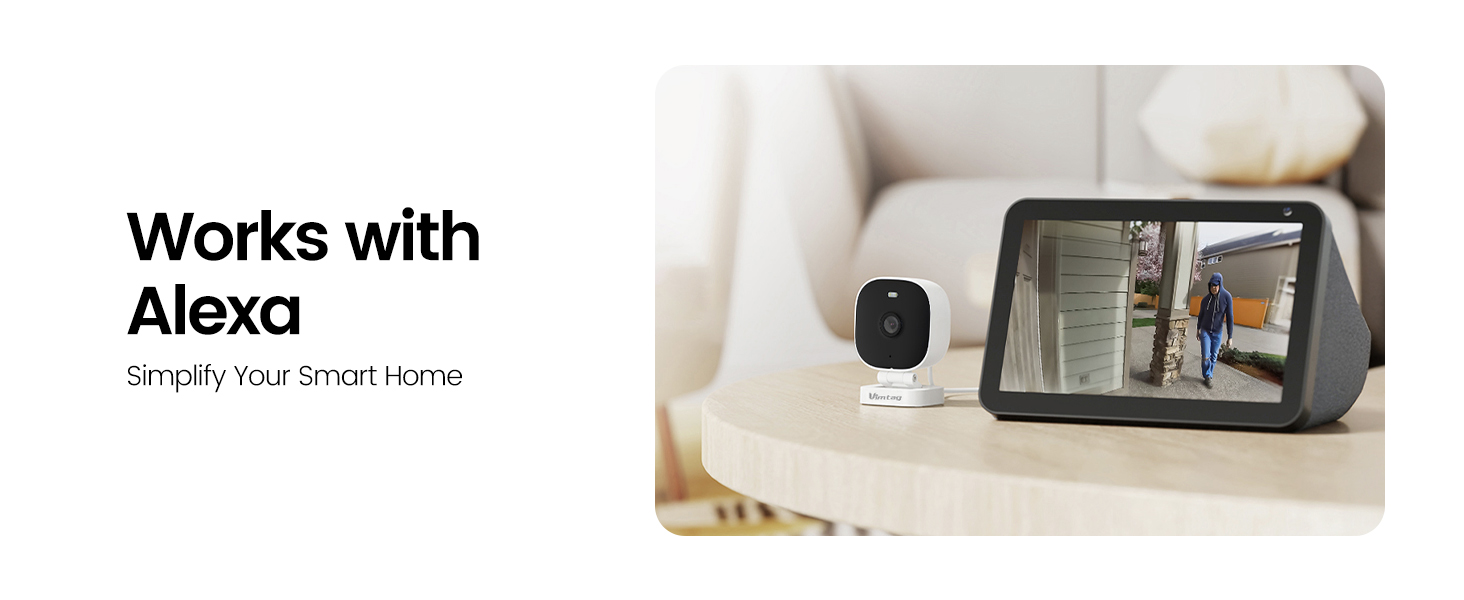
Image: Experience unparalleled security with 24/7 continuous recording, ensuring your loved ones are always protected.
5. Works with Alexa
Simplify your smart home experience as the camera is compatible with Amazon Alexa. View live streams through select Alexa-enabled devices.

Image: Simplify your smart home with seamless integration with Amazon Alexa.
Maintenance
The Vimtag Mini G3 camera boasts IP66 weatherproof durability, designed to withstand rain, heat, and cold for year-round protection. Its operating temperature ranges from -4°F to 131°F. For general maintenance, ensure the lens is clean and free from dust or debris. Use a soft, dry cloth for cleaning. Avoid harsh chemicals or abrasive materials.

Image: The camera is IP66 rated, meaning it can withstand harsh weather conditions.
Troubleshooting
If you encounter issues with your Vimtag camera, try the following steps:
- Check Power: Ensure the camera is properly connected to a power source.
- Wi-Fi Connection: Verify that your camera is connected to a stable 2.4GHz or 5GHz Wi-Fi network.
- Restart Device: Power cycle the camera by unplugging it and plugging it back in.
- App Restart: Close and reopen the Vimtag app on your device.
- Customer Support: If problems persist, contact Vimtag customer service for assistance. Many users have reported positive experiences with their responsive support team.
Specifications
| Feature | Specification |
|---|---|
| Indoor/Outdoor Usage | Outdoor |
| Video Capture Resolution | 1440p (2.5K) |
| Effective Still Resolution | 4 MP |
| Connectivity Protocol | Wi-Fi (2.4G & 5G) |
| Controller Type | Amazon Alexa |
| Mounting Type | Wall mount, Ceiling mount, Tabletop Mount, Freestanding, Door mount, Window mount |
| Night Vision Range | 33 Feet |
| International Protection Rating | IP66 |
| Flash Memory Supported Size Maximum | 512 GB |
| Item Dimensions L x W x H | 3.15 x 3.15 x 3.94 inches |
| Item Weight | 7.4 ounces |
| Operating Temperature | -4°F to 131°F |
Warranty and Support
Vimtag offers a 2-year industry-leading warranty for this product, ensuring reliability and peace of mind. The company is committed to providing excellent customer service and support for all its products. For any inquiries or assistance, please refer to the contact information provided in your Quick Installation Guide or visit the official Vimtag website.


