1. Introduction and Overview
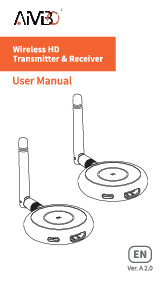
The AIMIBO HDMI Wireless Transmitter and Receiver kit provides a seamless solution for wirelessly streaming audio and 4K video. It eliminates the need for messy HDMI cables, making it ideal for various environments such as home theaters, business presentations, large conferences, and gaming setups. The system supports 4K@30Hz ultra HD resolution and features a low latency of 0.1s, ensuring smooth and high-quality transmission. It operates on a 2.4/5Ghz dual-band high-speed antenna, offering a transmission range of up to 165FT (50M) in barrier-free environments.

Figure 1: AIMIBO HDMI Wireless Transmitter and Receiver Kit.
Video 1: Short overview of the AIMIBO Wireless HDMI Extender 4K.
2. What's in the Box
Upon opening the package, you will find the following components:
- 1x HDMI Wireless Transmitter (TX)
- 1x HDMI Wireless Receiver (RX)
- 1x Micro HDMI Adapter
- 1x Mini HDMI Adapter
- 1x USB C Cable
- 1x Antenna & USB Cable
- 1x User Manual
- 1x Gift Box

Figure 2: All items included in the AIMIBO HDMI Wireless Kit package.
Video 2: Unboxing and detailed look at the AIMIBO Wireless HDMI Kit components.
3. Setup Instructions
The AIMIBO Wireless HDMI Extender is designed for true plug-and-play functionality, requiring no Bluetooth, Wi-Fi, or additional apps for basic operation. Follow these steps to set up your device:
- Identify Transmitter (TX) and Receiver (RX): The Receiver (RX) is designed with a 5G external antenna. The Transmitter (TX) is typically connected to the source device.
- Connect the Receiver (RX): Plug the Receiver (RX) into an HDMI input port on your HDTV, monitor, or projector. Connect the 5G external antenna and the USB cable to the RX unit, and then plug the USB cable into a USB port on your TV or an external power supply (5V-2A recommended).
- Connect the Transmitter (TX): Plug the Transmitter (TX) into the HDMI output port of your source device (e.g., laptop, PC, cable box, PS5, Blu-ray player). Connect the USB C cable to the TX unit and plug the USB cable into a USB port on your source device or an external power supply.
- Auto Sync: Wait approximately 5 seconds for the TX and RX units to automatically sync. Once connected, your screen should mirror or extend to the display.

Figure 3: Simple Plug and Play setup for the wireless HDMI kit.

Figure 4: Detailed connection diagram showing TX and RX setup with various devices.
4. Operating Instructions
Once set up, the AIMIBO Wireless HDMI kit offers various operating modes and features:
- Screen Mirroring: The primary function is to mirror your source device's screen onto the connected display. This is automatic after successful setup.
- Extend Mode: For laptops, the system supports extend mode, allowing you to use the external display as a second monitor, enhancing multitasking capabilities.
- Multi-Transmitter Connection: The receiver can pair with up to 8 transmitters simultaneously. You can switch between different source devices by simply clicking a button on the active transmitter. This is highly convenient for conference rooms or classrooms.
- Phone/Tablet to TV Streaming: The receiver can directly stream videos from Android, iOS, and Windows devices to your TV, supporting various video apps including HDCP apps like Netflix and Hulu.

Figure 5: Illustration of Mirror and Extend display modes.

Figure 6: Diagram showing 1-to-1 and 1-to-8 connection capabilities.
Video 3: Comprehensive demonstration of AIMIBO Wireless HDMI Extender 4K features.
5. Advanced Features
The AIMIBO Wireless HDMI kit includes advanced functionalities for optimized performance and versatility:
- Adjustable Wireless Channels: If you experience lag during streaming, you can change your wireless channel by logging into the IP address on your phone. This minimizes interference in crowded Wi-Fi environments, ensuring a smooth streaming experience.
- Long Range Transmission: With a transmission range of up to 165FT (50M) in barrier-free environments, the device is ideal for multi-room setups, business meetings, and large venues.
- Low Latency: Experience near real-time streaming with only 0.1s latency, crucial for gaming, live streaming, and fast-paced presentations.

Figure 7: Interface for adjusting wireless channels to optimize performance.

Figure 8: Example of long-range transmission for multi-room use.
6. Maintenance
To ensure the longevity and optimal performance of your AIMIBO HDMI Wireless Transmitter and Receiver, follow these maintenance guidelines:
- Cleaning: Use a soft, dry cloth to clean the devices. Avoid using liquid cleaners or aerosols, as they may damage the components.
- Storage: Store the devices in a cool, dry place away from direct sunlight and extreme temperatures.
- Handling: Handle the devices and cables with care to prevent physical damage. Avoid bending the HDMI connectors excessively.
- Power Supply: Always use the recommended 5V-2A power supply to prevent damage to the units.
7. Troubleshooting
If you encounter issues with your AIMIBO HDMI Wireless Transmitter and Receiver, try the following troubleshooting steps:
- No Signal/Connection Issues:
- Ensure both TX and RX units are properly powered and connected to their respective HDMI ports.
- Verify that the correct HDMI input is selected on your display device (TV/monitor/projector).
- Check the indicator lights on both units. If blinking, they might be pairing. If solid, they should be connected.
- Try re-pairing the devices by long-pressing the middle button on the transmitter for 5-8 seconds as indicated in the setup instructions.
- Reduce the distance between the TX and RX units, or ensure there are no significant obstructions.
- Lag/Choppy Video:
- Change the wireless channel through the device's IP address settings (refer to advanced features).
- Ensure there are no other strong wireless signals interfering with the device.
- Check the power supply for both units; insufficient power can affect performance.
- No Audio:
- Verify audio settings on your source device and display.
- Ensure HDMI cables are securely connected.
For more detailed troubleshooting, please refer to the official Troubleshooting Guide (PDF) available on the product's Amazon page.
8. Specifications
| Feature | Specification |
|---|---|
| Brand | AIMIBO |
| Model Name | Q3 |
| Color | Blue |
| Connectivity Technology | Wireless |
| Connector Type | HDMI |
| Resolution | 4K@30Hz (Receiver), 1080P@60Hz (Transmitter & Receiver) |
| Transmission Range | Up to 165FT / 50M (barrier-free) |
| Latency | 0.1s |
| Wireless Bands | 2.4G/5G Dual Band |
| Supported Internet Services | Netflix, Prime Video, Hulu, YouTube, etc. (supports HDCP apps) |
| Item Weight | 8.8 ounces |
| Product Dimensions | 5.59 x 3.43 x 2.4 inches |
9. Warranty and Support
AIMIBO products typically come with a manufacturer's warranty covering defects in materials and workmanship. For specific warranty details, including duration and coverage, please refer to the warranty information provided in your product packaging or contact AIMIBO customer support directly.
For technical support, product inquiries, or warranty claims, please visit the official AIMIBO website or contact their customer service team through the contact information provided in your user manual or on the product's Amazon listing.