
Chefman TurboFry Touch Dual Air Fryer,
Chefman TurboFry Touch Dual Air Fryer Instruction Manual
Model: TurboFry Touch Dual Air Fryer, | Brand: Chefman
Introduction
The Chefman TurboFry Touch Dual Air Fryer is designed to make family mealtime faster, tastier, and easier. Featuring two spacious 4.5-quart nonstick baskets, it allows you to cook double the dishes with double the flavor, ensuring crispy and low-calorie results. Its intuitive one-touch digital controls and eight built-in cooking functions simplify meal preparation. This appliance is equipped with advanced safety technology, including auto-shutoff and overheat protection, for worry-free use.

Figure 1: The Chefman TurboFry Touch Dual Air Fryer, showcasing its dual basket design.
Setup
- Unboxing: Carefully remove all packaging materials, including any protective films or stickers from the appliance.
- Initial Cleaning: Before first use, wash the nonstick baskets and racks with warm, soapy water. Rinse thoroughly and dry completely. The exterior can be wiped with a damp cloth.
- Placement: Place the air fryer on a stable, heat-resistant, and level surface. Ensure there is adequate air circulation around the unit, especially at the back where the exhaust vent is located. Avoid placing it directly against walls or under cabinets during operation.
- Power Connection: Plug the air fryer into a dedicated 120 Volt/1700 Watt power outlet. Avoid using extension cords or plugging into overloaded circuits.

Figure 2: The dual 4.5-quart baskets, ready for use.
Operating Instructions
The TurboFry Touch Dual Air Fryer offers versatile cooking options with its intuitive digital controls.
- Power On/Off: Press the power button to turn the unit on or off.
- Basket Selection: You can choose to use one or both baskets. Simply press the corresponding basket number (1 or 2) on the digital display to activate it.
- Temperature and Time Adjustment: Use the '+' and '-' buttons to adjust the cooking temperature (200°F to 400°F) and time (up to 59 minutes) for each basket independently.
- Pre-set Functions: The control panel features eight pre-set cooking functions for common foods like chicken, fries, burgers, bacon, fish, veggies, steak, and shrimp. Select the desired pre-set for optimized cooking.
- Sync Baskets: If you are cooking two different foods with different settings but want them to finish at the same time, use the 'Sync Finish' feature. The air fryer will automatically adjust the cooking start times so both baskets complete simultaneously.
- Shake Reminder: For optimal crispiness and even cooking, the air fryer will provide a visual and audio 'SHAKE' reminder about halfway through the cooking cycle. This prompts you to shake or flip the food in the baskets.
- Start/Stop: Press the 'Start/Stop' button to begin or pause the cooking process.

Figure 3: The intuitive touch controls for easy operation.

Figure 4: The 'Sync Finish' feature ensures different dishes finish cooking together.
Maintenance and Cleaning
Proper maintenance ensures the longevity and optimal performance of your Chefman TurboFry Touch Dual Air Fryer.
- Daily Cleaning: After each use, allow the air fryer to cool completely. The nonstick baskets and racks are top-rack dishwasher-safe for easy cleanup. For stubborn residue, soak them in warm, soapy water before washing.
- Exterior Cleaning: Wipe the exterior of the air fryer with a damp cloth. Do not immerse the main unit in water or any other liquid.
- Interior Cleaning: For the interior, gently wipe with a damp cloth. Ensure no food particles are left behind.
- Storage: Store the air fryer in a cool, dry place when not in use. Ensure all parts are clean and dry before storing.
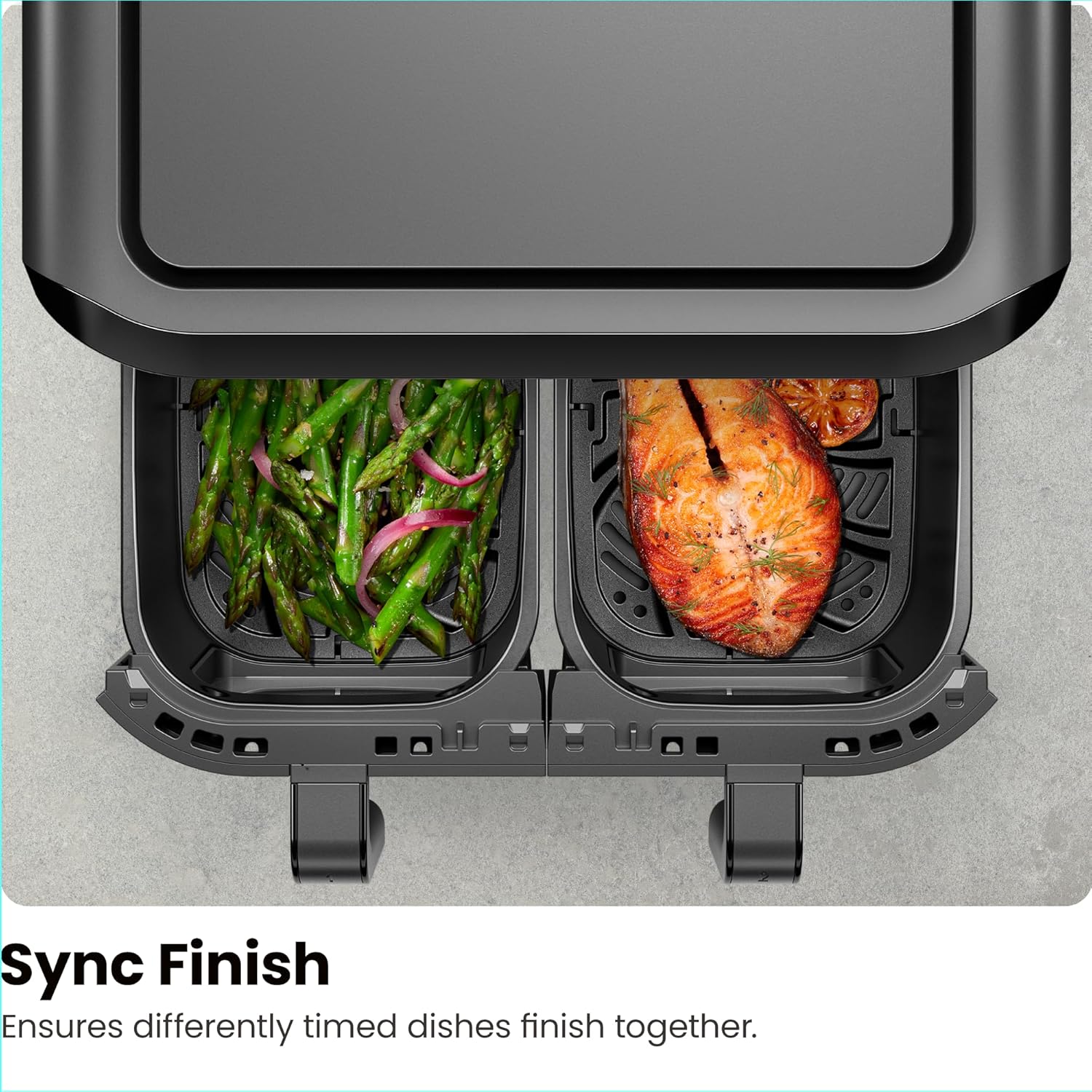
Figure 5: The 4.5-quart baskets are top-rack dishwasher safe for convenient cleaning.
Troubleshooting
If you encounter any issues with your Chefman TurboFry Touch Dual Air Fryer, please refer to the following general troubleshooting tips:
- Unit Not Turning On: Ensure the power cord is securely plugged into a working electrical outlet. Check your circuit breaker.
- Food Not Cooking Evenly: Ensure not to overcrowd the baskets. Shake or flip food halfway through the cooking cycle as prompted by the 'SHAKE' reminder.
- Unusual Odor/Smoke: A slight odor may occur during first use due to manufacturing residues. If persistent, ensure proper ventilation and clean the unit thoroughly.
- Digital Display Issues: If the touch controls are unresponsive, try unplugging the unit for a few minutes and plugging it back in. Ensure the screen is clean and dry.
For more detailed troubleshooting or persistent issues, please contact Chefman Customer Support.
Specifications
| Feature | Detail |
|---|---|
| Brand | Chefman |
| Model Name | TurboFry Touch Dual Air Fryer, |
| Capacity | 9 Quarts (Two 4.5-quart baskets) |
| Product Dimensions | 10"D x 20"W x 13"H |
| Item Weight | 16.28 pounds (7.4 Kilograms) |
| Color | Black |
| Material | Aluminum, Plastic (Non-stick coating on aluminum) |
| Control Method | Touch |
| Max Temperature Setting | 400 Degrees Fahrenheit |
| Output Wattage | 1700 Watts |
| Voltage | 120 Volts |
| Dishwasher Safe Parts | Yes (Baskets and racks are top-rack dishwasher-safe) |
| UPC | 816458025843 |

Figure 6: Product dimensions for proper placement.
Warranty and Support
The Chefman TurboFry Touch Dual Air Fryer comes with a 1-year assurance provided by Chefman, allowing you to purchase and cook worry-free. This product is cETL-approved with advanced safety technology for long-lasting durability.
For additional information on how to use your product, you may refer to the official User Guide (PDF) available here.
For further assistance or inquiries, please visit the official Chefman website or contact their customer support.
Related documentsTurboFry Touch Dual Air Fryer,


Ask a question about this manual
Ask about setup, troubleshooting, compatibility, parts, safety, or missing instructions. Manuals+ will review the question and use this page’s manual context to help answer it.