
Introduction
Thank you for choosing TRANYA T20 Wireless Earbuds. This manual provides detailed instructions on how to set up, operate, and maintain your earbuds to ensure optimal performance and longevity. Please read this manual thoroughly before using the product.

Image: The TRANYA T20 Wireless Earbuds, showcasing both earbuds and their compact charging case.
What's in the Box
The TRANYA T20 package includes the following components:
- TRANYA T20 Earbuds (Left and Right)
- Compact Charging Case
- USB-C Charging Cable
- 3 Sizes of Silicone Ear Tips (Small, Medium, Large)
- User Manual (this document)
Product Overview
The TRANYA T20 earbuds are designed for comfort and high-quality audio. Each earbud features multiple microphones for clear calls and touch controls for easy operation.

Image: A diagram illustrating the 4-microphone design on each TRANYA T20 earbud, highlighting the microphone locations for enhanced call clarity.
Dynamic Driver Technology
The T20 earbuds incorporate a 6mm dynamic driver, engineered to deliver premium sound with deep bass, clear vocals, and crisp treble, providing an expansive soundstage.

Image: An exploded view diagram of the 6mm dynamic driver components within the TRANYA T20 earbud, illustrating its internal structure.
Setup
1. Initial Charging
Before first use, fully charge both the earbuds and the charging case. Connect the provided USB-C cable to the charging case and a power source. The indicator light on the case will show charging status.
- Charging Case: A full charge takes approximately 1 hour. The case provides up to 40 hours of additional playtime.
- Earbuds: Place the earbuds into the charging case. They will begin charging automatically. A 10-minute charge can provide 2 hours of playtime. Fully charged earbuds offer up to 8 hours of listening.
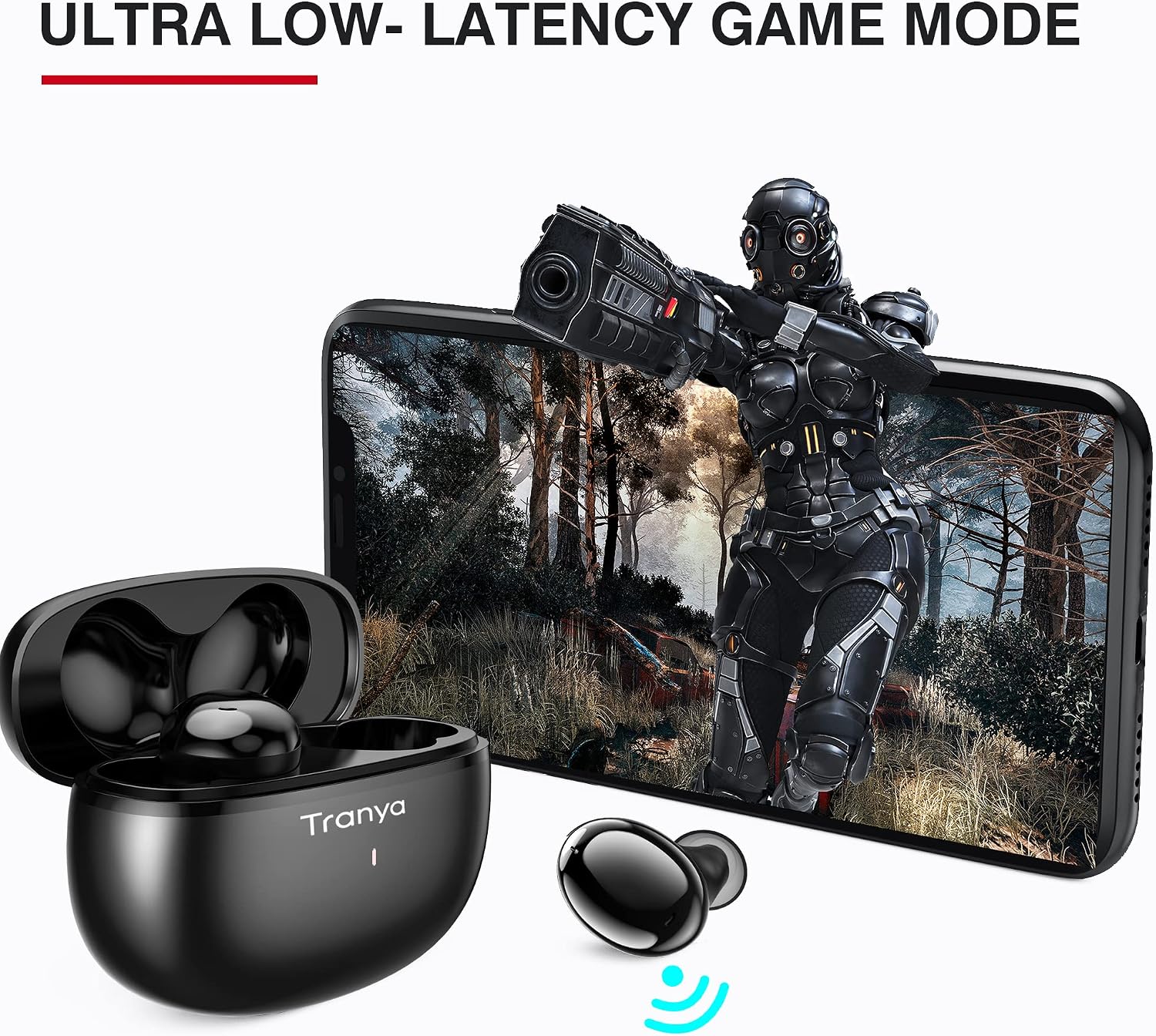
Image: A visual representation of the TRANYA T20 charging case with a USB-C cable, indicating 8 hours of playtime per single earbud charge and 40 hours total with the charging case.
2. Pairing with Your Device
- Ensure the earbuds are charged and placed inside the charging case.
- Open the charging case lid. The earbuds will automatically enter pairing mode, indicated by a flashing LED light on the earbuds.
- On your device (smartphone, tablet, PC), go to Bluetooth settings and turn Bluetooth on.
- Search for available devices and select "TRANYA T20" from the list.
- Once connected, the earbud LED lights will turn off or show a steady light, indicating successful pairing.
If pairing fails, place the earbuds back into the case, close the lid, wait a few seconds, and then repeat the steps. For re-pairing with a new device, disconnect from the previous device first.
3. Choosing the Right Ear Tips
The TRANYA T20 comes with 6 pairs of silicone ear tips of various sizes. Selecting the correct size is crucial for comfort, sound quality, and secure fit. Experiment with different sizes to find the best seal for your ear canals.
Operating Instructions
The TRANYA T20 earbuds feature intuitive touch controls. The following table outlines the common functions:

Image: A diagram illustrating the smart touch controls for the TRANYA T20 earbuds, showing icons for Play/Pause, Reject/End a call, Game Mode, Volume up/down, Answer a call, and Next/Previous track, and Activate Siri/other voice control software.
| Function | Action |
|---|---|
| Power On | Open charging case lid (earbuds automatically power on) |
| Power Off | Place earbuds back into charging case and close lid (earbuds automatically power off) |
| Play/Pause Music | Single tap on either earbud |
| Next Track | Double tap on the Right earbud |
| Previous Track | Double tap on the Left earbud |
| Volume Up | Triple tap on the Right earbud |
| Volume Down | Triple tap on the Left earbud |
| Answer/End Call | Single tap on either earbud |
| Reject Call | Press and hold on either earbud for 2 seconds |
| Activate Voice Assistant (Siri/Google Assistant) | Press and hold on either earbud for 2 seconds (when not on a call) |
| Toggle Game Mode | Quadruple tap on either earbud |
Low Latency Game Mode
The T20 earbuds feature a dedicated Low Latency Game Mode, which minimizes audio delay for a more synchronized gaming and video watching experience. Activate this mode by quadrupling tapping either earbud.
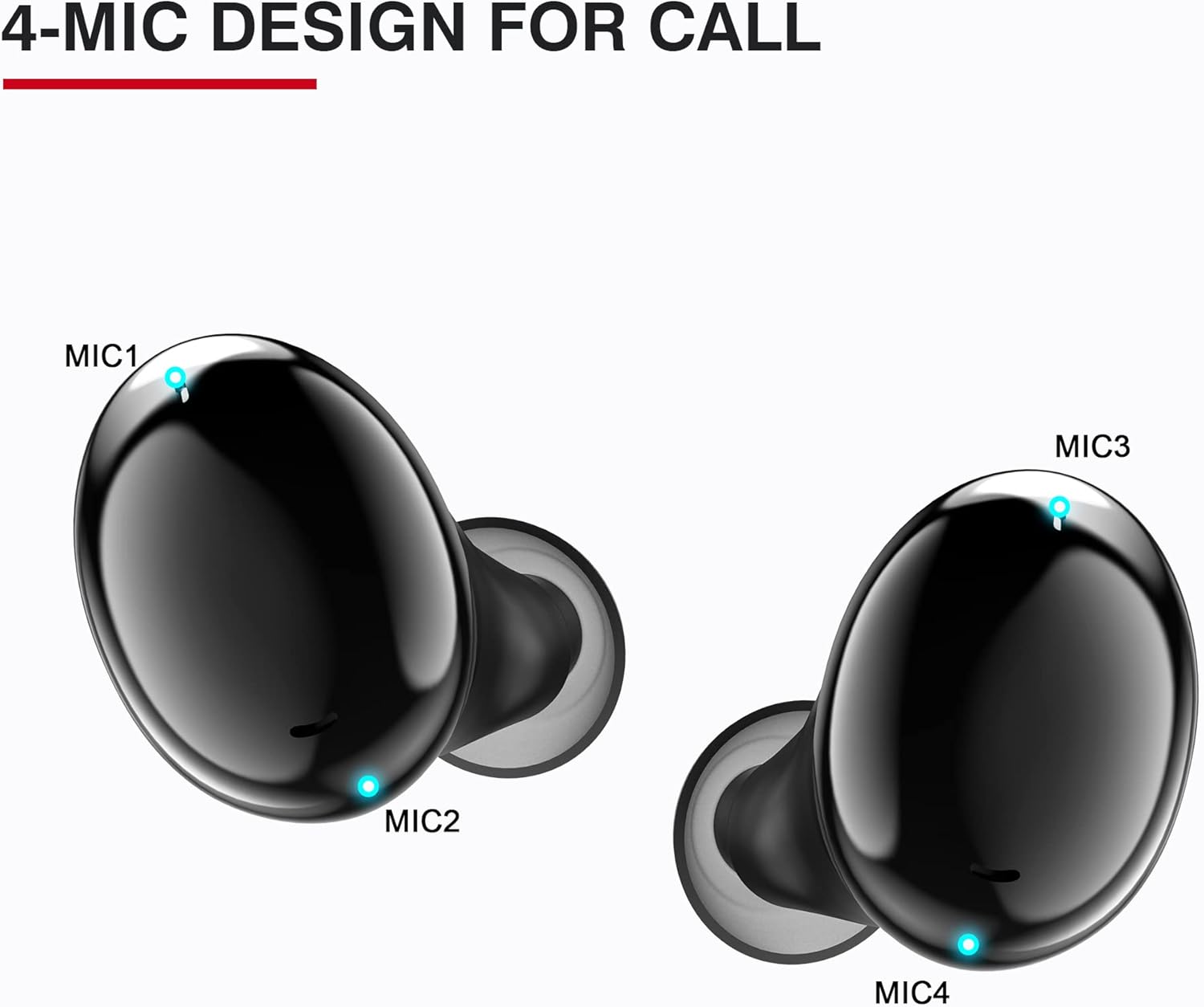
Image: A visual depicting the TRANYA T20 earbuds and charging case alongside a smartphone displaying a video game, illustrating the low latency game mode feature.
Single/Twin Mode
The TRANYA T20 earbuds can be used in either single (mono) or twin (stereo) mode. You can use one earbud independently while the other is charging or stored. Simply take one earbud out of the case to use it in mono mode. To switch to twin mode, take the second earbud out, and they will automatically connect to each other and your device.
Maintenance
Cleaning Your Earbuds
Regular cleaning helps maintain sound quality and hygiene. Use a soft, dry, lint-free cloth to wipe the earbuds and charging case. For ear tips, remove them from the earbuds and clean with a mild soap solution, then rinse thoroughly and dry completely before reattaching.
Avoid using abrasive materials, alcohol, or chemical cleaners, as these can damage the product.
Water Resistance (IPX7)
The TRANYA T20 earbuds are IPX7 waterproof, meaning they are protected against immersion in water up to 1 meter for up to 30 minutes. This makes them suitable for sports and protection against light rain, splashes, and sweat. However, they are not designed for swimming or prolonged submersion. Ensure the earbuds are dry before placing them back into the charging case to prevent damage.

Image: The TRANYA T20 earbuds shown with water splashing around them, indicating their IPX7 waterproof rating for light rain, splashproof, and sweat resistance.
Storage
When not in use, store the earbuds in their charging case to protect them and keep them charged. Store the case in a cool, dry place away from extreme temperatures and direct sunlight.
Troubleshooting
If you encounter any issues with your TRANYA T20 earbuds, please refer to the following common solutions:
- Earbuds not pairing or connecting:
- Ensure both earbuds are charged.
- Place earbuds back into the charging case, close the lid, wait 5 seconds, then open the lid again.
- Turn off and on Bluetooth on your device.
- Forget/delete "TRANYA T20" from your device's Bluetooth list and re-pair.
- Only one earbud working:
- Ensure both earbuds are charged.
- Place both earbuds back into the charging case, close the lid, and then open it again. They should automatically reconnect to each other.
- If the issue persists, try resetting the earbuds (refer to the full user manual for specific reset instructions if available, or contact support).
- No sound or low volume:
- Check the volume level on both your device and the earbuds.
- Ensure the earbuds are properly seated in your ears and that the ear tips provide a good seal.
- Clean any debris from the earbud mesh.
- Charging case not charging:
- Ensure the USB-C cable is securely connected to both the case and the power source.
- Try a different USB-C cable or power adapter.
For more complex issues or if the above steps do not resolve the problem, please contact TRANYA customer support.
Specifications
Key technical specifications for the TRANYA T20 Wireless Earbuds:
| Feature | Specification |
|---|---|
| Model Name | T20 |
| Connectivity Technology | Wireless (Bluetooth) |
| Wireless Communication Technology | Bluetooth 5.0 |
| Bluetooth Range | 30 Feet (approx. 9 meters) |
| Audio Driver Type | Dynamic Driver |
| Frequency Response | 20 Hz - 20,000 Hz |
| Earbud Battery Life | Up to 8 Hours (single charge) |
| Total Playtime with Charging Case | Up to 40 Hours |
| Charging Time (Earbuds) | Approx. 1 Hour (in case) |
| Charging Time (Case) | Approx. 1 Hour |
| Charging Port | USB-C |
| Water Resistance Level | IPX7 (Waterproof) |
| Control Method | Touch Control |
| Microphones | 4-Microphone Design for Call |
| Item Weight | 3.84 Ounces (total package) |
| Product Dimensions | 2.48 x 1.04 x 0.18 inches |
| Material | Silicone (ear tips) |
| UPC | 734257403849 |
Warranty and Support
TRANYA products are designed and manufactured to the highest quality standards. This product is covered by a manufacturer's warranty, typically 15 months from the date of purchase, covering defects in materials and workmanship.
For warranty claims, technical support, or any inquiries regarding your TRANYA T20 Wireless Earbuds, please contact TRANYA customer service through their official website or the retailer where you purchased the product. Please have your proof of purchase ready.
Note: No official product videos with 'Seller' creator type were found in the provided data to embed.


