
1. Introduction
This manual provides detailed instructions for the setup, operation, and maintenance of your Timex Ironman Classic 30 Oversized Digital Watch. Please read this guide thoroughly to ensure proper use and to maximize the lifespan of your timepiece.
2. Key Features
- Digital Display
- Quartz Movement
- 100-Meter Water Resistance
- INDIGLO® Night-Light with Night-Mode
- 30-Lap Memory Chronograph (Stopwatch)
- Countdown Timer
- Daily Alarm
- Durable Resin Case and Strap
3. Watch Overview
Familiarize yourself with the watch's components and button functions.

Figure 1: Front view of the watch, highlighting the digital display and button layout.

Figure 2: Side view of the watch, illustrating its slim design and integrated buttons.
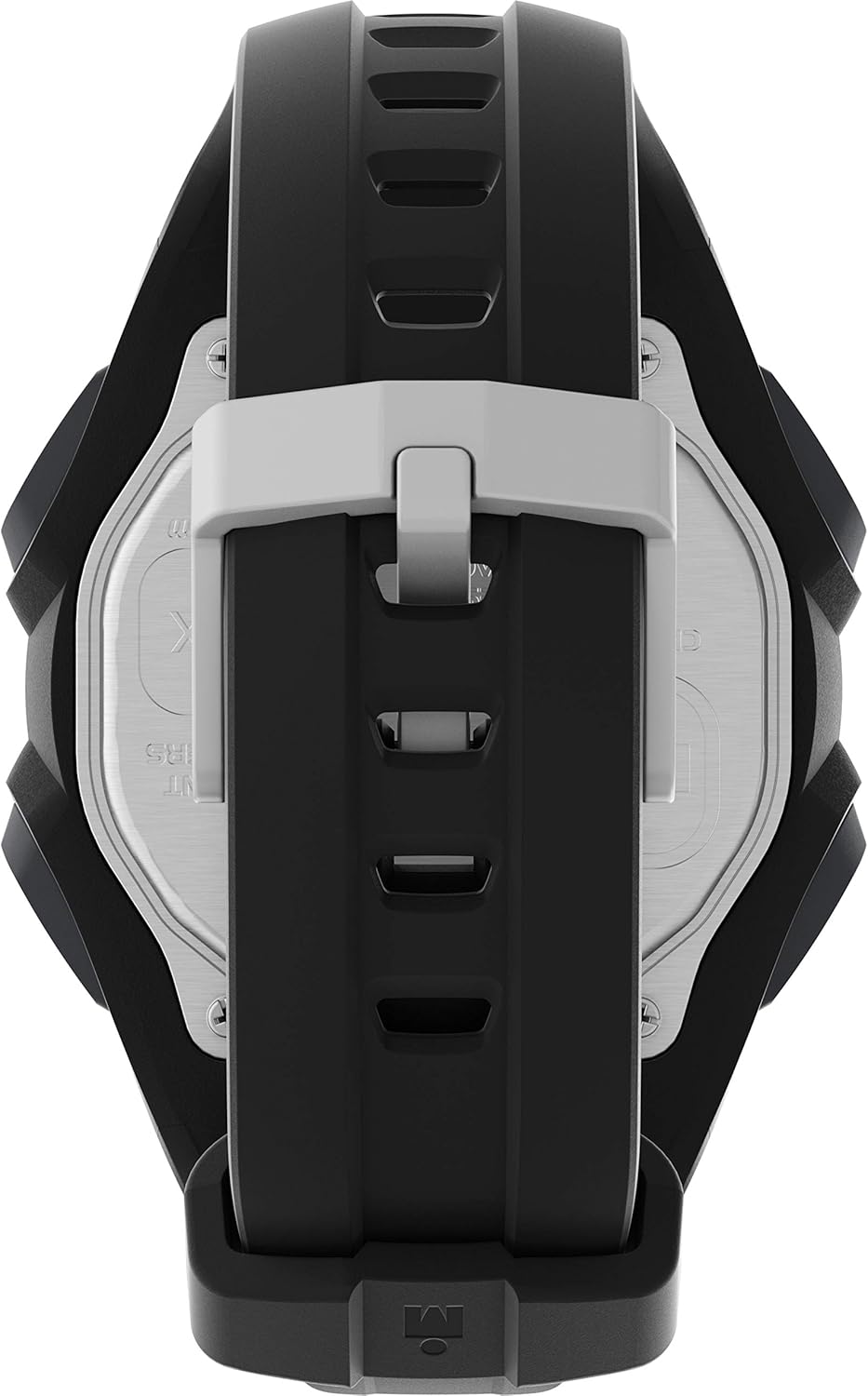
Figure 3: Rear view of the watch, displaying the stainless steel case back and resin strap.

Figure 4: Detailed view of the watch's underside, including the buckle and engraved information.
4. Setup
4.1. Initial Power On
Your watch comes with a pre-installed lithium metal battery. It should be ready for immediate use. If the display is blank, press any button to activate it. If it remains blank, the battery may need replacement (refer to Section 6.2).
4.2. Setting Time and Date
- From the Time-of-Day mode, press and hold the SET/RECALL button until the display flashes.
- Press the MODE button to cycle through the settings: seconds, hour, minute, 12/24-hour format, year, month, day.
- Use the START/SPLIT button to increase the flashing value or the INDIGLO button to decrease it.
- Once all settings are adjusted, press SET/RECALL to exit the setting mode.
5. Operating Instructions
5.1. Mode Selection
Press the MODE button repeatedly to cycle through the following functions:
- Time-of-Day
- Chronograph (Stopwatch)
- Timer
- Alarm
5.2. Chronograph (Stopwatch)
The chronograph measures elapsed time, lap times, and split times.
- Navigate to Chronograph mode using the MODE button.
- Press START/SPLIT to begin timing.
- Press START/SPLIT again to record a lap/split time. The display will show the split time for a few seconds before returning to the running total.
- Press STOP/RESET to pause the chronograph.
- Press STOP/RESET again to reset the chronograph to zero.
- To recall stored laps, press SET/RECALL in Chronograph mode when the chronograph is stopped.
5.3. Countdown Timer
The timer can be set for any duration up to 24 hours.
- Navigate to Timer mode using the MODE button.
- Press and hold SET/RECALL until the display flashes.
- Use MODE to select hours, minutes, or seconds. Use START/SPLIT to increase the value or INDIGLO to decrease it.
- Press SET/RECALL to save the setting.
- Press START/SPLIT to start the countdown.
- The timer will beep when it reaches zero. Press any button to stop the alarm.
5.4. Daily Alarm
Set an alarm to sound at a specific time.
- Navigate to Alarm mode using the MODE button.
- Press and hold SET/RECALL until the hour flashes.
- Use START/SPLIT to adjust the hour and MODE to switch to minutes.
- Use START/SPLIT to adjust the minutes.
- Press SET/RECALL to save the alarm time.
- To activate/deactivate the alarm, press START/SPLIT in Alarm mode. An alarm icon will appear/disappear on the display.
5.5. INDIGLO® Night-Light
The INDIGLO® night-light illuminates the watch display for low-light conditions.
- Press the INDIGLO button to activate the backlight for a few seconds.
- Night-Mode: To activate Night-Mode, press and hold the INDIGLO button for 3 seconds. The night-light will stay on for 8 seconds with any button press. Repeat to deactivate.
6. Water Resistance Guidelines
Your Timex Ironman Classic 30 Oversized watch is water-resistant to 100 meters (328 feet). This makes it suitable for showering, swimming, and snorkeling. However, it is crucial to follow these guidelines:
- Do not press any buttons underwater. Pressing buttons underwater can compromise the watch's water resistance.
- Avoid exposing the watch to extreme temperature changes (e.g., hot showers followed by cold water).
- After exposure to saltwater, rinse the watch with fresh water and dry it thoroughly.

Figure 5: Timex Water Resistance Chart. This watch is rated for 100 meters, suitable for light swimming and snorkeling.
7. Maintenance
7.1. Cleaning
Regularly clean your watch with a soft, damp cloth. For resin straps, mild soap and water can be used. Ensure the watch is completely dry before storage.
7.2. Battery Replacement
The watch uses a Lithium Metal battery. When the display dims or functions become erratic, it may be time for a battery replacement. It is recommended to have the battery replaced by a qualified watch technician to ensure proper sealing and maintain water resistance.
8. Troubleshooting
If you encounter issues with your watch, refer to the following common problems and solutions:
| Problem | Possible Cause | Solution |
|---|---|---|
| Display is blank or dim | Low battery | Replace battery (see Section 7.2) |
| Buttons are unresponsive | Watch may be in a locked mode or internal issue | Try a soft reset by pressing all buttons simultaneously for a few seconds. If issue persists, contact support. |
| Water inside the watch | Water resistance compromised | Immediately take the watch to a qualified service center. Do not attempt to dry it yourself. |
9. Specifications
| Feature | Detail |
|---|---|
| Model Name | Ironman Classic 30 Oversized |
| Model Number | TW5M461009J |
| Display Type | Digital |
| Movement Type | Quartz |
| Case Material | Resin |
| Case Diameter | 43 Millimeters |
| Case Thickness | 10 Millimeters |
| Band Material | Resin |
| Band Width | 20 Millimeters |
| Band Length | 8 Inches |
| Crystal Material | Acrylic |
| Water Resistance Depth | 100 Meters (328 Feet) |
| Power Source | Battery Powered (1 Lithium Metal battery included) |
| Item Weight | 0.1 Pounds |
10. Official Product Video
Watch this official video from Timex for an overview of the Ironman Classic series, highlighting key features and durability.
Video 1: Timex Ironman Classic and Rugged Men's Watch Overview. This video showcases the design, features, and robust nature of the Ironman Classic series.
11. Warranty and Support
Your Timex Ironman Classic 30 Oversized Watch is covered by a manufacturer's warranty. For specific warranty details, claims, or further support, please refer to the warranty information provided with your purchase or visit the official Timex website.
For additional assistance, you may contact Timex customer service directly.


