
1. Introduction and Overview
The HelloBaby Video Baby Monitor is designed to provide parents with peace of mind by offering clear video and audio monitoring of their child. This system utilizes enhanced 2.4GHz wireless technology for a stable connection and extended range. It includes essential features such as infrared night vision, two-way communication, room temperature monitoring, and lullabies to ensure your baby's comfort and safety.

Image: The HelloBaby Video Baby Monitor system, showing the camera unit and the parent monitor unit.
2. Package Contents
- 1 x Parent Unit (Monitor)
- 1 x Child Unit (Camera)
- 2 x Power Adapters
- 1 x User Manual (this document)
3. Product Features
3.1. Clear Video and Sound with 2.4GHz Wireless Technology
The monitor provides clear video and audio, with night vision automatically activating in low-light conditions for a clear black and white view. The 2.4GHz wireless technology ensures a stable connection, preventing signal dropouts and offering a range of up to 960 feet in open areas.

Image: Illustration of the monitor's night vision capability, showing a sleeping baby in a black and white view.
3.2. Plug and Play & Expandable System
The HelloBaby monitor is designed for immediate use with no complex setup required. It is a plug-and-play device. One parent unit can be paired with up to four child unit cameras, allowing you to monitor multiple rooms or children simultaneously. Additional cameras are sold separately.

Image: A visual representation of the system's expandability, with one parent unit connected to four camera units.
3.3. Long Battery Life and VOX Mode
The parent unit features a large capacity battery, providing approximately 12 hours of monitoring in VOX (Voice Operated Exchange) mode and 8 hours with the screen continuously on. VOX mode conserves battery by activating the screen and audio only when sound is detected from the child unit, allowing you to focus on other tasks until alerted.
3.4. Multifunctional Capabilities
- Temperature Monitoring: Displays the room temperature from the child unit and provides warnings if it goes outside a set range.
- Two-Way Talk: Allows you to speak to your baby through the monitor, providing comfort from another room.
- Optical Pan and Tilt: Manually adjust the camera's angle to get the best view of your baby.
- Sound Activated LED Indicator: Visual alerts for sound detection, even when the screen is off.
- Screen-Off Audio Only Mode: Listen to your baby without the screen on to save battery.
- 2X Digital Zoom: Zoom in on your baby for a closer look.
- 8 Levels Alarms: Customizable alarms for feeding times or other reminders.
- Lullabies Playing: Play soothing lullabies directly from the child unit to help your baby sleep.
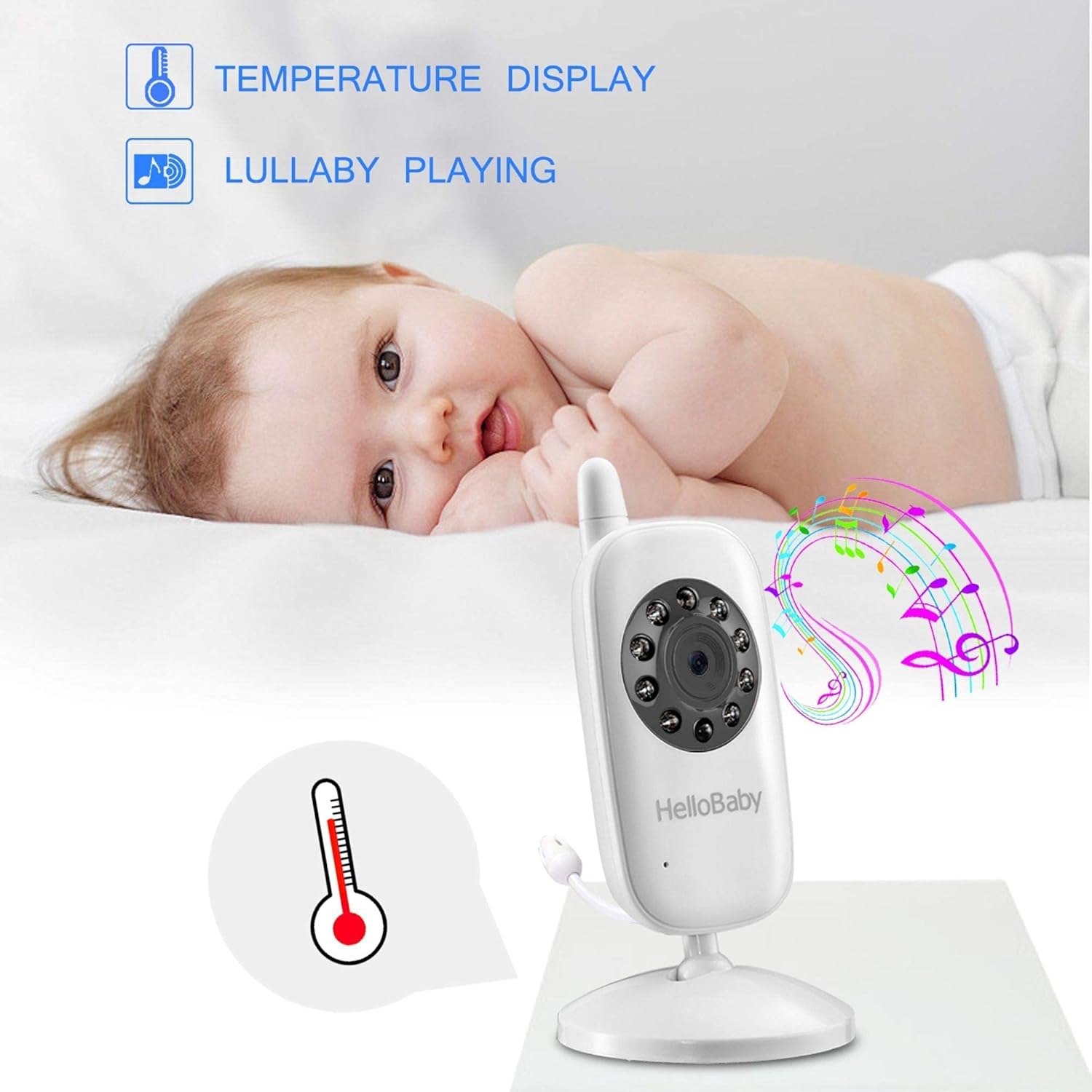
Image: The camera unit and parent monitor displaying temperature and musical notes, illustrating the temperature display and lullaby features.
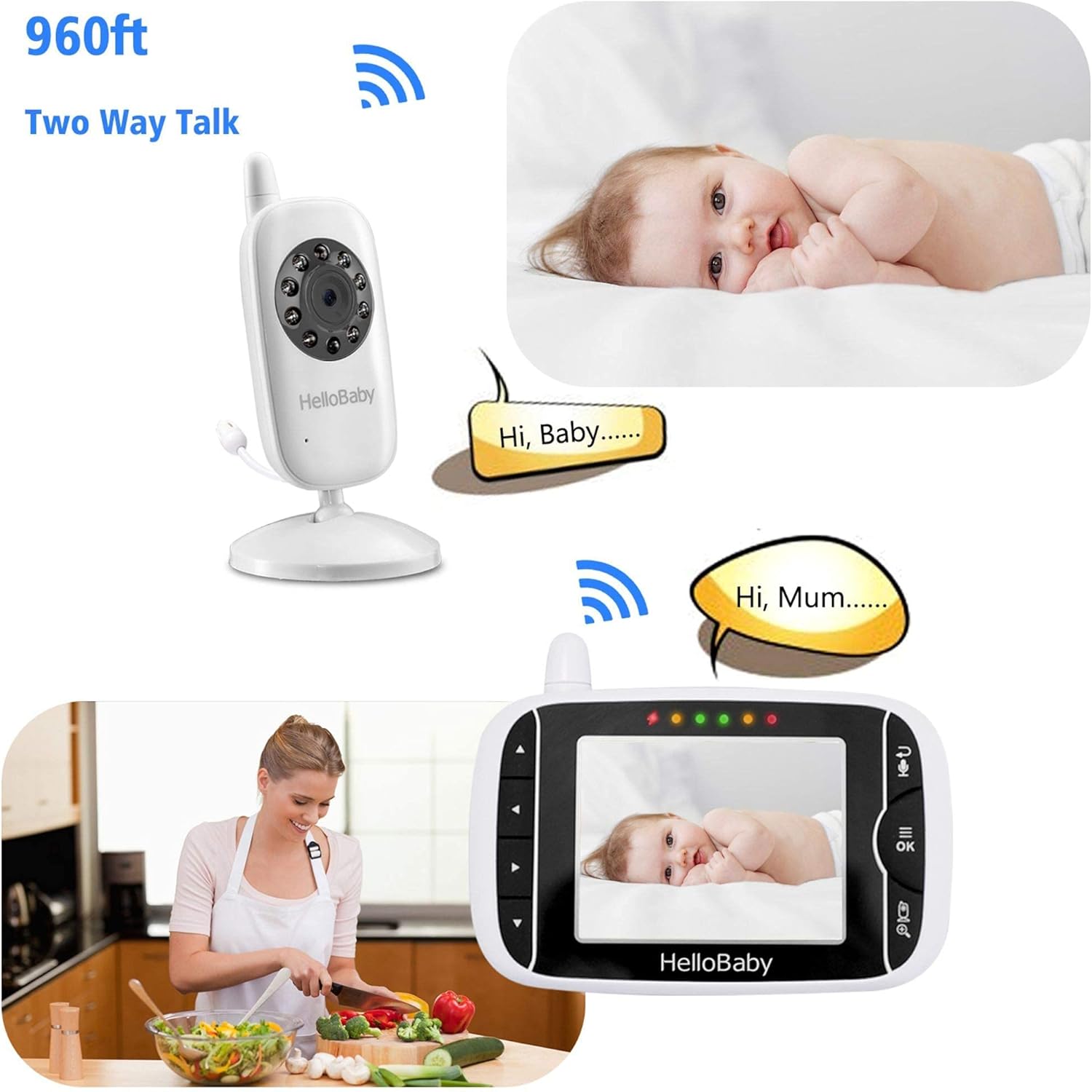
Image: A graphic demonstrating the two-way talk feature, showing speech bubbles between the parent unit and the baby camera.

Image: The parent unit screen highlighting the 2X digital zoom feature, showing a magnified view of a baby's face.
4. Setup Guide
4.1. Charging the Units
Before first use, fully charge both the parent unit and the child unit. Connect the provided power adapters to each unit and plug them into a power outlet. The charging indicator on the parent unit will show its charging status.
4.2. Positioning the Camera (Child Unit)
Place the child unit in a location that provides a clear view of your baby, such as on a flat surface near the crib or mounted on a wall. Ensure it is at least 3 feet (1 meter) away from the baby to prevent entanglement with the power cord. The camera features multi-angle setting for optimal positioning.
Image: The camera unit illustrating its multi-angle setting capabilities, including 360-degree rotation and 60-degree tilt up/down.
4.3. Powering On and Pairing
Once charged, press and hold the power button on both the parent unit and the child unit to turn them on. The units are pre-paired at the factory. If pairing is lost, refer to the troubleshooting section for re-pairing instructions.
5. Operating Instructions
5.1. Basic Functions
- Power On/Off: Press and hold the power button on the top of each unit.
- Volume Control: Use the arrow buttons on the parent unit to adjust the listening volume.
- Screen Brightness: Adjust screen brightness through the menu settings.
5.2. Advanced Features
- Two-Way Talk: Press and hold the microphone button on the parent unit to speak to your baby. Release to listen.
- Zoom: Press the zoom button (magnifying glass icon) to activate 2X digital zoom.
- Lullabies: Access the menu to select and play lullabies.
- VOX Mode: Enable VOX mode in the menu to activate the screen and audio only when sound is detected.
- Temperature Display: The current room temperature is displayed on the parent unit screen.
6. Maintenance
To ensure optimal performance and longevity of your HelloBaby monitor, follow these maintenance guidelines:
- Cleaning: Use a soft, dry cloth to clean the surfaces of both units. Do not use abrasive cleaners or solvents.
- Battery Care: Avoid fully discharging the parent unit battery frequently. For long-term storage, charge the battery to about 50% and store in a cool, dry place.
- Storage: Store the monitor in a dry environment, away from direct sunlight and extreme temperatures.
7. Troubleshooting
| Problem | Possible Cause | Solution |
|---|---|---|
| No picture/sound on parent unit | Units are out of range; battery low; units not powered on. | Move units closer; charge parent unit; ensure both units are powered on. |
| Picture is jumping/unclear | Interference from other 2.4GHz devices; weak signal. | Move units away from other electronics (Wi-Fi routers, microwaves); reposition units for better signal. |
| Parent unit beeps | Out of range alert; low battery alert. | Move parent unit closer to child unit; charge parent unit. |
| Cannot pair units | Incorrect pairing procedure. | Refer to the manual's detailed pairing instructions (if applicable, or factory reset). |
8. Specifications
| Feature | Detail |
|---|---|
| Model Number | HB24 |
| Power Source | AC/DC |
| Connectivity Technology | Wireless (2.4GHz) |
| Video Capture Resolution | 720p |
| Battery Power (Parent Unit) | 950 Milliampere Hour (mAh) |
| Zoom Type | Digital (2X) |
| Low Light Technology | Night Color (Infrared Night Vision) |
| Wireless Range | Up to 960ft (without barriers) |
| International Protection Rating | IP54 |
| Item Weight | 1.04 pounds |
| Package Dimensions | 9.76 x 6.89 x 2.36 inches |
| UPC | 190282010757 |
9. Warranty and Support
The HelloBaby Video Baby Monitor comes with a one-year warranty from the date of purchase. If you encounter any issues or have questions regarding your product, please contact HelloBaby customer support. Keep your purchase receipt as proof of purchase for warranty claims.


