
1. Introduction
Thank you for purchasing the boAt Stone 190 Bluetooth Speaker. This manual provides essential information for setting up, operating, and maintaining your speaker. Please read it carefully before use to ensure optimal performance and longevity of your device.

Image: The boAt Stone 190 speaker showcasing its portable and lightweight design, ideal for on-the-go use.
2. Package Contents
Please check the box for the following items:
- boAt Stone 190 Bluetooth Speaker
- USB Charging Cable
- User Manual
3. Product Overview and Controls
Familiarize yourself with the speaker's layout and control buttons.

Image: Top-down view of the boAt Stone 190 speaker, highlighting its integrated control buttons for easy operation.
- Power Button: Press and hold to power on/off.
- Play/Pause Button: Press to play or pause music.
- Volume Up (+): Press to increase volume. Press and hold for next track.
- Volume Down (-): Press to decrease volume. Press and hold for previous track.
- Mode Button (M): Press to switch between modes (if applicable).
- Charging Port: For connecting the USB charging cable.
4. Charging the Speaker
Before first use, fully charge the speaker. Use the provided USB charging cable.
- Connect the small end of the USB cable to the charging port on the speaker.
- Connect the larger end of the USB cable to a USB power adapter (not included) or a computer's USB port.
- The LED indicator will show charging status. It will turn off or change color when fully charged.
A full charge provides up to 4 hours of playback time with its 800mAh battery capacity.

Image: The boAt Stone 190 speaker, illustrating its 800mAh battery capacity and up to 4 hours of playback time.
5. Bluetooth Pairing
Follow these steps to connect your boAt Stone 190 speaker to a Bluetooth-enabled device.

Image: The boAt Stone 190 speaker, highlighting its instant wireless connectivity via Bluetooth V5.0.
- Power On: Press and hold the Power button on the speaker until you hear an audible prompt and the LED indicator flashes, indicating it's in pairing mode.
- Enable Bluetooth: On your smartphone, tablet, or other Bluetooth device, go to the Bluetooth settings and enable Bluetooth.
- Select Device: In the list of available devices, search for and select "boAt Stone 190".
- Confirm Connection: Once paired, you will hear a confirmation tone, and the LED indicator will stop flashing and remain solid.
- Reconnect: The speaker will automatically attempt to reconnect to the last paired device when powered on.
6. Operating the Speaker
Music Playback
- Play/Pause: Press the Play/Pause button.
- Volume Up: Short press the '+' button.
- Volume Down: Short press the '-' button.
- Next Track: Long press the '+' button.
- Previous Track: Long press the '-' button.
Call Functions
- Answer/End Call: Press the Play/Pause button.
- Reject Call: Press and hold the Play/Pause button.
7. Water Resistance (IPX7)
The boAt Stone 190 speaker features an IPX7 water resistance rating.
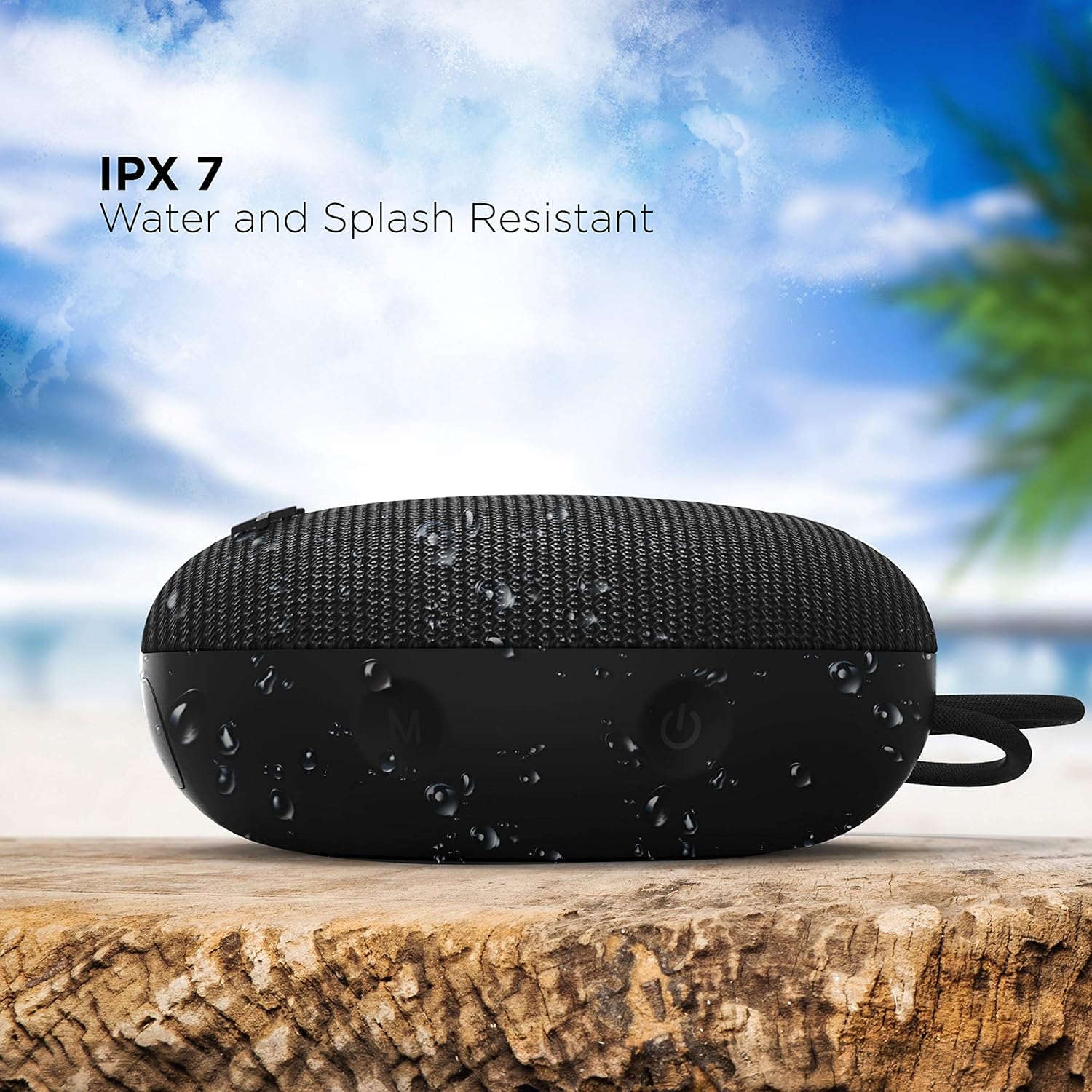
Image: The boAt Stone 190 speaker, demonstrating its IPX7 water and splash resistant capabilities, suitable for outdoor use.
- IPX7 means the speaker can be immersed in water up to 1 meter for 30 minutes.
- It is resistant to splashes, rain, and accidental submersion.
- Ensure the charging port cover is securely closed before exposing the speaker to water.
- Do not intentionally submerge the speaker for extended periods or in water deeper than 1 meter.
8. Maintenance and Care
- Cleaning: Wipe the speaker with a soft, damp cloth. Do not use harsh chemicals or abrasive cleaners.
- Storage: Store the speaker in a cool, dry place away from extreme temperatures and direct sunlight.
- Charging Port: Keep the charging port free from dust and debris.
- Battery: To preserve battery life, charge the speaker at least once every three months if not in regular use.
9. Troubleshooting
| Problem | Solution |
|---|---|
| Speaker does not power on. | Ensure the speaker is charged. Connect it to a power source and try again. |
| Cannot pair with Bluetooth device. | Make sure the speaker is in pairing mode (flashing LED). Turn off and on Bluetooth on your device. Ensure the speaker is within range (10 meters). Forget previous pairings on your device and try again. |
| No sound or low volume. | Increase volume on both the speaker and your connected device. Ensure the speaker is properly paired. Check if the audio source is playing. |
| Sound distortion. | Move the speaker closer to your device. Reduce volume on either the speaker or the connected device. Ensure there are no obstructions causing interference. |
10. Specifications
Technical details of the boAt Stone 190 Bluetooth Speaker.

Image: The boAt Stone 190 speaker, highlighting its 5 Watt audio output and 52mm full-range driver for clear sound.
| Feature | Detail |
|---|---|
| Brand | boAt |
| Model Name | Stone 190 |
| Speaker Maximum Output Power | 5 Watts |
| Connectivity Technology | Bluetooth |
| Bluetooth Version | V5.0 (Inferred from image) |
| Audio Output Mode | Mono |
| Speaker Type | Outdoor |
| Water Resistance Level | IPX7 (Waterproof) |
| Speaker Size | 52 Millimetres |
| Battery Capacity | 800mAh (Inferred from image) |
| Battery Average Life | 4 Hours |
| Power Source | Battery Powered |
| Item Dimensions (D x W x H) | 4.9D x 12.5W x 12.5H Centimeters |
| Item Weight | 150 Grams |
| Compatible Devices | Desktop, Laptop, MP3 Player, Smartphone, Tablet |
11. Safety Information
- Do not disassemble, repair, or modify the speaker. This may cause fire, electric shock, or complete damage to the product.
- Do not expose the speaker to extreme temperatures (above 45°C or below -10°C).
- Keep the speaker away from children and pets.
- Avoid listening at high volume levels for extended periods to prevent hearing damage.
- Use only the provided charging cable or a certified equivalent.
12. Customer Support & Warranty
For product-related queries, support, or warranty information, please contact boAt customer service.
- Contact Support: +91(022)69181920
- Email: info@imaginemarketingindia.com
- Manufacturer: Imagine Marketing Ltd.
- Address: Unit no. 204 & 205, 2nd floor, D-wing & E-wing, Corporate Avenue, Andheri Ghatkopar Link Road, Mumbai, Maharashtra-400093, India.


