Introduction
This manual provides instructions for the Health o Meter Glass Weight Tracking Digital Scale. This scale is designed to accurately measure body weight and track progress for up to two users. Its modern design and user-friendly features make it an ideal addition to any bathroom, bedroom, or home gym.
For over 100 years, the Health o Meter brand has been committed to helping individuals achieve their weight management objectives.
Setup
Your Health o Meter Digital Scale comes ready to use with batteries included.
- Unpack the Scale: Carefully remove the scale from its packaging.
- Battery Activation: Locate the battery compartment on the underside of the scale. Remove the small red pull tab to activate the pre-installed 2 x AAA batteries.
- Placement: Place the scale on a hard, flat surface for accurate readings. Avoid carpets or uneven flooring.
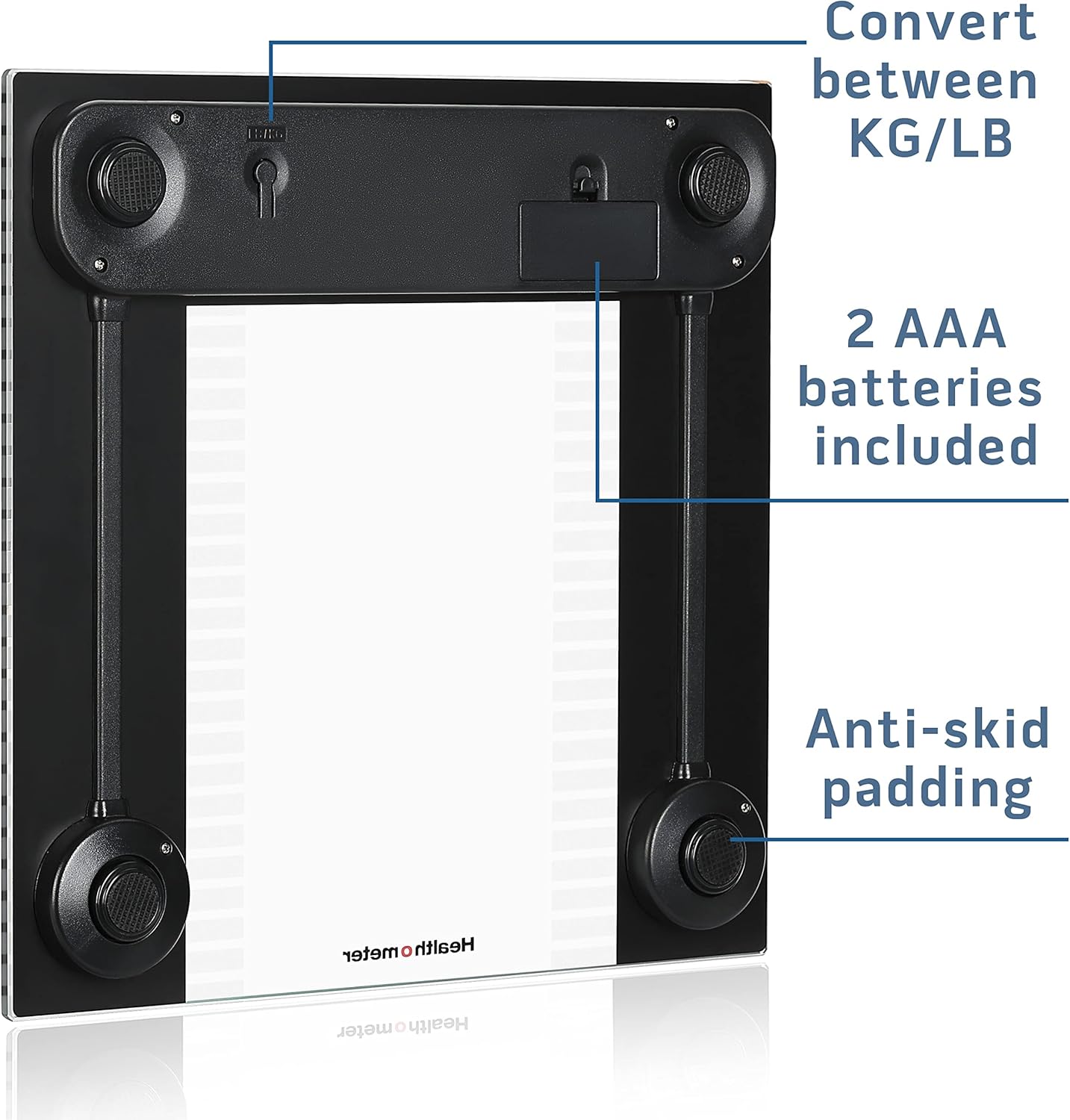
Figure 1: Underside View. This image shows the underside of the Health o Meter digital scale. Visible features include the battery compartment, which houses the two AAA batteries (included), and a switch to convert between pounds (LB) and kilograms (KG). The four anti-skid paddings on the corners are also clearly shown, designed to prevent the scale from slipping on smooth surfaces.
Operating Instructions
Taking a Measurement
- Step On: Gently step onto the center of the scale platform. The scale will automatically turn on.
- Read Display: Stand still until your weight is displayed on the 2.9" x 1.3" LCD screen.
- Step Off: Step off the scale. The weight will remain displayed for a few seconds before the scale automatically turns off.

Figure 2: Clear LCD Display. This image shows the Health o Meter digital scale from a top-down perspective, with its LCD display showing a weight of 135.2 lbs. The display is large and easy to read, ensuring clear visibility of measurements. The scale's black and frosted glass platform is also visible.
Tracking for Multiple Users
The scale can store information and track the last weigh-in for up to 2 users. This feature allows for quick and easy tracking of individual weight progress.
- Assign User ID: Before your first weigh-in, assign yourself as User 1 or User 2. Refer to the quick start guide for initial setup of user profiles.
- Weigh-in: Step onto the scale as described above.
- Select User: After your weight is displayed, the scale will prompt you to select your user profile (e.g., by tapping the scale or pressing a button, specific instructions for this interaction are typically in a quick start guide, but the product description implies it's intuitive).
- View Progress: The scale will then display your current weight and indicate any gain or loss from your last recorded weigh-in.
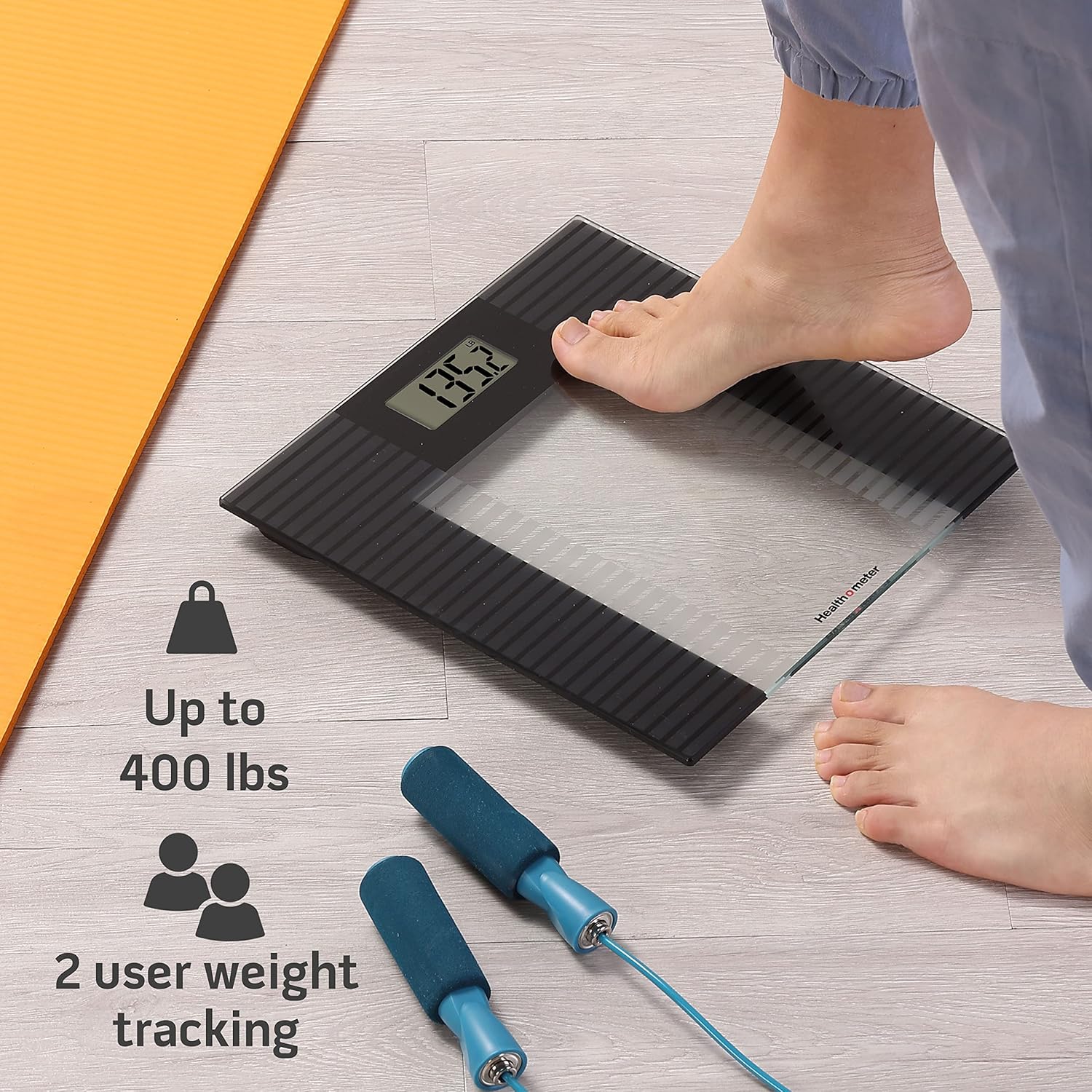
Figure 3: Multi-User Tracking. This image illustrates a person stepping onto the Health o Meter scale. Accompanying graphics highlight its capacity to measure up to 400 lbs and its ability to track weight for two distinct users, making it suitable for shared household use.
Maintenance
- Cleaning: Wipe the scale surface with a damp cloth and mild detergent. Do not use abrasive cleaners or immerse the scale in water.
- Battery Replacement: If the display becomes dim or shows a low battery indicator, replace the 2 x AAA batteries. Ensure correct polarity when inserting new batteries.
- Storage: Store the scale in a dry place at room temperature. Its low-profile design (0.9" height) allows for easy storage under furniture or in tight spaces.

Figure 4: Low Profile Design. This image demonstrates the slim profile of the Health o Meter scale, shown neatly tucked away under a bathroom cabinet. Its thin 0.9-inch height allows for convenient storage when not in use, helping to maintain a tidy living space.
Troubleshooting
| Problem | Possible Cause | Solution |
|---|---|---|
| No display / Dim display | Batteries are dead or incorrectly installed. | Replace the 2 x AAA batteries, ensuring correct polarity. |
| Inaccurate readings | Scale is on an uneven surface or carpet. Scale needs recalibration. | Place the scale on a hard, flat surface. Step off the scale, wait for it to turn off, then step on again. If issues persist, remove batteries for 10 seconds and reinsert. |
| "Err" message on display | Weight exceeds maximum capacity (400 lbs / 181 kg). Scale malfunction. | Ensure weight is within the scale's capacity. If within capacity, try resetting the scale by removing and reinserting batteries. If error persists, contact customer support. |
Specifications
- Brand: Health o meter
- Model: B07QKM3JNT
- Weight Limit: 400 lbs (181 kg)
- Measurement Increments: 0.2 lbs (0.1 kg)
- Display Type: LCD (2.9" x 1.3")
- Platform Material: Frosted Glass with Black Accents
- Dimensions: 11.8" x 11.8" x 0.9" (L x W x H)
- Weight: 4.19 Pounds
- Batteries: 2 x AAA batteries (included)
- User Tracking: Up to 2 users
Warranty and Support
The Health o Meter Glass Weight Tracking Digital Scale comes with a 5-year limited warranty. For warranty claims, technical support, or any inquiries regarding your product, please refer to the contact information provided on the product packaging or visit the official Health o Meter website.
Manufacturer: Health O Meter


