1. Introduction
This manual provides detailed instructions for the safe and efficient use of your boAt Stone 1400 Bluetooth Outdoor Speaker. Please read this manual thoroughly before operating the device and retain it for future reference. The boAt Stone 1400 is a 30 Watt 1.0 Channel Truly Wireless Bluetooth Outdoor Speaker designed for high-definition audio in various environments.

Image 1.1: Front view of the boAt Stone 1400 Bluetooth Speaker, showcasing its robust design and front grille.
2. Package Contents
Ensure all items listed below are present in your package. If any item is missing or damaged, please contact customer support.
- boAt Stone 1400 Speaker
- Charging Cable (Type-C)
- User Manual (this document)
- Warranty Card
3. Product Features
- Powerful Audio: Equipped with a premium 70mm driver for 30W high-definition immersive sound.
- Extended Playback: Features a rechargeable 2500mAh Lithium Battery, providing up to 7 hours of playback.
- Multiple Connectivity Options: Supports Bluetooth, Aux-in, and USB modes for versatile audio input.
- Portable Design: Includes an adjustable flat strap for easy carrying.
- Water Resistance: IPX5 rated for water resistance, suitable for outdoor use.
- Dual Equalizer Modes: Switch between Indoor and Outdoor EQ modes for optimized listening.
- Integrated Controls: Easy access multifunction button, volume control, and built-in microphone for streamlined communication.
- True Wireless Stereo (TWS): Connect two Stone 1400 speakers for a stereo sound experience.

Image 3.1: Side view of the boAt Stone 1400 speaker, highlighting its battery life of up to 7 hours.

Image 3.2: Diagram illustrating the internal speaker components, including two 10W tweeters and two 20W woofers, contributing to 30W dynamic sound.
4. Setup
4.1 Charging the Speaker
- Locate the Type-C charging port on the speaker.
- Connect the provided Type-C charging cable to the speaker's charging port.
- Connect the other end of the charging cable to a compatible USB power adapter (not included) or a computer's USB port.
- The LED indicator will show charging status. A full charge typically takes approximately 4-5 hours.
4.2 Powering On/Off
- To Power On: Press and hold the Power button for a few seconds until the LED indicator lights up and an audible prompt is heard.
- To Power Off: Press and hold the Power button for a few seconds until the LED indicator turns off and an audible prompt is heard.

Image 4.1: Close-up view of the speaker's control panel and input ports, including DC 5V, AUX IN, and USB.
5. Operating Instructions
5.1 Bluetooth Pairing
- Ensure the speaker is powered on and in Bluetooth pairing mode (LED indicator will flash).
- On your device (smartphone, tablet, etc.), enable Bluetooth and search for available devices.
- Select "boAt Stone 1400" from the list of devices.
- Once paired, the LED indicator will stop flashing, and an audible confirmation will be heard.
5.2 True Wireless Stereo (TWS) Pairing
TWS allows you to connect two boAt Stone 1400 speakers for a synchronized stereo audio experience.
- Ensure both Stone 1400 speakers are powered on and not connected to any other Bluetooth device.
- On one speaker (this will be the primary speaker), press and hold the TWS button until an audible prompt is heard, indicating TWS pairing mode.
- The primary speaker will automatically search for the secondary speaker.
- Once connected, both speakers will emit an audible confirmation, and their LED indicators will synchronize.
- Now, connect your device to the primary speaker via Bluetooth as described in section 5.1. Audio will play through both speakers in stereo.

Image 5.1: Illustration of two boAt Stone 1400 speakers wirelessly connected using the True Wireless Stereo (TWS) feature, paired with a mobile device.
5.3 Aux-in Mode
- Connect one end of a 3.5mm audio cable (not included) to the AUX-in port on the speaker.
- Connect the other end to the audio output jack of your device.
- The speaker will automatically switch to Aux-in mode.
5.4 USB Playback
- Insert a USB flash drive containing audio files into the USB port on the speaker.
- The speaker will automatically detect the USB drive and begin playing audio.
5.5 Equalizer Modes
The speaker features two equalizer modes: Indoor and Outdoor.
- Press the EQ button to toggle between Indoor and Outdoor modes.
- Indoor Mode: Optimized for balanced audio within enclosed spaces.
- Outdoor Mode: Boosts bass and volume for enhanced sound projection in open environments.
5.6 Controls
The speaker features integrated controls for easy management of playback and calls.
- Power Button: Press and hold to power on/off.
- Play/Pause Button: Press to play or pause audio. Press to answer/end calls. Press and hold to reject calls.
- Volume Up (+): Press to increase volume. Press and hold for next track.
- Volume Down (-): Press to decrease volume. Press and hold for previous track.
- EQ Button: Press to switch between Indoor and Outdoor equalizer modes.
- TWS Button: Press and hold to initiate TWS pairing (see section 5.2).
5.7 Built-in Microphone
The speaker includes a built-in microphone for hands-free calling when connected via Bluetooth.
- When a call comes in, press the Play/Pause button to answer.
- During a call, press the Play/Pause button to end the call.
- Press and hold the Play/Pause button to reject an incoming call.
6. Maintenance
- Cleaning: Use a soft, dry cloth to clean the speaker. Do not use abrasive cleaners or solvents.
- Water Resistance: The speaker is IPX5 water-resistant, meaning it can withstand splashes and light rain. Do not submerge the speaker in water. Ensure the port cover is securely closed when exposed to water.
- Storage: Store the speaker in a cool, dry place away from direct sunlight and extreme temperatures.
- Battery Care: To prolong battery life, avoid fully discharging the speaker frequently. Charge the speaker regularly, even if not in use for extended periods.
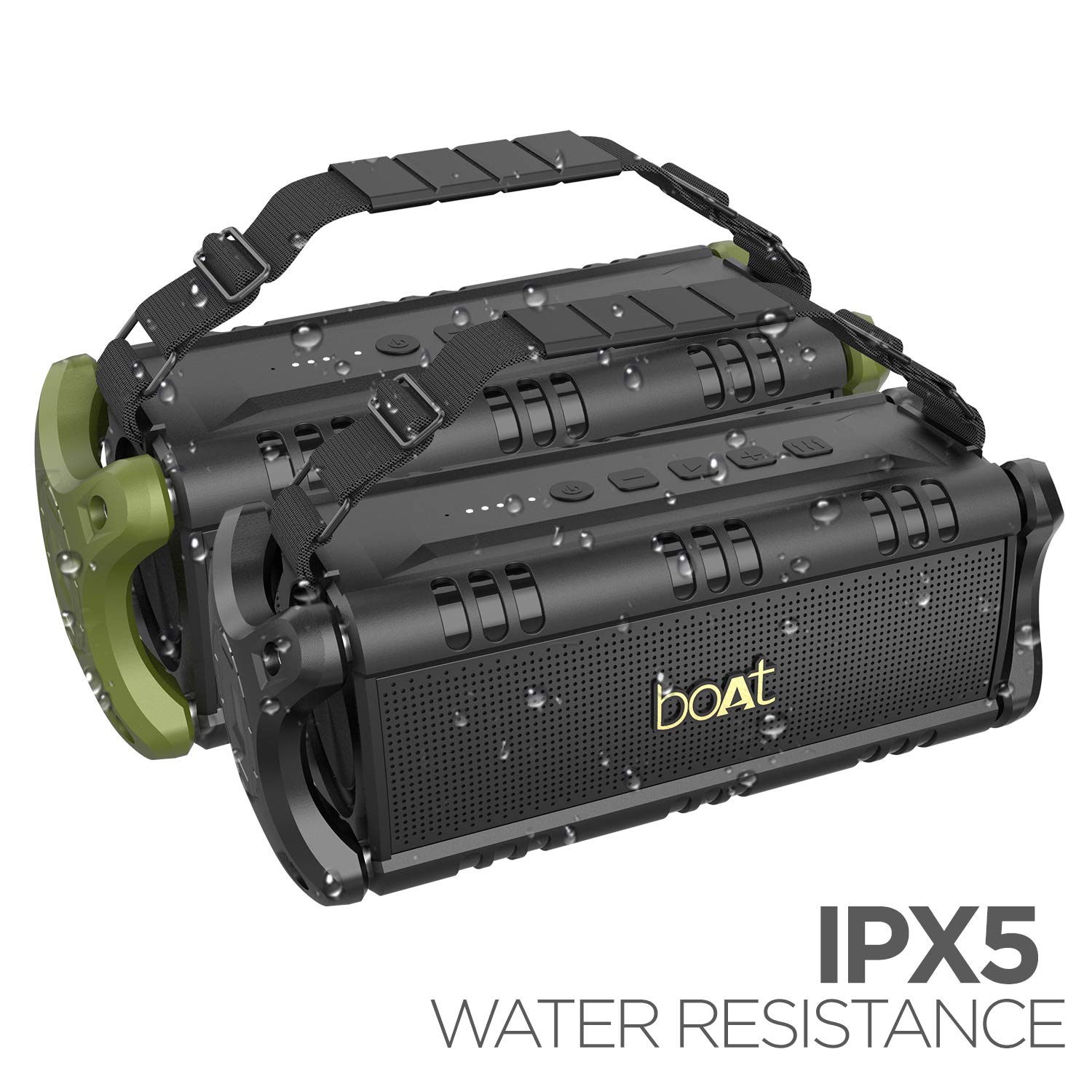
Image 6.1: The boAt Stone 1400 speaker shown with water droplets, demonstrating its IPX5 water resistance.
7. Troubleshooting
| Problem | Possible Cause | Solution |
|---|---|---|
| Speaker does not power on. | Low battery. | Charge the speaker fully. |
| Cannot pair via Bluetooth. | Speaker not in pairing mode; device Bluetooth off; speaker already connected to another device. | Ensure speaker is in pairing mode. Turn on Bluetooth on your device. Disconnect from other devices. |
| No sound. | Volume too low; incorrect input mode; device not playing audio. | Increase speaker and device volume. Select correct input mode (Bluetooth, Aux, USB). Ensure audio is playing on your device. |
| TWS pairing fails. | Speakers too far apart; one speaker already paired to a device. | Ensure speakers are close to each other. Disconnect both speakers from any Bluetooth devices before initiating TWS pairing. |
| Poor audio quality. | Interference; low battery; source audio quality. | Move speaker closer to the source device. Charge the speaker. Use high-quality audio files. |
8. Specifications
| Feature | Detail |
|---|---|
| Model Name | Stone 1400 |
| Speaker Type | Outdoor |
| Special Feature | Built-in Microphone |
| Recommended Uses | Indoor, Outdoor |
| Compatible Devices | All Bluetooth Devices |
| Surround Sound Channel Configuration | 1.0 Channel |
| Colour | Active Black |
| Item Weight | 2.63 kg (2630 Grams) |
| Water Resistance | IPX5 |
| Control Method | Touch (Integrated Buttons) |
| Wireless Communication Technology | Bluetooth |
| Power Source | Battery Powered |
| Product Dimensions (LxWxH) | 17.8 x 18.4 x 37.8 cm |
| Battery Type | Lithium Ion (2500mAh) |
| Wattage | 30 Watts |
| Audio Output Mode | Mono (Stereo with TWS) |
| Mounting Type | Tabletop Mount |
9. Warranty and Support
The boAt Stone 1400 speaker comes with a 1-year warranty from the date of purchase. Please retain your purchase receipt for warranty claims.
For technical support, warranty claims, or further assistance, please visit the official boAt support website or contact their customer service.
Manufacturer: Imagine Marketing Ltd
Importer: Imagine Marketing Pvt Ltd.


