
Introduction
This manual provides detailed instructions for the assembly, operation, and maintenance of your Thermaltake Tower 900 Black Edition Tempered Glass Fully Modular E-ATX Vertical Super Tower Computer Chassis. Designed for enthusiasts, this chassis offers extensive customization options, especially for advanced liquid cooling systems. Please read this manual thoroughly before beginning installation.
Safety Information
Always handle the chassis and its components with care. The tempered glass panels are robust but can break if subjected to excessive force or impact. Ensure the chassis is placed on a stable, level surface. Disconnect power from all components before performing any installation or maintenance.
Package Contents
Verify that all components are present in the package:
- Thermaltake Tower 900 Chassis
- Accessory box with screws, standoffs, zip-ties, and USB extension cables
- User Manual (this document)
Product Overview
The Thermaltake Tower 900 features a unique vertical mounting design with three 5mm thick tempered glass panels, allowing for a clear view of your internal components. Its fully modular design facilitates easy assembly and customization.

Figure 1: Various exterior views of the Thermaltake Tower 900 chassis, showing the front, back, left, and right sides with tempered glass panels.

Figure 2: Dimensions of the Thermaltake Tower 900 chassis: 29.6 inches (H) x 16.7 inches (W) x 19 inches (D).
Setup and Installation
Modular Design
The chassis features a dismantlable modular design, allowing you to remove panels, racks, and brackets for easier installation and customization. This flexibility is ideal for complex builds, especially those involving custom liquid cooling.
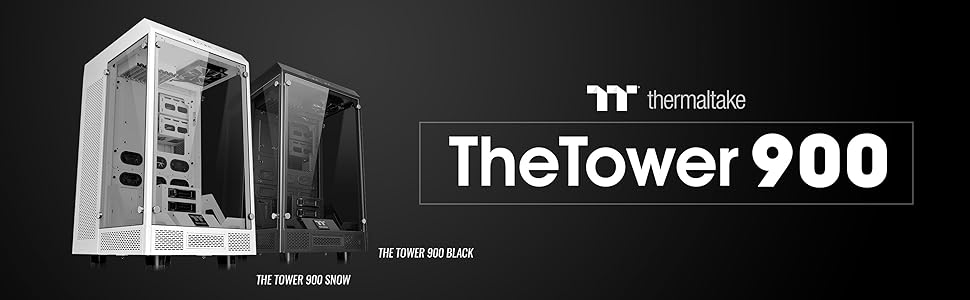
Figure 3: Exploded view illustrating the modular components of the Tower 900 chassis, highlighting its dismantlable design.
Drive Bay Installation
The Tower 900 supports various storage configurations:
- 6 x 3.5" or 2.5" drives: Utilizes the included HDD cages.
- 2 x 2.5" drives: Mounts with dedicated HDD trays.
- 1 x 5.25" drive: For optical drives or other 5.25" bay devices.

Figure 4: Diagram detailing the locations for 3.5", 2.5", and 5.25" drive installations within the chassis.

Figure 5: Close-up view of the removable drive trays for 3.5-inch and 2.5-inch storage devices.
Motherboard and Component Installation
The chassis supports Mini ITX, Micro ATX, ATX, and E-ATX motherboards. Install your motherboard and other components (CPU, GPU, RAM) according to their respective manuals. The vertical mounting design helps eliminate GPU sag for multi-GPU configurations.
Clearance:
- CPU cooler height limitation: 260mm
- VGA length limitation: 400mm
- PSU length limitation: 220mm
Cooling System Installation
The Tower 900 is designed for extensive cooling solutions, including dual-loop liquid cooling systems. It offers numerous fan and radiator mounting points.

Figure 6: Diagrams illustrating fan and radiator support configurations for the rear, top, side, and HDD cage areas.
Fan Support:
- Left Side: 4 x 120mm, 4 x 140mm
- Right Side: 4 x 120mm, 4 x 140mm
- Top: 2 x 120mm, 2 x 140mm
- Rear: 2 x 120mm, 2 x 140mm
- HDD Cage: 1 x 120mm, 1 x 140mm
Radiator Support:
- Left / Right Side: 1 x 480mm, 1 x 560mm
Video 1: A brief preview showcasing the Thermaltake Tower 900 Snow Edition, highlighting its design and potential for liquid cooling setups. This video is relevant for understanding the chassis's internal layout and cooling capabilities.
I/O Port Connections
The I/O panel is located on the top of the chassis for easy access.
- USB 3.0 x 4
- HD Audio x 1

Figure 7: Close-up of the top-mounted I/O panel, featuring four USB 3.0 ports and HD Audio jacks.
Operating the Chassis
Once all components are installed and connected, ensure all cables are properly routed and secured. Close the tempered glass panels and secure them with the thumb screws. Connect your peripherals and power cable, then power on your system.
The open design and extensive cooling options of the Tower 900 are intended to provide optimal thermal performance for high-end systems. Monitor your system temperatures to ensure efficient operation.
Maintenance
Regular maintenance helps ensure the longevity and performance of your computer system.
Cleaning
- Exterior: Wipe tempered glass panels with a soft, lint-free cloth and a mild glass cleaner. For other exterior surfaces, use a damp cloth.
- Dust Filters: The chassis includes magnetic dust filters. Regularly remove and clean these filters to maintain optimal airflow and prevent dust buildup inside the case.
- Interior: Periodically use compressed air to remove dust from internal components and fan blades. The modular design allows for easy access to all areas for thorough cleaning.

Figure 8: Detail of a magnetic dust filter, which can be easily removed for cleaning.
Troubleshooting
This section addresses common issues you might encounter.
- System not powering on: Double-check all power connections, including the power supply unit (PSU) to the wall, the PSU to the motherboard, and the front panel power switch connector to the motherboard.
- Excessive noise: Inspect fans for obstructions or loose mounting. Ensure all screws are tightened. Fan noise can also indicate high temperatures, so verify cooling system operation.
- Poor airflow/high temperatures: Ensure all dust filters are clean and not obstructed. Verify that fans are installed in the correct orientation for optimal airflow (intake/exhaust).
- Component fit issues: Refer to the clearance specifications in the Setup section. The modular design allows for reconfiguring internal brackets if necessary.
- Loose tempered glass panels: Ensure the thumb screws securing the tempered glass panels are hand-tightened.
Specifications
| Feature | Specification |
|---|---|
| Brand | Thermaltake |
| Model Name | Tower 900 Black Edition |
| Model Number | CA-1H1-00F1WN-00 |
| Case Type | Full Tower |
| Dimensions (H x W x D) | 752 x 423 x 483 mm (29.6 x 16.7 x 19 inch) |
| Net Weight | 24.5 kg / 54 lb |
| Side Panel | Tempered Glass x 3 (5mm thickness) |
| Color | Black |
| Material | SGCC, Tempered Glass |
| Motherboard Compatibility | Mini ITX, Micro ATX, ATX, E-ATX |
| Drive Bays (Hidden) | 6 x 3.5" or 2.5" (with HDD Cage), 2 x 2.5" (with HDD tray) |
| Drive Bays (Accessible) | 1 x 5.25" |
| Expansion Slots | 8 |
| I/O Port | USB 3.0 x 4, HD Audio x 1 |
| PSU Type | Standard PS2 PSU (optional) |
| CPU Cooler Height Limit | 260mm |
| VGA Length Limit | 400mm |
| PSU Length Limit | 220mm |
| Cooling Method | Water, Air |
| Warranty | 3 year |
Warranty and Support
The Thermaltake Tower 900 chassis comes with a 3-year warranty. For warranty claims or technical support, please contact Thermaltake customer service through their official website or authorized service centers. Keep your proof of purchase for warranty validation.
For additional resources, including updated drivers or FAQs, visit the official Thermaltake support page: www.thermaltake.com


