
Introduction
Thank you for choosing the Monster SuperStar High Definition Bluetooth Speaker. This manual provides essential information for setting up, operating, and maintaining your speaker to ensure optimal performance and longevity. Please read this manual thoroughly before using the device.
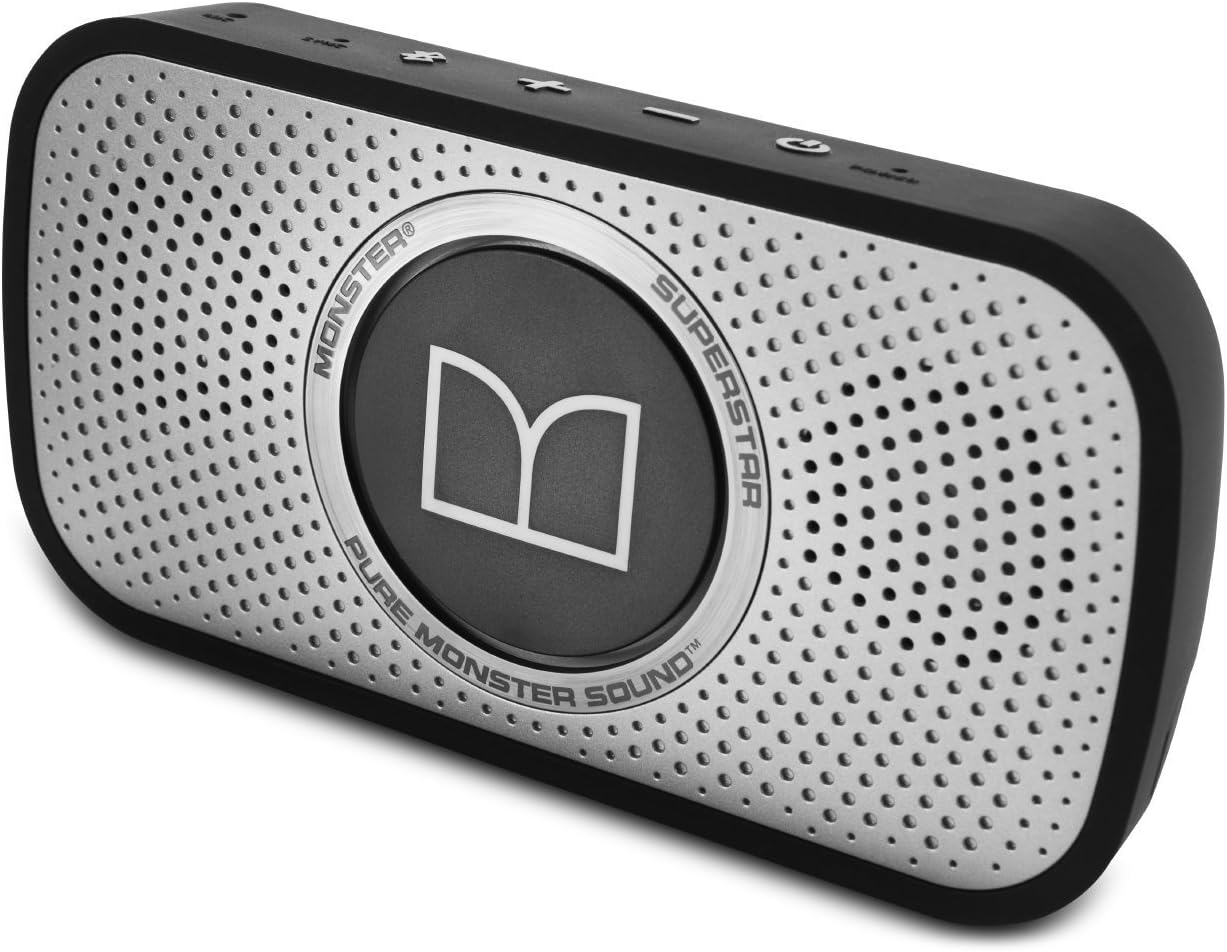
Figure 1: Front view of the Monster SuperStar High Definition Bluetooth Speaker.
This image displays the Monster SuperStar speaker from a slightly angled front perspective, highlighting its metallic grille and the central Monster logo. The speaker is black with a silver-grey grille.
Key Features
- Ultra-compact, high-performance Bluetooth speaker delivering best-in-class wireless stereo sound.
- Built-in microphone with advanced noise cancellation for clear wireless hands-free calling and conferencing.
- Connects to any music device using a 3.5mm Aux line-out.
- Optimized for smartphones, tablets, notebooks, and PCs.
- IPX-4 rated splash resistant for durability.
Package Contents
Ensure all items are present before proceeding with setup:
- Monster SuperStar High Definition Bluetooth Speaker
- USB Charging Cable
- Lithium-ion Battery (integrated)
- Carrying Pouch (may be included with some models)
Setup
1. Charging the Speaker
Before initial use, fully charge the speaker. Connect the provided USB charging cable to the speaker's charging port and to a compatible USB power source (e.g., computer USB port, USB wall adapter). The charging indicator light will illuminate during charging and change status when fully charged.

Figure 2: Top view of the speaker showing control buttons and ports.
This image provides a clear top-down view of the Monster SuperStar speaker, displaying the power button, volume controls (+/-), Bluetooth pairing button, and the charging port/aux-in port area. The labels for "POWER", "-", "+", "BLUETOOTH", and "AUX" are visible.
2. Powering On/Off
- To power on: Press and hold the Power button (indicated by a circle with a vertical line) until the power indicator light illuminates.
- To power off: Press and hold the Power button until the power indicator light turns off.
3. Bluetooth Pairing
- Ensure the speaker is powered on.
- The speaker will automatically enter pairing mode if no device is connected. The Bluetooth indicator light will flash. If already connected, press and hold the Bluetooth button to enter pairing mode.
- On your device (smartphone, tablet, etc.), enable Bluetooth and search for available devices.
- Select "Monster SuperStar" from the list of found devices.
- Once paired, the Bluetooth indicator light will become solid.
Note: The speaker's volume may default to a loud setting upon power-up. It is recommended to control the volume primarily from your connected device.
4. Auxiliary Input Connection
For devices without Bluetooth, connect using a 3.5mm audio cable (not included) to the speaker's Aux-in port. The speaker will automatically switch to auxiliary input mode when a cable is detected.
Operating Instructions
Volume Control
- Press the + button to increase volume.
- Press the - button to decrease volume.
- For precise control, adjust volume directly on your connected device.
Hands-Free Calling
When paired via Bluetooth, the speaker's built-in microphone allows for hands-free calls.
- To answer an incoming call: Press the Bluetooth button once.
- To end a call: Press the Bluetooth button once.
- To reject an incoming call: Press and hold the Bluetooth button.
The advanced noise cancellation feature helps ensure clear communication.
Maintenance and Care
- Cleaning: Use a soft, dry cloth to clean the speaker's exterior. Avoid abrasive cleaners or solvents.
- Water Resistance: The speaker is IPX-4 rated splash resistant. This means it can withstand splashes of water but should not be submerged. Avoid exposing it to heavy rain or direct water jets.
- Storage: Store the speaker in a cool, dry place away from direct sunlight and extreme temperatures.
- Battery Care: To prolong battery life, avoid fully discharging the speaker frequently. Charge it regularly, even if not in use for extended periods. The integrated lithium-ion battery is not user-replaceable.

Figure 3: Monster SuperStar speaker demonstrating its portability and splash resistance in an outdoor setting.
This image shows the Monster SuperStar speaker resting on a pebble beach, emphasizing its compact size and suitability for outdoor use, consistent with its splash-resistant rating.
Troubleshooting
| Problem | Possible Cause | Solution |
|---|---|---|
| Speaker does not power on. | Low battery. | Charge the speaker using the provided USB cable. |
| Cannot pair via Bluetooth. | Speaker not in pairing mode; device Bluetooth off; too far from speaker. | Ensure speaker is in pairing mode (flashing blue light). Enable Bluetooth on your device. Move device closer to the speaker (within 10 meters). |
| No sound or low volume. | Volume too low on speaker or device; incorrect input source. | Increase volume on both the speaker and your connected device. Ensure the correct input (Bluetooth or Aux) is active. |
| Sound distortion or static. | Interference; low battery; device volume too high. | Move speaker away from other electronic devices. Charge the speaker. Reduce volume on your connected device. |
| Poor call quality. | Weak Bluetooth connection; environmental noise. | Move closer to the speaker. Ensure microphone is not obstructed. |
Specifications
| Feature | Detail |
|---|---|
| Model Name | SPSTR |
| Item Model Number | MSP SPSTR BT BK GY WW |
| Brand | Monster |
| Speaker Type | Bookshelf (Portable) |
| Connectivity Technology | Bluetooth |
| Wireless Communication Technology | Bluetooth |
| Special Features | Bluetooth, High Definition, Wireless, Built-in Microphone, Splash Resistant (IPX-4) |
| Recommended Uses | Music |
| Compatible Devices | Gaming Console, Laptop, MP3 Player, Smartphone, Tablet, Television |
| Surround Sound Configuration | 2.0, 2.1 |
| Color | Black/Space Gray |
| Included Components | USB Charging Cable, Lithium-ion Battery |
| Product Dimensions (L x W x H) | 20.8 cm x 4.8 cm x 14 cm (approx. 8.2 x 1.9 x 5.5 inches) |
| Item Weight | 454 g (approx. 1 lb) |
| Power Source | Battery Powered |
| Battery Type | 1 Lithium Ion battery (included) |
| Speaker Size | 1 Inch |
| Speaker Maximum Output Power | 100 Watts |
| Control Method | App (also physical buttons) |
| Mounting Type | Tabletop Mount |
| Manufacturer | Monster |
| Date First Available | May 25, 2014 |

Figure 4: Dimensions of the Monster SuperStar speaker.
This image illustrates the physical dimensions of the Monster SuperStar speaker, showing its length (20.83cm), height (13.97cm), and depth (4.83cm).
Warranty and Support
Information regarding specific warranty terms and customer support contact details was not available in the provided product data. Please refer to the product packaging or the official Monster website for the most current warranty information and support options.
For general inquiries or to explore other Monster products, visit the official Monster Store on Amazon.


