
Introduction
This manual provides detailed instructions for the installation, operation, and maintenance of your Lian Li Hydroshift II-C 360CL Liquid CPU Cooler. Please read this manual thoroughly before installation and use to ensure proper function and longevity of your product.
The Lian Li Hydroshift II-C 360CL features a 2.1-inch round IPS LCD display, three distinct control modes, an innovative sliding tube clamp for precise alignment, and durable server-grade corrugated tubing. It comes with three pre-installed CL Wireless RGB Fans for efficient cooling and customizable aesthetics.

Figure 1: Overview of the Lian Li Hydroshift II-C 360CL Liquid CPU Cooler.
Video 1: Introduction to the Hydroshift II AIO Cooler, highlighting new fans and design features.
Setup and Installation
Follow these steps for proper installation of your liquid CPU cooler.
1. Pre-installation
- Ensure all components listed in the packaging are present.
- Install your CPU onto the motherboard before proceeding with the cooler installation.

Figure 2: Step-by-step guide for mounting the CPU cooler pump head.
2. Mounting the Water Block and Pump Head
- Mount the water block bracket onto the motherboard, ensuring the notch is aligned correctly.
- Use the included screwdriver to secure the bracket screws, verifying the notch remains aligned.
- Attach the pump head by sliding it from right to left onto the bracket and tighten the screws to secure it firmly.
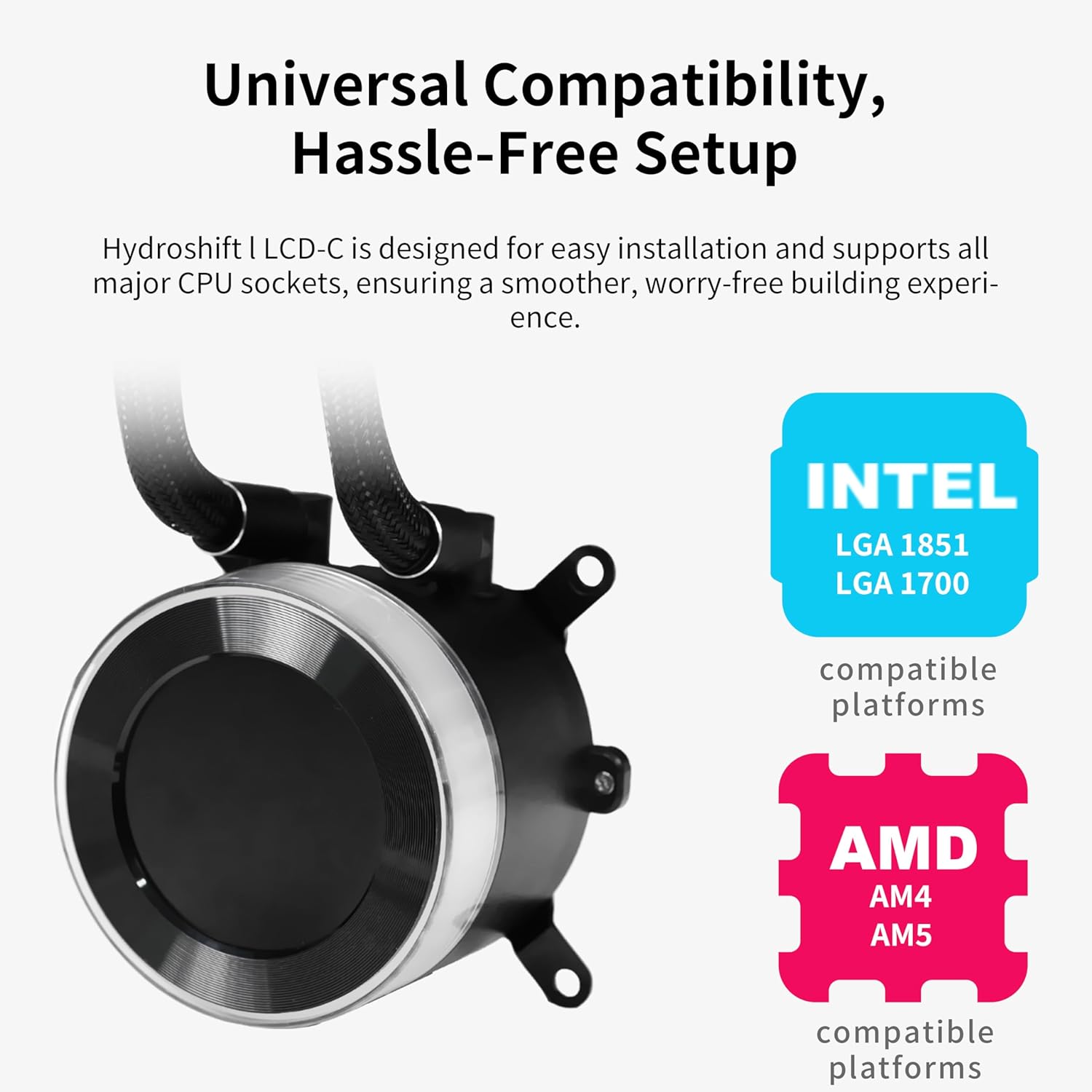
Figure 3: The cooler supports universal compatibility with major CPU sockets.
3. Radiator and Tubing Placement
The Hydroshift II-C 360CL features an innovative side-mounted tubing design to reduce visual clutter. The sliding tube clamp allows for precise alignment and can be removed for tighter clearances.
- Sufficient Clearance: If your case has ample space between the radiator and motherboard (e.g., O11 Vision Compact), you can use thumb screws to adjust the tube bracket position.
- Limited Clearance: For cases with limited space (e.g., LANCOOL 216), reposition the vertical bracket directly behind the CPU and route excess tubing to the back of the radiator. The leftmost tubing support bracket may need removal.
- Tight Clearance: In cases with very tight clearance (e.g., LANCOOL 207), remove both the vertical bracket and reposition both tubing support brackets. Excess tubing must be routed behind the radiator.
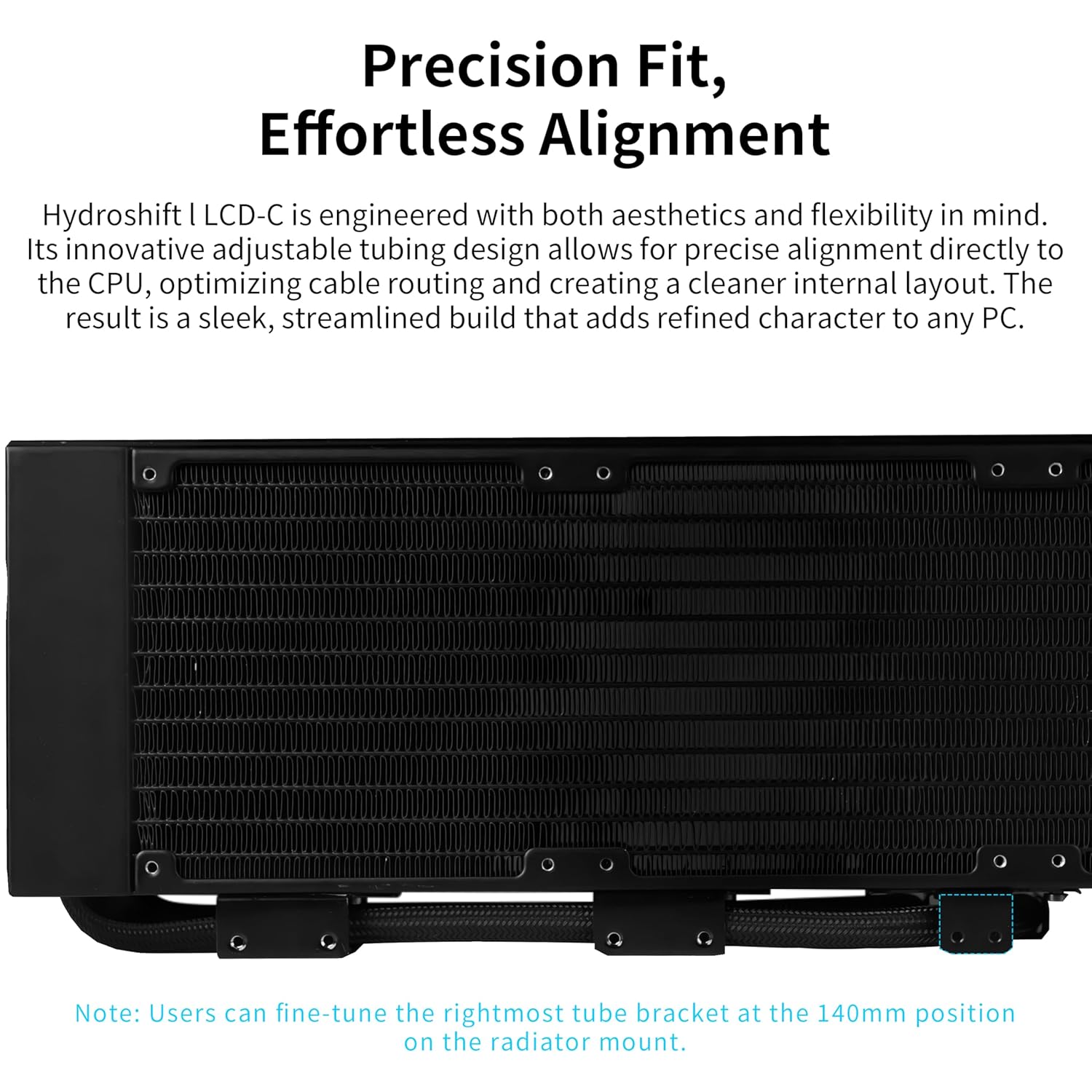
Figure 4: Adjustable tubing design for precision fit and cable routing.

Figure 5: Flexible layout options for radiator and tubing, showing different clearance scenarios.
4. Cable Connections
The USB power and data cables are integrated directly into the cooling tubes, providing a clean, cable-free appearance. The cover on the right side of the radiator can be removed to access cable connectors.
- PWM Power Cable: Connect the 4-pin cable to the AIO_PUMP or CPU_FAN header on your motherboard. For stable power, ensure the connected PWM port in your BIOS is set to PWM/DC mode and full speed.
- USB 2.0 Cable: This cable is used for transferring media in Streaming Mode and advanced wireless mode. It can be detached if you only intend to use Offline or basic Wireless Mode.

Figure 6: Accessing PWM and USB 2.0 cables by removing the radiator cover.
Video 2: A PC build video featuring the Hydroshift II, demonstrating installation context.
Video 3: Another PC build video showcasing the Hydroshift II in a system, providing further installation context.
Operating Instructions
The Hydroshift II-C 360CL offers three distinct control modes for its 2.1-inch IPS LCD display and lighting effects.
1. Offline Mode (No USB Connection Required)
In Offline Mode, you can adjust LED and LCD content directly using the rotatable cap on the pump. This mode displays coolant temperature and pump speed. Rotate the transparent outer ring clockwise to switch screen themes and counter-clockwise to adjust lighting effects.
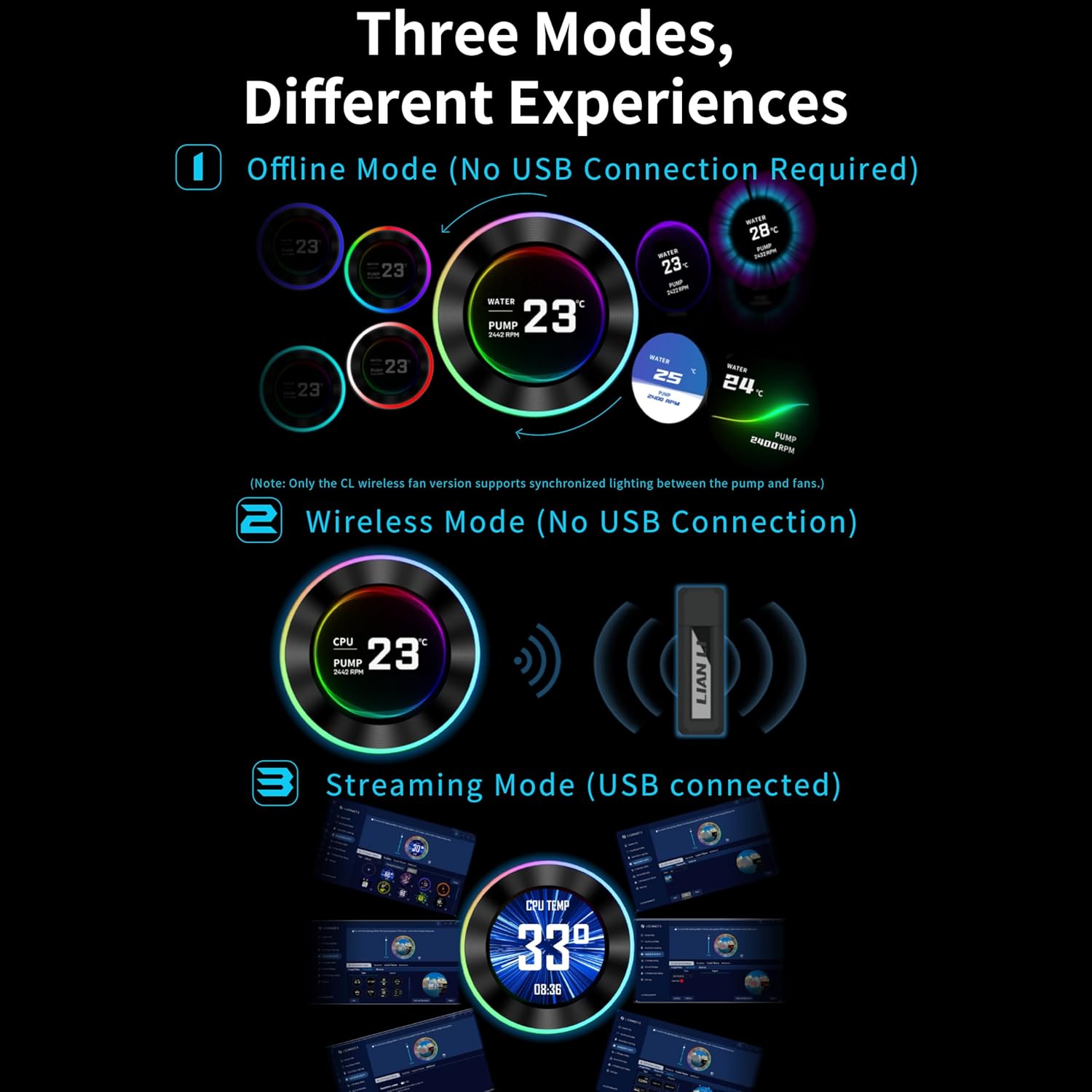
Figure 7: Overview of the three control modes for the LCD display.

Figure 8: Detailed explanation of Offline Mode operation.
2. Wireless Mode (No USB Connection Required)
With the L-Wireless Controller, you can wirelessly switch between screen content and select different hardware sensors to monitor. This mode also enables easy adjustment and synchronization of lighting effects across all LIAN LI wireless products.

Figure 9: Wireless Mode operation using the L-Wireless Controller.
3. Streaming Mode (USB Connected)
By connecting the cooler via USB, you can unlock full customization capabilities using the L-Connect 3 software. This mode supports various media formats like MP4 and GIF for personalized displays, allowing video and photo uploads as well as modular assets and theme selection.

Figure 10: Streaming Mode customization through L-Connect 3 software.
Video 4: Demonstration of the Lian Li UNI FAN CL Wireless and Hydroshift II LCD Water Cooler features.
Video 5: Showcasing Hydroshift II LCD customization options, including Wallpaper Engine integration.
Maintenance
Proper maintenance ensures optimal performance and extends the lifespan of your liquid CPU cooler.
- Fan and Radiator Cleaning: Regularly clean the radiator fins and fan blades to prevent dust accumulation. Dust can impede airflow and reduce cooling efficiency. Use compressed air or a soft brush for cleaning.
- Tubing Inspection: Periodically inspect the corrugated tubing for any signs of wear, kinks, or damage. Ensure the tubes are not excessively bent, which could restrict coolant flow.
- Coolant System: The Hydroshift II-C 360CL is a sealed, closed-loop liquid cooling system. It does not require user maintenance, refilling, or replacement of coolant. Do not attempt to open the pump or radiator to add or change coolant, as this will void the warranty and may damage the unit.

Figure 11: Features like cable management clips and durable tubing aid in maintenance and longevity.
Troubleshooting
If you encounter issues with your Hydroshift II-C 360CL, refer to the following common solutions.
- L-Connect 3 Not Detecting USB/Cooler: If the L-Connect 3 software does not detect the cooler or USB, it may be due to insufficient power from the connected PWM port. Enter your BIOS and set the connected PWM port (recommended CPU_FAN, AIO_PUMP, or PUMP) to PWM/DC mode instead of Auto. Ensure the port is set to full speed.
- Fans Not Spinning: Check that the pre-installed CL Wireless Fans are securely connected. If they are daisy-chained, ensure all connections between fans are firm.
- High CPU Temperatures: Verify that the pump head is properly seated and making full contact with the CPU. Ensure thermal paste was applied correctly and evenly. Check for any obstructions (e.g., dust) in the radiator fins that might restrict airflow.
- Pump Noise: A slight hum from the pump is normal. If you experience excessive or unusual pump noise, ensure the pump is mounted securely and that there are no air bubbles trapped in the system (though rare in modern AIOs).
- LCD Screen Connectivity Issues: If the LCD screen intermittently loses connection or reverts to default display, ensure the USB connection is secure. A full PC reboot may resolve temporary display issues.
Specifications
| Feature | Detail |
|---|---|
| Brand | Lian Li |
| Model | HS2LCD36RB |
| Cooling Method | Water |
| Compatible Devices | CPU, Desktop |
| Noise Level | 30 dB |
| Material | Aluminum |
| Maximum Rotational Speed | 2200 rpm |
| UPC | 840353048751 |
| Set Name | 360 CL |
| Included Components | Liquid cooler, UNI FAN CL Wireless x3 |
| Power Connector Type | 3-Pin |
| Radiator Dimensions | 400 x 122 x 24mm |
| LCD Display | 2.1" Round IPS, 480x480 resolution, 500-nit brightness, sRGB 24-bit true color, 60Hz refresh rate |

Figure 12: Radiator dimensions for compatibility assessment.
Warranty
This product is sold without an explicit warranty. Please refer to your retailer's return policy for any issues upon purchase.
Support
For further assistance, technical inquiries, or to access updated drivers and software (such as L-Connect 3), please visit the official Lian Li website. You may also contact their customer service department for direct support.
Official Lian Li Website: www.lian-li.com


