
SIHOO C300-PRO-V2
SIHOO Doro C300 Pro V2 Ergonomic Office Chair User Manual
Model: C300-PRO-V2
Introduction
Welcome to the SIHOO Doro C300 Pro V2 Ergonomic Office Chair user manual. This chair is designed to provide full-body adaptive support, featuring 8D armrests and breathable mesh for comfort during long hours of use. It offers a 135° recline capability and is engineered for optimal ergonomic support.
The Doro C300 Pro V2 incorporates a DynaCore Full-Body Support system that adapts to your movements, ensuring continuous support. Its SynchroFlex Backrest and Self-Adaptive Lumbar Support 2.0 are designed to conform to your spine's natural curve, reducing pressure and fatigue. The chair also features a 3D Superwide Headrest and 8D Bionic Armrests for comprehensive upper body support.

Image: The SIHOO Doro C300 Pro V2 Ergonomic Office Chair in black, positioned in an office environment next to a desk and computer monitor.
Setup and Assembly
Assembly of the SIHOO Doro C300 Pro V2 chair requires following the provided step-by-step instructions. All necessary tools are included. Ensure all parts are securely attached with screws and tightened appropriately.
- Unpack all components and verify against the parts list.
- Attach the casters to the chair base.
- Insert the gas lift cylinder into the center of the chair base.
- Assemble the seat mechanism to the seat cushion.
- Attach the backrest to the seat assembly.
- Secure the armrests to the seat and backrest assembly.
- Mount the headrest to the top of the backrest.
- Place the assembled chair onto the gas lift cylinder.
- Perform a final check to ensure all screws are tightened and the chair is stable.
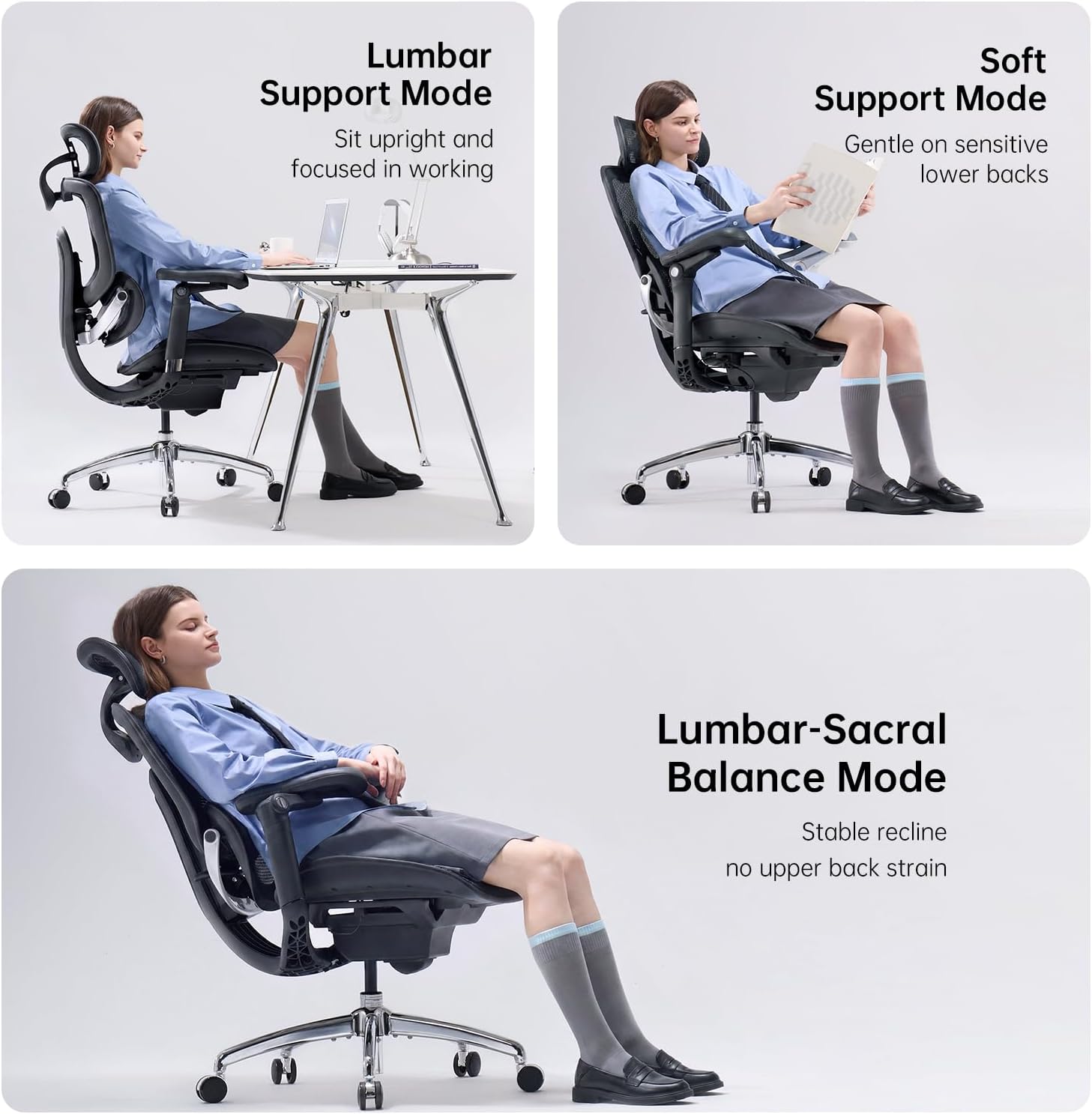
Image: Detailed dimensional diagram of the SIHOO Doro C300 Pro V2 ergonomic office chair, including height, width, and depth measurements, along with recommended user height and weight ranges.
Operating and Adjustments
The SIHOO Doro C300 Pro V2 offers multiple adjustment options to customize your seating experience for optimal comfort and support.
1. Seat Height Adjustment
To adjust the seat height, locate the lever on the right side beneath the seat. Pull the lever upwards while seated to lower the seat, or stand up and pull the lever to raise the seat. Release the lever at the desired height.

Image: A diagram illustrating the single lever control for adjusting seat height, recline angle, and seat depth on the SIHOO Doro C300 Pro V2 chair.
2. Recline Function and Tension
The chair features a 135° recline with a Smart Adaptive Mechanism 2.0 that automatically adjusts recline resistance based on your weight. To recline, pull the same right-side lever outwards and lean back. The chair can lock at 105°, 125°, or 135° angles. Push the lever inwards to lock the recline position.
Video: This video demonstrates the recline function and how the chair adapts to different postures, highlighting its versatility for work, relaxation, and other activities.

Image: Visual representation of the three recline positions (105°, 120°, 135°) and their recommended uses for focus, creativity, and deep relaxation.
3. Seat Depth Adjustment
To adjust the seat depth, use the same right-side lever. Push the lever forward to slide the seat forward or backward to accommodate your leg length, reducing pressure on your thighs and improving blood flow.
4. Lumbar Support (Self-Adaptive Lumbar Support 2.0)
The chair features a self-adaptive lumbar support system that automatically adjusts to your lower back's curve as you move. No manual adjustment is typically needed for this feature, as it dynamically cradles your spine.
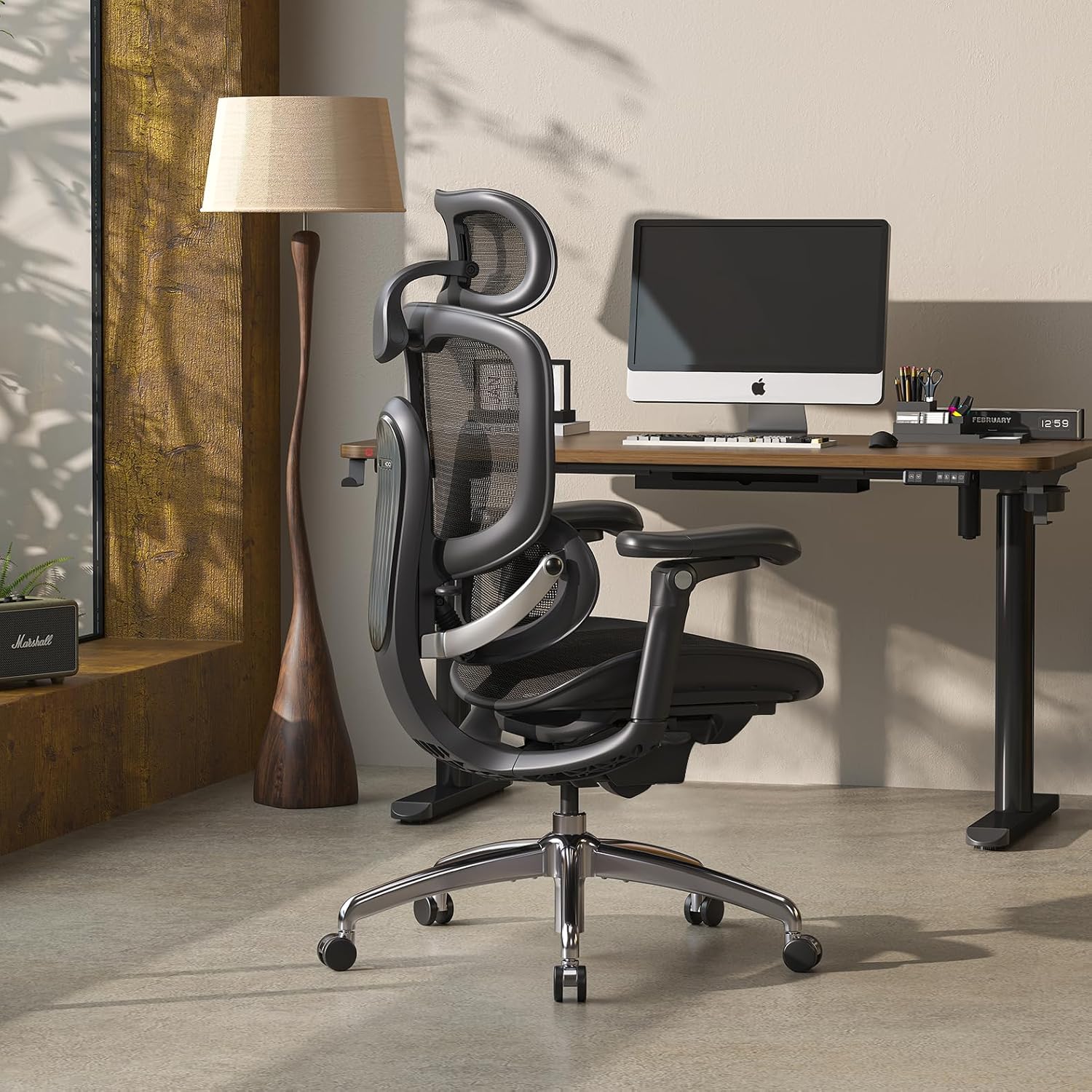
Image: A woman seated in the SIHOO Doro C300 Pro V2 chair, with an overlay highlighting the precise and adaptive lumbar support mechanism conforming to her lower back.
5. Headrest Adjustment (3D Superwide Headrest)
The 3D Superwide Headrest can be adjusted for height and angle. To adjust the height, grasp the headrest and slide it up or down. To adjust the tilt, push it forward until it clicks into the desired position. To reset, push it all the way forward to release the mechanism, allowing it to return to its furthest back position.
6. Armrest Adjustment (8D Bionic Armrests)
The 8D Bionic Armrests offer multi-directional adjustments. They can be raised or lowered by lifting them to the desired height. To reset to the lowest position, lift them to their highest point and release. The armrests also swivel inwards and outwards, and can slide forward/backward to support various postures, including gaming, typing, or relaxing.
Video: A short video showcasing the various adjustments of the SIHOO Doro C300 Pro V2 chair, including armrests, headrest, and recline, demonstrating its customizable nature.

Image: Illustrations detailing the 8D armrest functionality, showing how they can be tilted for gaming, moved closer to the desk, or adjusted for a relaxed recline.
Maintenance
To ensure the longevity and optimal performance of your SIHOO Doro C300 Pro V2 ergonomic office chair, follow these simple maintenance guidelines:
- Cleaning: Wipe clean with a damp cloth. Avoid harsh chemicals or abrasive cleaners, as these may damage the mesh fabric or frame.
- Inspection: Periodically check all screws and bolts to ensure they remain tight. Re-tighten if necessary to maintain stability and safety.
- Casters: Keep the casters free of hair and debris to ensure smooth rolling.
- Moving the Chair: When moving the chair, lift it by the base rather than pulling on the armrests or backrest to prevent damage to adjustment mechanisms.
Troubleshooting
This section addresses common issues you might encounter with your SIHOO Doro C300 Pro V2 chair.
| Problem | Possible Cause | Solution |
|---|---|---|
| Chair feels unstable or wobbly. | Loose assembly screws. | Check and tighten all assembly screws, especially those connecting the seat, backrest, and armrests to the mechanism and base. |
| Armrests move too easily or don't stay in position. | This is a characteristic of the 8D adjustable armrests, designed for fluid movement. | While a locking mechanism is not present, ensure you are not applying excessive force when repositioning. Adjust gently to the desired position. Avoid using armrests to move the chair. |
| Gas lift not adjusting height. | Gas lift cylinder malfunction or lever not engaged correctly. | Ensure the height adjustment lever is fully engaged. If the issue persists, contact customer support for a replacement gas lift cylinder. |
| Casters not rolling smoothly. | Debris (hair, dust) caught in casters. | Turn the chair over and carefully remove any obstructions from the caster wheels. |
Specifications
| Feature | Detail |
|---|---|
| Brand | SIHOO |
| Model Name | C300-PRO-V2 (C-V2-Line) |
| Color | Black |
| Material | Mesh (Upholstery: Nylon, Polyester) |
| Frame Material | Polypropylene |
| Product Dimensions (D x W x H) | 28.93"D x 27.6"W x 51.18"H |
| Item Weight | 25.15 Kilograms |
| Maximum Weight Recommendation | 330 Pounds |
| Seat Height | 20.87 Inches |
| Seat Depth | 18.5 inches |
| Seat Back Interior Height | 23.62 Inches |
| Arm Height | 28.74 Inches |
| Chair Backrest Width | 21.46 Inches |
| Reclining Positions | 3 (105°, 125°, 135°) |
| Adjustable Features | Headrest, Height, Lumbar, Armrests (8D), Recline, Seat Depth |
| Recommended Uses | Computer, Drafting, Gaming, Office, Reading, Relaxing, Sleeping, Video Game |
| Assembly Required | Yes |

Image: Two people, one tall and one shorter, seated in the SIHOO Doro C300 Pro V2 chair, illustrating its adaptability to various body types and sizes.
Warranty and Support
Warranty: The SIHOO Doro C300 Pro V2 ergonomic office chair comes with a 3-year free parts replacement warranty. This covers manufacturing defects and component failures under normal use.
Customer Support: SIHOO provides lifetime customer support. For any inquiries, assistance with assembly, troubleshooting, or warranty claims, please contact SIHOO customer service. Contact information can typically be found on the SIHOO official website or through your purchase platform.

Image: A visual representation of SIHOO's customer support, emphasizing lifetime assistance, delivery, return policy, and product quality assurance.
Related documentsC300-PRO-V2


Ask a question about this manual
Ask about setup, troubleshooting, compatibility, parts, safety, or missing instructions. Manuals+ will review the question and use this page’s manual context to help answer it.