
PAPIFEED PPATFD-001
PAPIFEED PPATFD-001 Automatic Smart Pet Feeder User Manual
Model: PPATFD-001
Introduction
The PAPIFEED PPATFD-001 Automatic Smart Pet Feeder is designed to provide convenient and reliable feeding for your cats and dogs. This smart feeder integrates a 720p HD camera with night vision, two-way audio, and app control via 2.4G WiFi, allowing you to manage your pet's feeding schedule and monitor their activity remotely. Its 6L large capacity and easy-clean design ensure fresh food and simple maintenance.
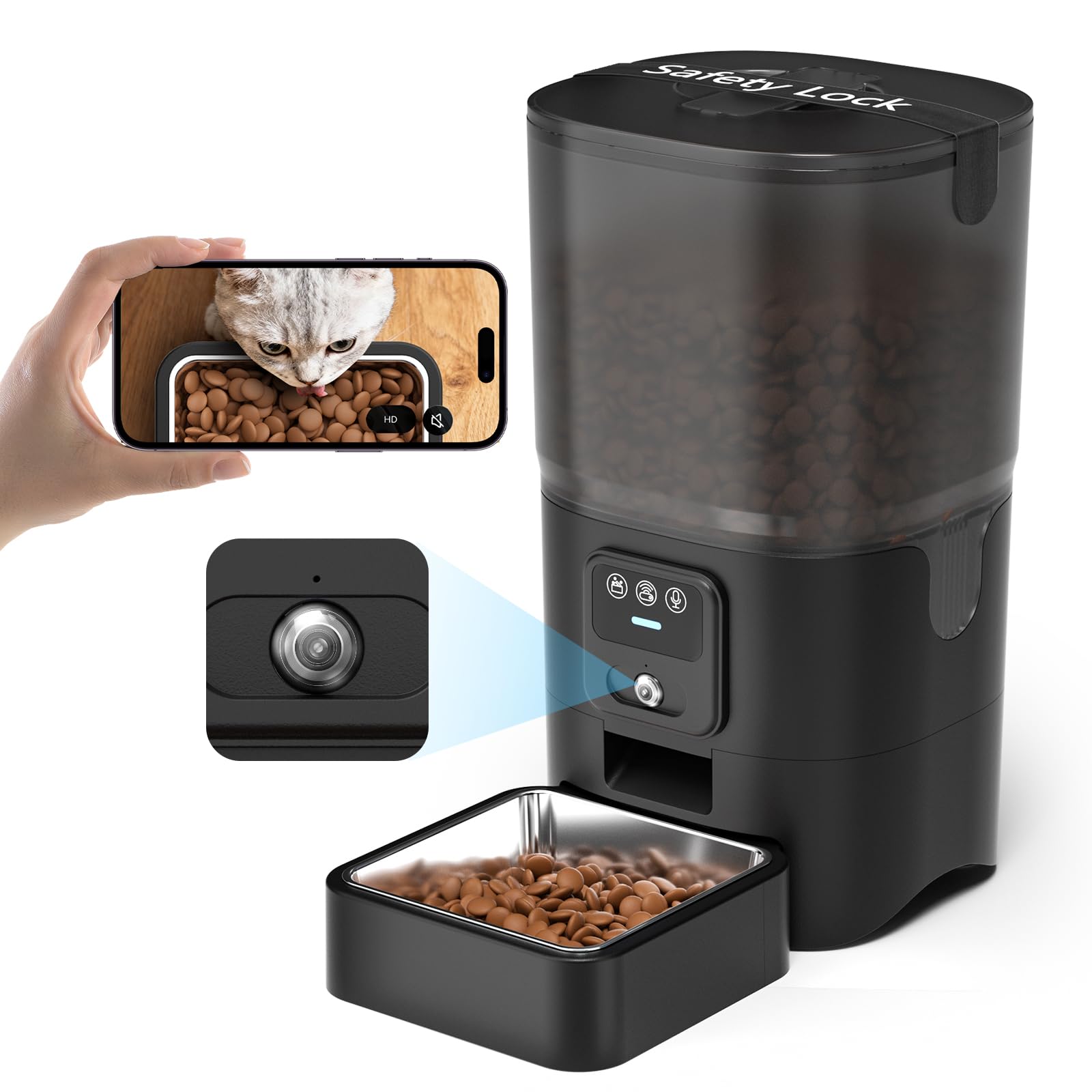
Image: The PAPIFEED Automatic Smart Pet Feeder in black, with a cat eating from its stainless steel bowl. The feeder features a transparent food reservoir and control buttons.
What's in the Box
- Automatic Cat Feeder with Camera
- Lid (x1)
- Stainless Steel Feeding Bowl (x1)
- Safety Lock (x1)
- Power Adapter (x1)
- USB Cable (x1)
- User Manual (x1)
Product Features
- 720p HD Camera & Night Vision: Monitor your pet's feeding status and behavior with a 150° wide-angle view. Infrared night vision provides clear visibility in low-light conditions.
- Smart APP Control & Flexible Scheduling: Manage feeding via the "SmartLyn" app (available on App Store). Supports 2.4G WiFi only. Schedule 1-10 meals per day with up to 6 portions per meal (0.48 oz per portion). Feeding records and portion control are displayed in the app.
- Two-Way Audio & Voice Recording: Record up to 10 seconds of your voice to call your pet at mealtime. Use two-way audio to interact with your pet remotely.
- Slow Feed Mode: Dispenses one portion per minute to help reduce fast eating and promote healthier habits.
- Dual Power Supply: Operates with a 5V/1A adapter for daily use. Requires 4 AA batteries (not included) as backup during power outages. Feeding schedules are stored locally and continue to run even during outages.
- 6L Large Capacity & Easy-Clean Design: The food bin holds 6L (25 Cups) of dry food (5–12mm kibble size). Features a detachable stainless steel bowl (dishwasher safe) and a BPA-free container with a desiccant bag to keep food fresh. A built-in safety lock secures the lid.

Image: The PAPIFEED feeder with a graphic overlay highlighting the 720p HD camera, 150-degree wide-angle view, and night vision capabilities, showing a cat eating from the bowl.

Image: A smartphone screen displaying the "SmartLyn" app interface for the PAPIFEED feeder, showing options for scheduling 10 meals and 6 portions, with 2.4GHz WiFi support indicated.

Image: A person using a smartphone to speak to their cat through the PAPIFEED feeder, illustrating the two-way audio and voice recording features.
Setup Instructions
- Unpack Components: Carefully remove all items from the packaging.
- Assemble Bowl: Place the stainless steel feeding bowl into its base.
- Install Safety Lock: Secure the safety lock strap around the lid to prevent accidental opening by pets.
- Power Connection: Connect the 5V/1A power adapter to the feeder and a wall outlet. For backup power, install 4 AA batteries (not included) in the battery compartment at the bottom of the unit.
- Fill Food Bin: Open the lid and pour dry pet food (kibble size 5-12mm) into the 6L capacity bin. Ensure the lid is securely closed.
- Download & Connect App:
- Download the "SmartLyn" app from your device's App Store.
- Ensure your mobile phone's Bluetooth and WLAN (2.4G WiFi) are turned on.
- Open the app and follow the on-screen instructions to add your device. The first connection requires completing the distribution network within 10 feet of the router. The blue light on the feeder must be flashing to enter network configuration mode.

Image: A visual guide showing the steps to connect the PAPIFEED feeder to the "SmartLyn" app, including searching for the app, turning on Bluetooth, adding the device, and setting up a feeding plan.
Operating Instructions
- Scheduled Feeding:
- In the "SmartLyn" app, navigate to the "Plan" section.
- Set desired feeding times, days of the week, and the number of portions (1-6) for each meal.
- Save your feeding plan. The feeder will automatically dispense food according to your schedule.
- Manual Feeding:
- From the app's main screen, select the desired number of portions and tap the "Feed" button.
- Alternatively, press the manual feed button on the feeder itself to dispense one portion.
- Live Monitoring & Two-Way Audio:
- Access the live camera feed through the "SmartLyn" app to view your pet.
- Use the "Speak" function to talk to your pet or the "Sound Rec" function to play a pre-recorded voice message.
- Feeding Records:
- The app maintains a record of all dispensed meals, including timing and portion size.
Maintenance
- Cleaning the Bowl: The stainless steel feeding bowl is detachable and dishwasher safe for easy cleaning.
- Cleaning the Food Container: The BPA-free food container can be detached and washed. Note: The main base unit containing electronics is not washable.
- Desiccant Bag: Replace the desiccant bag periodically to ensure food freshness.

Image: The PAPIFEED feeder disassembled, showing the detachable food container, lid, and stainless steel bowl being cleaned in a sink, emphasizing its easy-clean design.
Troubleshooting
- Feeder not connecting to Wi-Fi: Ensure your router is broadcasting a 2.4G WiFi signal (5G is not supported). Try rebooting your phone and ensure the feeder is within 10 feet of the router during initial setup. The blue light on the feeder should be flashing to indicate network configuration mode.
- Food not dispensing: Check if the food bin is empty or if kibble size is within the recommended 5-12mm range. Ensure there are no clogs in the dispenser mechanism. Verify the power supply is connected or backup batteries are installed and charged.
- App not showing live camera feed: Check your Wi-Fi connection strength. Ensure the app has necessary permissions on your phone.
- Lid opening: Ensure the safety lock strap is correctly installed and secured to prevent pets from opening the lid.
Specifications
| Feature | Detail |
|---|---|
| Model Number | PPATFD-001 |
| Capacity | 6L (25 Cups) |
| Recommended Kibble Size | 5–12mm (0.2-0.47 inches) |
| Camera | 720p HD with Night Vision, 150° Wide-Angle |
| Connectivity | 2.4G WiFi (5G not supported) |
| Audio | Two-Way Audio, Voice Recording (up to 10 seconds) |
| Feeding Schedule | 1-10 meals/day, up to 6 portions/meal (0.48 oz/portion) |
| Power Supply | 5V/1A Adapter (primary), 4 AA Batteries (backup, not included) |
| Material | BPA-FREE Plastic, Stainless Steel Bowl |
| Dimensions | 6.36 x 11.8 x 6.36 inches |
| Item Weight | 3.53 Pounds |

Image: The PAPIFEED Automatic Smart Pet Feeder with its dimensions clearly labeled in inches and millimeters.
Warranty & Support
This PAPIFEED Automatic Smart Pet Feeder comes with a 2-Year Manufacturer Warranty. For product support, troubleshooting, or warranty claims, please refer to the contact information provided in your product packaging or visit the official PAPIFEED store on Amazon: PAPIFEED Store.
Related documentsPPATFD-001


Ask a question about this manual
Ask about setup, troubleshooting, compatibility, parts, safety, or missing instructions. Manuals+ will review the question and use this page’s manual context to help answer it.