
1. Introduction
Thank you for choosing the SANODESK 40x24 Inch Electric Standing Desk. This manual provides essential information for the safe assembly, operation, and maintenance of your new height-adjustable desk. Please read these instructions carefully before use and retain them for future reference.
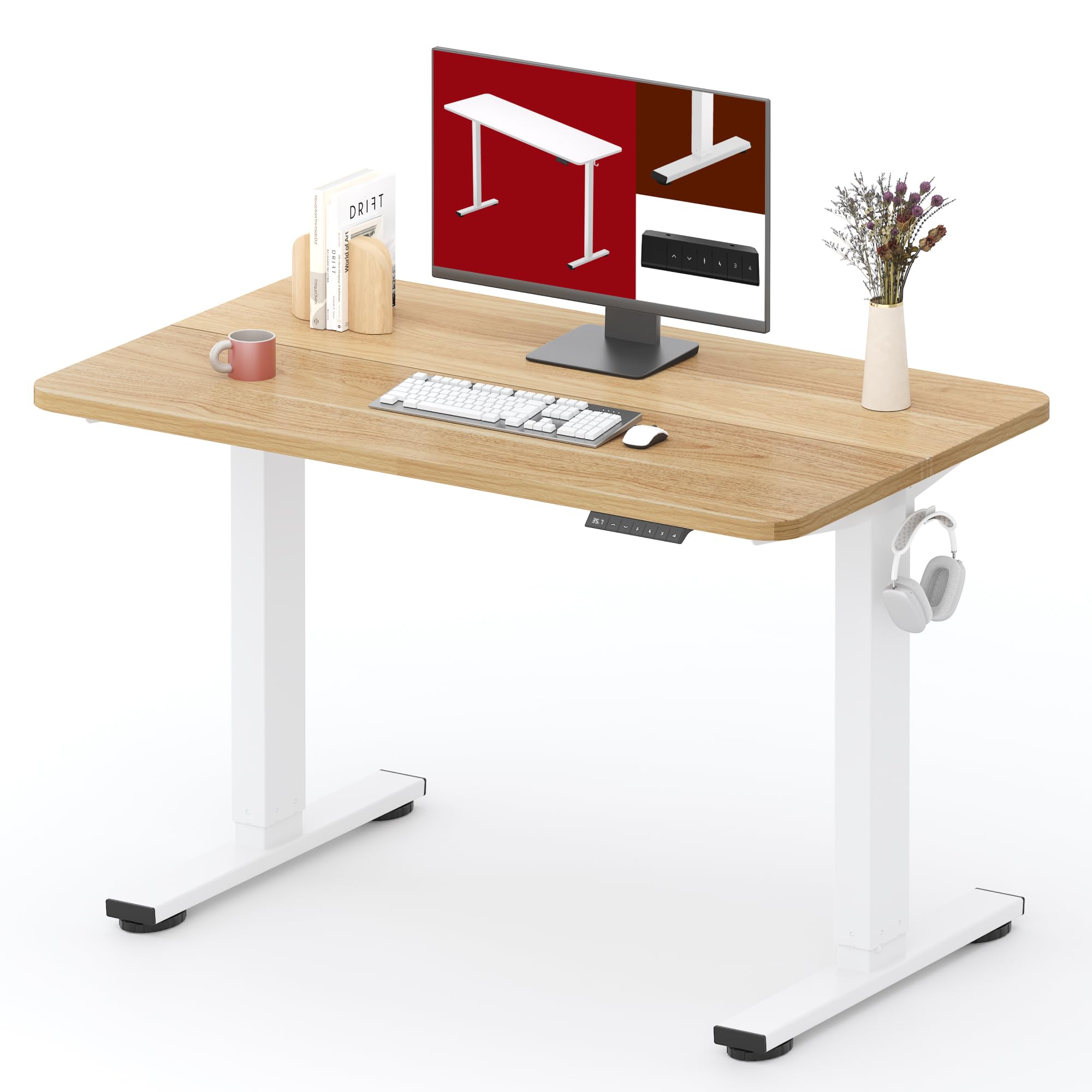
This image shows the SANODESK electric standing desk in a standing position, demonstrating its ergonomic use for a healthy work environment.
2. Safety Information
For your safety and to prevent damage to the product, please adhere to the following guidelines:
- Always ensure the desk is properly assembled and anchored to the floor to prevent tipping.
- Do not exceed the weight limit of 154 lbs.
- Be cautious of the desk's movement when adjusting the height to avoid injury.
- Follow all assembly instructions carefully for a safe setup.
- Keep children and pets away from the desk during operation.
- Ensure no obstacles are in the desk's path during height adjustment.
3. Product Features
- Versatile & Spacious Desktop: The 40x24 inch desktop is suitable for various activities including study, work, gaming, or light exercise. It features a smooth, water-resistant surface and rounded corners for safety.
- Smooth & Quiet Adjustment: An electric lifting system allows for smooth height adjustments from 28.9" to 46.5" with minimal noise, accommodating users of different heights.
- Strong & Stable Structure: Constructed with a reinforced steel frame, the desk supports up to 154 lbs, capable of holding multiple monitors, laptops, and office equipment.
- Smart & Safe Controls: The intelligent control panel includes 4 memory buttons for saving preferred heights and an anti-collision technology that automatically reverses when obstacles are detected.

An overview of the SANODESK standing desk in a typical office environment, highlighting its spacious desktop and ergonomic setup with multiple monitors.
4. Assembly Instructions
Assembly of the SANODESK electric standing desk is designed to be straightforward. Please follow the detailed instructions provided in the separate assembly guide included with your product. Ensure all components are present before beginning assembly.
Key Assembly Steps:
- Unpack all components and verify against the parts list.
- Attach the lifting columns to the desk feet.
- Secure the crossbar and side brackets to the lifting columns.
- Mount the desktop to the frame.
- Connect the control box and control panel, ensuring all cables are securely routed.
- Perform initial calibration as per the assembly guide.

The image illustrates the desktop dimensions of the SANODESK standing desk, measuring 40 inches in length and 24 inches in width, important for planning your workspace.
5. Operating Instructions
Your SANODESK electric standing desk features an intuitive control panel for easy height adjustment and memory functions.
5.1. Adjusting Height
- Press and hold the Up or Down arrow buttons on the control panel to raise or lower the desk to your desired height.
- Release the button to stop the adjustment. The current height will be displayed on the LED screen.
5.2. Using Memory Presets
The desk allows you to save up to four preferred height settings for quick adjustments.
- Adjust the desk to your desired height using the Up/Down buttons.
- Press the M button. The LED display will show 'S-'.
- Within 3 seconds, press one of the number buttons (1, 2, 3, or 4) to save the current height to that preset. The display will show 'S-1', 'S-2', etc., to confirm.
- To recall a saved height, simply press the corresponding number button (1, 2, 3, or 4). The desk will automatically move to the saved position.
5.3. Anti-Collision Feature
The desk is equipped with an anti-collision system. If the desk encounters an obstacle during height adjustment, it will automatically stop and reverse slightly to prevent damage or injury.

A detailed view of the desk's control panel, featuring an LED display for height, up/down buttons, and four memory preset buttons for easy height adjustment.

This visual depicts the adjustable height range of the SANODESK electric standing desk, from a minimum of 28.9 inches to a maximum of 46.5 inches.
6. Maintenance
Regular maintenance ensures the longevity and optimal performance of your SANODESK electric standing desk.
- Cleaning: Wipe the desktop and frame with a soft, damp cloth. Avoid abrasive cleaners or harsh chemicals that could damage the surface.
- Cable Management: Periodically check and organize cables to prevent tangling or interference with the desk's movement.
- Inspection: Regularly inspect all screws and bolts to ensure they are tight. Retighten if necessary.
- Weight Limit: Do not overload the desk beyond its 154 lbs capacity.

This image focuses on the rounded safety edges of the desk, emphasizing the scratch-proof and waterproof properties of the desktop material, which simplifies cleaning.
7. Troubleshooting
If you encounter issues with your SANODESK electric standing desk, refer to the following common problems and solutions:
| Problem | Possible Cause | Solution |
|---|---|---|
| Desk does not move. | Power cable disconnected; Control panel cable loose; Overload; Motor error. | Check power connection; Reconnect control panel cable; Reduce weight on desk; Perform a reset (refer to assembly guide for specific steps). |
| Desk moves unevenly. | Uneven weight distribution; Loose connections. | Distribute weight evenly; Check and tighten all frame connections. |
| Error code displayed. | Specific system issue. | Refer to the detailed error code list in your assembly guide or contact customer support. Often, a power cycle (unplug for 30 seconds, then plug back in) can resolve minor errors. |
| Anti-collision activates frequently. | Obstacles in path; Sensitivity setting too high. | Clear the area around the desk; If applicable, adjust anti-collision sensitivity (refer to assembly guide). |
If the problem persists after attempting these solutions, please contact SANODESK customer support for assistance.
8. Specifications
| Feature | Specification |
|---|---|
| Brand | SANODESK |
| Desk Design | Computer Desk, Writing Desk |
| Color | White Frame + Maple Top |
| Base Material | Alloy Steel |
| Top Material Type | Maple Wood |
| Recommended Uses | Office, Working, Writing, Gaming |
| Furniture Finish | Maple (Top), White (Frame) |
| Size | 40x24 inches |
| Minimum Height | 28.9 inches |
| Maximum Height | 46.5 inches |
| Item Dimensions (L x W x H) | 40 x 24 x 29 inches (at minimum height) |
| Maximum Load Capacity | 154 lbs |
9. Warranty and Support
SANODESK is committed to providing high-quality products and customer satisfaction. Your desk is covered by a standard manufacturer's warranty against defects in materials and workmanship. Please refer to the warranty card included with your purchase for specific terms and conditions, including the warranty period.
For technical support, troubleshooting assistance, or warranty claims, please contact SANODESK customer service through the retailer where you purchased the product or visit the official SANODESK website for contact information.
When contacting support, please have your product model number and purchase date readily available.


