1. Product Overview
The AIMIBO G124 Wireless HDMI Transmitter and Receiver Kit provides a seamless solution for wirelessly streaming content from various HDMI and USB-C sources to AR glasses, portable monitors, TVs, or projectors. Featuring dual HDMI and USB-C ports, plug-and-play functionality, a 5G+2.4G dual-band chip for low-latency performance, and a built-in 5000mAh battery, this kit is designed for convenience and versatility across multiple environments.
2. Package Contents
Please verify that all items listed below are included in your package:
- 1 × Wireless HDMI Transmitter
- 1 × Wireless HDMI Receiver
- 2 × USB-C Charging Cables
- 1 × HDMI Cable
- 1 × User Manual
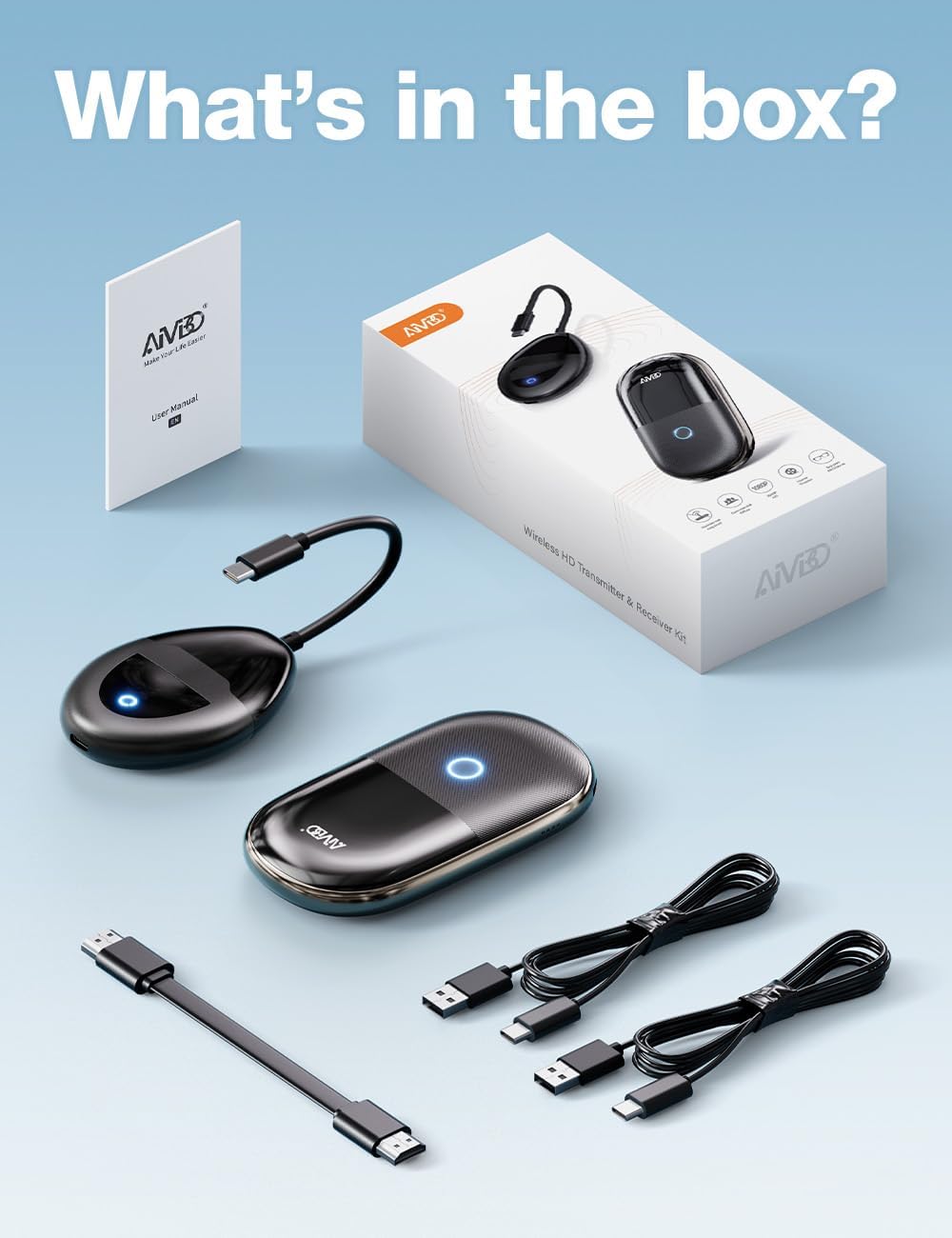
Image: All components of the AIMIBO G124 Wireless HDMI Transmitter and Receiver Kit, including the transmitter, receiver, cables, and user manual.
3. Product Components and Ports
Transmitter (TX)
- USB-C Input: Connects to USB-C enabled devices (e.g., MacBook, laptops with DP Alt Mode).
- HDMI Input: Connects to HDMI enabled devices (e.g., DVD player, cable box, Roku, camera).
- Function Button: For pairing and mode switching.
Receiver (RX)
- USB-C (DP Out): Connects to AR glasses or USB-C displays.
- HDMI Out: Connects to TVs, monitors, or projectors.
- Power Input (USB-C): For charging the built-in 5000mAh battery.
- Function Button: For pairing and mode switching.

Image: Close-up view of the AIMIBO G124 Transmitter and Receiver, highlighting their respective HDMI, USB-C, and power ports.
4. Setup and Installation
4.1 Connecting the Transmitter (TX)
- For HDMI Source: Plug the HDMI end of the transmitter into the HDMI output port of your source device (e.g., laptop, DVD player, PS5).
- For USB-C Source: Plug the USB-C end of the transmitter into the USB-C output port of your source device (e.g., MacBook, laptop).
4.2 Connecting the Receiver (RX)
- For AR Glasses/USB-C Display: Connect your AR glasses or USB-C display to the USB-C (DP Out) port on the receiver using a compatible USB-C cable.
- For TV/Monitor/Projector: Connect your TV, monitor, or projector to the HDMI Out port on the receiver using an HDMI cable.
- Powering the Receiver: Connect a USB-C charging cable to the Power Input port on the receiver and plug the other end into a 5V/2A USB power adapter (not included) or a powered USB port. The receiver has a built-in 5000mAh battery for portable use.

Image: Visual guide illustrating direct connections for phones/tablets/laptops to AR glasses/displays, and expanded connections using the transmitter for desktop, media players, cameras, and game consoles.
4.3 Initial Pairing and Operation
- After connecting both the transmitter and receiver, they will automatically pair within seconds. No Wi-Fi, apps, or additional settings are required for basic operation.
- Ensure both devices are powered on. The indicator lights will confirm connection status.
Video: Official AIMIBO demonstration of wireless casting to AR glasses, TV, and projector, showcasing the ease of setup and use.
5. Operating Instructions
5.1 Powering On/Off
- The transmitter powers on automatically when connected to a powered source device.
- To power on the receiver, press and hold its function button for 3 seconds. To power off, press and hold the function button again for 3 seconds.
5.2 Mirroring and Extended Display
- The kit supports both mirroring (duplicate screen) and extended display (separate screen) modes. This can typically be configured through your source device's display settings.
5.3 Receiver as Standalone Wireless Display Adapter
The receiver can also function independently without the transmitter, supporting AirPlay, Miracast, and DLNA protocols. This allows direct mirroring from iOS, Android, Windows, and macOS phones, tablets, or laptops.
- To use this feature, ensure the receiver is powered on and connected to your display.
- On your phone/tablet/laptop, enable screen mirroring (e.g., AirPlay for iOS, Smart View for Android) and select the AIMIBO receiver from the list of available devices.
Video: A detailed demonstration of the AIMIBO Wireless HDMI Transmitter and Receiver being used with AR glasses, showcasing its functionality and ease of connection.
6. Key Features
6.1 Wide Compatibility
The AIMIBO G124 supports a broad range of devices and displays:
- Source Devices (Transmitter): Laptops (MacBook, Windows), PCs, set-top boxes, DVD players, PS5, Xbox, Roku, cameras, media players.
- Display Devices (Receiver): AR glasses (XREAL, Rokid, Viture, RayNeo), portable monitors, TVs, projectors.
- Standalone Receiver: Phones (iOS, Android), tablets, laptops (via AirPlay, Miracast, DLNA).

Image: An infographic detailing the wide range of compatible input and output devices for the AIMIBO G124 Wireless HDMI Kit, including laptops, game consoles, AR glasses, TVs, and projectors.
6.2 5G+2.4G Dual-Band Chip & Low Latency
Equipped with a 5G+2.4G dual-band chip, the kit ensures ultra-stable transmission with near-zero latency, providing smooth 60Hz video and audio. The transmission range extends up to 165 feet (50 meters) in an open area, making it suitable for various settings like conference rooms, living rooms, or classrooms.
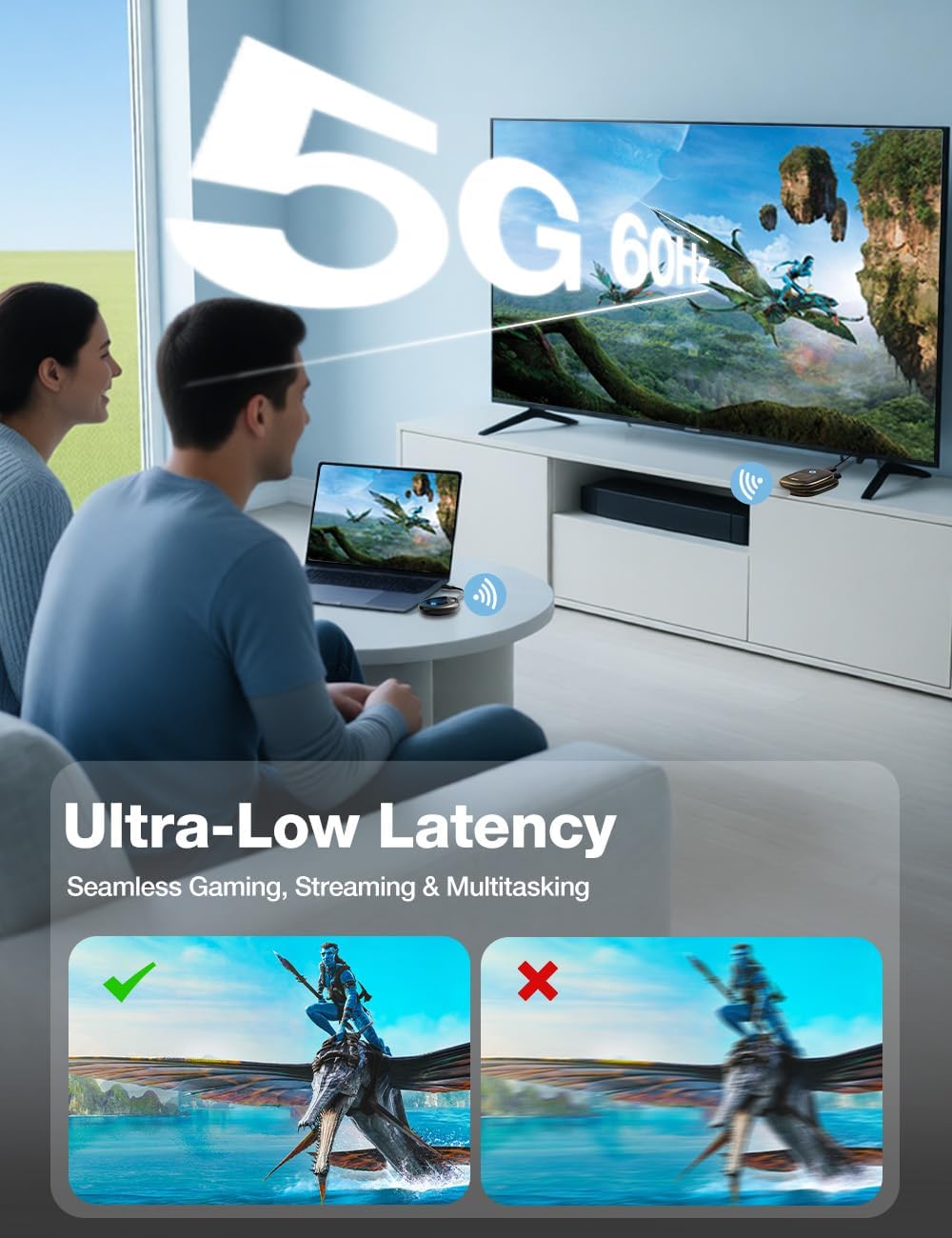
Image: A visual comparison demonstrating the ultra-low latency performance of the 5G 60Hz transmission, showing a clear, smooth image versus a blurry, lagged image.
6.3 Built-in 5000mAh Battery
The receiver features a built-in 5000mAh rechargeable battery, offering up to 4 hours of continuous use and 7 days of standby time. Dual USB-C ports allow for charging while in use, making it ideal for portable applications like outdoor camping, travel, or extended meetings.
Image: A visual representation of the AIMIBO G124 receiver's 5000mAh battery, indicating 3-4 hours of wireless viewing.
6.4 Full HDCP Compatibility
Unlike many wireless solutions, the AIMIBO G124 does not block protected content. You can watch premium streaming services like Netflix, Hulu, Disney+, and HBO Max directly on your AR glasses or connected display without black screens or errors.

Image: An illustration demonstrating full HDCP compatibility, allowing users to watch streaming services like Netflix, Hulu, and Prime Video directly on AR glasses.
7. Troubleshooting
7.1 No Signal or Black Screen
- Check Connections: Ensure all HDMI and USB-C cables are securely connected to both the source device, the transmitter/receiver, and the display.
- Power Supply: Verify that both the transmitter (if applicable) and receiver are adequately powered. The receiver's indicator light should be on.
- Simultaneous Ports: Note that the HDMI and DP USB-C ports on the receiver cannot be used simultaneously. If both are connected, it may result in a black screen. Disconnect one.
- Source Output: Confirm your source device is outputting a signal and its display settings are correctly configured for external display.
7.2 Lag or Delays in Transmission
- Distance: Ensure the transmitter and receiver are within the recommended 165ft (50m) range. Performance may degrade at longer distances.
- Obstacles: Solid walls, metal doors, or other significant obstructions can interfere with the wireless signal. Try to minimize physical barriers between the transmitter and receiver.
- Interference: Other 5G or 2.4G wireless devices might cause interference. Try to move the kit away from other wireless devices.
7.3 Pairing Issues
- Re-pairing: If the devices fail to pair automatically, press and hold the function button on both the transmitter and receiver for 6 seconds to initiate re-pairing. The indicator lights will flash during the process and turn solid when successfully paired.
8. Technical Specifications
| Feature | Specification |
|---|---|
| Brand | AIMIBO |
| Model Name | G124 |
| Connectivity Technology | Wi-Fi, Wireless |
| Connector Type | HDMI, USB C |
| Resolution | 4K Input and 1080P Output @60Hz |
| Transmission Distance | 165 FT / 50 Meter (open area) |
| Battery Capacity (Receiver) | 5000mAh |
| Latency | <0.1s |
| Supported Modes | Mirror/Extended Display, Horizontal & Vertical Screen Switching |
| Compatible Operating Systems | Windows, macOS, Android, iOS, PS5, Xbox |
| Product Dimensions | 7.87"L x 2.75"W x 0.59"H |
9. Warranty and Support
AIMIBO stands by the quality of its products. The G124 Wireless HDMI Transmitter and Receiver Kit comes with a 24-month hassle-free warranty.
For any questions, technical support, or warranty claims, please contact our responsive customer support team. Your satisfaction is our priority.
- Warranty Period: 24 Months
- Customer Support: Refer to the contact information provided in your product packaging or visit the official AIMIBO website.