1. Introduction
The MINISO M98 AI Translation Earbuds are designed to provide a seamless communication and audio experience. These 3-in-1 smart headphones integrate clear voice transmission, real-time translation, and high-quality music playback. They are suitable for various scenarios including business meetings, international travel, and daily learning, offering real-time translation in 134 languages.

Image: MINISO M98 AI Translation Earbuds and their charging case, displayed alongside a smartphone showing the companion application interface. The image highlights the 3-in-1 functionality: translation, audio playback, and phone calls.
2. Setup Guide
2.1 Initial Pairing and App Connection
- Download the App: Locate and download the official "Earjoy" application from your smartphone's app store.
- Enable Bluetooth: On your mobile phone, navigate to the Bluetooth settings and ensure Bluetooth is turned on.
- Connect Earbuds: Open the Earjoy app. The app will guide you through connecting the MINISO M98 earbuds via Bluetooth. Ensure the earbuds are in their charging case with the lid open, or in pairing mode.

Image: A visual guide illustrating the three steps to set up the translation function: 1) Download the app, 2) Connect to Bluetooth on your phone, and 3) Connect the earbuds within the app.
2.2 Wearing the Earbuds
The MINISO M98 earbuds feature an open-ear hook design for comfort and awareness of your surroundings. Place the ear hook over your ear, ensuring the speaker rests comfortably near your ear canal without entering it. This design prevents pressure points and allows ambient noise to pass through.
3. Operating Instructions
3.1 Smart Screen Control on Charging Case
The charging case is equipped with a smart LCD touchscreen, providing direct access to various functions without needing your phone. Swipe and tap to control:
- Music Playback (play, pause, skip tracks)
- Volume Adjustment
- Sound Settings (Spatial Sound, Equalizer)
- Language Switching for translation modes
- Background Image Switching
- Headphone Search function
- Mode Switching (e.g., translation modes)
- Alarm Clock Setting
- Brightness Setting
- Photo Taking Function (remote control)
- Flash Fast Storage
- TikTok Video control (liking videos)
- Time Setting
- Voice Transfer
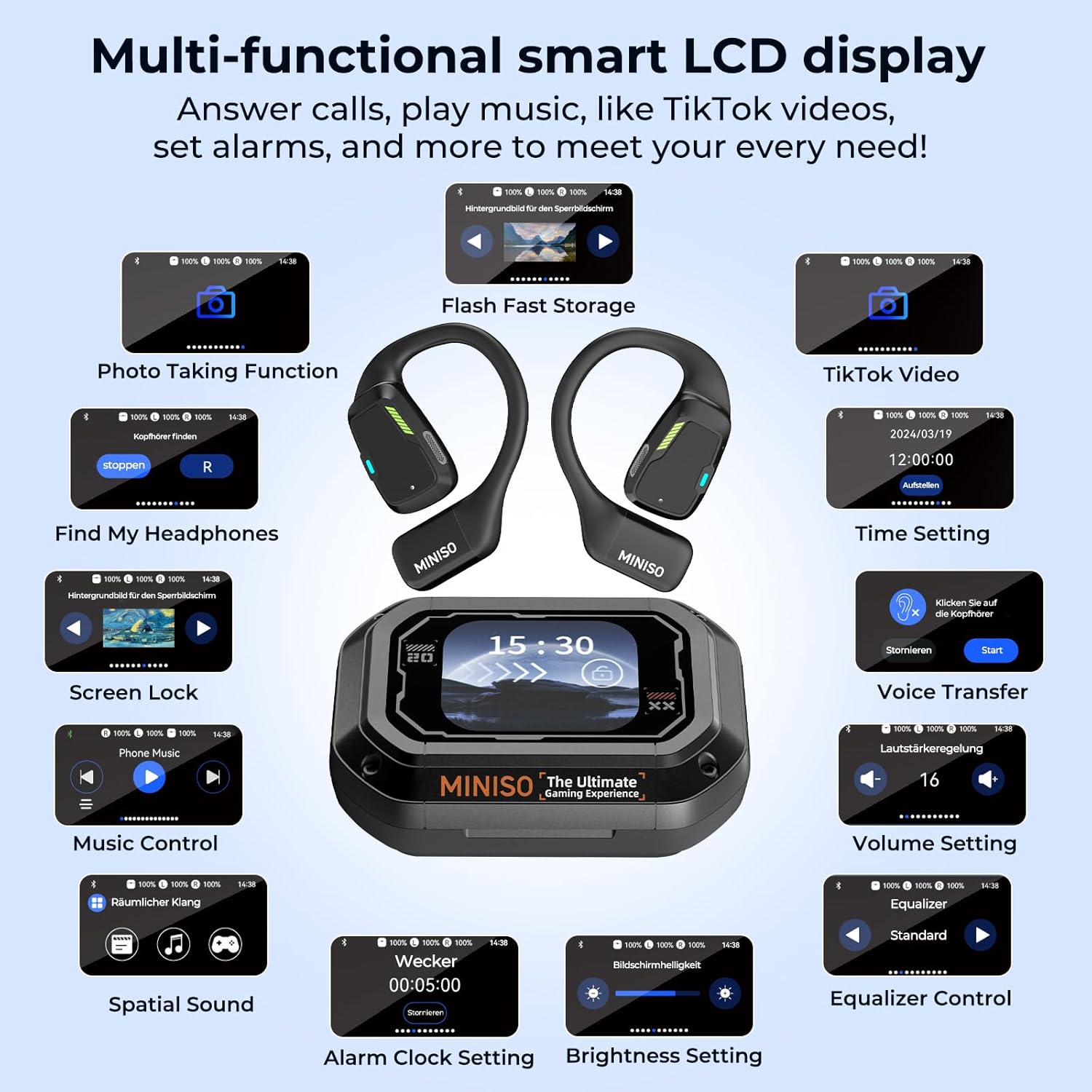
Image: The multi-functional smart LCD display on the MINISO M98 charging case, illustrating icons for various controls such as music, volume, spatial sound, alarm, brightness, and photo taking.
3.2 Translation Modes
The earbuds support 134 languages and offer multiple translation modes to suit different situations:
- Conversation Mode: Facilitates natural, real-time conversations with international colleagues or new acquaintances while traveling.
- Travel Assistant Mode (Photo Translation): Use your phone's camera to translate text from signs, menus, or documents.
- Learning Partner Mode: Practice foreign languages through authentic everyday dialogues.
- Meeting Mode: Features automatic speaker recognition for multilingual discussions, acting as a personal conference interpreter.
- AI Chat Mode: Interact with the system via voice input for instant and smooth real-time communication, useful for asking directions or information.
- Free Talk Mode: Ideal for international tourism, allowing seamless two-way communication.
- Headphone+Phone Mode: Supports bilingual learning by translating spoken language.
- Voice Notes: Transcribes spoken language into text, suitable for scientific conferences or recording discussions (transcription only, no translation).

Image: The MINISO M98 earbuds showcasing their capability to translate 134 languages with 98% accuracy and a 0.5-second response time.

Image: A user interacting with the MINISO M98 earbuds in AI Chat Mode, asking for directions, with the translated text displayed on a smartphone.

Image: Two individuals using MINISO M98 earbuds in Free Talk Mode during international tourism, engaging in a translated conversation while looking at a map.

Image: A student using MINISO M98 earbuds in Headphone+Phone Mode for bilingual learning, with a laptop open in front of them.

Image: A classroom setting where MINISO M98 earbuds are used for Voice Notes, transcribing a lecture into text on a smartphone.

Image: Three examples of Photo Translation using MINISO M98 earbuds: translating text from a document, a restaurant menu, and a road sign.
3.3 Headphone Remote Control Functions
- Photo Taking: Connect the earbuds via Bluetooth to your phone. Open your phone's camera app. Double-tap the earbud to remotely take a photo. Note: Compatibility may vary with some phone models.
- TikTok Video Liking: Connect the earbuds via Bluetooth to your phone. Open the TikTok app. You can like videos by interacting with the headphone icon on the charging case screen. Note: Compatibility may vary with some phone models.
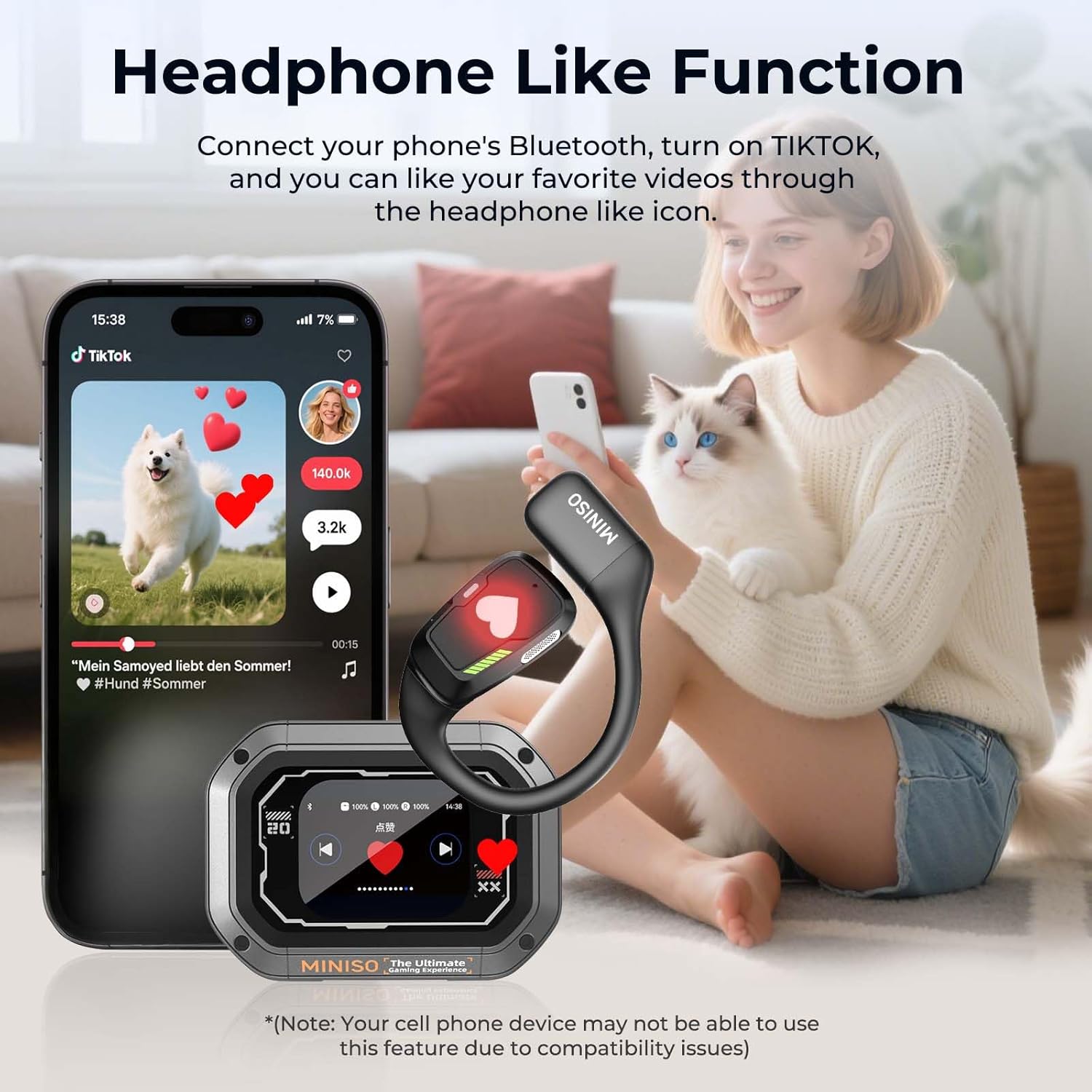
Image: A user demonstrating the remote photo-taking function of the MINISO M98 earbuds by double-tapping an earbud while a phone on a tripod captures an image.

Image: A user interacting with the MINISO M98 charging case to like a TikTok video displayed on a smartphone, highlighting the headphone-like function.
4. Maintenance and Charging
4.1 Battery Life and Charging
The MINISO M98 earbuds offer extended battery performance:
- Single Use: Up to 8 hours of continuous use on a full charge.
- Total Operating Time: Up to 60 hours with the fully charged charging case.
- Charging Time: Approximately 1.5 hours for a full recharge of the case and earbuds.
- Charging Port: The charging case uses a USB-C port for convenient charging.
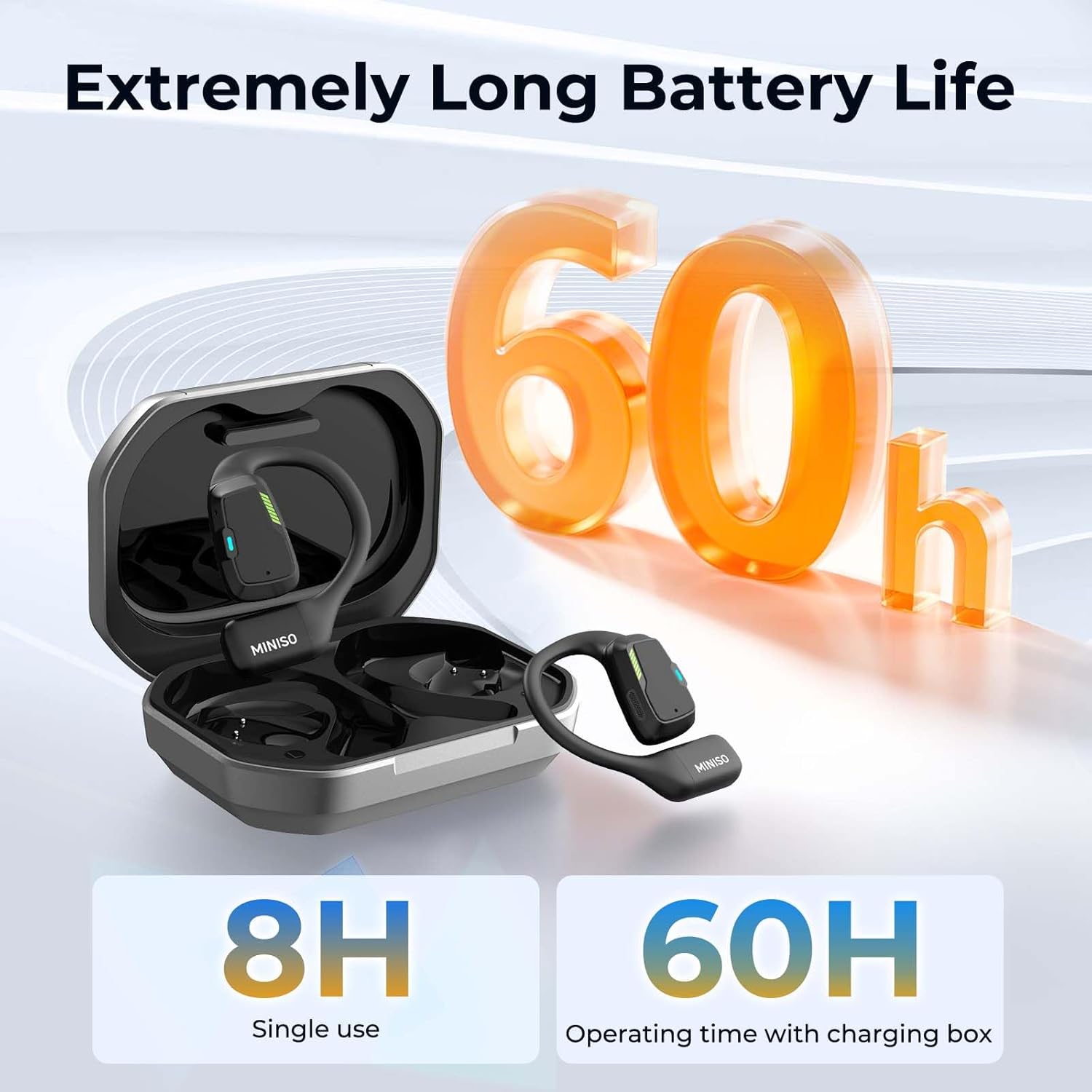
Image: The MINISO M98 earbuds and their charging case, visually representing the 8 hours of single-use battery life and 60 hours of total operating time with the charging box.

Image: The MINISO M98 earbuds, charging case, and a USB-C charging cable, illustrating the components included in the box.
4.2 Water Resistance
The earbuds are rated IPX5 water-resistant, meaning they can withstand splashes of water from any direction. They are suitable for light rain or sweaty workouts but should not be submerged in water.
5. Troubleshooting
If you encounter issues with your MINISO M98 AI Translation Earbuds, consider the following common solutions:
- Connection Issues: Ensure Bluetooth is enabled on your device and the earbuds are charged. Try unpairing and re-pairing the earbuds through your phone's Bluetooth settings and the Earjoy app.
- Translation Inaccuracy: Verify that the correct source and target languages are selected in the app. Ensure a stable internet connection for optimal translation performance. Speak clearly and at a moderate pace.
- Audio Problems: Check the volume levels on both your phone and the earbud charging case. Ensure earbuds are properly seated on your ears.
- Charging Problems: Confirm the USB-C cable is securely connected to both the charging case and a power source. Try a different charging cable or adapter.
- App Functionality: Ensure the Earjoy app is updated to the latest version. Restart the app or your phone if it becomes unresponsive.
For persistent issues or specific technical support, please refer to the contact information in the Support section.
6. Specifications
| Feature | Detail |
|---|---|
| Model | M98 |
| Brand | MINISO |
| Translation Languages | 134 Languages |
| Translation Accuracy | 98% |
| Translation Response Time | 0.5 seconds |
| Bluetooth Version | 5.4 |
| Earbud Battery Capacity | 50mAh (each) |
| Charging Case Battery Capacity | 500mAh |
| Single Use Playtime | Up to 8 hours |
| Total Playtime (with case) | Up to 60 hours |
| Charging Time | Approx. 1.5 hours |
| Charging Interface | USB-C |
| Water Resistance | IPX5 |
| Design | Open Ear Hook |
| Charging Case Display | LCD Touchscreen |
| Item Weight | 7 ounces |
| Package Dimensions | 5.71 x 3.7 x 2.13 inches |
| Date First Available | October 31, 2025 |

Image: A diagram illustrating the Bluetooth 5.4 technology in the MINISO M98 earbuds, comparing its sound quality and transmission stability improvements over Bluetooth 5.0.
7. Warranty and Support
7.1 Product Support
For any questions, technical assistance, or if you require a user manual in a different language, please contact MINISO customer support.
Contact information can typically be found on the official MINISO website or through the retailer where the product was purchased. Please have your product model (M98) and purchase details ready when contacting support.
7.2 Warranty Information
Specific warranty details for the MINISO M98 AI Translation Earbuds are provided with your purchase documentation. Please refer to the warranty card or the official MINISO website for comprehensive information regarding warranty coverage, terms, and conditions.


