
1. Introduction
Thank you for choosing the PRUNUS J-988 FM/AM Digital Portable Radio. This compact and versatile device allows you to enjoy your favorite radio stations and personal music files on the go. This manual provides detailed instructions for setup, operation, and maintenance to ensure optimal performance and longevity of your radio.
2. Product Overview
2.1 Package Contents
- PRUNUS J-988 Digital Portable Radio
- Wired Headphones
- USB-C Charging Cable
- Lanyard
- User Manual
2.2 Device Layout and Controls
The PRUNUS J-988 radio is designed for portability and ease of use. It features a clear LCD display and intuitive buttons.

Image: The PRUNUS J-988 radio shown alongside a standard lighter, highlighting its ultra-compact dimensions of 86mm height, 40mm width, and 24mm depth. This visual comparison emphasizes its pocket-friendly size.

Image: A detailed view of the PRUNUS J-988 radio's front panel. The LCD screen displays frequency, channel, and battery status. Below the screen are the power button, M+ and M- buttons for preset navigation, and a directional pad with SCAN, UP, MODE, DOWN, OK, PRE, VOL+, VOL-, and DEL buttons for various functions.
- Power Button: Press and hold to turn the radio on or off.
- M+ / M- Buttons: Navigate through saved preset stations.
- MODE Button: Switch between FM radio, AM radio, and TF card playback modes.
- UP / DOWN Buttons: Manually tune frequencies in radio mode or navigate tracks in TF card mode.
- OK Button: Confirm selections or save a station as a preset.
- SCAN Button: Automatically scan and save available radio stations.
- PRE Button: Access preset station list.
- VOL+ / VOL- Buttons: Adjust the volume level.
- DEL Button: Delete a saved preset station.
- TF Card Slot: Insert a MicroSD (TF) card for MP3/WAV playback.
- USB-C Port: For charging the internal battery.
- 3.5mm Headphone Jack: Connect headphones. The headphone cable acts as the FM/AM antenna.
3. Setup
3.1 Initial Charging
Before first use, fully charge the radio. Connect the supplied USB-C cable to the radio's USB-C port and the other end to a USB power adapter (not included), computer, or power bank. The battery indicator on the LCD display will show charging status. A full charge provides up to 18 hours of playback.

Image: The PRUNUS J-988 radio is shown with its USB-C charging port highlighted, connected to a charging cable. In the background, a person is jogging on a beach while listening to the radio, demonstrating its portability and all-day power.
3.2 Connecting Headphones
Insert the wired headphones into the 3.5mm headphone jack. The headphone cable serves as the antenna for both FM and AM reception. For best reception, ensure the headphone cable is uncoiled and extended.

Image: A person is shown listening to the PRUNUS J-988 radio with wired headphones. The image emphasizes that the headphone cable functions as the antenna, enabling clear reception of various radio content like music, news, and talk shows.
3.3 Inserting a TF Card (Optional)
If you wish to play music from a memory card, insert a MicroSD (TF) card into the TF card slot. Ensure the card is formatted correctly and contains MP3 or WAV audio files. APE and FLAC formats are not supported.
4. Operating Instructions
4.1 Power On/Off
Press and hold the Power Button (red circle) to turn the radio on or off.
4.2 Mode Selection
Press the MODE Button to cycle through available modes: FM Radio, AM Radio, and TF Card Playback.
4.3 Radio Operation (FM/AM)
4.3.1 Automatic Station Scan
In FM or AM mode, press the SCAN Button. The radio will automatically scan for available stations and save them as presets (up to 99 for FM and 99 for AM).
4.3.2 Manual Tuning
In FM or AM mode, press the UP or DOWN buttons to manually adjust the frequency step by step.
4.3.3 Saving Presets
After tuning to a desired station, press the OK Button to save it as a preset. The display will show the preset number.
4.3.4 Recalling Presets
Use the M+ or M- buttons to quickly navigate through your saved preset stations.
4.3.5 Deleting Presets
To delete a specific preset, navigate to the preset you wish to remove and press the DEL Button.
4.4 Volume Adjustment
Press the VOL+ button to increase the volume or the VOL- button to decrease it. The volume level is displayed on the LCD screen.
4.5 TF Card Playback
In TF Card mode, the radio will automatically begin playing audio files from the inserted card. Use the UP and DOWN buttons to skip tracks. The OK Button may function as play/pause depending on the firmware version.
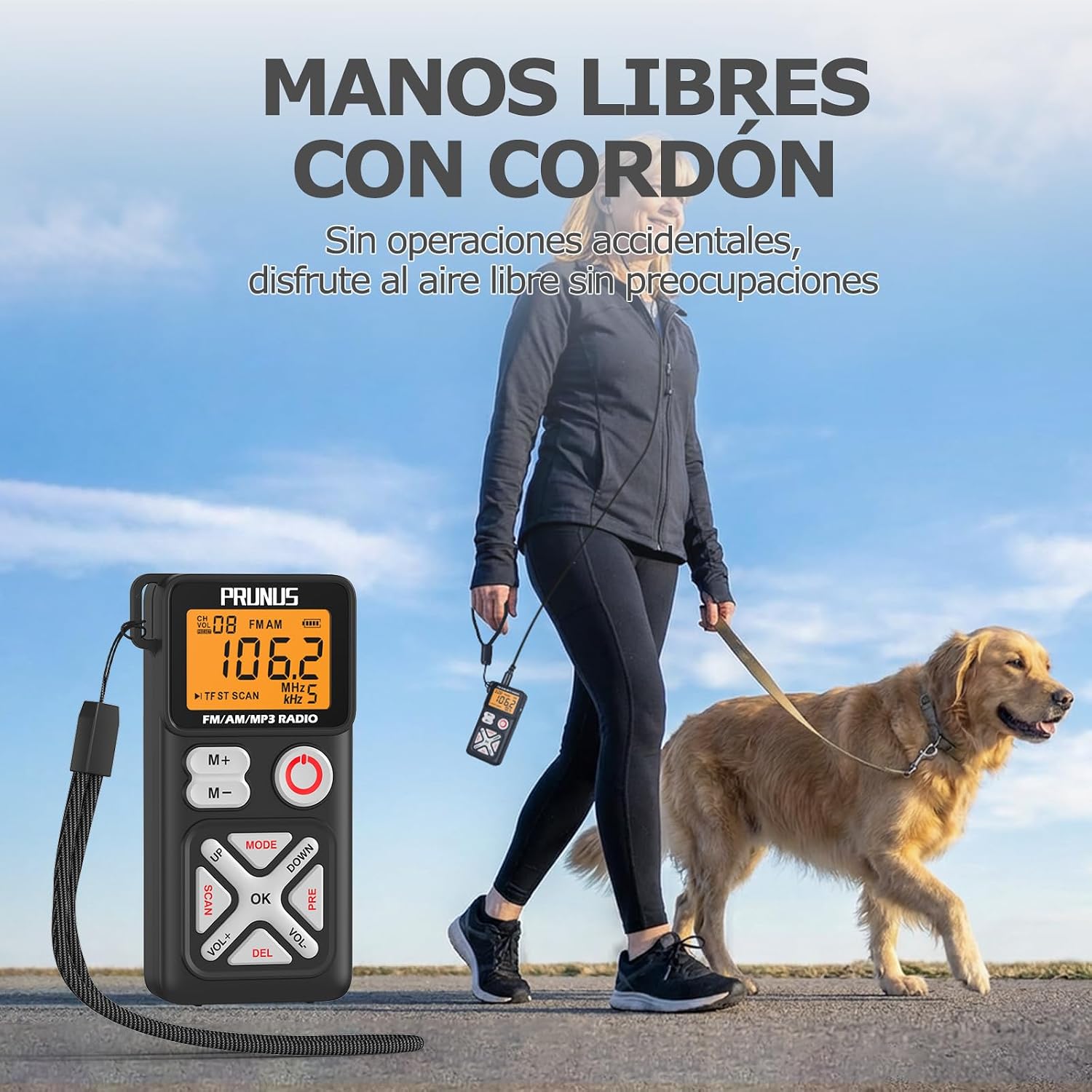
Image: A person is shown walking a dog outdoors, with the PRUNUS J-988 radio clipped to their waist via its rear clip and connected to headphones. This illustrates the hands-free portability and convenience of the device for outdoor activities.
5. Maintenance
- Cleaning: Use a soft, dry cloth to clean the radio. Do not use liquid cleaners or abrasive materials.
- Storage: Store the radio in a cool, dry place away from direct sunlight and extreme temperatures.
- Battery Care: To prolong battery life, avoid fully discharging the battery frequently. Charge the radio regularly, even if not in use for extended periods.
- Water Resistance: This device is not waterproof. Avoid exposure to rain, splashes, or high humidity.
6. Troubleshooting
| Problem | Possible Cause | Solution |
|---|---|---|
| Radio does not turn on. | Battery is depleted. | Charge the radio using the USB-C cable. |
| Poor radio reception. | Headphone cable not fully extended or coiled. Weak signal in current location. | Ensure headphones are properly connected and the cable is uncoiled. Try moving to a different location. |
| No sound from headphones. | Volume is too low. Headphones not connected properly. Faulty headphones. | Increase volume using VOL+ button. Re-insert headphones firmly. Try different headphones. |
| TF card music not playing. | Incorrect file format. TF card not inserted correctly. | Ensure files are MP3 or WAV format. Re-insert TF card. |
7. Specifications
- Model: J-988
- Dimensions: 8.5 x 4.0 x 2.4 cm (3.35 x 1.57 x 0.94 inches)
- Weight: 56.5 g (1.99 oz)
- Material: Acrylonitrile Butadiene Styrene (ABS)
- Color: Black
- Radio Bands: FM (87-108 MHz), AM (522-1710 kHz)
- Tuner Technology: DSP Digital Tuner
- Display Type: LCD
- Power Source: USB-C Charging
- Battery: 1 x 600 mAh Lithium-Ion (built-in)
- Playback Time: Up to 18 hours (at maximum volume, actual usage may vary)
- TF Card Support: MP3, WAV formats only (APE, FLAC not supported)
- Connectivity: 3.5mm Auxiliary (for headphones)
8. Warranty and Support
8.1 Warranty Information
Please refer to your purchase documentation or the retailer's website for specific warranty terms and conditions applicable to your PRUNUS J-988 radio.
8.2 Customer Support
For technical assistance, troubleshooting, or any questions regarding your PRUNUS J-988 radio, please contact the retailer where you purchased the product or visit the official PRUNUS website for support resources.


