Introduction
Thank you for choosing the Nakamichi OW1500ANC Bluetooth 5.4 ANC Noise Cancelling Headphones. This manual provides detailed instructions for setting up, operating, and maintaining your headphones to ensure optimal performance and longevity. Please read this manual thoroughly before use.
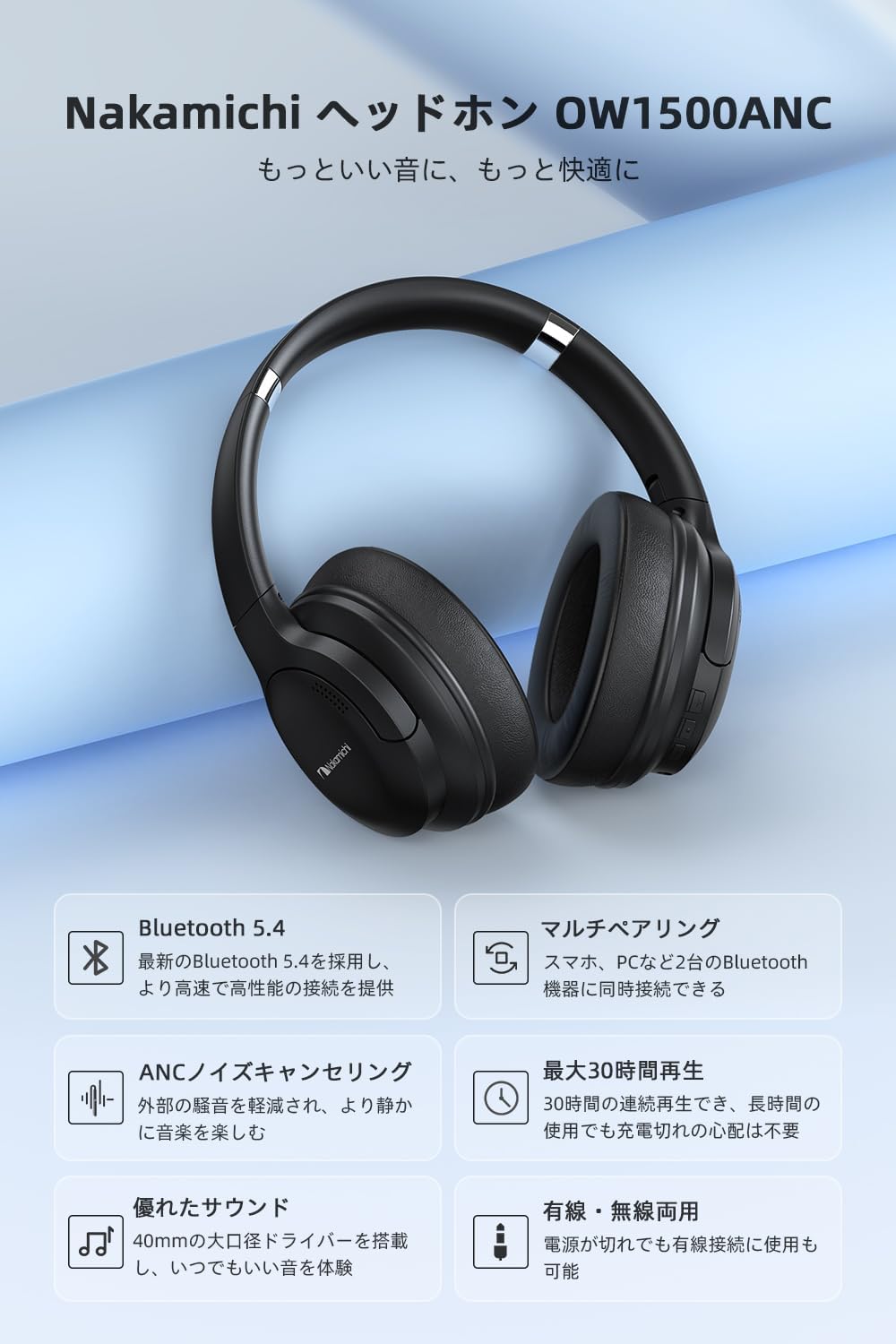
Image: The Nakamichi OW1500ANC headphones, showcasing their sleek black design and over-ear form factor.
Package Contents
Verify that all items are present in the package:
- Nakamichi OW1500ANC Headphones
- USB-C Charging Cable
- 3.5mm Audio Cable
- User Manual (this document)
Product Overview
Familiarize yourself with the various parts of your Nakamichi OW1500ANC headphones.

Image: A diagram highlighting key features of the Nakamichi OW1500ANC headphones, including Bluetooth 5.4, ANC, multi-pairing, 30-hour playback, wired/wireless use, and 40mm drivers.
Controls and Ports
- Power Button: Used to power on/off the headphones and initiate Bluetooth pairing.
- Volume Up/Next Track Button: Press to increase volume, hold to skip to the next track.
- Volume Down/Previous Track Button: Press to decrease volume, hold to go to the previous track.
- Multi-function Button (MFB): Play/pause music, answer/end calls.
- ANC Button/Switch: Activates or deactivates Active Noise Cancellation.
- USB-C Port: For charging the headphones.
- 3.5mm Audio Jack: For wired connection using the included audio cable.
- Microphone: Built-in for calls.
Setup
Charging the Headphones
Before first use, fully charge the headphones. A full charge takes approximately 2.5 hours.
- Connect the USB-C charging cable to the USB-C port on the headphones.
- Connect the other end of the cable to a USB power adapter (not included) or a computer's USB port.
- The LED indicator will show charging status (e.g., red for charging, blue for fully charged).

Image: The Nakamichi OW1500ANC headphones with visual indicators for battery life, showing approximately 24 hours with ANC on, 30 hours with ANC off, and 2.5 hours charging time.
Operating Instructions
Power On/Off
- Power On: Press and hold the Power button for approximately 3 seconds until the LED indicator lights up.
- Power Off: Press and hold the Power button for approximately 3 seconds until the LED indicator turns off.
Bluetooth Pairing
The headphones utilize Bluetooth 5.4 for stable and fast connections.
- Ensure the headphones are powered off.
- Press and hold the Power button for approximately 5-7 seconds until the LED indicator flashes red and blue alternately, indicating pairing mode.
- On your device (smartphone, tablet, laptop), enable Bluetooth and search for available devices.
- Select "Nakamichi OW1500ANC" from the list of devices.
- Once connected, the LED indicator will flash blue slowly.

Image: An illustration demonstrating the advanced Bluetooth 5.4 chip within the Nakamichi OW1500ANC headphones, emphasizing improved connection speed and stability.
Multi-point Connection
The headphones support connecting to two Bluetooth devices simultaneously.
- Pair the headphones with the first device (e.g., smartphone) as described above.
- Disable Bluetooth on the first device.
- Put the headphones back into pairing mode and pair them with the second device (e.g., laptop).
- Enable Bluetooth on the first device again. The headphones should automatically connect to both devices.
- To switch between devices, pause audio on the currently playing device and start playback on the other.
Note: Multi-point connection is only available in wireless mode. Simultaneous wired and wireless connection is not supported.

Image: The Nakamichi OW1500ANC headphones connected to both a laptop and a smartphone, illustrating the multi-point connection feature.
Active Noise Cancellation (ANC)
The ANC feature reduces ambient noise by up to -22dB, providing a quieter listening experience.
- Activate ANC: Press the dedicated ANC button/switch. The LED indicator will light up (e.g., green) to confirm ANC is active.
- Deactivate ANC: Press the ANC button/switch again. The LED indicator will turn off.

Image: A person wearing the Nakamichi OW1500ANC headphones, demonstrating the effective noise reduction provided by the ANC feature in a busy environment.
Wired Connection
Use the 3.5mm audio cable for a wired connection, especially when the battery is depleted or for devices without Bluetooth.
- Plug one end of the 3.5mm audio cable into the headphone's 3.5mm audio jack.
- Plug the other end into the audio output jack of your device.
- The headphones will automatically switch to wired mode.

Image: A split image showing the Nakamichi OW1500ANC headphones connected wirelessly via Bluetooth to a laptop (top) and wired via a 3.5mm audio cable to a laptop (bottom), highlighting dual connectivity options.
Music Playback and Calls
| Function | Action |
|---|---|
| Play/Pause | Press the MFB once. |
| Volume Up | Press the Volume Up button once. |
| Volume Down | Press the Volume Down button once. |
| Next Track | Hold the Volume Up button for 2 seconds. |
| Previous Track | Hold the Volume Down button for 2 seconds. |
| Answer/End Call | Press the MFB once. |
| Reject Call | Hold the MFB for 2 seconds. |
Comfort and Portability
The Nakamichi OW1500ANC headphones are designed for extended comfortable use and easy transport.
- Soft Ear Cushions: Made with low-rebound material for a soft feel and reduced pressure on the ears during long listening sessions.
- Adjustable Headband: The headband features sliders on both sides, allowing you to adjust the length to fit various head sizes and shapes.
- Foldable Design: The headphones can be folded compactly for easy storage and portability, making them convenient for travel or commuting.

Image: A composite image detailing the comfortable earcups, adjustable headband, and foldable design of the Nakamichi OW1500ANC headphones.
Maintenance
Proper maintenance ensures the longevity and performance of your headphones.
- Cleaning: Use a soft, dry cloth to clean the headphones. Do not use abrasive cleaners or solvents.
- Storage: When not in use, store the headphones in a cool, dry place, away from direct sunlight and extreme temperatures. Utilize the foldable design for compact storage.
- Avoid Moisture: Do not expose the headphones to water or excessive moisture.
- Cable Care: Handle the charging and audio cables gently. Avoid sharp bends or excessive pulling.
Troubleshooting
If you encounter issues with your headphones, refer to the following common solutions:
| Problem | Solution |
|---|---|
| Headphones do not power on. | Ensure the headphones are fully charged. Connect to a power source and try again. |
| Cannot pair with a device. |
|
| No sound or low volume. |
|
| ANC is not effective. | Ensure the ANC feature is activated (LED indicator on). ANC is most effective against low-frequency, constant noise. |
| Sound cuts out or is unstable. |
|
Specifications
| Feature | Detail |
|---|---|
| Model Number | OW1500ANC |
| Connectivity Technology | Wireless (Bluetooth 5.4), Wired (3.5mm Jack) |
| Headphone Type | Over-Ear |
| Noise Control | Active Noise Cancellation (ANC) |
| Frequency Response | 20 Hz - 20 KHz |
| Sensitivity | 116 dB |
| Impedance | 32 Ohms |
| Battery Life (ANC Off) | Up to 30 hours |
| Battery Life (ANC On) | Up to 24 hours |
| Charging Time | Approximately 2.5 hours |
| Item Weight | 0.22 kg (220 g) |
| Product Dimensions | 18.3 x 16.5 x 8.2 cm |
| Included Components | USB-C Cable, User Manual |
| Compatible Devices | Gaming Consoles, Tablets, Desktop PCs, Laptops, Mobile Phones |
Warranty and Support
Nakamichi provides a manufacturer's warranty for this product.
- Warranty Period: 1 year from the date of purchase.
- Contact Support: If you encounter any issues with your Nakamichi OW1500ANC headphones, please contact Nakamichi customer support. Refer to the contact information provided on the product packaging or the official Nakamichi website.
Please retain your proof of purchase for warranty claims.


