
Introduction
Welcome to the user manual for your new Apple iPad Pro 13-inch (M5). This document provides essential information to help you set up, operate, and maintain your device. The iPad Pro combines powerful performance with a stunning display and advanced features to enhance your productivity and creativity.
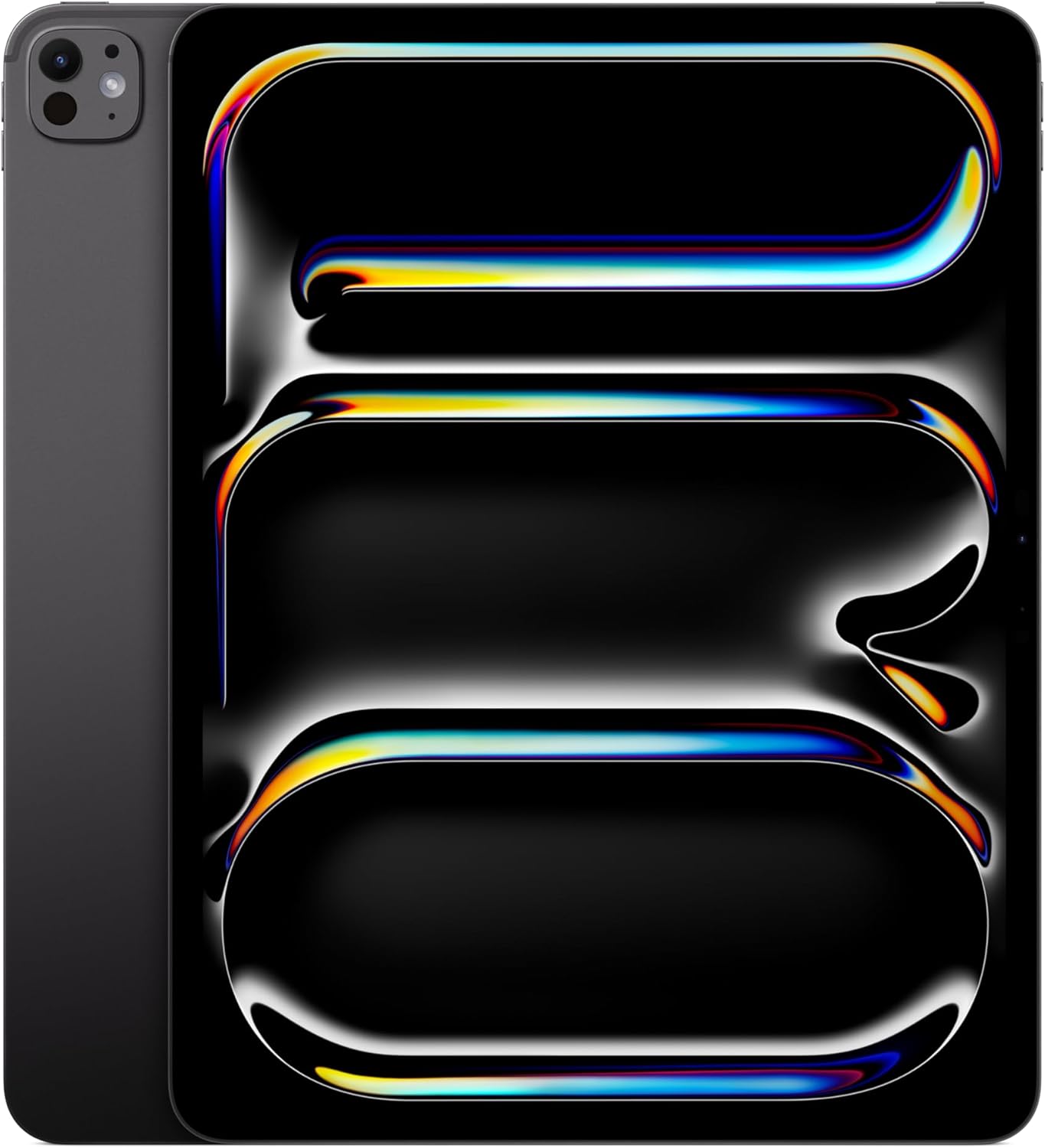
Image: The Apple iPad Pro 13-inch (M5) in Space Black, showcasing its sleek design and large display.
What's in the Box
Upon opening your iPad Pro package, you should find the following items:
- iPad Pro
- USB-C Charge Cable
- 20W USB-C Power Adapter

Image: A visual representation of the items included in the iPad Pro packaging: the iPad Pro device, a USB-C charging cable, and a 20W USB-C power adapter.
Setup
1. Initial Power On
Press and hold the top button until the Apple logo appears. Follow the on-screen instructions to select your language, region, and connect to a Wi-Fi network.
2. Wi-Fi Connection
During setup, select your preferred Wi-Fi network from the list and enter the password if prompted. For Wi-Fi + Cellular models, you can also set up cellular data later.
3. Face ID Setup
Follow the prompts to set up Face ID for secure authentication. This allows you to unlock your iPad, authorize purchases, and sign into apps using facial recognition.
4. Data Transfer (Optional)
If you are upgrading from another device, you can transfer your data, apps, and settings during the setup process using iCloud backup, iTunes/Finder backup, or Quick Start.
Operating Your iPad Pro
Display
The iPad Pro features a 13-inch Ultra Retina XDR display with Tandem OLED technology, offering extreme brightness and precise contrast. It has a 2752-by-2064-pixel resolution at 264 ppi and supports ProMotion technology with adaptive refresh rates from 10Hz to 120Hz. The display also includes Wide color (P3), True Tone, and an antireflective coating. Nano-texture display glass is available on 1TB and 2TB models.
Performance (M5 Chip)
Powered by the Apple M5 chip, the iPad Pro delivers exceptional performance. Models with 256GB or 512GB storage feature a 9-core CPU and 10-core GPU, while 1TB or 2TB models come with a 10-core CPU and 10-core GPU. All configurations include Neural Accelerators for advanced AI tasks, hardware-accelerated ray tracing, and a 16-core Neural Engine.

Image: The iPad Pro screen displaying multiple applications simultaneously, demonstrating its multitasking capabilities and the M5 chip's role in handling complex AI-driven workflows.
Cameras
The iPad Pro is equipped with advanced cameras for photography and video conferencing:
- Rear Camera: A 12MP Wide camera with an ƒ/1.8 aperture, digital zoom up to 5x, adaptive True Tone flash, and Smart HDR 4. It supports 4K video recording at various frame rates.
- TrueDepth Front Camera: A landscape 12MP Center Stage camera with an ƒ/2.0 aperture. It supports Portrait mode, Portrait Lighting, Animoji, Memoji, and 1080p HD video recording. Center Stage automatically keeps you in the frame during video calls.
Audio
The iPad Pro features a four-speaker audio system for rich sound and a studio-quality four-mic array for clear calls, video recording, and audio recording.
Connectivity
Your iPad Pro supports Wi-Fi 7 (802.11be) with 2x2 MIMO for fast wireless connections. Wi-Fi + Cellular models include an Apple C1X cellular modem for 5G (sub-6 GHz) and Gigabit LTE connectivity. Bluetooth 6 and Thread networking technology are also integrated.
Security (Face ID)
Face ID, enabled by the TrueDepth camera, allows for secure facial recognition to unlock your iPad, authenticate purchases, and protect personal data within apps.
Apple Intelligence & Siri
Apple Intelligence is integrated into your iPad, providing a personal intelligence system that assists with writing, expression, and task completion with advanced privacy protections. Siri is also enhanced, offering a more natural and helpful experience, activated hands-free with "Siri" or "Hey Siri."
Accessories
The iPad Pro is compatible with Apple Pencil Pro and Apple Pencil (USB-C) for precise drawing, note-taking, and creative tasks. The Magic Keyboard provides a comfortable typing experience and a trackpad with haptic feedback, transforming your iPad into a versatile workstation.

Image: A user interacting with the iPad Pro using an Apple Pencil Pro, demonstrating its utility for creative applications like digital drawing or design.
Maintenance
Cleaning Your iPad Pro
To clean your iPad Pro, use a soft, lint-free cloth. Avoid abrasive materials, aerosols, solvents, or ammonia-based cleaners. For the screen, a slightly damp cloth is acceptable. Always power off your iPad before cleaning.
Software Updates
Regularly update your iPadOS to ensure optimal performance, security, and access to the latest features. Go to Settings > General > Software Update to check for and install available updates.
Battery Care
To maximize battery lifespan, avoid exposing your iPad to extreme temperatures. For long-term storage, charge the battery to about 50% and power off the device.
Troubleshooting
Common Issues and Solutions
- iPad is unresponsive: Press and quickly release the Volume Up button. Press and quickly release the Volume Down button. Then, press and hold the Top button until the Apple logo appears.
- Wi-Fi connection issues: Ensure Wi-Fi is enabled in Settings. Try restarting your Wi-Fi router and your iPad.
- Apps not responding: Swipe up from the bottom of the screen and pause in the middle to view open apps. Swipe the problematic app up and off the screen to close it, then reopen.
- Battery draining quickly: Check battery usage in Settings > Battery to identify apps consuming significant power. Adjust settings or background app refresh as needed.
For more detailed troubleshooting or persistent issues, visit the official Apple Support website or contact Apple customer service.
Specifications
| Feature | Detail |
|---|---|
| Model Number | MDYJ4LL/A |
| Product Dimensions | 8.48 x 11.09 x 0.2 inches |
| Item Weight | 1.28 pounds |
| Display | 13-inch Ultra Retina XDR (Tandem OLED), 2752-by-2064-pixel resolution at 264 ppi, ProMotion (10-120Hz) |
| Chip | Apple M5 chip (9-core CPU/10-core GPU for 256GB/512GB, 10-core CPU/10-core GPU for 1TB/2TB), Neural Accelerators |
| Memory Storage Capacity | 256 GB (as per current product configuration) |
| Rear Camera | 12MP Wide, ƒ/1.8 aperture, 4K video recording |
| Front Camera | Landscape 12MP TrueDepth with Center Stage, ƒ/2.0 aperture, 1080p HD video recording |
| Audio | Four speaker audio, Studio-quality four-mic array |
| Wireless Connectivity | Wi-Fi 7 (802.11be), Bluetooth 6, Thread networking technology |
| Cellular Connectivity | 5G (sub-6 GHz), Gigabit LTE (Wi-Fi + Cellular models only) |
| Security | Face ID |
| Ports | Thunderbolt / USB 4 port (Charging, DisplayPort, Thunderbolt 3, USB 4, USB 3) |
| Battery | Built-in 31.29-watt-hour rechargeable lithium-polymer battery (Up to 10 hours web surfing on Wi-Fi) |
| Operating System | iPadOS |
Warranty and Support
Your Apple iPad Pro 13-inch (M5) is covered by Apple's standard limited warranty. For detailed information regarding warranty terms, coverage, and service options, please refer to the warranty documentation included with your purchase or visit the official Apple Support website. You can also find extensive resources, FAQs, and contact information for technical assistance there.


