
Introduction
This manual provides essential information for setting up, operating, and maintaining your Apple iPhone 17 Pro Max. This device features a 6.9-inch OLED display, is powered by iOS 26, and includes advanced camera capabilities. It is designed for seamless performance and connectivity across various networks.

Image: Apple iPhone 17 Pro Max, showcasing its sleek design and vibrant display.
What's in the Box
Upon unboxing your Apple iPhone 17 Pro Max, you should find the following items:
- Apple iPhone 17 Pro Max (256GB, Cosmic Orange, Unlocked)
- USB Cable (generic, MFi certified)
Note: Headphones and a SIM card are not included with this device.
Initial Setup
- Insert SIM Card: This phone is unlocked and compatible with any carrier of choice on GSM and CDMA networks (e.g., AT&T, T-Mobile, Sprint, Verizon, US Cellular, Cricket, Metro, Tracfone, Mint Mobile, etc.). When you receive the phone, insert a SIM card from a compatible carrier. Please check with your carrier to verify compatibility.
- Power On: Press and hold the Side button until the Apple logo appears.
- Connect to Wi-Fi: Follow the on-screen prompts to connect to a Wi-Fi network.
- Activate Service: Complete the on-screen setup process to activate your device's service.
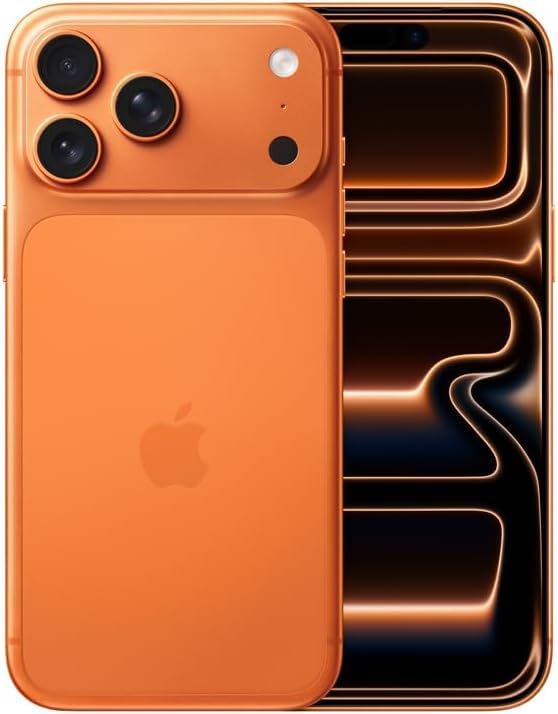
Image: Front and back view of the Apple iPhone 17 Pro Max, highlighting its camera system and overall form factor.
Operating Your Device
Display and Navigation
The iPhone 17 Pro Max features a 6.9-inch Super Retina XDR display with ProMotion technology, offering adaptive refresh rates for smooth scrolling and responsiveness. Navigate your device using intuitive touch gestures.
Camera System
Your iPhone is equipped with an advanced camera system designed to capture high-quality photos and videos. The rear camera module includes multiple lenses for various photographic needs, such as wide-angle, ultra-wide, and telephoto shots. The front camera supports high-resolution selfies and video calls.
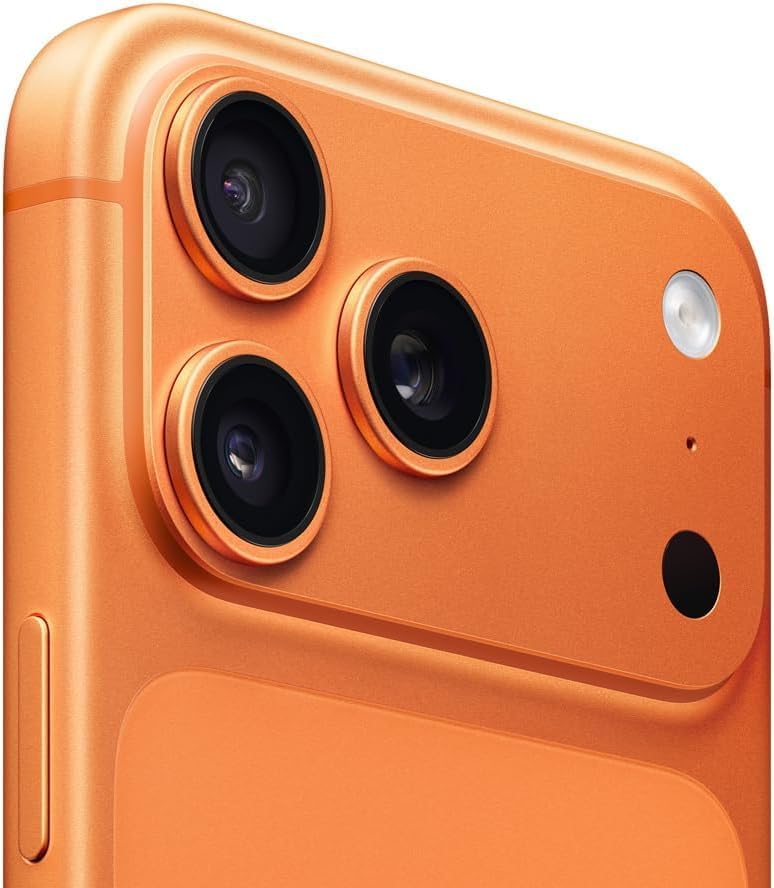
Image: Detailed view of the iPhone 17 Pro Max's triple-lens camera system and flash.
Buttons and Controls
- Side Button: Used for power on/off, Siri activation, and Apple Pay.
- Volume Buttons: Adjust media and call volume.
- Action Button: A customizable button for quick access to features like Camera, Silent Mode, Voice Memo, Accessibility, or Torch.

Image: Side view of the iPhone 17 Pro Max, illustrating the placement of the volume and action buttons.
Maintenance and Care
Battery Health
Your device has been tested for battery health and is guaranteed to have a minimum battery capacity of 80% of its original capacity. To maximize battery lifespan, avoid extreme temperatures and keep your software updated.
General Care
Clean your iPhone regularly with a soft, lint-free cloth. Avoid using abrasive materials or harsh chemicals. The device is designed with durability in mind, but proper care will help maintain its appearance and functionality.
Troubleshooting
Carrier Compatibility
If you experience issues with network connectivity, ensure your SIM card is correctly inserted and that your carrier is compatible with an unlocked device. Contact your carrier's customer support for assistance with network settings or service activation.
Software Issues
For minor software glitches, try restarting your iPhone. If problems persist, ensure your iOS is updated to the latest version. You can check for updates in Settings > General > Software Update.
Specifications
| Feature | Detail |
|---|---|
| Brand | Apple |
| Model Name | iPhone 17 Pro Max |
| Item Model Number | A3257 |
| Operating System | iOS 26 |
| Screen Size | 6.9 Inches |
| Memory Storage Capacity | 256 GB |
| RAM Memory Installed Size | 256 GB |
| Wireless Carrier | Unlocked |
| Cellular Technology | 5G |
| Connectivity Technology | Bluetooth, USB, Wi-Fi |
| Battery Power Rating | 4000 Milliamp Hours |
| Item Weight | 8.2 ounces |
| Color | Cosmic Orange |
Warranty and Support
This renewed Apple iPhone 17 Pro Max is backed by the Amazon Renewed Guarantee. This includes a 90-day replacement or refund window, providing peace of mind for your purchase. For any issues or support, please refer to the Amazon Renewed program details or contact Amazon customer service.


