1. Introduction
Thank you for choosing the Redkey R11 Robot Vacuum and Mop. This manual provides essential information for the safe and efficient operation, maintenance, and troubleshooting of your device. Please read it thoroughly before first use and keep it for future reference.
The Redkey R11 is an advanced cleaning robot designed to simplify your home cleaning routine. It features powerful 20,000 Pa suction, 3-in-1 sweeping, vacuuming, and mopping capabilities, precise LiDAR navigation, and a convenient auto-empty station. Its intelligent design ensures thorough cleaning while maintaining quiet operation.
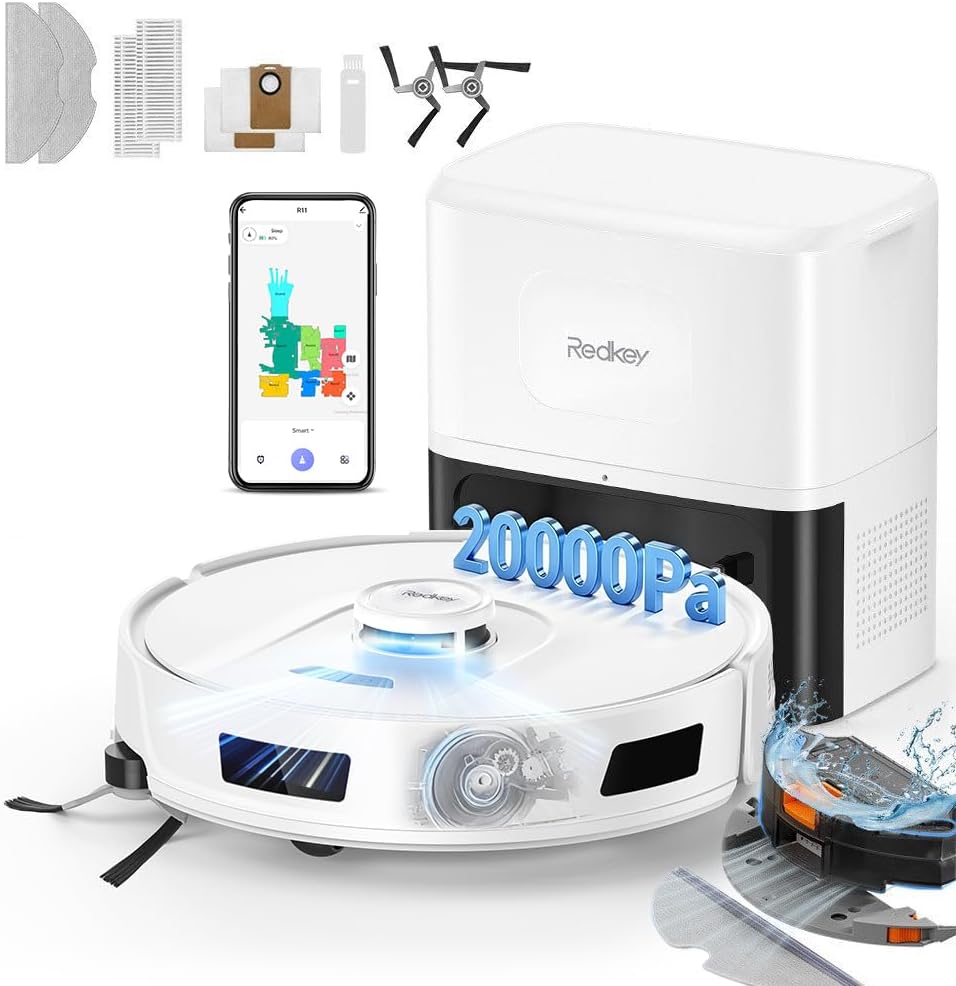
Image 1.1: Redkey R11 Robot Vacuum and Mop with its auto-empty station and included accessories, showcasing its comprehensive cleaning system.
2. Package Contents
Before setting up your Redkey R11, please verify that all components are present in the package:
- Main Unit (Robot Vacuum)
- Auto-Empty Station
- 2-in-1 Dustbin and Water Tank
- 2 Mopping Cloths
- 2 High-Efficiency Filters
- 2 Anti-Tangle Side Brushes
- 2 Dust Bags for Auto-Empty Station
- 2 Cleaning Brushes
- User Manual

Image 2.1: Visual representation of all items included in the Redkey R11 product package.
3. Setup Guide
3.1 Charging Station Placement
Place the auto-empty station against a wall in an open area, ensuring there are no obstacles within 1 meter (3 feet) to the front and 0.5 meters (1.5 feet) to the sides. Connect the power adapter to the station and plug it into a power outlet. Ensure the station is on a hard, flat surface.
3.2 Initial Charging
Place the Redkey R11 robot onto the charging station. Ensure the charging contacts on the robot align with those on the station. The robot will begin charging automatically. For first-time use, fully charge the robot before operation, which may take several hours.
3.3 App Connection and Wi-Fi Setup
- Download the "Redkey Smart" app from your smartphone's app store (iOS or Android).
- Open the app and create an account.
- Follow the in-app instructions to add your Redkey R11 device. Ensure your smartphone is connected to a 2.4 GHz Wi-Fi network, as the robot only supports this frequency.
- The app will guide you through connecting the robot to your home Wi-Fi network.
4. Operating Instructions
4.1 Cleaning Modes (3-in-1 Functionality)
The Redkey R11 offers versatile cleaning options:
- Vacuum Only: Ideal for carpets and general dry debris. Remove the mopping module for optimal vacuuming performance on carpets.
- Mop Only: For hard floors that require wet cleaning. Ensure the water tank is filled and the mopping cloth is attached.
- Vacuum and Mop: Simultaneous cleaning for hard floors, combining dust removal with wet mopping.

Image 4.1: The Redkey R11 can operate in vacuum-only, mop-only, or combined vacuum and mop modes, adapting to different cleaning needs.
4.2 Suction Power and Water Flow Adjustment
You can customize the cleaning intensity via the app:
- Suction Levels: Choose from 4 levels of suction power (up to 20,000 Pa) to suit different floor types and debris. The robot automatically increases suction on carpets.
- Water Flow: Select from 3 levels of water flow for mopping, allowing you to control the dampness of the mop pad based on floor type and cleaning requirements.
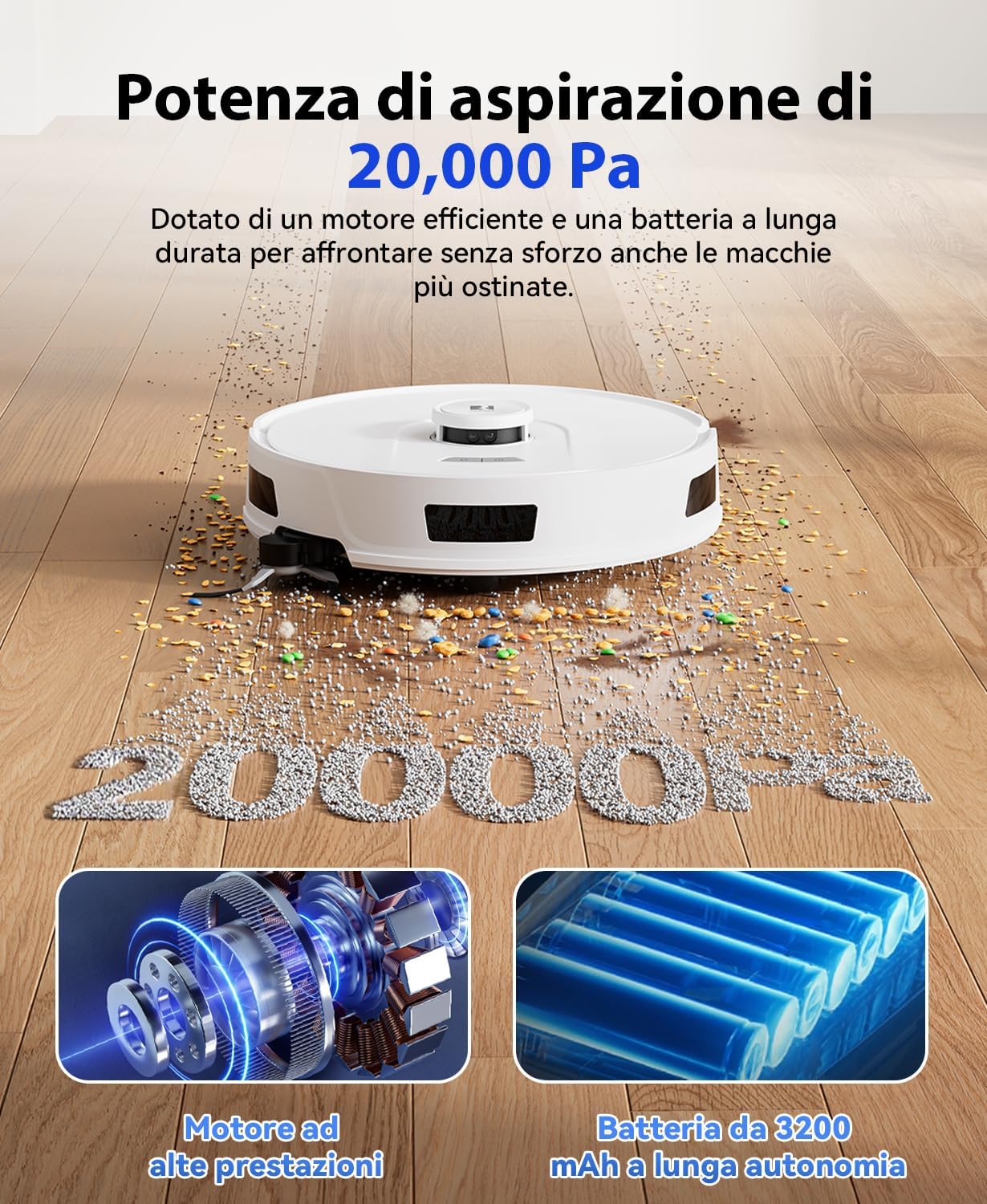
Image 4.2: The Redkey R11 features a powerful 20,000 Pa suction, driven by a high-performance motor and a 3200 mAh long-lasting battery.
4.3 LiDAR Navigation and Mapping
The Redkey R11 utilizes 360° LiDAR navigation to create precise maps of your home. This intelligent system ensures efficient cleaning paths, avoiding missed spots or repeated areas. The app provides real-time map updates and supports multi-level mapping for homes with multiple floors.

Image 4.3: The robot uses 360° LiDAR navigation for fast and accurate mapping, providing real-time updates and supporting multi-level floor plans.
4.4 App Control and Customization
The Redkey Smart app provides comprehensive control over your robot:
- Scheduling: Set specific cleaning times for different days.
- Room Selection: Choose specific rooms or areas to clean.
- Virtual Walls & No-Go Zones: Define areas the robot should avoid (e.g., pet bowls, delicate furniture) or restrict access to certain rooms.
- Carpet No-Mop Zones: Designate carpeted areas where mopping should be avoided.
- Cleaning Modes: Adjust suction power and water flow for individual rooms or surfaces.

Image 4.4: The app allows for easy customization of cleaning tasks, including scheduling and adjusting settings per room.

Image 4.5: Users can set virtual barriers and no-go zones via the app for intelligent and secure cleaning management.
4.5 Voice Control
The Redkey R11 is compatible with Amazon Alexa and Google Home. Once connected, you can start, stop, or pause cleaning using simple voice commands.

Image 4.6: Control your Redkey R11 conveniently using voice commands through Amazon Alexa or Google Home.
4.6 Obstacle Avoidance and Edge Cleaning
Equipped with anti-drop, anti-collision, and anti-entanglement sensors, the Redkey R11 ensures safe operation. It can overcome obstacles up to 20mm (15mm with the mop support attached). The extended mechanical side brush ensures thorough cleaning along edges and in corners, covering up to 99% of these areas.

Image 4.7: The professional extended side brush effectively cleans edges and corners, ensuring comprehensive coverage.
5. Maintenance
5.1 Auto-Empty Station
The 4L dust bag in the auto-empty station can hold dirt for up to 90 days, significantly reducing the frequency of manual emptying. Replace the dust bag when the app indicates it is full or when you notice reduced suction performance.

Image 5.1: The auto-empty station with a 4L dust bag allows for up to 90 days of hands-free dust disposal.
5.2 Dustbin and Water Tank
Regularly empty and clean the 2-in-1 dustbin and water tank. Rinse the water tank and allow it to air dry completely before reinserting. For optimal mopping, ensure the mopping cloth is clean.
5.3 Brushes and Filters
- Main Brush: Remove hair and debris tangled around the main brush regularly using the provided cleaning tool.
- Side Brushes: Check side brushes for wear and tear. Replace them if they are damaged or bent to ensure effective edge cleaning. The anti-tangle design helps minimize hair wrapping.
- Filters: Tap the high-efficiency filter to remove dust. Rinse it with water if necessary, but ensure it is completely dry before reinstallation to prevent damage to the vacuum motor.
6. Troubleshooting
If you encounter issues with your Redkey R11, refer to the following common problems and solutions:
| Problem | Possible Cause | Solution |
|---|---|---|
| Robot does not start or respond. | Low battery; Power switch off; Robot stuck. | Charge the robot; Ensure power switch is ON; Clear any obstructions. |
| Robot gets stuck frequently. | Obstacles (cables, small objects); High thresholds; Sensors dirty. | Clear the cleaning area; Use virtual walls in the app; Clean sensors. |
| Poor suction performance. | Dustbin full; Filter clogged; Main brush tangled. | Empty dustbin; Clean/replace filter; Clean main brush. |
| Mopping is ineffective or leaves streaks. | Water tank empty; Mopping cloth dirty; Incorrect water flow setting. | Fill water tank; Clean/replace mopping cloth; Adjust water flow in app. |
| App connection issues. | Incorrect Wi-Fi (not 2.4 GHz); Weak signal; Robot offline. | Ensure 2.4 GHz Wi-Fi; Move robot closer to router; Restart robot and app. |
| Auto-empty station not working. | Dust bag full; Suction port blocked; Station not powered. | Replace dust bag; Clear blockages; Check power connection. |
If the problem persists, please contact Redkey customer support.
7. Specifications
| Feature | Detail |
|---|---|
| Brand | Redkey |
| Model | R11 |
| Color | White |
| Product Dimensions | 32 x 32 x 10 cm |
| Item Weight | 7.35 kg |
| Dust Bag Capacity (Auto-Empty Station) | 4 Liters |
| Suction Power | Up to 20,000 Pa |
| Battery Capacity | 3200 mAh |
| Noise Level | 55 dB |
| Navigation Type | LiDAR |
| Obstacle Climbing Ability | Up to 20 mm (15 mm with mop support) |
| Special Features | Anti-collision, Simultaneous vacuuming and mopping, Low noise, Virtual boundaries, Easy-to-empty dirt container, Removable container |
| Connectivity | Wi-Fi 2.4 GHz, Amazon Alexa, Google Home |
8. Warranty and Support
Redkey provides the following support for your R11 Robot Vacuum and Mop:
- Warranty: 2-year free warranty.
- Online Service: 24-hour online support services.
- Satisfaction: 100% satisfaction guarantee.
For technical assistance, warranty claims, or any other inquiries, please contact Redkey customer support through the official website or the Redkey Smart app.

Image 8.1: Redkey's commitment to quality after-sales service, including warranty and support.


