
1. Introduction
This manual provides detailed instructions for the setup, operation, and maintenance of your EIGIIS KE3P Military GPS Smartwatch. Please read this manual thoroughly before using your device to ensure proper functionality and to maximize your user experience. Keep this manual for future reference.
2. Product Description
The EIGIIS KE3P is a rugged smartwatch designed for active lifestyles, featuring a 1.45-inch HD display and a durable construction. Key features include:
- Built-in GPS: For accurate route tracking without a phone.
- LED Flashlight & Compass: Essential tools for outdoor activities.
- 530mAh Battery: Provides extended usage time.
- 3ATM Waterproof Rating: Suitable for swimming and various water sports.
- Military-Grade Toughness: Designed to withstand harsh environments.
- Bluetooth Calling: Make and receive calls directly from your wrist.
- Health & Fitness Monitoring: Includes 24/7 heart rate, sleep tracking, and over 110 sports modes.
- Smart Notifications: Receive alerts for messages and applications.

Image: Front view of the EIGIIS KE3P Smartwatch, showcasing its display and rugged design.
Video: A demonstration of the EIGIIS KE3P Smartwatch features and user interface.
3. Setup
3.1 What's in the Box
- 1 x EIGIIS Watch Body
- 1 x Watch Band
- 1 x Charging Cable
- 1 x Gift Box
- 1 x User Manual
Video: An unboxing of the EIGIIS KE3P Smartwatch, showing the contents of the package.
3.2 Charging the Smartwatch
Before initial use, fully charge your smartwatch. Connect the magnetic charging cable to the charging contacts on the back of the watch and plug the USB end into a power adapter (not included) or a computer's USB port. The watch display will indicate charging status.

Image: The EIGIIS KE3P Smartwatch displaying its battery level, indicating charging.
3.3 App Installation and Pairing
To unlock the full potential of your EIGIIS KE3P Smartwatch, download and install the companion app (GloryFit) on your smartphone. Search for "GloryFit" in your device's app store (Apple App Store for iOS, Google Play Store for Android).
- Download and install the GloryFit app.
- Open the app and follow the on-screen instructions to create an account or log in.
- Ensure Bluetooth is enabled on your smartphone.
- In the GloryFit app, navigate to the device pairing section and select your EIGIIS KE3P Smartwatch from the list of available devices.
- Confirm the pairing request on both your smartphone and smartwatch.
3.4 Keeping the App Running in the Background
To ensure continuous data synchronization and notification delivery, the GloryFit app needs to run in the background. Follow the instructions below for your specific phone operating system:
For iPhone Users:
Video: Instructions on how to configure the GloryFit app to run in the background on an iPhone.
For Android Users:
Video: Instructions on how to configure the GloryFit app to run in the background on an Android device.
4. Operating Instructions
4.1 Basic Navigation
The EIGIIS KE3P Smartwatch features a touch screen and physical buttons for navigation:
- Touch Screen: Swipe left/right, up/down to navigate menus and features. Tap to select.
- Upper Button (HOME): Press to return to the home screen or wake the device.
- Lower Button (BACK): Press to go back to the previous screen.
4.2 GPS Tracking
The smartwatch features built-in GPS for tracking outdoor activities. You can use GPS independently or in conjunction with your smartphone.
Using GPS without a Cellphone:
Video: Instructions on how to use the EIGIIS KE3P Smartwatch's GPS tracking feature independently, without a connected cellphone.
Using GPS with a Cellphone:
Video: Instructions on how to use the EIGIIS KE3P Smartwatch's GPS tracking feature while connected to a cellphone.

Image: The EIGIIS KE3P Smartwatch displaying a GPS-tracked route on its screen.
4.3 Flashlight and Compass
The smartwatch includes a built-in LED flashlight and a digital compass for convenience during outdoor activities. Access these features through the watch's menu.
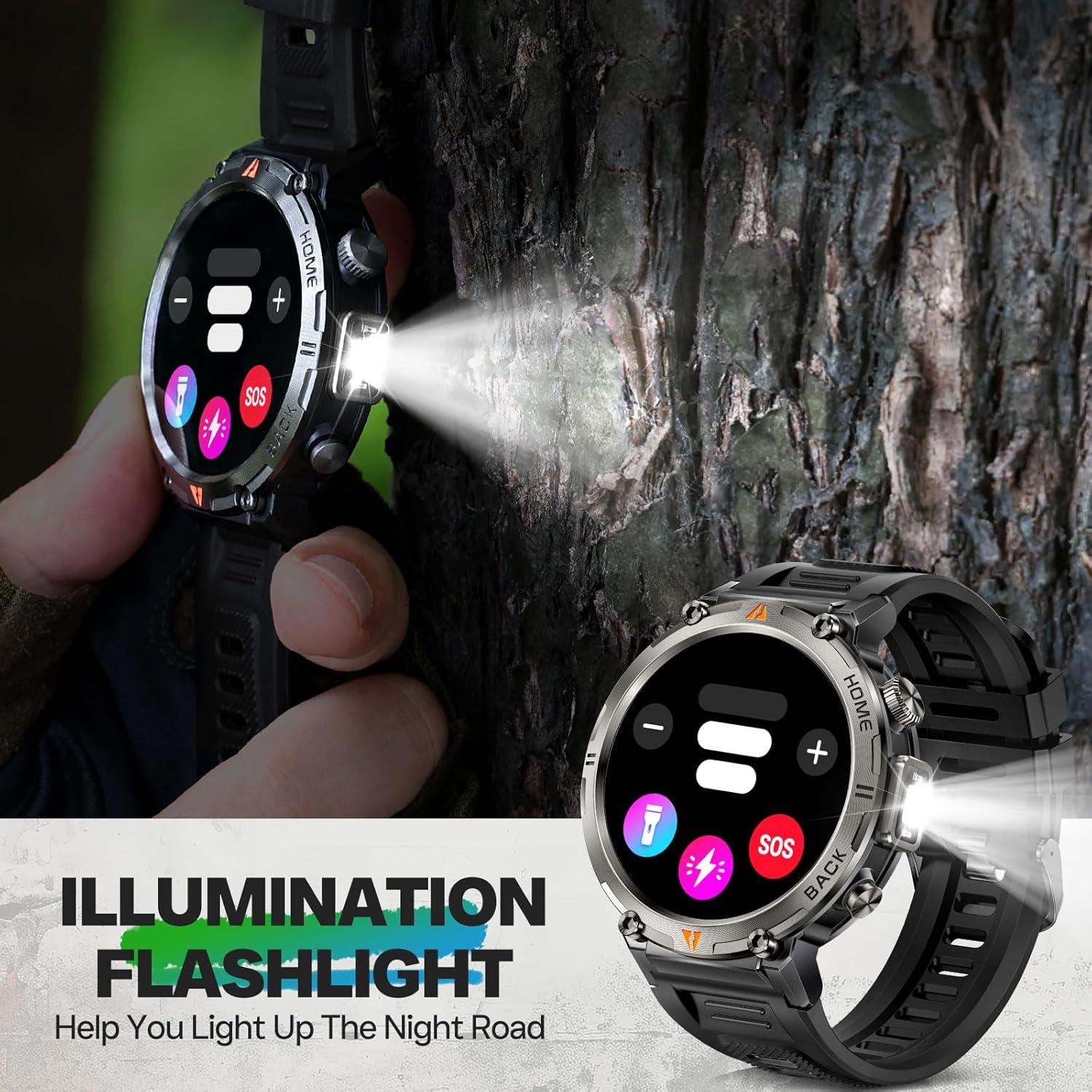
Image: The EIGIIS KE3P Smartwatch with its integrated LED flashlight activated.
4.4 Bluetooth Calling and Notifications
Once paired with your smartphone, the smartwatch allows you to make and receive calls directly from your wrist. It also displays notifications for incoming messages and app alerts.
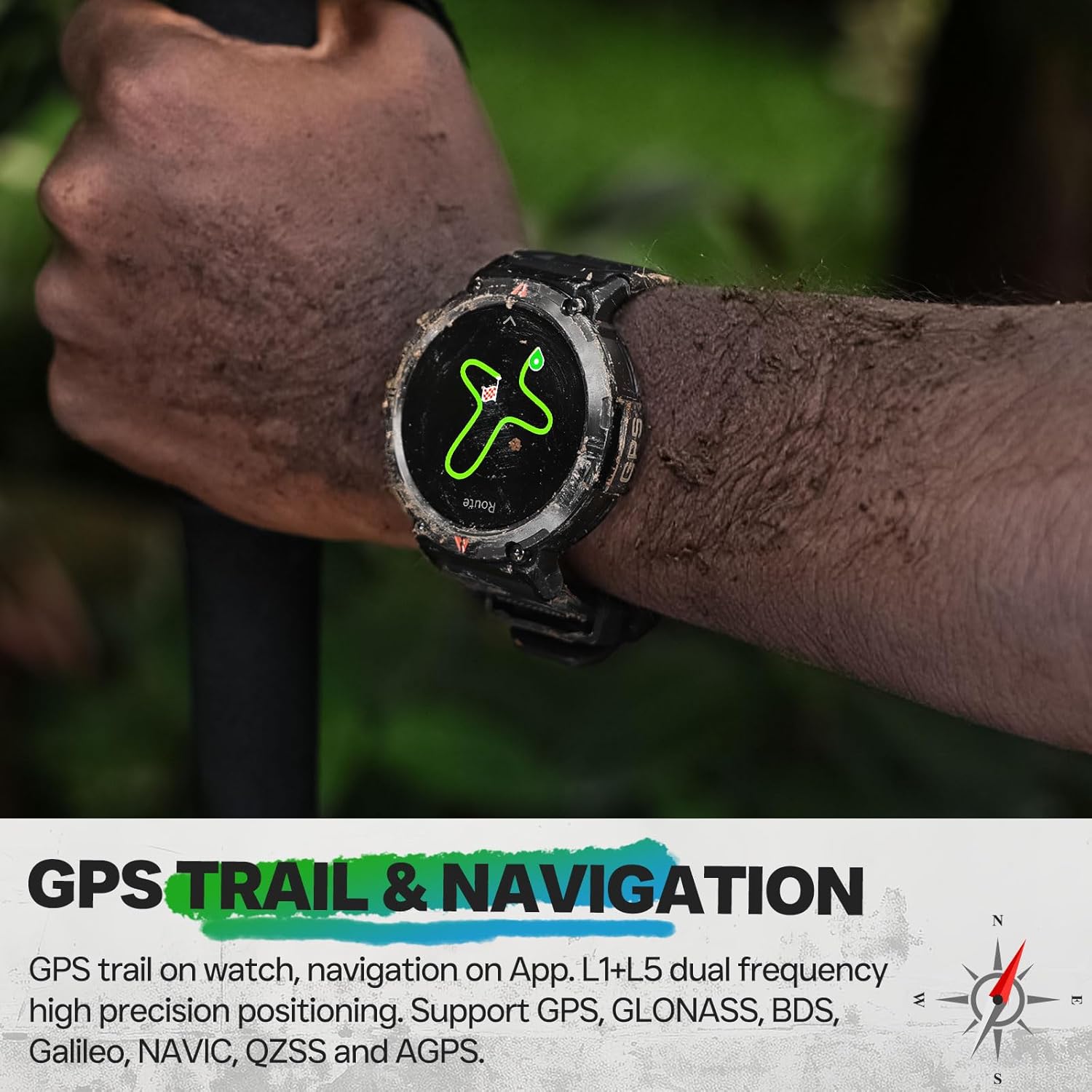
Image: The EIGIIS KE3P Smartwatch displaying an incoming call notification.
4.5 Health and Fitness Monitoring
The EIGIIS KE3P Smartwatch is equipped with sensors to monitor various health and fitness metrics:
- Heart Rate Monitoring: Continuous 24/7 heart rate tracking.
- Sleep Tracking: Monitors sleep patterns and quality.
- 110+ Sports Modes: Track specific data for a wide range of activities.

Image: The EIGIIS KE3P Smartwatch displaying heart rate, calories, and activity duration during a workout.
4.6 Daily Life Assistant Features
Beyond fitness, the smartwatch offers several features to assist with daily tasks:
- Music Playback Control
- Weather Forecast
- Remote Camera Control
- Sedentary Reminders
- Alarm Clock

Image: The EIGIIS KE3P Smartwatch displaying a grid of various application icons, representing its multi-functional capabilities.
5. Maintenance
5.1 Waterproofing Guidelines
The EIGIIS KE3P Smartwatch has a 3ATM waterproof rating, meaning it is resistant to splashes, rain, and can be worn during swimming. However, it is not suitable for hot showers, saunas, or diving, as steam and high water pressure can compromise the seals.

Image: The EIGIIS KE3P Smartwatch submerged in water, illustrating its 3ATM waterproof capability.
5.2 Cleaning
Regularly clean your smartwatch and watch band with a soft, damp cloth. Avoid using harsh chemicals or abrasive materials that could damage the device.
5.3 Battery Care
To prolong battery life, avoid extreme temperatures and fully discharging the battery frequently. The 530mAh battery provides 7-10 days of typical use.
6. Troubleshooting
If you encounter issues with your EIGIIS KE3P Smartwatch, try the following steps:
- Device Not Turning On: Ensure the watch is fully charged. Connect it to the charging cable and a power source.
- Cannot Pair with Phone: Ensure Bluetooth is enabled on your phone and the watch. Restart both devices and try pairing again through the GloryFit app.
- Inaccurate Data: Ensure the watch is worn snugly on your wrist. For GPS, ensure you are in an open area with a clear sky.
- Notifications Not Received: Check app permissions on your phone to ensure GloryFit has access to notifications. Verify that the app is running in the background.
- Screen Unresponsive: Try restarting the watch by pressing and holding the power button (if available) or performing a hard reset if the option is present in the settings.
For further assistance, please refer to the official EIGIIS support channels.
7. Specifications
| Item Model Number | KE3P |
| Package Dimensions | 6.73 x 4.37 x 1.06 inches |
| Item Weight | 5.6 ounces (160 Grams) |
| Batteries | 1 C battery required (included) |
| Standing Screen Display Size | 1.45 Inches |
| Memory Storage Capacity | 128 MB |
| Operating System | No (Proprietary OS) |
| Special Features | GPS, 3ATM Waterproof, 530 mAh Large Battery, 1.45" Big Screen, Flashlight, Compass, Military Standard, Bluetooth Calling, Built-in Speaker, 110+ Sports Modes, Heart Rate Monitor, Sleep Tracker, Long Standby Time, Weather Forecast, Music Control, Sedentary Reminder, Remote Camera Control, Alarm Clock |
| Battery Capacity | 530 Milliamp Hours |
| Connectivity Technology | Bluetooth |
| Wireless Communication Standard | Bluetooth |
| GPS | Built-in GPS |
| Shape | Round |
| Language Support | English, French, German, Italian, Spanish |
| Manufacturer | EIGIIS |
8. Warranty and Support
For warranty information and customer support, please refer to the documentation included with your product or visit the official EIGIIS website. Keep your purchase receipt as proof of purchase for any warranty claims.