
1. Introduction
Welcome to the instruction manual for your new boAt Aavante Prime X Soundbar. This 7.1.4 channel, 700W Dolby Atmos sound system is designed to provide an immersive audio experience for your home entertainment. It features truly wireless detachable satellite speakers and a wireless subwoofer for flexible placement and powerful sound. Please read this manual carefully to ensure proper setup, operation, and maintenance of your device.
2. What's in the Box
Upon unpacking, please ensure all the following items are present:
- Soundbar Unit
- Wireless Subwoofer
- Detachable Satellite Speakers (2 units)
- Power Cable(s)
- Remote Control (with 1 AAA battery included)
- User Manual
- Wall Mount Kit (if applicable)

Image: The boAt Aavante Prime X soundbar system, showing the main soundbar unit, the wireless subwoofer, and two detachable satellite speakers.
3. Product Overview
3.1 Key Components
- Main Soundbar: The central unit housing multiple speakers for front and center channels.
- Wireless Subwoofer: Provides deep bass frequencies for a powerful audio experience.
- Detachable Satellite Speakers: Two truly wireless speakers that can be placed independently for surround sound. They offer up to 12 hours of battery life with Dolby Atmos content and 7 hours with non-Dolby Atmos content when connected via HDMI.
3.2 Connectivity Options
The Aavante Prime X offers versatile connectivity for various audio sources:
- Bluetooth v5.3: For wireless audio streaming from compatible devices.
- HDMI (e-ARC): For high-quality audio transmission from your TV, supporting advanced audio formats like Dolby Atmos.
- Optical: Digital audio input for TVs and other devices.
- AUX IN: Analog audio input for devices with a 3.5mm jack.
- USB: For playing audio files directly from a USB drive.

Image: Visual representation of the soundbar's seamless connectivity options and the included master remote control.
3.3 Remote Control
The included master remote control allows you to manage all functions of the soundbar system, including power, volume, input selection, and EQ modes.
4. Setup
4.1 Placement
For optimal audio performance, place the main soundbar unit centrally below your television. The wireless subwoofer can be placed anywhere in the room, ideally near a wall for enhanced bass. The detachable satellite speakers should be positioned behind your listening area for the best surround sound effect.

Image: Illustrates the advantage of a truly wireless sound experience with the boAt Aavante Prime X compared to traditional wired soundbars.

Image: Depicts the optimal placement of the soundbar, subwoofer, and satellite speakers for a 7.1.4 channel sound experience.
4.2 Connecting Detachable Satellite Speakers
The satellite speakers are designed for truly wireless operation. To connect them to the main soundbar, simply ensure they are charged and powered on. They will automatically pair with the main unit. For charging, they can be re-attached to the main soundbar or charged via their dedicated ports (if available).

Image: A detailed view of how the detachable satellite speakers connect to the main soundbar unit.
4.3 Wireless Subwoofer Pairing
The subwoofer is pre-paired with the soundbar at the factory. If the connection is lost, ensure both the soundbar and subwoofer are powered on. Press and hold the pairing button on the back of the subwoofer (if available) and the pairing button on the soundbar until the indicator lights show a successful connection.
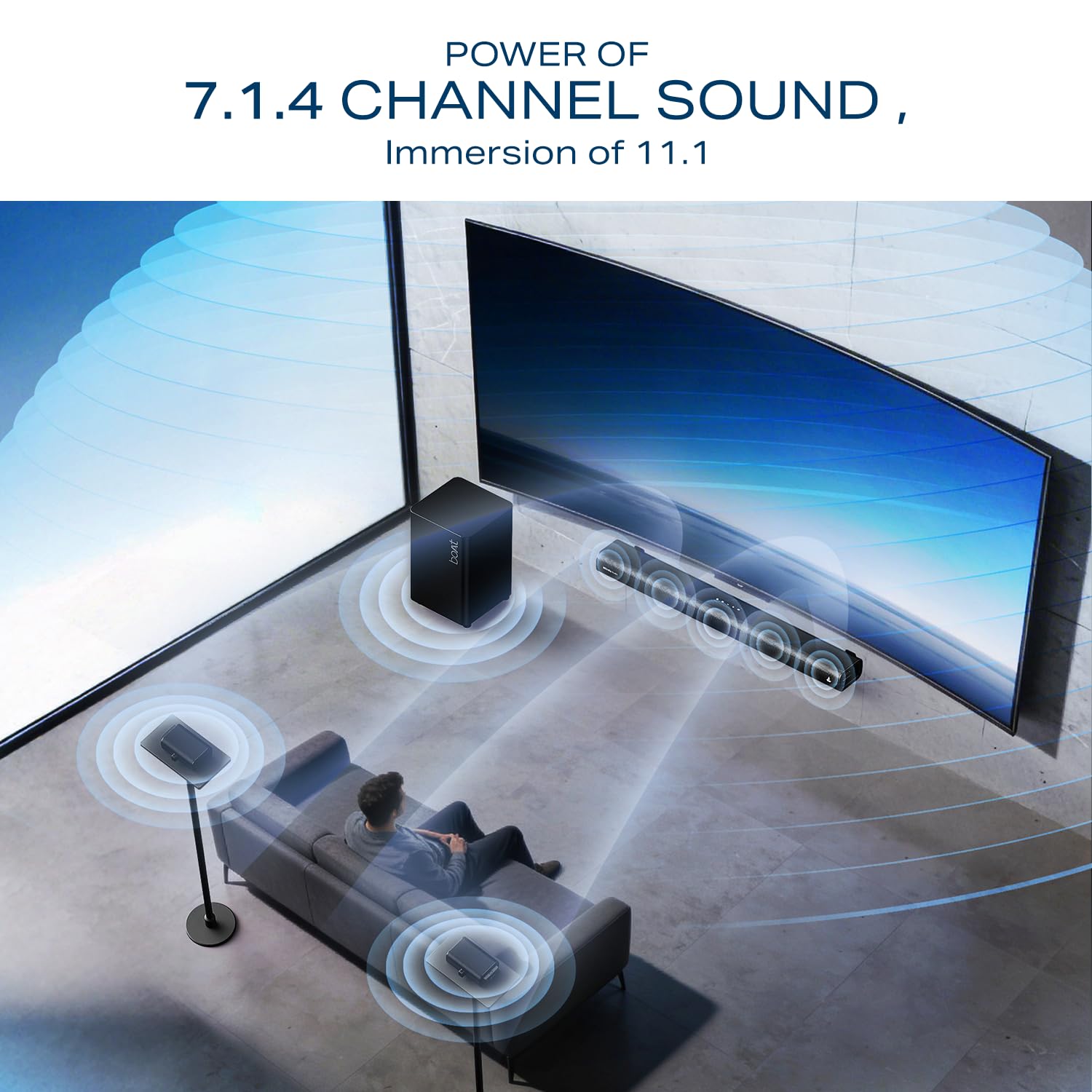
Image: The wireless subwoofer, designed to deliver powerful bass.
4.4 Installation Support
For detailed installation guidance, including wall mounting instructions, please scan the QR code below:
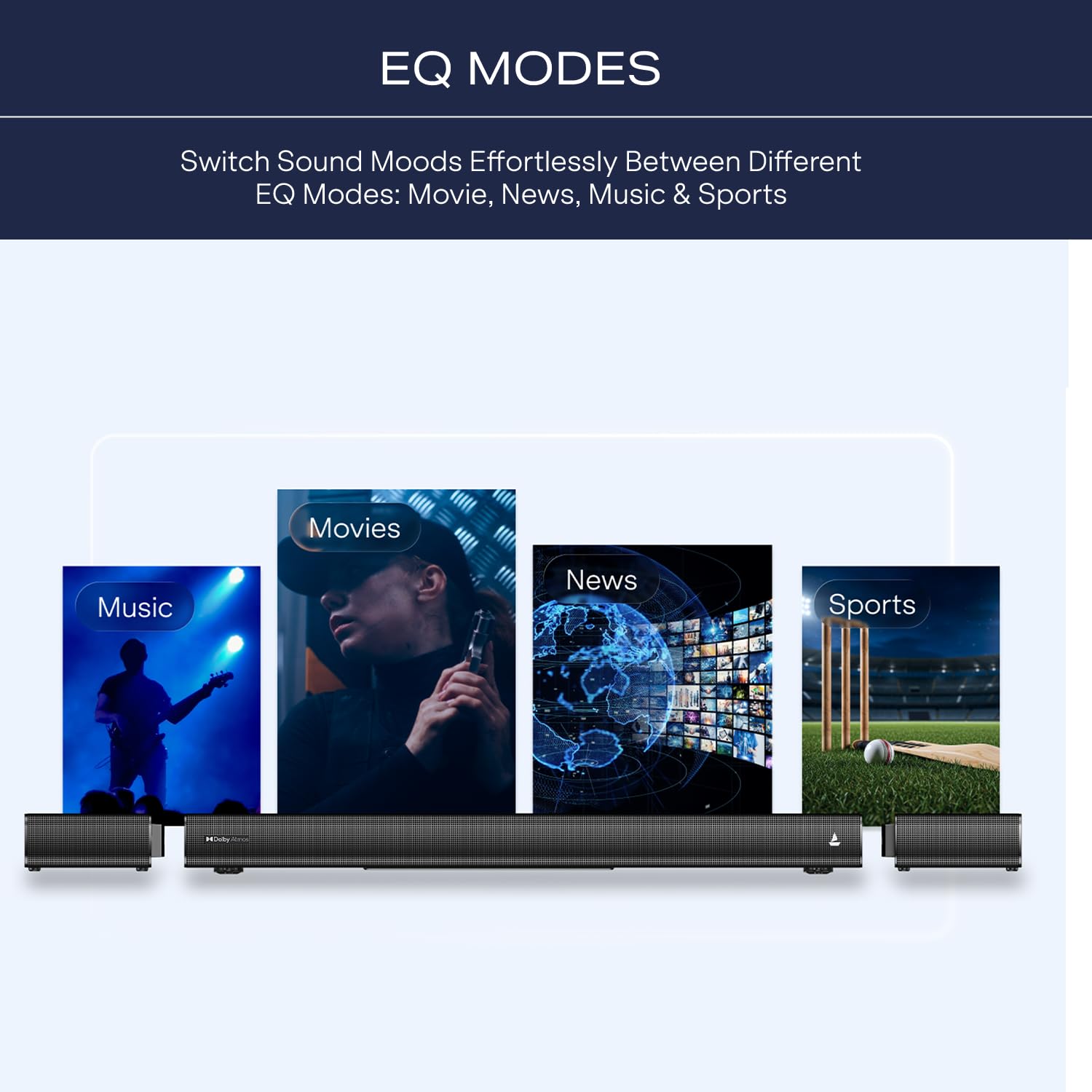
Image: QR code for accessing the online installation guide. Click the image to visit the support page.
5. Operating Instructions
5.1 Power On/Off
Press the Power button on the soundbar or remote control to turn the system on or off.
5.2 Input Selection
Use the Input button on the remote control to cycle through available input sources: Bluetooth, HDMI (e-ARC), Optical, AUX, and USB.
5.3 Bluetooth Pairing
- Turn on the soundbar and select Bluetooth input.
- On your mobile device, enable Bluetooth and search for "boAt Aavante Prime X".
- Select the device to pair. A confirmation tone will indicate successful pairing.
5.4 Using EQ Modes
The soundbar features tailored EQ modes to optimize your listening experience. Use the dedicated buttons on the remote control to switch between:
- Movie Mode: Enhances dialogue and cinematic effects.
- Music Mode: Optimizes for musical playback.
- Night Mode: Reduces dynamic range for quieter listening.
- News Mode: Clarifies speech for news and talk shows.
- Sports Mode: Enhances ambient crowd noise for sports broadcasts.

Image: Visual representation of the soundbar's EQ modes for different content types.
5.5 Dolby Atmos Cinematic Sound
The boAt Aavante Prime X supports Dolby Atmos, providing a multi-dimensional audio experience. Ensure your source content and connected devices (e.g., TV, Blu-ray player) also support Dolby Atmos for the full immersive effect. Connect via HDMI e-ARC for optimal performance.

Image: Depicts the cinematic immersion achieved with Dolby Atmos technology.
Video: An official product video demonstrating the truly wireless sound experience and Dolby Atmos immersion of the boAt Aavante Prime X soundbar system.
6. Maintenance
6.1 Cleaning
Wipe the surfaces of the soundbar, subwoofer, and satellite speakers with a soft, dry cloth. Do not use liquid cleaners or abrasive materials, as they may damage the finish. Ensure the devices are powered off and unplugged before cleaning.
6.2 Storage
When not in use for extended periods, store the soundbar system in a cool, dry place away from direct sunlight and extreme temperatures. Ensure the detachable satellites are fully charged before long-term storage to preserve battery health.
7. Troubleshooting
| Problem | Possible Cause | Solution |
|---|---|---|
| No power | Power cable not connected; Power outlet not active. | Ensure power cables are securely connected to the soundbar, subwoofer, and a working power outlet. |
| No sound | Incorrect input selected; Volume too low; Cables not connected properly. | Select the correct input source. Increase volume. Check all audio cables for secure connections. Ensure subwoofer and satellites are paired. |
| Subwoofer not pairing | Out of range; Interference; Pairing lost. | Move subwoofer closer to the soundbar. Re-initiate pairing process as described in Section 4.3. |
| Bluetooth connection issues | Device not in pairing mode; Out of range; Interference. | Ensure soundbar is in Bluetooth pairing mode. Move device closer. Disconnect and re-pair. |
| Remote control not working | Low battery; Obstruction; Incorrect aiming. | Replace remote control battery (AAA). Ensure no obstructions between remote and soundbar. Aim remote directly at the soundbar's sensor. |
8. Specifications
| Brand | boAt |
| Model Name | Aavante Prime X |
| Model Number | HA0163 |
| Speaker Type | Soundbar with Wireless Subwoofer and Detachable Satellites |
| Connectivity Technology | Bluetooth v5.3, HDMI (e-ARC), Optical, AUX, USB |
| Audio Channels | 7.1.4 Channel (Dolby Atmos) |
| Output Power | 700W |
| Satellite Battery Life | 12 hrs (Dolby Atmos @60% volume), 7 hrs (non-Dolby Atmos @60% volume) via HDMI cable connection |
| Mounting Type | Wall Mount |
| Item Dimensions (D x W x H) | 92D x 12W x 8H Centimeters |
| Item Weight | 6000 Grams |
| Country of Origin | China |
| Box Contents | Soundbar, Subwoofer, Cable, Manual |
9. Warranty and Support
9.1 Warranty Information
Your boAt Aavante Prime X Soundbar comes with a 1-year warranty from the date of purchase. This warranty covers manufacturing defects. Please retain your purchase receipt as proof of purchase for warranty claims.
9.2 Customer Support
For any technical assistance, service requests, or further inquiries, please contact boAt customer support. Refer to the official boAt website or the contact information provided in your product packaging for the most up-to-date support details.
Manufacturer Contact Information: Imagine Marketing Limited Unit no. 204 & 205| 2nd floor| D-wing & E-wing| Corporate Avenue|Andheri Ghatkopar Link Road| Mumbai| Maharashtra-400093| India.