
1. Introduction
This manual provides comprehensive instructions for the proper use, setup, operation, and maintenance of your PetJoy Dog Bark Collar. Please read this manual thoroughly before using the device to ensure optimal performance and the safety of your pet.
The PetJoy Dog Bark Collar is designed to assist in training dogs to reduce excessive barking through humane and progressive stimulation. It features adjustable sensitivity levels and a protected mode for your dog's well-being.
2. Package Contents
Upon opening the package, verify that all components listed below are present and in good condition:

Figure 2.1: Contents of the PetJoy Dog Bark Collar package. This image displays three bark collars (yellow, pink, blue), two USB charging cables, various sizes of conductive prongs, silicone prong covers, and a user manual, all neatly arranged with the product box.
- PetJoy Dog Bark Collar (x3)
- USB Charging Cable (x2)
- Conductive Prongs (various sizes)
- Silicone Prong Covers
- User Manual
3. Product Features
- 7 Activation Sequences: The collar employs a progressive training system, starting with a beep and gradually increasing stimulation if barking persists.
- 5 Sensitivity Levels: Adjustable sensitivity allows the collar to be adapted to different dog breeds and sizes, ensuring effective and appropriate response to barking.
- Accurate Bark Detection: The collar features advanced detection technology to minimize false triggers, activating only in response to the dog's unique bark.
- Protected Mode: After 7 consecutive activations, the collar enters a 60-second standby protection mode to prevent over-stimulation and ensure humane operation.
- Long Battery Life: The collar offers up to 30 days of standby time on a single charge. The included charging cable allows simultaneous charging of two collars.

Figure 3.1: User-friendly 7 Progressive Procedures. This diagram details the sequence of responses from the collar, starting with a 2-second beep, progressing to longer beeps, and then combining beeps with increasing levels of static stimulation (Level 10 to Level 80) over 7 steps.

Figure 3.2: 5 Sensitivities for All Breeds of Dogs. This image illustrates how the collar's sensitivity can be adjusted to suit various dog sizes, showing icons for Beep (default), Shock (5 activations), and Sensitivity (1 to 5 levels).
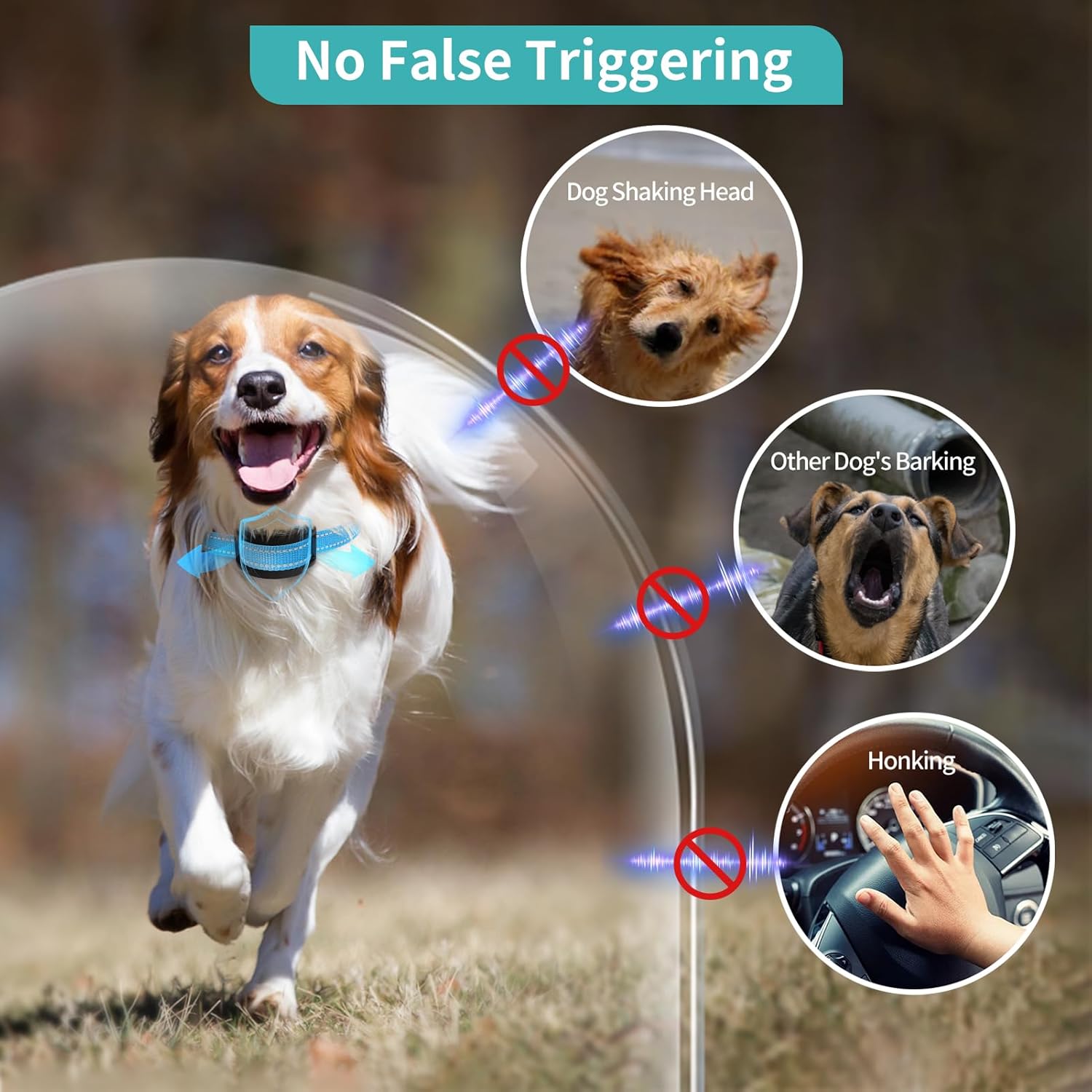
Figure 3.3: No False Triggering. This image shows a dog wearing the collar and illustrates that the collar is designed not to be triggered by a dog shaking its head, other dogs barking, or external noises like honking.

Figure 3.4: Long Lasting Battery Life. This image displays the collar's charging flexibility, showing it can be charged via USB power strip, computer, power bank, or power adapter, and highlights its 30-day work time.
4. Setup and Installation
4.1 Attaching the Collar
- Select the appropriate length of conductive prongs based on your dog's coat length. For long-haired dogs, longer prongs may be necessary to ensure proper contact with the skin.
- Attach the chosen prongs to the collar unit. You may also use the silicone covers over the prongs for added comfort, if desired.
- Place the collar around your dog's neck, ensuring the bark detection unit is positioned centrally on the dog's throat.
- Adjust the strap to a snug fit. The collar should be tight enough that the prongs make consistent contact with the skin, but not so tight as to cause discomfort or restrict breathing. You should be able to fit one or two fingers comfortably between the collar and your dog's neck.
- Trim any excess strap length if necessary to prevent snagging or chewing.

Figure 4.1: Collar Components and Dimensions. This diagram labels the prong cover, prong, sensor mic, and sensitivity buttons (+ and -) on the collar unit, along with its dimensions (1 inch height, 2.3 inches width) and the adjustable collar strap length (8-27 inches).
4.2 Initial Charge
Before first use, fully charge the collar. Connect the USB charging cable to the collar's charging port and plug the other end into a compatible USB power source (e.g., computer, power bank, or USB wall adapter). The indicator light will show charging status and turn off when fully charged.
5. Operating Instructions
5.1 Powering On/Off
- To power on: Press and hold the power button until the indicator light illuminates.
- To power off: Press and hold the power button until the indicator light turns off.
5.2 Adjusting Sensitivity Levels
The collar has 5 sensitivity levels to detect barking. A higher sensitivity level means the collar will be triggered by softer barks. Adjust the sensitivity to suit your dog's barking volume and environment.
- Press the "+" button to increase sensitivity.
- Press the "-" button to decrease sensitivity.
- The current sensitivity level is indicated by the number of illuminated lights on the collar.
It is recommended to start with a lower sensitivity level and gradually increase it if the collar is not consistently detecting your dog's barks.
5.3 Testing the Collar
To test the collar's functionality:
- Ensure the collar is powered on.
- Hold the collar close to your mouth.
- Bark loudly directly at the sensor microphone on the collar.
- The collar should emit a beep. If it does not, adjust the sensitivity level and try again.
Note: The static stimulation feature should only be tested on the dog under controlled conditions and after proper fitting. Do not test the static stimulation on yourself or other animals.
6. Maintenance
6.1 Cleaning
- Regularly clean the collar unit and prongs with a soft, damp cloth.
- Ensure the charging port is free of debris.
- Do not use harsh chemicals or abrasive cleaners.
6.2 Battery Charging
- Charge the collar when the battery indicator shows low power.
- The collar can be charged using the provided USB cable.
- Press the power button twice in a row to check the battery level.
6.3 Storage
When not in use for extended periods, store the collar in a cool, dry place away from direct sunlight and extreme temperatures. Ensure the collar is fully charged before storing.
7. Troubleshooting
| Problem | Possible Cause | Solution |
|---|---|---|
| Collar not activating when dog barks. |
|
|
| Collar activating without dog barking (false triggers). |
|
|
| Collar not charging. |
|
|
8. Specifications
| Feature | Detail |
|---|---|
| Model | Bark 301 |
| Brand | PetJoy |
| Dimensions (Collar Unit) | Approx. 1 inch (H) x 2.3 inches (W) |
| Collar Strap Length | Adjustable from 8 to 27 inches |
| Weight | 13.1 ounces (total package weight) |
| Battery Type | Lithium Polymer (included) |
| Battery Life (Standby) | Up to 30 days |
| Sensitivity Levels | 5 Levels |
| Activation Sequences | 7 Progressive Sequences (Beep to Shock) |
| Waterproof Rating | IPX7 |
| Target Audience | Dogs (All Breed Sizes) |
Note: Specifications are subject to change without notice for product improvement.
9. Warranty and Support
PetJoy is committed to providing high-quality products and customer satisfaction. For any questions, concerns, or technical assistance regarding your PetJoy Dog Bark Collar, please refer to the following:
- User Manual (PDF): A detailed PDF version of the user manual is available for download at https://manuals.plus/m/c4057afa09c1f0f56c9f874b89ffb6c70a2fb2590420b99c5cac16cb30f7615c.
- Online Support: Visit the official PetJoy brand store on Amazon for additional resources and contact information: PetJoy Amazon Store.
- Manufacturer Information: PetJoy, founded in 2013, specializes in pet training devices and prioritizes pet health and safety.
Please retain your purchase receipt for warranty claims, if applicable. Specific warranty terms and conditions may vary and are typically outlined in the full user manual or on the manufacturer's official channels.


