
Introduction
This manual provides detailed instructions for the setup, operation, and maintenance of your WOLFANG WT07 4G Trail Camera. Please read this manual thoroughly before using the device to ensure proper functionality and to maximize its performance.

The WOLFANG WT07 4G Trail Camera mounted on a tree, illustrating its 4G LTE connectivity in a forest environment. This camera is designed for outdoor use, providing remote monitoring capabilities.

An overview of the WOLFANG WT07 camera's key features, including 2K resolution, 48MP photos, 4G connectivity (no Wi-Fi required), motion detection, a 2.0-inch TFT screen, and advanced night vision capabilities.
Package Contents
Verify that all items are present in the package:
- WOLFANG WT07 4G Trail Camera
- Mounting Strap
- USB Cable
- User Manual
- Note: SD card and 4 AA batteries are not included and must be purchased separately.
Setup
1. Battery and SD Card Installation
- Open the camera's housing latches.
- Insert 4 AA batteries into the battery compartment, ensuring correct polarity.
- Insert a compatible SD card (up to 256GB, not included) into the SD card slot.
- Close the camera's housing latches securely to ensure waterproofing.
2. SIM Card Installation and App Setup
The WT07 camera supports 4G connectivity for remote monitoring. A SIM card with a data plan is required for 4G functionality.
- Insert a compatible 4G SIM card into the designated slot.
- Download the "Trailcam Go" application from your smartphone's app store.
- Open the app and create an account or log in.
- Select "Add a device" and choose "4G Camera (with screen)".
- Follow the in-app instructions to find the QR code on your camera's screen or packaging.
- Scan the QR code using the app to pair the camera.
- Once paired, activate cellular data within the camera's settings menu (refer to the "Operating" section for menu navigation).
- The camera will connect to the 4G network, and you will receive instant notifications and be able to view images/videos remotely via the app.

A visual guide detailing the 8 steps for setting up the WOLFANG WT07 camera, from downloading the Trailcam Go app to inserting the SIM and SD card, activating cellular, and connecting the app.
3. Mounting the Camera
The camera is designed for tree mounting.
- Use the provided mounting strap to secure the camera to a tree or pole.
- Ensure the camera is positioned at an appropriate height and angle to capture the desired area.
- Verify that the camera is stable and will not move due to wind or animal activity.
Operating Instructions
1. Powering On/Off and Modes
- To power on, slide the mode switch to the "SETUP" position. This allows you to access the menu and configure settings.
- To enter monitoring mode, slide the mode switch to the "ON" position. The camera will begin detecting motion and recording according to your settings.
- To power off, slide the mode switch to the "OFF" position.

The WOLFANG WT07 camera open, revealing its 2-inch IPS screen, control buttons, and internal labels. This view highlights the ease of setup and configuration directly on the device.
2. Menu Navigation and Settings
In "SETUP" mode, use the control buttons to navigate the menu on the 2-inch IPS screen.
- Photo Resolution: Set to 48MP for high-quality still images.
- Video Resolution: Choose between 2K HD (traditional mode) or 1080p HD (4G mode).
- PIR Sensitivity: Adjust the Passive Infrared (PIR) sensor sensitivity for motion detection (low, medium, high).
- Trigger Speed: The camera features an ultra-fast 0.2-second trigger speed.
- Detection Delay: Set the interval between consecutive detections.
- Time Lapse: Configure the camera to take photos at set intervals.
- Date/Time Stamp: Enable or disable date and time overlay on images/videos.
- Cellular Settings: Activate/deactivate 4G, check signal strength, and manage data plans.
3. Dual Operating Modes
- Traditional Mode (without 4G): When no SIM card is used or cellular data is off, the camera functions as a standard trail camera, recording 2K HD videos and 48MP photos to the SD card. You can review content directly on the 2-inch screen.
- 4G Mode (with 4G data): With an active SIM card and data plan, the camera sends instant notifications and uploads 1080p HD videos and photos to the cloud via the "Trailcam Go" app. Remote viewing and management are available.

The WOLFANG WT07 camera emphasizing its dual operating modes: functioning with 4G data for remote access or as a traditional trail camera without a SIM card, both easily managed via its 2-inch IPS screen.
4. Image and Video Capture
- The camera captures clear 48MP images and 2K HD videos during the day.
- At night, two ultra-anti-glare infrared LEDs enable silent capture of black and white images and videos without disturbing wildlife.
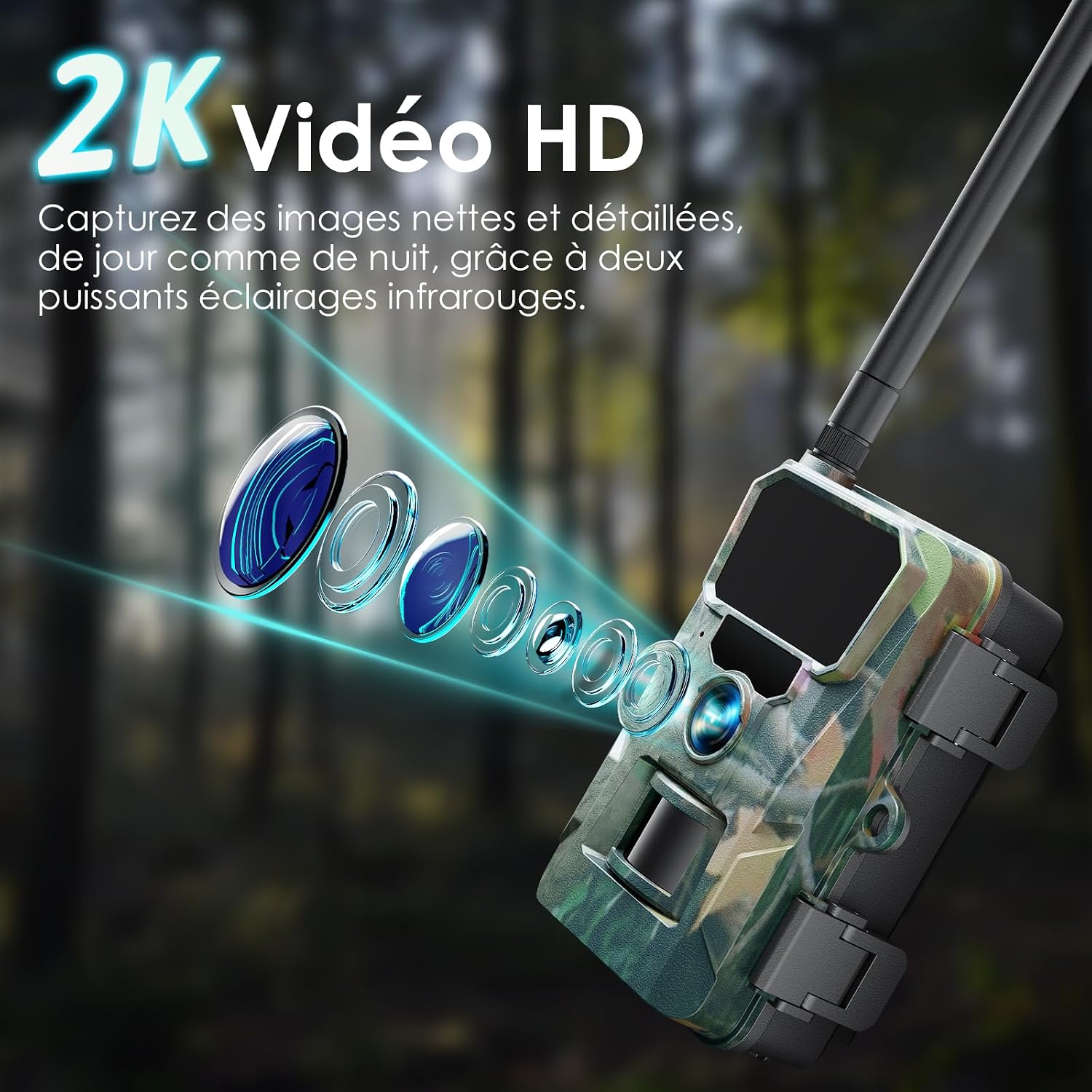
The WOLFANG WT07 camera's lens system, illustrating its capability to capture clear 2K HD video with the aid of powerful infrared illumination for both day and night use.

A comparison demonstrating the superior night vision of the WOLFANG WT07 camera, highlighting its use of 2 high-power infrared LEDs for reduced image noise and vignetting compared to standard IR setups.
5. Real-time Alerts and Data Plans
- When motion is detected, the camera sends instant notifications to your phone via the "Trailcam Go" app.
- Photos and videos are stored on the SD card and can be uploaded to the cloud (depending on your data plan).
- WOLFANG offers various data plans for 4G connectivity. Refer to the table below for details.

The WOLFANG WT07 camera demonstrating its motion detection capabilities, capturing a leopard and sending instant alerts to a connected smartphone.

An illustration of the WOLFANG WT07 camera's rapid 0.2-second trigger speed, capturing a fast-moving bear clearly, contrasted with a blurred image from a slower trigger.

A table outlining the available WOLFANG data plans, including monthly and annual options, specifying the number of HD photos and videos, real-time tracking (hourly), and associated costs. A special introductory offer is also highlighted.
Maintenance
- Battery Replacement: Replace AA batteries when the low battery indicator appears on the screen or in the app.
- SD Card Management: Regularly check the SD card capacity. Format the SD card periodically to maintain optimal performance and prevent data corruption.
- Lens Cleaning: Gently clean the camera lens and PIR sensor window with a soft, dry cloth to ensure clear images and accurate detection.
- Housing: Ensure the camera housing latches are always securely closed to maintain its IP66 waterproof rating.
- Firmware Updates: Check the WOLFANG website or the "Trailcam Go" app for any available firmware updates to improve camera performance and features.

The WOLFANG WT07 camera shown in a rainy environment, emphasizing its IP66 waterproof and dustproof rating, designed to withstand extreme temperatures from -15°C to 50°C.
Troubleshooting
- Camera not powering on:
- Ensure batteries are inserted correctly with proper polarity.
- Replace with fresh AA batteries.
- No images/videos recorded:
- Check if the SD card is inserted correctly and has sufficient space.
- Format the SD card.
- Verify PIR sensitivity settings and ensure the camera is in "ON" mode.
- Poor image/video quality:
- Clean the camera lens.
- Ensure adequate lighting during the day.
- For night vision, ensure no obstructions are blocking the IR LEDs.
- No 4G connection or app notifications:
- Ensure the SIM card is correctly inserted and has an active data plan.
- Check cellular signal strength in the camera's settings or via the app.
- Verify that 4G is enabled in the camera's settings.
- Ensure the "Trailcam Go" app has necessary permissions on your smartphone.
- App connection issues:
- Restart the app and the camera.
- Ensure your smartphone has a stable internet connection.
- Re-pair the camera with the app if necessary.
Specifications
| Model Name | WT07 |
| Photo Resolution | 48 Megapixels |
| Video Resolution | 2K HD (Traditional Mode), 1080p HD (4G Mode) |
| Trigger Speed | 0.2 seconds |
| Connectivity | 4G LTE (Cellular), Wi-Fi (for local app connection, not for internet) |
| Night Vision | 2 High-Power 850nm Infrared LEDs |
| Screen | 2-inch IPS Display |
| Storage | SD Card (up to 256GB, not included) |
| Power Source | 4 AA Batteries (not included) |
| Waterproof Rating | IP66 |
| Operating Temperature | -15°C to 50°C |
| Dimensions (L x W x H) | 13.5 x 10 x 7.6 cm |
| Weight | 590 grams |
| Mounting Type | Tree Mount |
| Video Format | MP4 |
Warranty and Support
WOLFANG provides a 2-year warranty for the WT07 4G Trail Camera.
For any questions, technical assistance, or warranty claims, please contact WOLFANG customer support:
- Official Email: support.vc@wolfang.co
- Online Customer Service: Refer to the WOLFANG official website for online support options.
WOLFANG is committed to providing prompt and satisfactory assistance.


