
1. Introduction
Thank you for choosing the Parsonver G01 GPS Smart Watch. This manual provides essential information for the proper setup, operation, and maintenance of your device. Please read it carefully to ensure optimal performance and longevity of your smartwatch.

Image: The Parsonver G01 Smart Watch displayed with various outdoor activity scenes, highlighting its versatile use.
2. Package Contents
Upon opening the package, verify that all items are present:
- 1x Parsonver G01 Smart Watch
- 1x Magnetic Charging Cable
- 1x User Manual

Image: An illustration detailing the package contents, including the smartwatch, charging cable, and user manual.
3. Setup Guide
3.1 Charging the Smart Watch
Before initial use, fully charge your Parsonver G01 Smart Watch. The device features a 520mAh battery, providing extended usage time.
- Connect the magnetic charging cable to the charging contacts on the back of the watch.
- Plug the USB-A end of the cable into a standard USB power adapter (not included) or a computer's USB port.
- The watch display will indicate charging status. A full charge typically takes approximately 2 hours.

Image: The smartwatch connected to its magnetic charging cable, illustrating the charging process and battery life indicators.
3.2 App Installation and Pairing
To unlock the full functionality of your smartwatch, download and install the companion application on your smartphone.
- Scan the QR code provided in the quick start guide or search for "Glory Fit" in your smartphone's app store (compatible with iOS 9.0/Android 5.0 or above).
- Install the "Glory Fit" application.
- Open the app and follow the on-screen instructions to create an account or log in.
- Ensure Bluetooth is enabled on your smartphone.
- In the app, navigate to the device pairing section and select your Parsonver G01 Smart Watch from the list of available devices.
- Confirm the pairing request on both your smartphone and the watch.
4. Operating Instructions
4.1 Basic Navigation
The Parsonver G01 features a 1.95-inch HD touchscreen for intuitive interaction.
- Swipe Up/Down: Access quick settings or notifications.
- Swipe Left/Right: Navigate through widgets and main functions.
- Tap: Select an item or confirm an action.
- Press Side Button: Return to the home screen or power on/off.
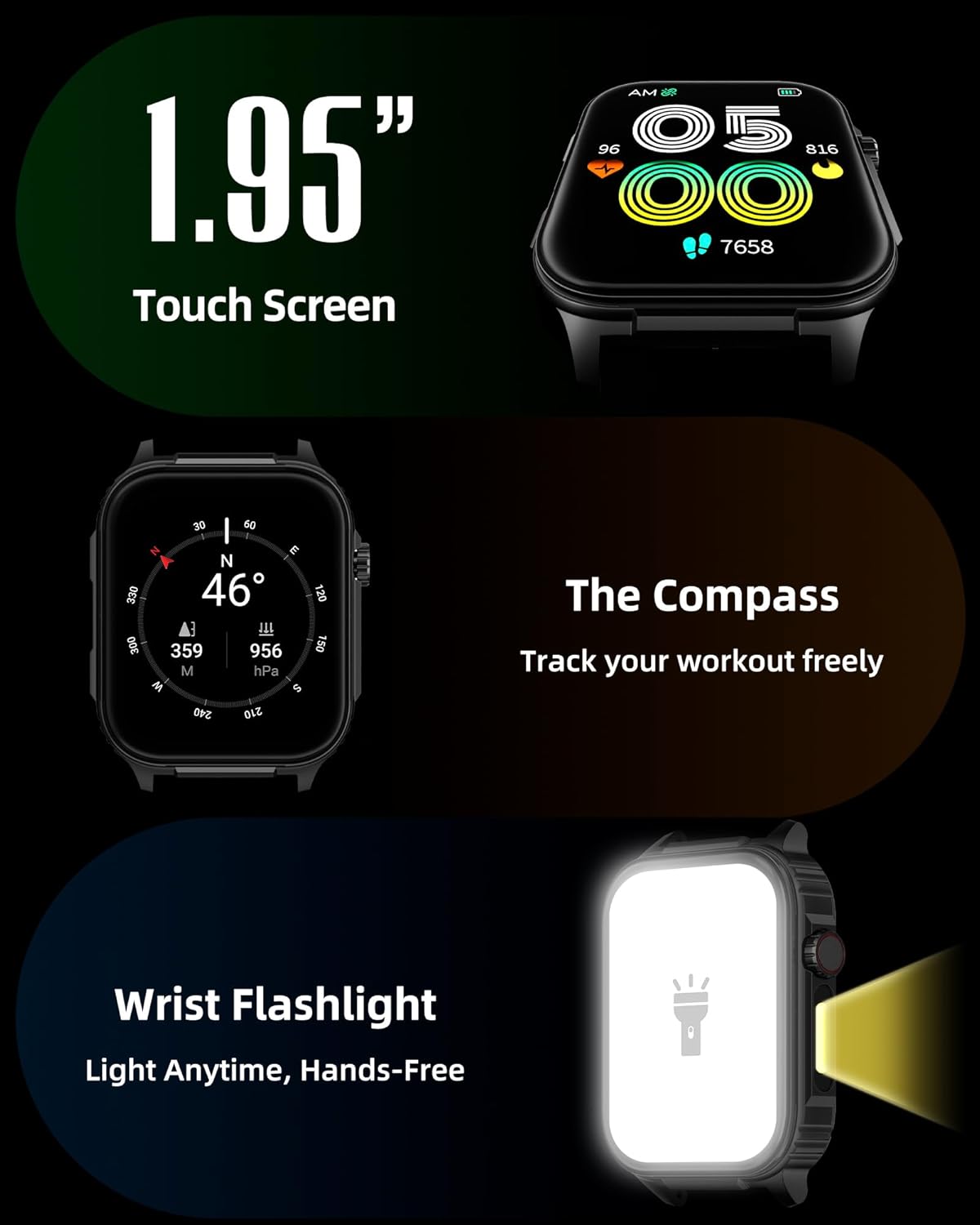
Image: A detailed view of the smartwatch screen, illustrating its 1.95-inch size, along with icons for compass and flashlight functions.
4.2 Bluetooth Calls and Smart Notifications
Stay connected by making and receiving calls directly from your wrist and receiving instant notifications.
- Making Calls: Once paired via Bluetooth 5.3, access the call function on your watch to dial numbers or select contacts.
- Receiving Calls: Incoming calls will display on the watch screen, allowing you to answer or reject them.
- Notifications: The watch provides vibration alerts for SMS, WhatsApp, Facebook, and other app notifications. Note: Direct replies from the watch are not supported.

Image: A man on a mountain trail interacting with his Parsonver G01 Smart Watch to manage a Bluetooth call, with notification icons floating above.

Image: The smartwatch screen showing incoming messages and app notifications, demonstrating its smart notification feature.
4.3 Watch Faces
Personalize your watch with over 400 available watch faces or create your own custom designs.
- Access the watch face market through the "Glory Fit" app.
- Browse and download various styles, from classic to modern.
- Use the DIY function to upload custom photos and create unique watch faces.

Image: The smartwatch screen showcasing a variety of watch face designs, illustrating the customization options.
4.4 Built-in GPS and Compass
Track your outdoor activities and navigate with precision, even without your phone.
- GPS Tracking: The built-in GPS accurately records your route, distance, and pace during outdoor workouts like running, hiking, and cycling. Ensure you are in an open area for optimal GPS signal acquisition.
- Compass: Utilize the integrated compass for navigation and orientation during your adventures.

Image: A cyclist wearing the Parsonver G01 Smart Watch, with the watch display showing GPS tracking data and a map.

Image: Hikers on a mountain trail, with the smartwatch displaying compass and GPS navigation features.
4.5 LED Flashlight
The integrated LED flashlight provides convenient illumination when needed.
- Access the flashlight function from the quick settings menu or a dedicated shortcut.
- The flashlight provides hands-free lighting for various situations.

Image: The smartwatch with its LED flashlight illuminated, demonstrating its utility in dark environments.
4.6 Sports Modes
The watch supports over 100 built-in sports modes to track your physical activities.
- Select your desired sport from the activity menu.
- The watch will track metrics such as calories burned, steps, distance, and heart rate in real-time.
- Examples include running, cycling, yoga, hiking, football, and more.

Image: An athlete tying shoelaces, with the smartwatch displaying various sports tracking metrics like steps, calories, distance, and heart rate.

Image: A visual representation of the smartwatch's extensive range of over 100 built-in sports modes, including running, football, and cycling.
4.7 Health Monitoring
The Parsonver G01 provides comprehensive health monitoring features to help you maintain a healthy lifestyle.
- Heart Rate Monitoring: Continuous 24/7 heart rate tracking.
- Blood Oxygen (SpO2) Monitoring: Track your blood oxygen levels in real-time.
- Sleep Monitoring: Analyzes sleep stages (deep, light, awake) to provide insights into your sleep quality.
- Stress and Mood Monitoring: Helps you understand and manage your stress levels.
- Sedentary Reminders: Prompts you to move after periods of inactivity.
- Breathing Exercises: Guided breathing sessions to help reduce stress.
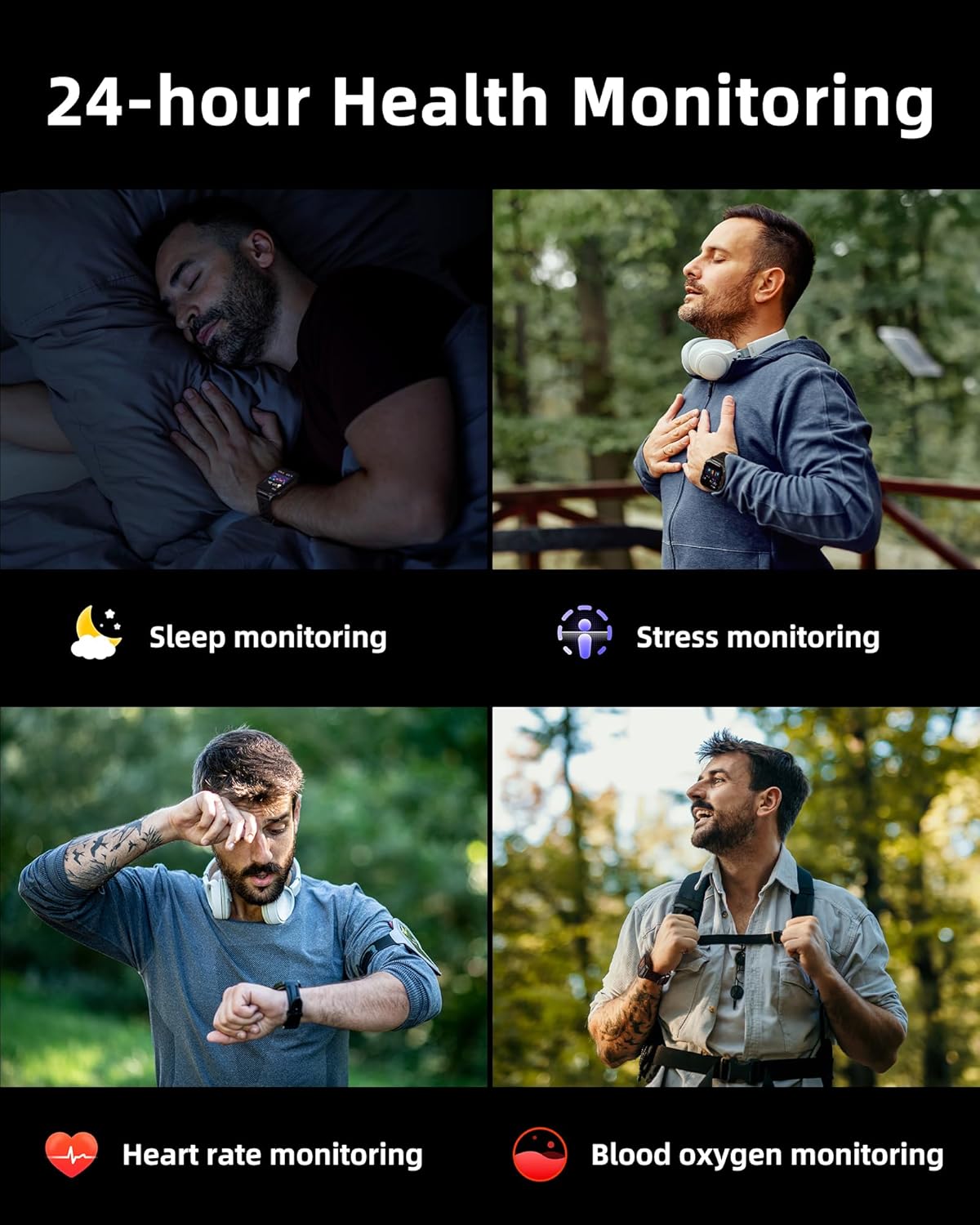
Image: A collage illustrating the smartwatch's 24-hour health monitoring capabilities, including sleep, stress, heart rate, and blood oxygen tracking.

Image: A man sleeping, with the smartwatch on his wrist, and a graphic showing detailed sleep analysis data.
4.8 Other Practical Functions
The Parsonver G01 includes a variety of additional features to assist with daily tasks:
- Alarm Clock: Set multiple alarms.
- Timer & Stopwatch: For precise timing.
- Calculator: Basic arithmetic functions.
- Calendar: View dates and schedule.
- Music Control: Play, pause, skip tracks on your connected phone.
- Weather Forecast: Get real-time weather updates.
- Voice Assistant: Interact with your phone's voice assistant.
- Remote Camera Control: Trigger your phone's camera remotely.
- Find Phone: Locate your misplaced smartphone.
- Raise-to-Wake: Automatically activate the screen when you raise your wrist.

Image: A display of various practical functions on the smartwatch, including alarm, timer, stopwatch, calculator, calendar, music control, and weather.
5. Maintenance
5.1 Water Resistance
The Parsonver G01 Smart Watch has an IP68 waterproof rating, meaning it is resistant to dust and can withstand immersion in water up to 1.5 meters for 30 minutes. It is suitable for daily splashes, hand washing, and light rain.
Important Note:
- The IP68 rating does not make the watch suitable for swimming, showering, or sauna use. Exposure to hot water, steam, or high-pressure water jets may compromise the water resistance.
- Avoid pressing buttons underwater.
- If the watch gets wet, dry it thoroughly before charging or using the touchscreen.

Image: A hand wearing the smartwatch under running water, illustrating its IP68 waterproof capabilities for everyday use.
5.2 Cleaning and Care
- Regularly clean the watch and strap with a soft, dry cloth.
- If necessary, use a slightly damp cloth with mild soap, then rinse and dry thoroughly.
- Avoid using harsh chemicals, abrasive cleaners, or solvents, as these can damage the watch's finish and components.
- Keep the charging contacts clean and free of debris to ensure proper charging.
6. Troubleshooting
If you encounter issues with your Parsonver G01 Smart Watch, refer to the following common solutions:
- Watch not turning on: Ensure the watch is fully charged. Connect it to the charger for at least 30 minutes.
- Cannot pair with smartphone:
- Ensure Bluetooth is enabled on your phone and the watch.
- Make sure the watch is within the Bluetooth range of your phone.
- Restart both the watch and your phone.
- Check if the "Glory Fit" app has necessary permissions on your phone.
- Inaccurate GPS data:
- Ensure you are in an open outdoor area with a clear view of the sky for better satellite reception.
- Allow sufficient time for the watch to acquire a GPS signal before starting an activity.
- Screen lights up during sleep: This can be caused by wrist movements activating the raise-to-wake feature. You may be able to disable or adjust the sensitivity of the raise-to-wake feature in the watch settings or the companion app.
- Short battery life:
- Frequent use of GPS, Bluetooth calls, and continuous health monitoring can consume more battery.
- Reduce screen brightness or shorten screen-on time.
- Disable unnecessary notifications.
- Compass inaccuracy: Calibrate the compass if available in the watch settings or app. Ensure no strong magnetic fields are nearby.
If the issue persists, consult the FAQ section within the "Glory Fit" app or contact customer support.
7. Specifications
| Feature | Specification |
|---|---|
| Model Number | G01 |
| Screen Size | 1.95 Inches |
| Display Type | Full Touch Screen HD |
| Battery Capacity | 520 mAh Lithium Polymer |
| Typical Use Battery Life | 7-10 Days |
| Standby Time | Up to 40 Days |
| Charging Time | Approx. 2 Hours (Magnetic Fast Charging) |
| Connectivity | Bluetooth 5.3 |
| Operating System Compatibility | iOS 9.0 / Android 5.0 or above |
| Water Resistance Rating | IP68 |
| Built-in Features | GPS, Compass, LED Flashlight |
| Health Monitoring | Heart Rate, Blood Oxygen, Sleep, Stress, Mood |
| Sports Modes | 100+ |
| Item Weight | 47 Grams (1.66 ounces) |
| Memory Storage Capacity | 256 MB |
8. Warranty and Support
Parsonver is committed to providing reliable products and dedicated customer support. For any questions, technical assistance, or warranty inquiries, please refer to the contact information provided with your purchase or visit the official Parsonver website.


