
1. Important Safety Instructions
Please read all instructions carefully before using your EUHOMY Ice Maker. Retain this manual for future reference.
- Ensure the appliance is properly grounded.
- Do not immerse the power cord, plug, or any part of the appliance in water or other liquids.
- Unplug the appliance before cleaning or when not in use.
- Do not operate any appliance with a damaged cord or plug, or after the appliance malfunctions or has been damaged in any manner.
- Use only potable water for ice production.
- Keep the appliance away from heat sources and direct sunlight.
- This appliance is for household use only.
2. Product Overview and Components
Familiarize yourself with the parts of your EUHOMY Ice Maker.
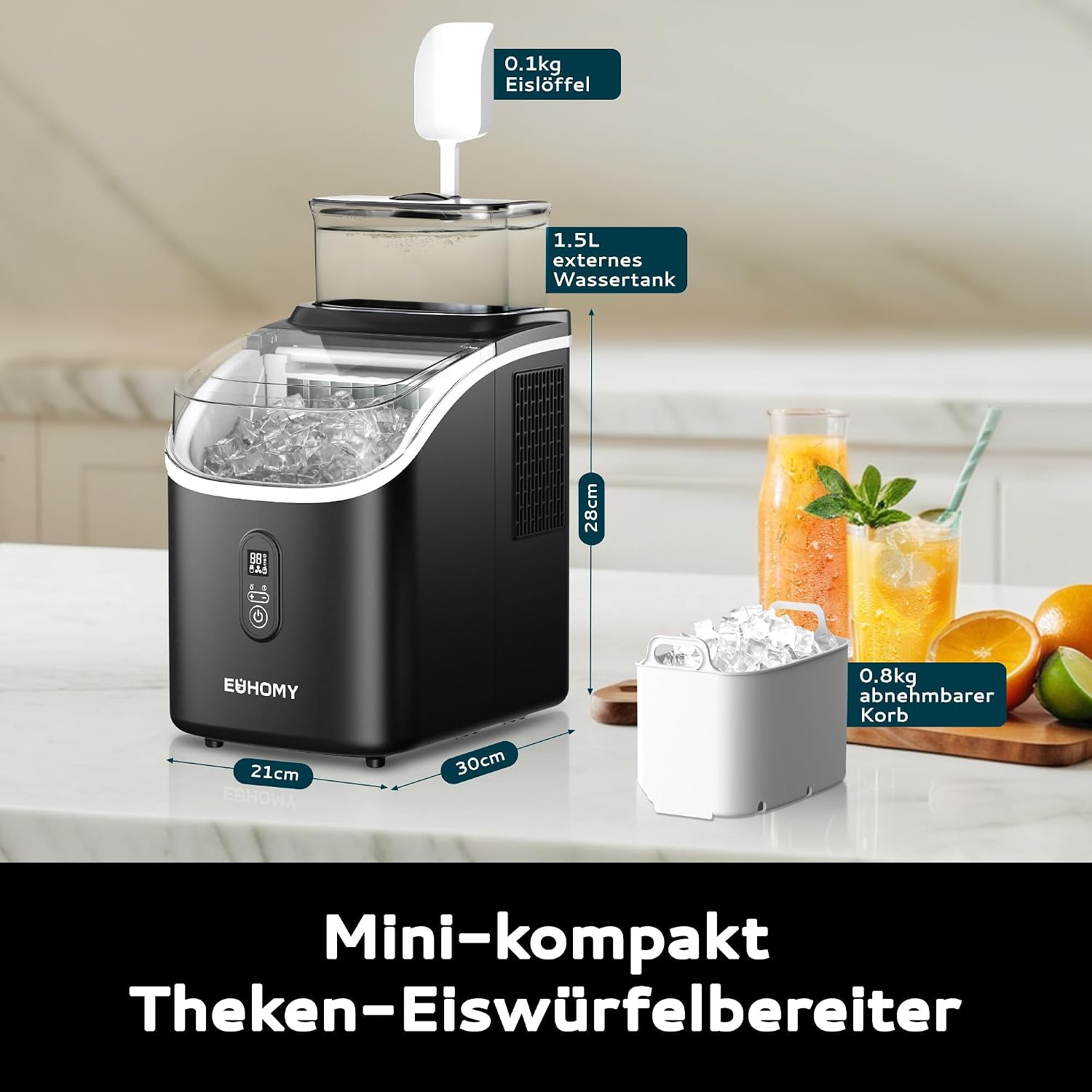
Figure 2.1: Overview of the EUHOMY HZB-15AF Ice Maker, showing its compact dimensions (30cm depth, 28cm width, 21cm height), the 1.5L external water tank, 0.8kg removable ice basket, and included 0.1kg ice scoop.
Included Components:
- EUHOMY Ice Maker Unit
- Ice Scoop
- Ice Basket
- External Water Tank (1.5L capacity)
- User Manual

Figure 2.2: Illustration of the ice maker's water reservoirs, highlighting the 1.5L external water tank and the 0.5L built-in reservoir, combining for a total water volume of 2L.
3. Setup and First Use
- Unpacking: Carefully remove the ice maker from its packaging. Remove all packing materials, including any tape or protective film.
- Placement: Place the ice maker on a flat, stable surface, away from direct sunlight and heat sources. Ensure there is adequate ventilation around the unit.
- Initial Cleaning: Before first use, clean the internal components. Refer to the "Maintenance and Cleaning" section for detailed instructions.
- Water Filling:
- Fill the external 1.5L water tank with potable water.
- Alternatively, pour water directly into the internal 0.5L reservoir. Do not exceed the MAX fill line.
- Power Connection: Plug the power cord into a grounded electrical outlet.
- First Ice Cycle: Discard the first 2-3 batches of ice to ensure the system is clean.
4. Operating Instructions
4.1 Control Panel Overview

Figure 4.1: The intelligent control panel features indicators for "Ice Full" and "Water Shortage," buttons for adjusting ice thickness, initiating automatic cleaning, setting the timer, and the main power ON/OFF button.
- Power Button: Press to turn the unit ON or OFF.
- Ice Full Indicator: Illuminates when the ice basket is full.
- Water Shortage Indicator: Illuminates when the water reservoir needs refilling.
- +/- Buttons: Adjust ice cube thickness or set the timer.
- Automatic Cleaning Button: Initiates the self-cleaning cycle (hold for 3 seconds).
- Timer Button: Activates the 24-hour timer function.
4.2 Making Ice
- Ensure the water reservoir is filled.
- Press the Power button to turn on the ice maker.
- Use the +/- buttons to select your desired ice cube thickness.
- Thin: Approximately 8 minutes per cycle.
- Medium: Approximately 13 minutes per cycle (default).
- Thick: Approximately 20 minutes per cycle.

Figure 4.2: Visual representation of adjustable ice cube sizes: thin (8 minutes, suitable for smoothies), medium (13 minutes, for general beverages), and thick (20 minutes, ideal for whiskey).
- The ice maker will begin producing ice. The first batch of 16 ice cubes will be ready in approximately 13 minutes (for medium size).
- When the ice basket is full, the "Ice Full" indicator will light up, and the machine will pause. Remove ice to resume production.
- If the water level is low, the "Water Shortage" indicator will light up. Refill the water reservoir to continue.

Figure 4.3: The ice maker in operation, demonstrating fast ice production (16 cubes in 13 minutes) and its daily capacity of 15 kg, with a hand scooping ice into a glass.
4.3 Using the 24-Hour Timer
The timer function allows you to schedule ice production in advance.
- With the machine ON or OFF, press the Timer button.
- Use the +/- buttons to set the desired delay time (up to 24 hours) before the ice maker starts or stops.
- Confirm the setting by pressing the Timer button again or waiting a few seconds.
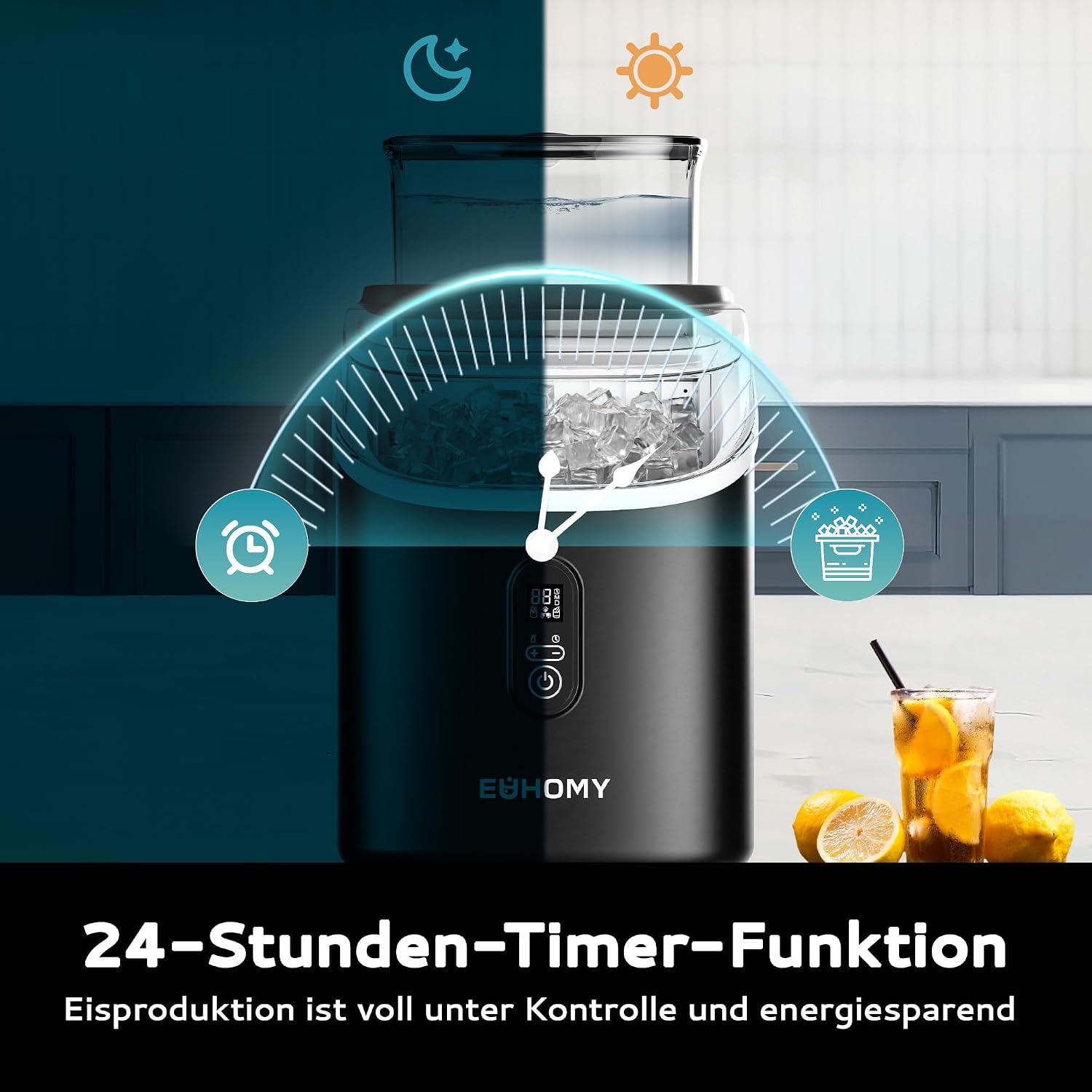
Figure 4.4: The 24-hour timer function allows users to pre-set ice production, ensuring ice is ready when needed and optimizing energy consumption.
5. Maintenance and Cleaning
Regular cleaning ensures optimal performance and extends the lifespan of your ice maker.
5.1 Automatic Self-Cleaning
The ice maker features a convenient one-touch automatic cleaning function.
- Ensure the water reservoir is filled with clean water.
- Press and hold the Automatic Cleaning button (often labeled with a brush icon or similar) for more than 3 seconds.
- The machine will initiate a 20-minute cleaning program, circulating water through its internal system.
- After the cycle, drain the water from the unit.

Figure 5.1: The automatic cleaning function is activated by holding the '+' button for 3 seconds, initiating a 20-minute self-cleaning cycle to maintain hygiene.
5.2 Manual Cleaning
- Unplug the ice maker before cleaning.
- Remove the ice basket and external water tank. Wash them with mild detergent and warm water, then rinse thoroughly.
- Wipe the interior and exterior surfaces of the ice maker with a soft cloth dampened with mild detergent.
- For stubborn stains or mineral deposits, use a solution of water and vinegar. Rinse thoroughly with clean water afterwards.
- Ensure all parts are completely dry before reassembling and using the appliance.
6. Troubleshooting Guide
Refer to this section for common issues and their solutions.
| Problem | Possible Cause | Solution |
|---|---|---|
| Ice maker not turning on. | No power, loose plug. | Check power outlet, ensure plug is securely inserted. |
| "Water Shortage" indicator is on. | Water reservoir is empty or low. | Refill the water reservoir with potable water. |
| "Ice Full" indicator is on. | Ice basket is full. | Remove ice from the basket. |
| Ice cubes are too small or not forming. | Water temperature too high, ambient temperature too high, insufficient water. | Use colder water, operate in a cooler environment, ensure sufficient water. Adjust ice thickness setting to "Thick". |
| Machine is noisy. | Normal operation sounds (compressor, water pump), or unit not level. | Ensure the unit is on a flat, stable surface. If noise is excessive or unusual, contact customer support. |
7. Specifications
| Feature | Detail |
|---|---|
| Model Number | HZB-15AF |
| Dimensions (L x W x H) | 30 x 28 x 21 cm (11.8 x 11 x 8.3 inches) |
| Weight | 8.1 kg (17.8 lbs) |
| Water Tank Capacity | 2.0 Liters (0.5L internal + 1.5L external) |
| Ice Storage Capacity | 0.8 kg |
| Daily Ice Production | Up to 15 kg (33 lbs) |
| Ice Production Cycle | 13 minutes (for 16 medium ice cubes) |
| Power | 143 Watts |
| Voltage | 220V |
| Refrigerant | R290a |
| Country of Origin | China |
| UPC | 850077022524 |
8. Warranty and Support
Your EUHOMY Ice Maker is covered by a comprehensive warranty and dedicated customer support.
- Warranty Period: 12-month warranty from the original date of purchase.
- Technical Support: Lifetime technical support is provided.
- Customer Service: Our customer service team is available 24/7 to assist with any questions regarding the use of your ice maker.
- For warranty claims or technical assistance, please contact EUHOMY customer support through the retailer or the official EUHOMY website.


