
1. Introduction
This manual provides essential information for the safe and efficient operation of your boAt Aavante 2.1 300 Bluetooth Soundbar. Please read it thoroughly before use and retain it for future reference.
2. Important Safety Information
- Do not expose this appliance to dripping or splashing liquids.
- Do not place objects filled with liquids, such as vases, on the appliance.
- Ensure proper ventilation. Do not block any ventilation openings.
- Place the appliance on a stable, flat surface.
- Use only attachments and accessories specified by the manufacturer.
- Unplug this appliance during lightning storms or when unused for long periods.
- Refer all servicing to qualified service personnel.
3. Package Contents
Please check the box for the following items:
- boAt Aavante 2.1 300 Soundbar
- Wired Subwoofer
- Power Cable
- AUX Cable
- Remote Control (with 2 AA batteries included)
- User Manual (this document)
4. Product Features Overview

Image: The boAt Aavante 2.1 300 Soundbar delivers 40W of powerful boAt Signature Sound.
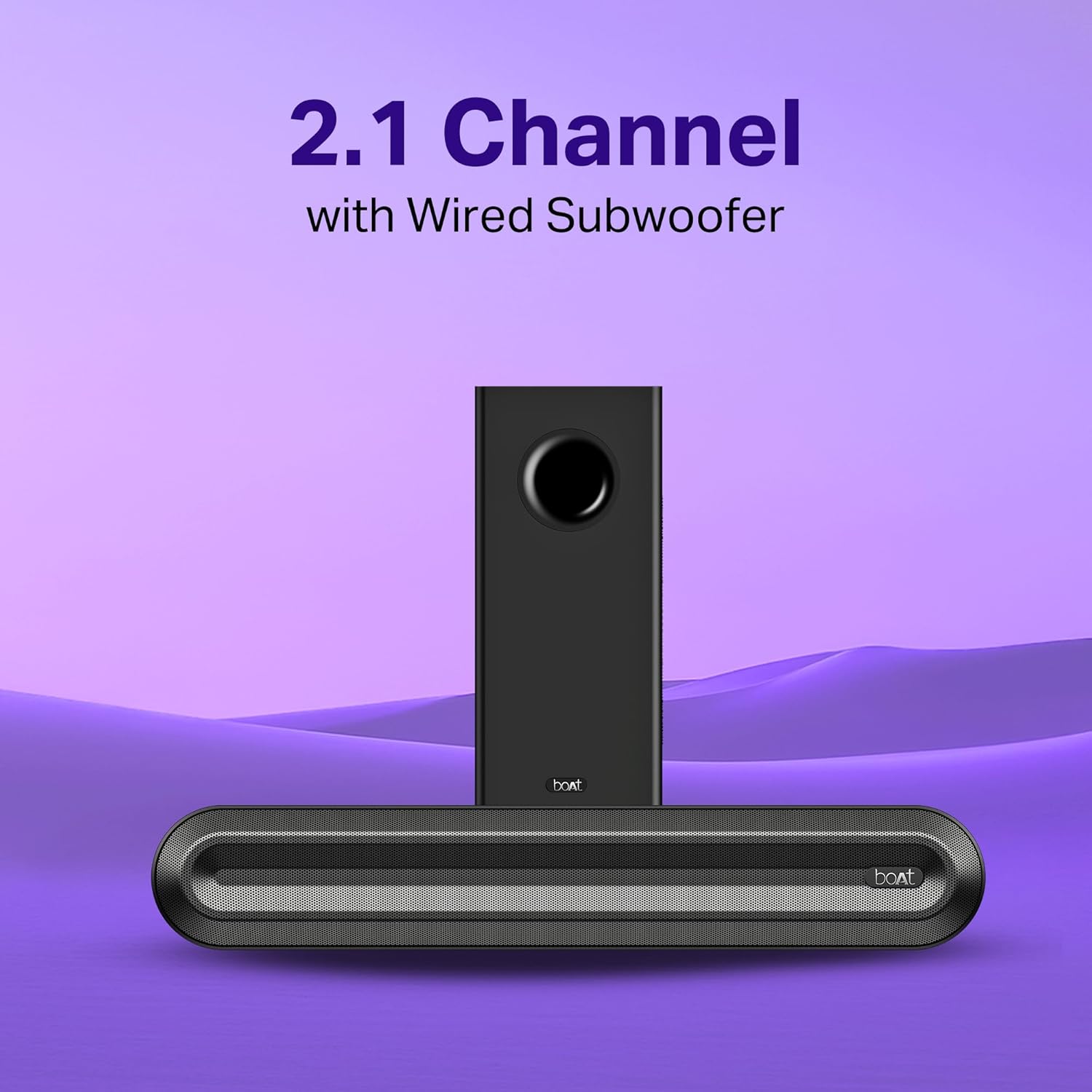
Image: The 2.1 channel system includes the soundbar and a wired subwoofer for enhanced bass.

Image: The soundbar offers multi-compatibility with Bluetooth v5.3, AUX, USB, and HDMI (ARC) inputs.

Image: Easily switch between dedicated EQ Modes for Music, Movie, and News to optimize audio.

Image: The soundbar features a sleek design and comes with a master remote control for convenient operation.
5. Setup Instructions
5.1 Unpacking
Carefully remove all components from the packaging. Retain the packaging for future transport or storage.
5.2 Placement
Place the soundbar on a stable, flat surface, preferably below your television. Position the wired subwoofer on the floor near the soundbar for optimal bass performance.
5.3 Connecting the Subwoofer
Connect the wired subwoofer to the soundbar using the dedicated subwoofer cable. Ensure the connection is secure.
5.4 Power Connection
Connect the power cable to the soundbar's power input and then plug it into a wall outlet.
6. Operating Instructions
6.1 Powering On/Off
Press the Power button on the soundbar or the remote control to turn the unit on or off.
6.2 Volume Control
Use the Volume Up (+) and Volume Down (-) buttons on the soundbar or remote control to adjust the volume.
6.3 Input Source Selection
Press the 'Input' or 'Source' button on the soundbar or remote control to cycle through available input modes: Bluetooth, HDMI (ARC), AUX, USB.
6.4 Remote Control
The included remote control allows full functionality from a distance. Insert the two AA batteries into the remote control, observing polarity.
7. Connectivity Options
Your boAt Aavante 2.1 300 Soundbar offers multiple ways to connect your devices.
7.1 Bluetooth Pairing
- Turn on the soundbar and select Bluetooth mode. The LED indicator will flash, indicating pairing mode.
- Enable Bluetooth on your device (smartphone, tablet, etc.).
- Search for "boAt Aavante 2.1 300" in your device's Bluetooth list and select it to pair.
- Once connected, the LED indicator will stop flashing and remain solid.
7.2 HDMI (ARC) Connection
Connect an HDMI cable from the HDMI (ARC) port on your soundbar to the HDMI (ARC) port on your television. Ensure your TV's audio output is set to HDMI ARC.
7.3 AUX Connection
Use the provided AUX cable to connect your audio device's headphone jack or audio output to the AUX input on the soundbar.
7.4 USB Playback
Insert a USB drive containing audio files into the USB port on the soundbar. The soundbar will automatically switch to USB mode and begin playback.
8. EQ Modes
The soundbar features three pre-set equalizer modes to optimize your listening experience:
- Music Mode: Enhanced for musical playback, providing balanced audio.
- Movie Mode: Optimized for cinematic content, offering clear dialogue and impactful sound effects.
- News Mode: Designed for spoken word content, emphasizing vocal clarity.
Select your desired mode using the EQ button on the remote control.
9. Maintenance and Care
9.1 Cleaning
Wipe the soundbar and subwoofer with a soft, dry cloth. Do not use liquid cleaners or abrasive materials.
9.2 Storage
If storing the unit for an extended period, disconnect it from power and store it in a cool, dry place.
10. Troubleshooting
| Problem | Possible Cause | Solution |
|---|---|---|
| No power | Power cable not connected; Power outlet not active. | Ensure power cable is securely connected. Test the outlet with another device. |
| No sound | Incorrect input source; Volume too low; Mute activated. | Select the correct input source. Increase volume. Deactivate mute. |
| Bluetooth pairing issues | Soundbar not in pairing mode; Device too far; Interference. | Ensure soundbar is in Bluetooth pairing mode. Move device closer. Avoid obstacles. |
| Remote control not working | Batteries depleted; Obstruction between remote and soundbar. | Replace batteries. Ensure clear line of sight to the soundbar's sensor. |
11. Specifications
| Feature | Detail |
|---|---|
| Brand | boAt |
| Model Name | Aavante |
| Model Number | HA0121 |
| Speaker Type | Soundbar |
| Speaker Maximum Output Power | 40 Watts |
| Number of Audio Channels | 2.1 |
| Connectivity Technology | Bluetooth |
| Bluetooth Version | v5.3 |
| Connectivity Protocol | AUX, Bluetooth, HDMI (ARC), USB |
| Control Method | Remote |
| Power Source | Wired |
| Item Dimensions (D x W x H) | 35D x 8W x 7H Centimeters |
| Item Weight | 2.5 Kilograms |
| Colour | Premium Black |
| Compatible Devices | Smartphones, Tablets, Laptops, Televisions, Home Theaters |
| Box Contents | Soundbar, Subwoofer, Cable, Aux, Remote |
12. Warranty and Support
12.1 Warranty Information
This product comes with a 1-year warranty from the date of purchase. Please retain your purchase receipt for warranty claims.
12.2 Contact Support
For any support or service inquiries, please contact:
- Manufacturer: Imagine Marketing Ltd
- Email: info@imaginemarketingindia.com


