
1. Introduction
The BOBLOV M11 Police Body Camera is a high-performance wearable device designed for capturing crystal-clear 3.2K video with audio. It is suitable for a variety of applications including law enforcement, security personnel, commuters, delivery staff, and personal security. This manual provides essential information for the proper setup, operation, and maintenance of your M11 body camera.

Image: The BOBLOV M11 Police Body Camera shown with its various accessories, highlighting its compact design and included clips.
2. Package Contents
Verify that all items are present in your package:
- M11 Camera
- Long Clip
- Short Clip
- User Manual
- USB Cable
- Hand Strap
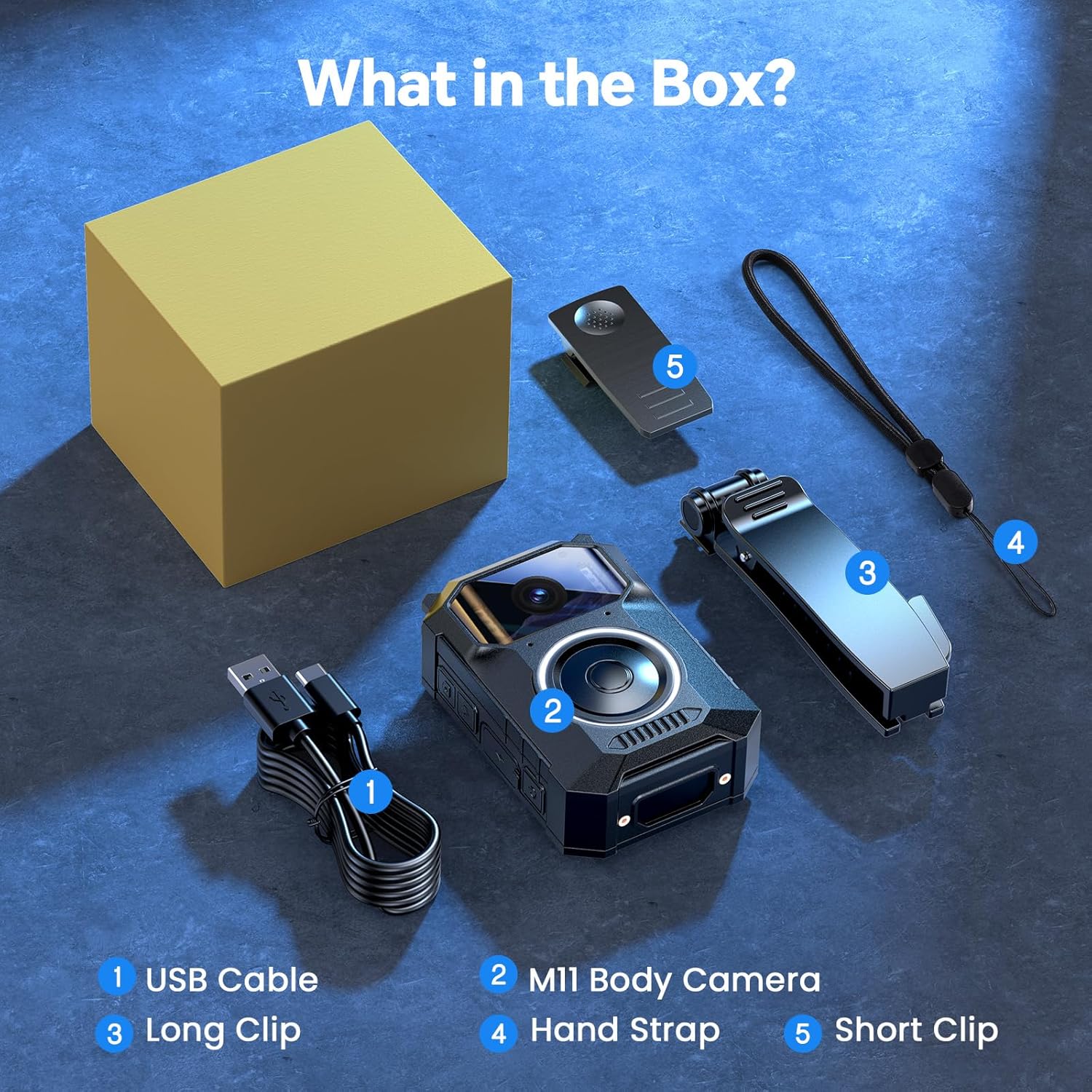
Image: A visual representation of the BOBLOV M11 package contents, including the camera, clips, USB cable, and hand strap.
3. Product Overview
The M11 body camera features a robust design with intuitive controls for ease of use in various situations.
Key Features:
- Crystal-Clear 3.2K Video with Audio: Records in 3.2K resolution for high-definition footage.
- User-Friendly Big Button Design: A large, easily accessible button for quick operation, even in stressful situations.
- 10H Long-Lasting Battery: Provides up to 10 hours of continuous video recording on a single charge.
- Enhanced Night Vision: Equipped with 8 built-in infrared (IR) lights for clear visibility in low-light conditions.
- Windows & Mac Compatibility: Footage can be easily transferred and viewed on both Windows and Mac operating systems without additional software.
- Durable Construction: Designed to work reliably in light rain and various outdoor conditions.

Image: Close-up of the BOBLOV M11 body camera, highlighting its large, easily accessible back button for quick recording activation.

Image: Front view of the BOBLOV M11 camera, showing the lens, microphone, and indicator lights.
4. Setup
4.1 Charging the Camera
Before first use, fully charge the M11 camera. Connect the provided USB cable to the camera's charging port and to a USB power source (e.g., computer, wall adapter). The charging indicator light will show the charging status.
4.2 Powering On/Off
- To Power On: Press and hold the power button until the indicator light illuminates.
- To Power Off: Press and hold the power button until the indicator light turns off.
5. Operating Instructions
5.1 Video Recording
To start recording, short press the large button. The blue indicator light will flash, indicating that recording is in progress. Short press the button again to stop recording. The camera will save the file and return to standby mode.
Video: An official BOBLOV video demonstrating the M11 3.2K Body Camera's features, including its large button for easy recording and 10-hour video record capability.
5.2 Night Vision
The M11 camera automatically activates its 8 IR night vision lights in low-light environments to ensure clear footage even after dark. No manual activation is required.
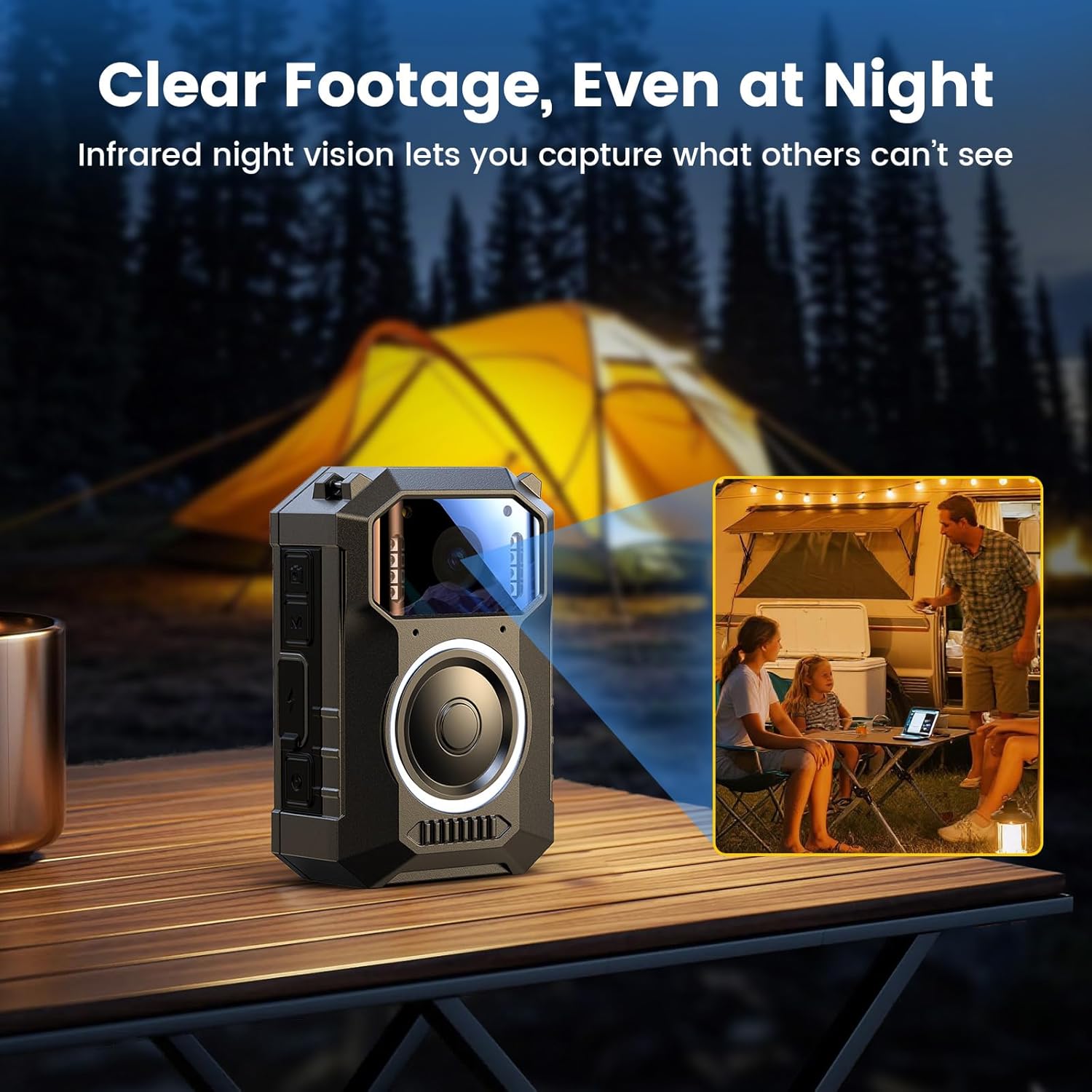
Image: The BOBLOV M11 body camera capturing clear footage in a low-light outdoor setting, demonstrating its enhanced night vision capabilities with 8 IR lights.
5.3 Connecting to Computer
To transfer or view footage, connect the camera to your Windows or Mac computer using the provided USB cable. The camera will appear as a removable disk, allowing you to access your recorded files directly. No extra software is needed.
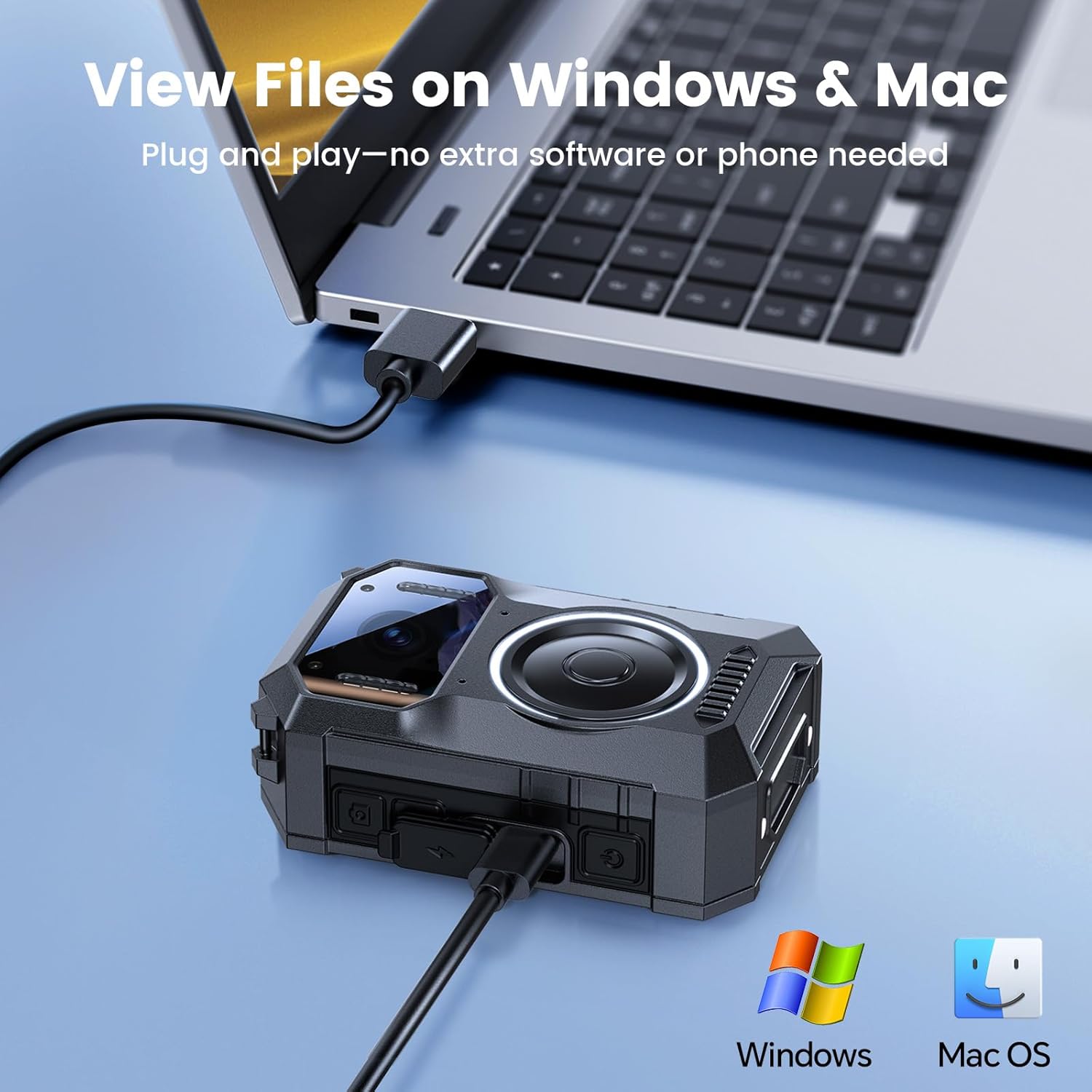
Image: The BOBLOV M11 body camera connected to a laptop via USB cable, illustrating its compatibility with Windows and Mac for file transfer and viewing.
6. Wearing the Camera
The M11 body camera offers flexible wearing options to suit various scenarios, ensuring hands-free recording.
6.1 Using the Clips
Attach either the long or short clip to the back of the camera. These clips allow you to securely fasten the camera to clothing, pockets, or gear. The clips are designed for 360-degree rotation, enabling you to adjust the camera's angle as needed.
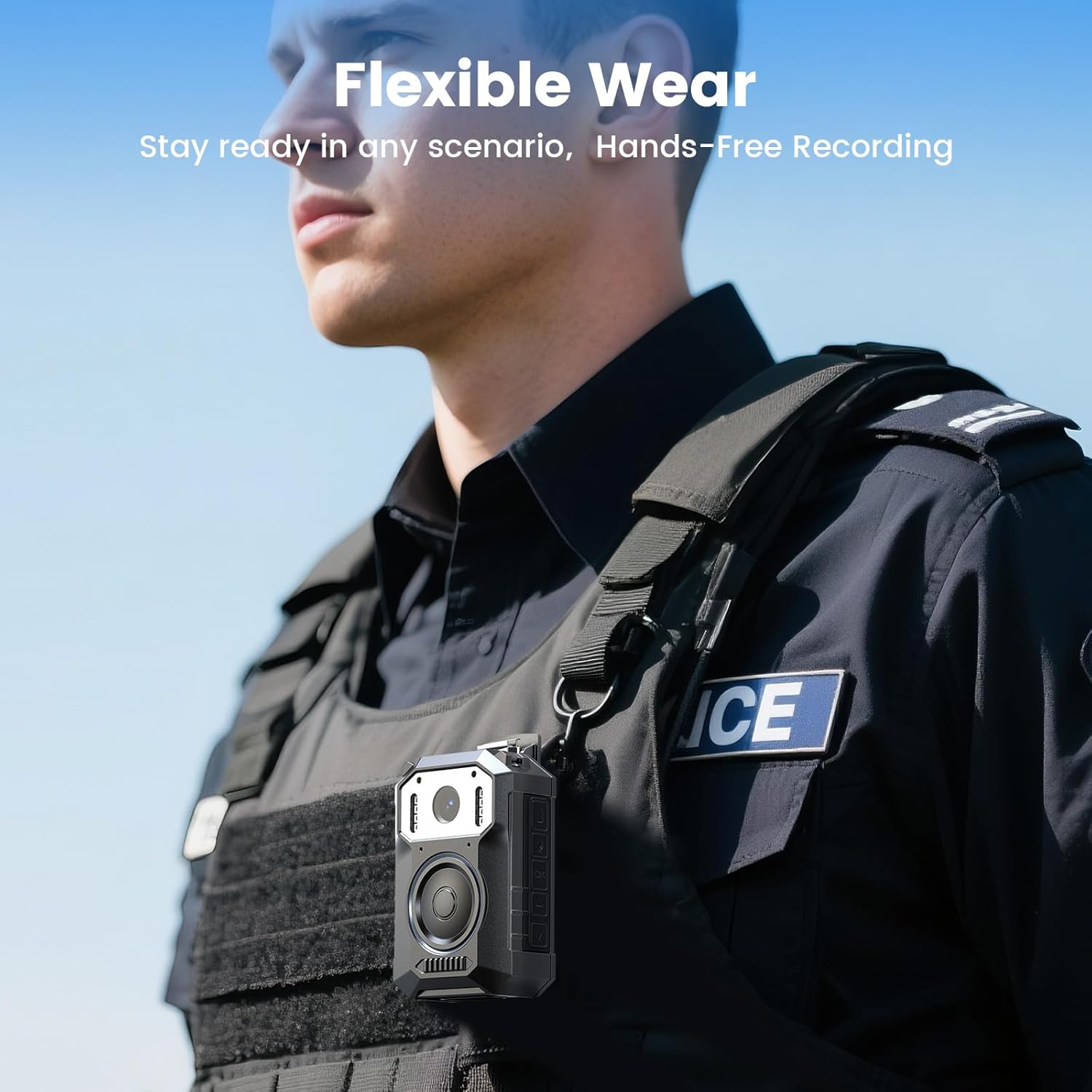
Image: A person wearing the BOBLOV M11 body camera clipped to their tactical vest, demonstrating its flexible wearability for hands-free recording.
6.2 Using the Hand Strap
The included hand strap can be attached to the camera for additional security or alternative carrying methods.
7. Maintenance
- Cleaning: Use a soft, dry cloth to clean the camera body and lens. Avoid using harsh chemicals or abrasive materials.
- Storage: Store the camera in a cool, dry place away from direct sunlight and extreme temperatures.
- Battery Care: For optimal battery life, avoid fully discharging the battery frequently. Charge the camera regularly, even if not in use for extended periods.
8. Troubleshooting
| Problem | Possible Cause | Solution |
|---|---|---|
| Camera does not power on. | Low battery. | Charge the camera fully. |
| Cannot record video. | Insufficient storage space. | Delete old files or replace the memory card. |
| Poor video quality. | Dirty lens. | Clean the camera lens with a soft cloth. |
| Camera not recognized by computer. | Faulty USB cable or port. | Try a different USB cable or computer port. Ensure the camera is powered on. |
9. Specifications
| Feature | Detail |
|---|---|
| Brand | BOBLOV |
| Model Number | M11 |
| Video Capture Resolution | 3.2K |
| Item Weight | 1.17 pounds |
| Package Dimensions | 5.91 x 3.94 x 3.15 inches |
| Batteries | 1 A batteries required (included) |
| Color | Black |
| Special Features | Built-in Microphone, Portable, USB Port, Waterproof |
| Photo Sensor Technology | CMOS |
| Maximum Focal Length | 20 Millimeters |
| Maximum Aperture | 2 f |
| Flash Memory Type | Micro SD |
| Video Capture Format | MOV |
| Screen Size | 2 inches |
| Connectivity Technology | USB |
10. Warranty and Support
BOBLOV provides 24 months of product coverage for registered users. For any technical assistance or inquiries, please contact BOBLOV customer support. We aim to provide a quick response within 24 hours and offer lifetime technical support.
For further assistance, please visit the BOBLOV Store on Amazon.


