
1. Introduction
Thank you for choosing the STF Encode Portable Speaker. This manual provides essential information for the safe and efficient operation of your device. Please read it thoroughly before use and retain it for future reference.
The STF Encode Portable Speaker is designed to deliver powerful and clear audio with its dual 4-inch speakers and 10W RMS output. It features integrated RGB LED lighting for an enhanced audio-visual experience. With a 1500 mAh rechargeable battery, it offers up to 6 hours of continuous music playback. Advanced connectivity options include Bluetooth 5.3, FM radio, USB, Micro SD, 3.5mm auxiliary input, and a 6.3mm microphone input. True Wireless Stereo (TWS) technology allows you to connect two Encode speakers for an immersive stereo sound experience. The Bluetooth 5.3 connection ensures a stable range of up to 10 meters.
2. Product Overview
Familiarize yourself with the components and controls of your STF Encode Portable Speaker.
2.1 Speaker Front View
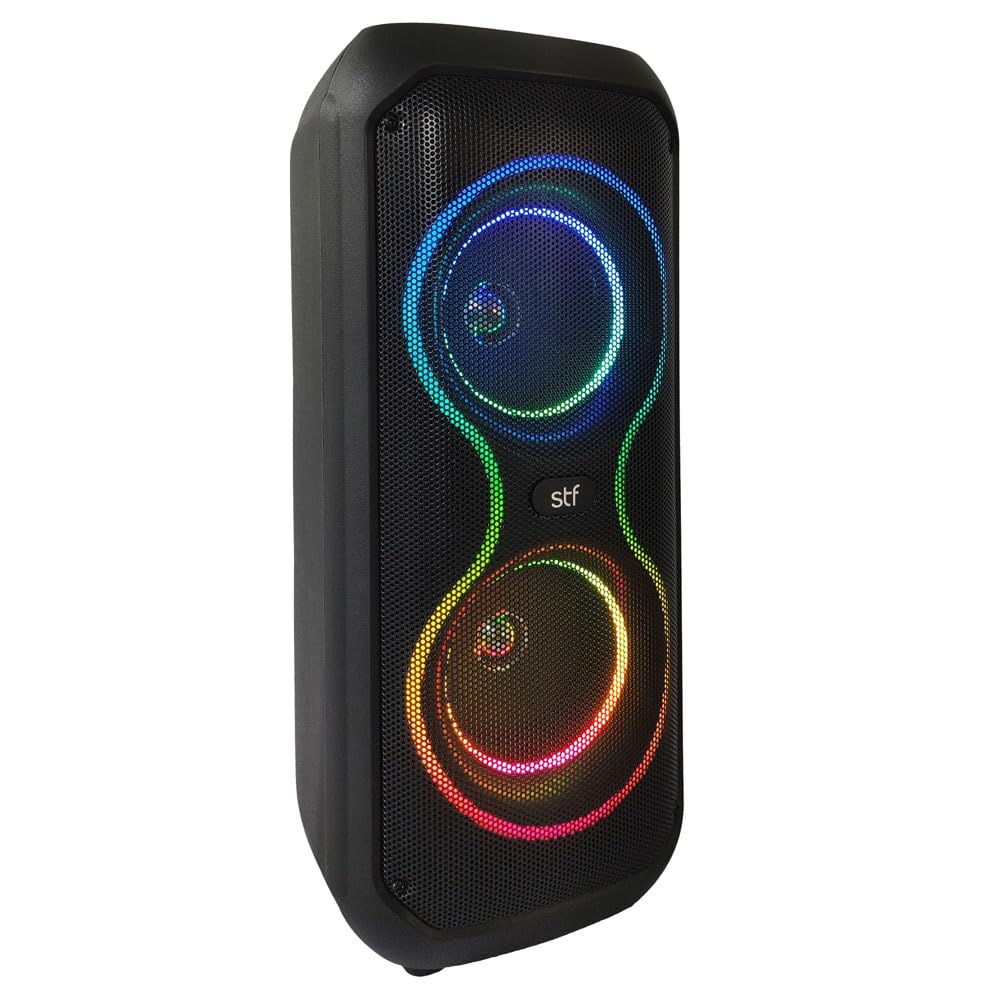
Image: Front view of the STF Encode Portable Speaker, showcasing its dual speaker grilles and integrated RGB LED lighting.
2.2 Top Control Panel

Image: Close-up of the speaker's top panel, showing the DC 5V charging port, USB port, TF (Micro SD) card slot, AUX input, MIC input, and control buttons for power, mode, playback, and volume.
2.3 Rear Panel

Image: Rear view of the STF Encode Portable Speaker, highlighting its robust design and integrated carrying handle for portability.
3. Setup
3.1 Initial Charging
Before first use, fully charge the speaker for approximately 3-4 hours. Connect the provided USB charging cable to the DC 5V port on the speaker and to a compatible USB power adapter (not included) or a computer USB port. The charging indicator light will show the charging status.
3.2 Powering On/Off
To power on the speaker, press and hold the Power button (usually labeled 'ON/OFF' or indicated by a power symbol) on the control panel until the LED display lights up. To power off, press and hold the Power button again.
4. Operating Instructions
4.1 Bluetooth Connection
- Ensure the speaker is powered on and in Bluetooth mode. The LED display will show 'BLUE' or a similar indicator, and a sound prompt may be heard.
- On your mobile device (smartphone, tablet, etc.), enable Bluetooth and search for available devices.
- Select 'STF Encode' (or similar name) from the list of devices.
- Once paired, a confirmation sound will play, and the LED display will indicate a successful connection.
4.2 True Wireless Stereo (TWS) Function
To connect two STF Encode speakers for a stereo experience:
- Ensure both speakers are powered on and in Bluetooth mode.
- On one of the speakers (this will be the primary speaker), press and hold the TWS button (often combined with the Play/Pause button or a dedicated TWS button).
- The primary speaker will search for the secondary speaker. Once connected, a confirmation sound will play.
- Now, connect your mobile device to the primary speaker via Bluetooth as described in section 4.1. Audio will play in stereo through both speakers.
4.3 FM Radio
- Press the 'Mode' button to switch to FM radio mode. The LED display will show the FM frequency.
- Press and hold the Play/Pause button to automatically scan and save available FM stations.
- Use the 'Previous' and 'Next' buttons to navigate between saved stations.
4.4 USB/Micro SD Playback
- Insert a USB flash drive or a Micro SD card (TF card) with MP3 audio files into the respective port/slot.
- The speaker will automatically switch to USB or TF card mode and begin playing music. If it doesn't, press the 'Mode' button to select the correct input.
- Use the playback control buttons (Play/Pause, Previous, Next) to manage your music.
4.5 Auxiliary Input (AUX)
- Connect one end of a 3.5mm audio cable (not included) to the AUX input port on the speaker.
- Connect the other end of the cable to the audio output of your external device (e.g., MP3 player, laptop).
- Press the 'Mode' button to switch to AUX mode. Audio will play from your connected device.
4.6 Microphone Input
- Connect a 6.3mm microphone (not included) to the 'MIC' input port on the speaker.
- Adjust the microphone volume using the dedicated volume knob or general volume controls if available.
4.7 LED Lighting Control
The speaker features integrated RGB LED lighting. Use the dedicated LED button (if available) or a combination of buttons to cycle through different lighting modes or turn the lights on/off.
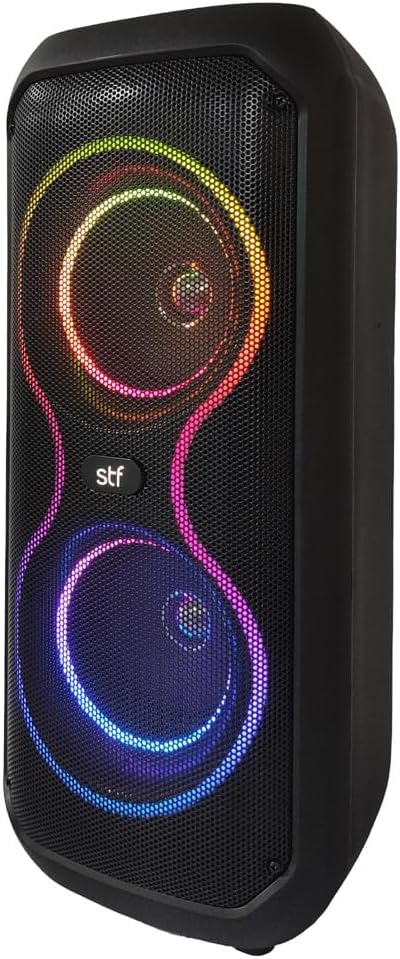
Image: The STF Encode Portable Speaker displaying its dynamic RGB LED lighting, creating a festive atmosphere.
5. Charging
The STF Encode Portable Speaker is equipped with a 1500 mAh rechargeable battery. When the battery is low, a low battery indicator or voice prompt may occur. Connect the speaker to a power source using the provided USB cable to recharge. The charging time is approximately 3-4 hours for a full charge, providing up to 6 hours of playback depending on usage volume and LED light activity.
6. Maintenance
- Clean the speaker with a soft, dry cloth. Do not use abrasive cleaners or solvents.
- Avoid exposing the speaker to extreme temperatures, direct sunlight, or high humidity.
- Do not immerse the speaker in water or any other liquids.
- Store the speaker in a cool, dry place when not in use for extended periods.
7. Troubleshooting
| Problem | Possible Cause | Solution |
|---|---|---|
| Speaker does not turn on | Low battery; Power button not pressed correctly. | Charge the speaker fully; Press and hold the Power button for a few seconds. |
| No sound | Volume too low; Incorrect mode selected; Device not paired. | Increase volume; Press 'Mode' button to select correct input; Re-pair Bluetooth device. |
| Bluetooth connection unstable | Device too far; Obstructions; Interference. | Move device closer to speaker (within 10m); Remove obstructions; Avoid other wireless devices. |
| TWS connection fails | Speakers not in TWS pairing mode; Too far apart. | Ensure both speakers are in Bluetooth mode and initiate TWS pairing on one speaker; Keep speakers close during pairing. |
8. Specifications
- Model: ST-S59123
- Power Output: 10W RMS
- Speaker Size: Dual 4-inch speakers
- Connectivity: Bluetooth 5.3, FM Radio, USB, Micro SD, AUX (3.5mm), Microphone Input (6.3mm)
- Bluetooth Range: Up to 10 meters
- Battery: 1500 mAh Rechargeable
- Playback Time: Up to 6 hours (at moderate volume)
- Features: True Wireless Stereo (TWS), RGB LED Lighting
- Power Source: Battery
- Mounting Type: Floor Mount
9. Product Videos
9.1 STF Allure Speaker Overview
Video: An overview of the STF Allure 5x2 speaker, demonstrating its features and sound capabilities. While a slightly different model, it showcases similar functionalities and design elements to the Encode speaker.
9.2 Discover STF Products
Video: A general promotional video showcasing various products from the STF brand, including speakers and other electronic devices.
10. Warranty and Support
For warranty information, technical support, or service inquiries, please refer to the official STF website or contact their customer service directly. Keep your purchase receipt as proof of purchase for any warranty claims.


