1. Introduction
Thank you for choosing the WYBOT A1 Cordless Robotic Pool Cleaner. This manual provides essential information for the safe and efficient operation, maintenance, and troubleshooting of your new pool cleaner. Please read this manual thoroughly before using the product and retain it for future reference.

Figure 1: WYBOT A1 Cordless Robotic Pool Cleaner. This image displays the top-down view of the white WYBOT A1 robotic pool cleaner with its handle extended, showing the power button and LED indicators.
2. Safety Information
To ensure safe operation and prevent damage, please observe the following safety precautions:
- Read all instructions carefully before use.
- Do not operate the cleaner when people or pets are in the pool.
- Only use the original charger provided by WYBOT.
- Ensure the charging port is dry before connecting the charger.
- Do not use the cleaner if the water temperature is outside the recommended range (typically 10°C - 35°C / 50°F - 95°F).
- Keep the cleaner out of reach of children.
- Do not attempt to repair the unit yourself. Contact qualified service personnel.
- Remove the cleaner from the pool after each cleaning cycle and before charging.
3. Product Overview
The WYBOT A1 is a cordless robotic pool cleaner designed for efficient cleaning of above-ground and flat-bottomed pools. Key features include:
- Dual Filtration System: Features a 180µm filter tray and a cotton foam layer for enhanced debris capture, including small leaves, sand, and fine particles.
- Extended Runtime: Up to 120 minutes of cleaning on a single charge, suitable for pools up to 1076 sq.ft.
- Rapid Charging: Fully charges in approximately 2.5 hours.
- LED Indicators: Five distinct LED colors provide clear status updates for battery level, power, low battery, cleaning cycle selection, and errors.
- Edge Cleaning Function: Pauses briefly at pool walls to enhance cleaning along the edges.
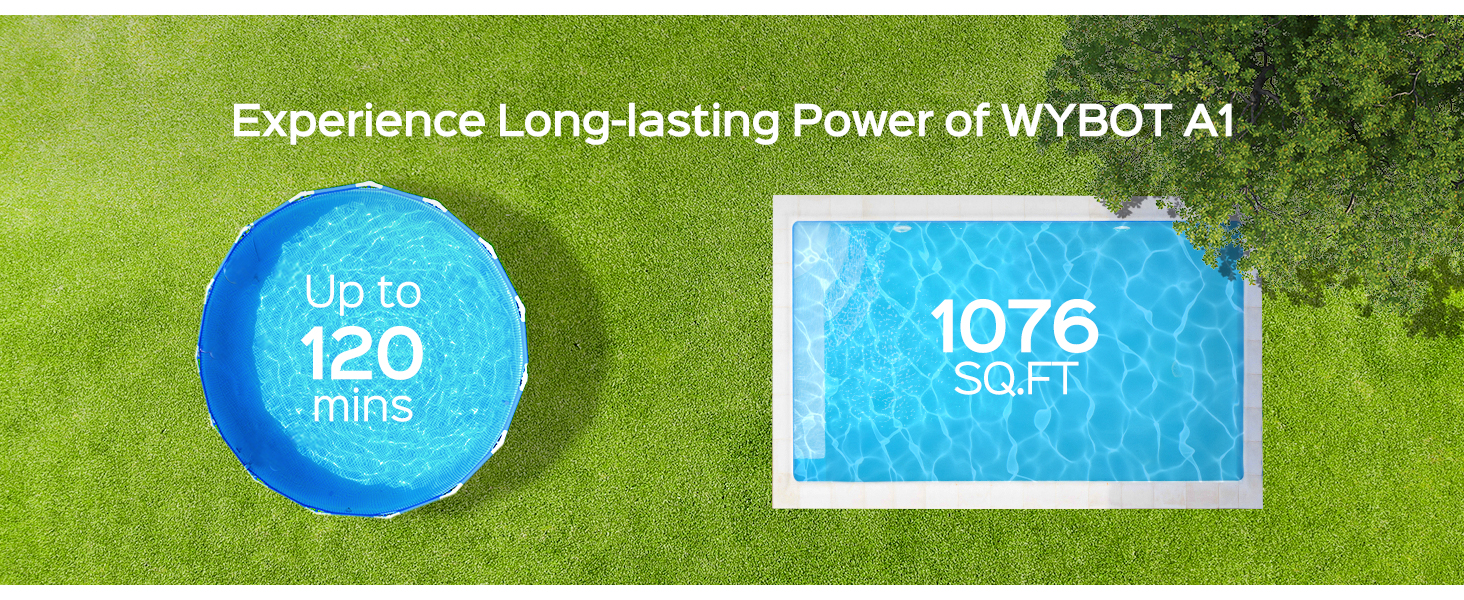
Figure 2: WYBOT A1 Long-lasting Power. This image highlights the 120-minute runtime and suitability for pools up to 1076 sq.ft., showing a round pool and a rectangular pool with these specifications.

Figure 3: WYBOT A1 Suitable Pool Surfaces. This image illustrates the cleaner operating on various pool surfaces such as Vinyl, Mosaic, and Cement, indicating its versatility.
4. Setup
4.1 Unboxing and Components
Carefully remove all components from the packaging. The box should contain the WYBOT A1 cleaner, a charging adapter, a retrieval hook, and the instruction manual.

Figure 4: WYBOT A1 Package Contents. This image shows the WYBOT A1 robotic pool cleaner alongside its packaging box, charging adapter, retrieval hook, and user manual.
4.2 Initial Charging
Before first use, fully charge the cleaner. Connect the charging adapter to the cleaner's charging port and plug it into a power outlet. The LED indicator will show charging status. A full charge takes approximately 2.5 hours.

Figure 5: WYBOT A1 2.5 Hours Charging. This image depicts the WYBOT A1 cleaner charging on a poolside deck, connected to a wall outlet, emphasizing its fast charging capability.
5. Operating Instructions
5.1 Placing the Cleaner in the Pool
Once fully charged, select your desired cleaning cycle (see section 5.2). Gently lower the cleaner into the pool. The cleaner will activate automatically once submerged.
5.2 Cleaning Cycles
The WYBOT A1 offers multiple cleaning cycles to suit your needs. Ensure the robot is fully charged before selecting a cycle.
- Cycle 1 (Default): 120 minutes of cleaning on the first day.
- Cycle 2: 60 minutes of cleaning on the first day, then 60 minutes on the second day (24 hours later).
- Cycle 3: 40 minutes of cleaning on the first day, 40 minutes on the second day, and 40 minutes on the third day (24 hours between each).
- Cycle 4: 30 minutes of cleaning on the first day, 30 minutes on the third day, 30 minutes on the fifth day, and 30 minutes on the seventh day (48 hours between each).

Figure 6: WYBOT A1 Customize Cleaning Cycle. This image illustrates the four programmable cleaning cycles available on the WYBOT A1, detailing their duration and frequency.
5.3 LED Indicator Status
The cleaner is equipped with LED lights to indicate its current status:
- Green: Indicates battery level.
- Blue: Indicates power on/working status.
- Yellow: Warns of low battery.
- Purple: Signifies the selected cleaning cycle.
- Red: Alerts to machine errors.

Figure 7: WYBOT A1 LED Indicators. This image visually explains the meaning of each of the five LED indicator colors on the cleaner's control panel.
5.4 Edge Cleaning Function
When the cleaner encounters a pool wall, it will briefly pause to enhance its cleaning power along the edge before continuing to clean the pool floor.

Figure 8: WYBOT A1 Edge-enhanced Cleaning Feature. This image demonstrates the cleaner's ability to pause at the pool wall and intensify cleaning along the edges, showing debris being swept away.
5.5 Suitable Pool Types
The WYBOT A1 is ideal for above-ground pools and flat-bottomed in-ground pools with a maximum area of 1076 sq.ft. and water depth less than 2.5 meters. It is not recommended for pools with slopes exceeding 15 degrees or significant bottom wrinkles (greater than 0.2 inches).

Figure 9: WYBOT A1 Suitable Pool Types. This image visually indicates which pool types are suitable (area less than 1076 sq.ft., above-ground pools, water depth less than 2.5 meters) and unsuitable (area greater than 1076 sq.ft., in-ground pools with more than 15-degree slopes).

Figure 10: WYBOT A1 Ideal for Flat-Bottom Pools. This image shows the cleaner navigating a flat-bottom pool, highlighting its ability to handle small protrusions (less than 0.2 inches) and wrinkles (less than 0.2 inches).
6. Maintenance
6.1 Cleaning the Dual Filtration System
Regular cleaning of the filter system is crucial for optimal performance. The WYBOT A1 features a dual-layer filtration system. If the pool is particularly dirty, clean the filter every 30 minutes to prevent clogging and damage.
- Remove the cleaner from the pool.
- Open the cleaner's cover to access the filter tray and cotton foam layer.
- Remove both the 180µm filter tray and the cotton foam filter.
- Rinse both filters thoroughly with a hose until all debris is removed.
- Ensure the filters are completely dry before reinserting them into the cleaner.
- Close the cleaner's cover securely.

Figure 11: WYBOT A1 Upgraded Double Filtration System. This image illustrates the two-stage filtration process, showing how the 180µm filter captures larger debris and the cotton foam layer captures finer particles, compared to a single-layer filter.
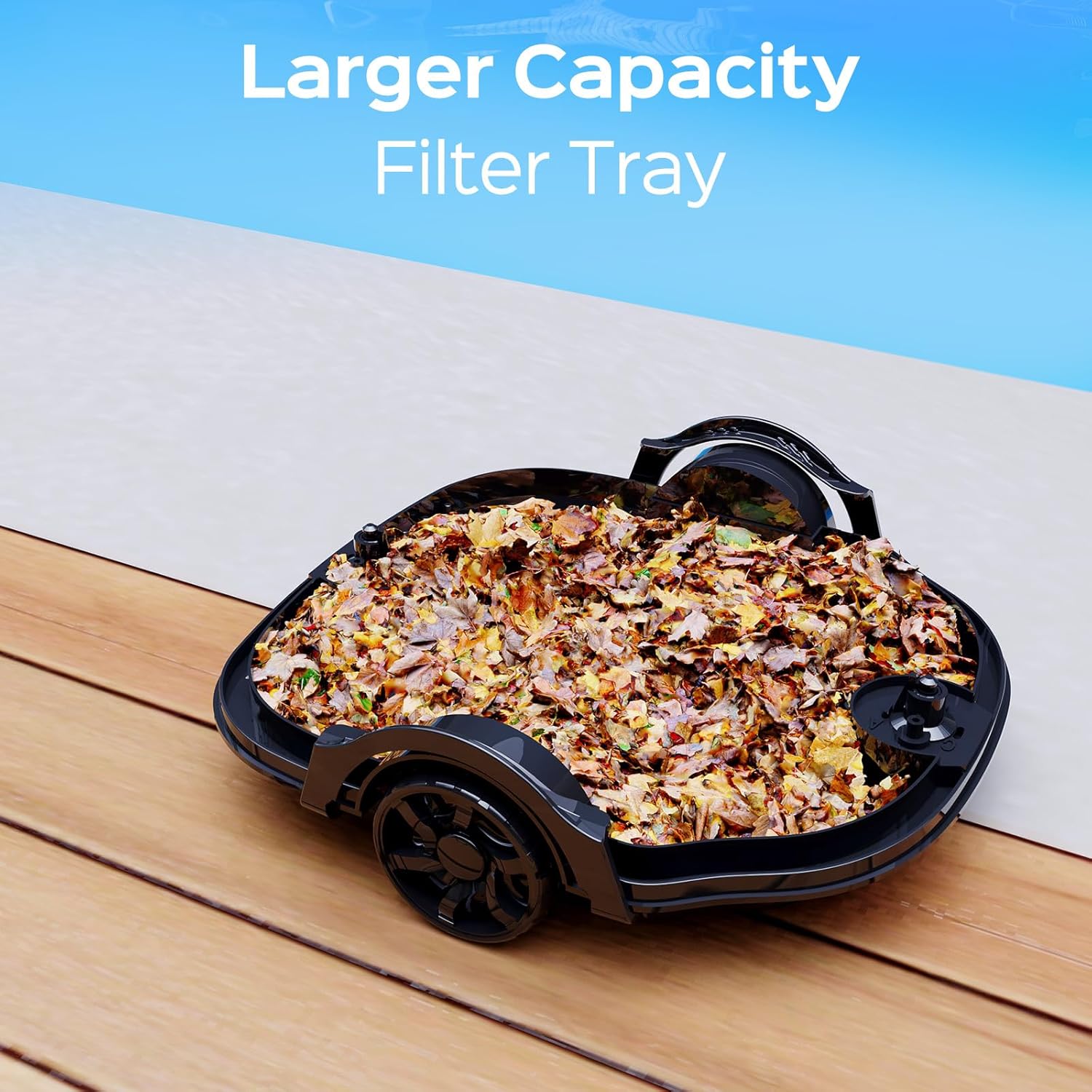
Figure 12: WYBOT A1 Larger Capacity Filter Tray. This image shows the filter tray filled with collected leaves and debris, demonstrating its capacity.
6.2 General Cleaning and Storage
Wipe the exterior of the cleaner with a soft, damp cloth. Store the cleaner in a cool, dry place away from direct sunlight and extreme temperatures when not in use for extended periods. Ensure the battery is partially charged (around 50%) before long-term storage.
7. Troubleshooting
Refer to the following table for common issues and their solutions:
| Problem | Possible Cause | Solution |
|---|---|---|
| Cleaner does not start or stops unexpectedly. | Low battery; filter clogged; foreign object obstructing movement; machine error (Red LED). | Charge the cleaner fully. Clean the filter system. Check for and remove any obstructions. If Red LED persists, contact support. |
| Poor cleaning performance. | Clogged filters; low battery; unsuitable pool type (e.g., steep slopes, large wrinkles). | Clean the filter system thoroughly. Ensure the cleaner is fully charged. Verify pool compatibility (flat bottom, slopes < 15 degrees, wrinkles < 0.2 inches). |
| Cleaner gets stuck or moves erratically. | Obstruction; pool bottom irregularities (wrinkles, drains); low battery. | Remove obstructions. Ensure pool bottom is relatively flat. Charge the cleaner. |
| Charging indicator not working. | Charger not properly connected; charging port wet; faulty charger/battery. | Ensure secure connection. Dry charging port completely. Test charger with another device if possible, or contact support. |
If the problem persists after attempting these solutions, please contact WYBOT customer support.
8. Specifications
| Feature | Detail |
|---|---|
| Model | OS2010 |
| Brand | WYBOT |
| Power Source | Battery Powered (Lithium-Ion) |
| Battery Capacity | 58 Watt Hours (1 Lithium Ion battery required, 6 cells) |
| Runtime | Up to 120 minutes |
| Charging Time | Approximately 2.5 hours |
| Item Weight | 11.1 Pounds (5.03 kg) |
| Product Dimensions | 14"L x 7"W x 12"H (35.56 x 17.78 x 30.48 cm) |
| Max Pool Area | 1076 sq.ft. (100 m²) |
| Max Water Depth | 2.5 meters |
| Max Pool Slope | 15 degrees |
| Filtration System | Dual-layer (180µm filter tray + cotton foam) |
| Control Method | On-device buttons |
| Material | Plastic |
| Color | White |
9. Warranty and Support
For warranty information, technical support, or service inquiries, please refer to the contact details provided on the product packaging or visit the official WYBOT website. Keep your purchase receipt as proof of purchase for warranty claims.


