
1. Introduction
The Fszdorj F115 23.6-inch Ceiling Fan with Light is a low-profile, flush-mount fixture designed for various indoor spaces such as bedrooms, living rooms, and kitchens. It combines efficient air circulation with versatile lighting options, controlled via a remote or a smartphone application. Key features include a quiet DC motor, 6 adjustable fan speeds, stepless dimming, adjustable color temperature, and an independent night light function.
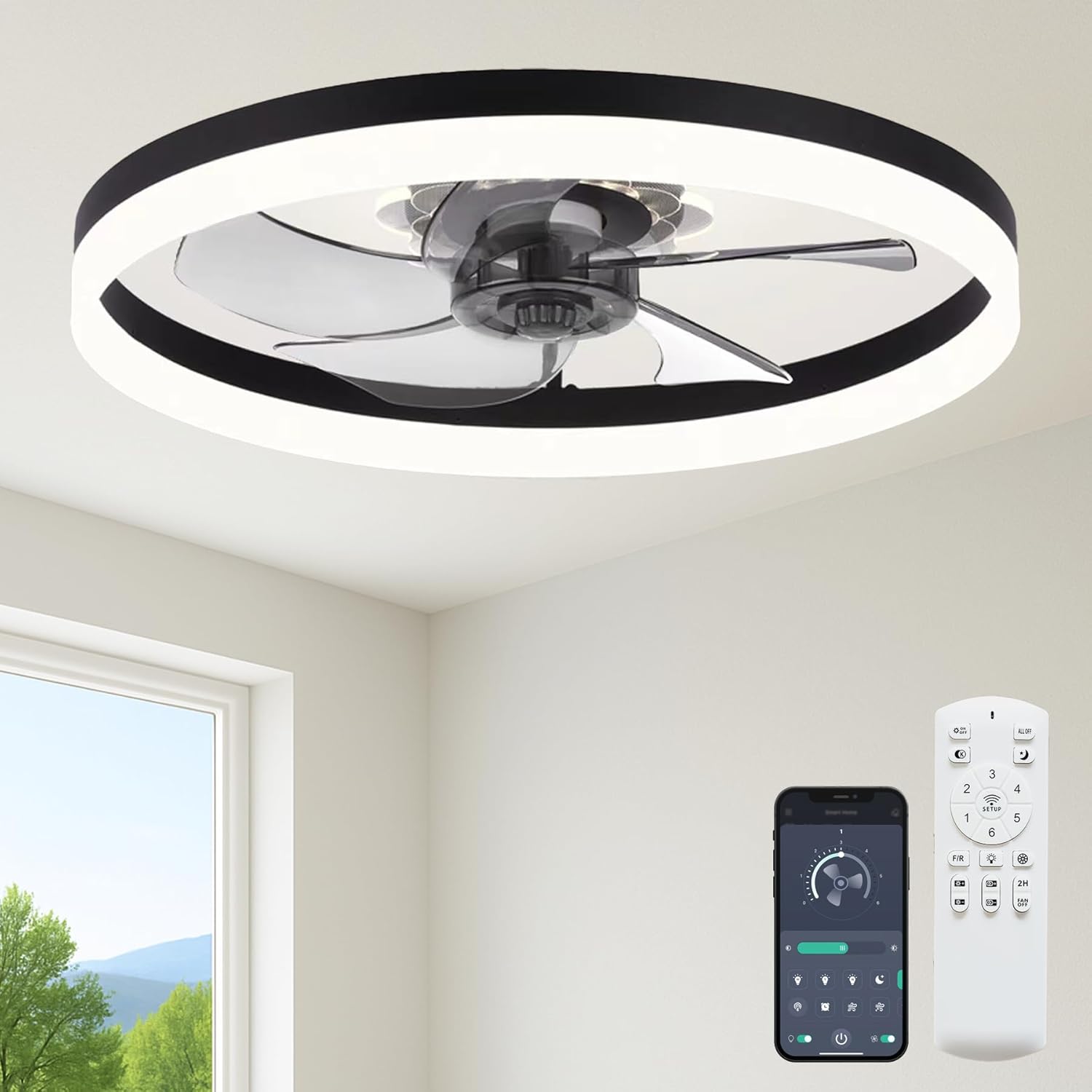
Image 1.1: The Fszdorj F115 ceiling fan with its remote control and smartphone application interface.
2. Safety Information
Please read all safety instructions carefully before installation and use. Failure to follow these instructions may result in electric shock, fire, or personal injury.
- Always turn off power at the circuit breaker before installation, maintenance, or cleaning.
- Consult a qualified electrician if you are unsure about wiring procedures.
- Ensure the mounting structure can safely support the fan's weight.
- Do not bend fan blades during installation or cleaning to prevent damage.
- Keep children away from the fan during operation.
- Use only the provided remote control and app for operation.
3. Package Contents
Verify that all components are present and undamaged before proceeding with installation.
- Ceiling Fan with Light unit
- Remote Control
- Mounting Hardware (screws, wire nuts, etc.)
- Instruction Manual

Image 3.1: Key components of the Fszdorj F115 ceiling fan, highlighting the high light-transmission acrylic lampshade, high-lumen LED light strip, uniform lighting effect, and all-metal frame.
4. Specifications
Technical details for the Fszdorj F115 Ceiling Fan with Light.

Image 4.1: Overview of product dimensions and key electrical specifications.
| Feature | Specification |
|---|---|
| Brand | Fszdorj |
| Model Name | F115 (2-F115 600) |
| Product Dimensions | 23.6"L x 23.6"W x 5"H (approx. 60cm x 60cm x 12.7cm) |
| Rated Voltage | 110-120V |
| Rated Power | 80 Watts |
| Brightness | 6500 Lumen (Max) |
| Light Source Type | LED |
| Color Temperature Range | 3000K (Warm) to 6500K (Cool White) |
| Control Method | App (Bluetooth), Remote Control, Wall Switch (Memory Function) |
| Fan Speeds | 6 |
| Motor Type | DC Motor |
| Noise Level | <30 dB(A) |
| Material | Acrylic, Iron Frame |
| Installation Type | Flush Mount |
| Indoor/Outdoor Usage | Indoor |
| Warranty | 2-Year Warranty |
5. Installation Guide (Setup)
This section provides general steps for installing your ceiling fan. For detailed wiring diagrams and specific instructions, please refer to the comprehensive manual included in your package. Professional installation is recommended if you are unfamiliar with electrical wiring.
- Preparation: Turn off power at the main circuit breaker to the room where the fan will be installed. Ensure the mounting surface is secure and can support the fan's weight.
- Mounting Bracket: Attach the mounting bracket securely to the ceiling junction box using the provided hardware. Ensure it is firmly fastened.
- Wiring: Connect the fan's electrical wires to the household wiring according to local electrical codes. Typically, this involves connecting the live (black), neutral (white), and ground (green/bare copper) wires. Use appropriate wire nuts to secure connections.
- Secure Fan Body: Carefully lift the fan body and align it with the mounting bracket. Secure the fan body to the bracket using the designated screws. Ensure all connections are firm and safe.
- Final Check: Double-check all electrical connections and ensure the fan is securely mounted. Restore power at the circuit breaker.
6. Operation
The Fszdorj F115 ceiling fan can be operated using the included remote control or a dedicated smartphone application. Both methods allow for independent control of the fan and light functions.
7. Remote Control & App Control
Manage your fan and light settings conveniently with the remote or your smartphone.

Image 7.1: The remote control and smartphone app interface, highlighting various control features.
- Remote Control: Use the provided remote to adjust fan speed (1-6), change light brightness (stepless dimming), adjust color temperature (warm to cool), activate the night light, set timers, and reverse fan direction. The remote also features a "Pair Button" for initial setup.
- App Control (Bluetooth): Download the dedicated app by scanning the QR code provided in the manual or on the product packaging. The app offers comprehensive control over all fan and light settings, including advanced customization options. Ensure Bluetooth is enabled on your device for connection.
- Memory Function: The fan retains the last light and fan settings when turned off and on via the wall switch or remote, ensuring your preferred ambiance is restored automatically.

Image 7.2: Detailed view of the remote control functions, QR code for app download, and compatibility with a wall switch (not included).
8. Dimmable LED & Color Temperature
The integrated LED light offers versatile illumination to suit any mood or task.

Image 8.1: Illustration of adjustable color temperature from warm (3000K) to natural (4500K) to cool (6500K) with stepless dimming capabilities.
- Stepless Dimming: Adjust the brightness from 10% to 100% smoothly via the remote or app to achieve your desired light intensity.
- Adjustable Color Temperature: Transition the light color from warm white (3000K) for a cozy atmosphere, to natural white (4500K) for general tasks, and cool white (6500K) for focused activities.
9. Night Light Function
A dedicated night light feature provides soft ambient lighting for comfort and safety.

Image 9.1: The independent night light feature showcasing warm light, violet, and calming blue color options.
- Independent Control: The night light can be activated and controlled separately from the main light, allowing for flexible use.
- Preset Colors: Choose from three preset colors: violet, warm blue, and soft warm, to create a desired atmosphere in your room.

Image 9.2: Examples of the night light's violet, warm light, and warm blue settings in different indoor environments.
10. Reversible Fan Motor
The quiet DC motor features a reversible function to optimize air circulation throughout the year, enhancing comfort in both warm and cool seasons.

Image 10.1: Visual representation of the fan's reversible airflow, showing updraft for winter and downdraft for summer.
- Summer Mode (Downdraft): Blades rotate counter-clockwise, pushing cool air downwards to create a refreshing breeze and enhance the cooling effect of air conditioning.
- Winter Mode (Updraft): Blades rotate clockwise, drawing cool air up towards the ceiling and distributing warm air evenly throughout the room, helping to reduce heating costs.
11. Maintenance
Regular maintenance ensures optimal performance and longevity of your ceiling fan.
- Cleaning: Always turn off power at the circuit breaker before cleaning. Use a soft, damp cloth to wipe the fan blades and light fixture. Avoid abrasive cleaners, solvents, or excessive moisture, which can damage the finish or electrical components.
- Inspection: Periodically check all mounting screws and electrical connections to ensure they are tight and secure.
- Bulb Replacement: The LED light source is integrated and not user-replaceable. If the light fails, please contact Fszdorj customer support for assistance.
12. Troubleshooting
If you encounter any issues with your Fszdorj F115 ceiling fan, refer to the following common problems and solutions:
| Problem | Possible Cause | Solution |
|---|---|---|
| Fan not operating | No power supply; Remote batteries low/dead; Fan not paired. | Check circuit breaker; Replace remote batteries; Re-pair fan with remote/app. |
| Light not working | No power supply; Light function off; Integrated LED failure. | Check circuit breaker; Ensure light is turned on via remote/app; Contact customer support. |
| Remote/App not responding | Remote batteries low/dead; Bluetooth off (for app); Pairing lost. | Replace remote batteries; Enable Bluetooth on device; Re-pair the remote/app with the fan. |
| Excessive noise | Loose mounting screws; Obstruction around blades. | Ensure all mounting screws are tight; Check for and remove any obstructions. |
If the problem persists after attempting these solutions, please contact Fszdorj customer support.
13. Warranty and Support
The Fszdorj F115 Ceiling Fan with Light comes with a 2-year warranty, ensuring peace of mind regarding product quality and performance. For any questions, technical assistance, or warranty claims, please contact Fszdorj customer service.

Image 13.1: Fszdorj customer support details, highlighting 10-year support on motor and 2-year support on all parts.
- Customer Service: Refer to the contact information provided in your product packaging or visit the official Fszdorj store on Amazon for the latest support details.
- Support Hours: Fszdorj offers 7/24 Hours Professional Support to assist you with any inquiries.
We are committed to ensuring your satisfaction with our products.
