1. Introduction
Thank you for purchasing the SDRD SD-215 Bluetooth Karaoke Machine. This portable system is designed to provide high-quality audio and an immersive karaoke experience for various occasions, from home parties to outdoor gatherings. Featuring powerful sound, dual wireless microphones, and dynamic LED lighting, the SD-215 offers versatile connectivity and long-lasting battery life. Please read this manual carefully to ensure proper use and maintenance of your device.
2. Safety Information
- Do not expose the device to water or excessive moisture.
- Avoid extreme temperatures and direct sunlight.
- Do not disassemble or attempt to repair the device yourself. Refer to qualified service personnel.
- Keep out of reach of children and pets.
- Use only the provided charging cable and adapter.
- Ensure proper ventilation when operating the device.
3. What's in the Box
- 1 x SDRD SD-215 Karaoke Machine
- 2 x Wireless Microphones
- 1 x USB Charging Cable
- 1 x AUX Cable
- 1 x User Manual

Image: The SDRD SD-215 Karaoke Machine, showcasing the main unit with its integrated phone holder and two wireless microphones docked in their charging slots.
4. Product Overview and Features
The SDRD SD-215 is an all-in-one portable karaoke system designed for ease of use and powerful performance.
- Powerful Sound: Built-in 20W high-fidelity speaker with strong bass and clear vocals.
- Dual Wireless Microphones: Two 2.4GHz wireless microphones for duets, with adjustable echo and reverb.
- Long Battery Life: 4000mAh battery provides 6-8 hours of continuous use, with 3-hour fast charging. Microphones can be charged via the main unit or separately via USB-C.
- Multiple Connection Options: Supports Bluetooth 5.3 (up to 100 feet/30 meters), USB, and AUX playback.
- Dynamic LED Lights: Features dynamic LED lights with music rhythm, static, or off modes to enhance the party atmosphere.
- Compact All-in-One Design: Integrated storage for microphones and a phone holder for convenience and portability.
- Easy to Use: Simple setup with no complicated apps required, suitable for all ages.
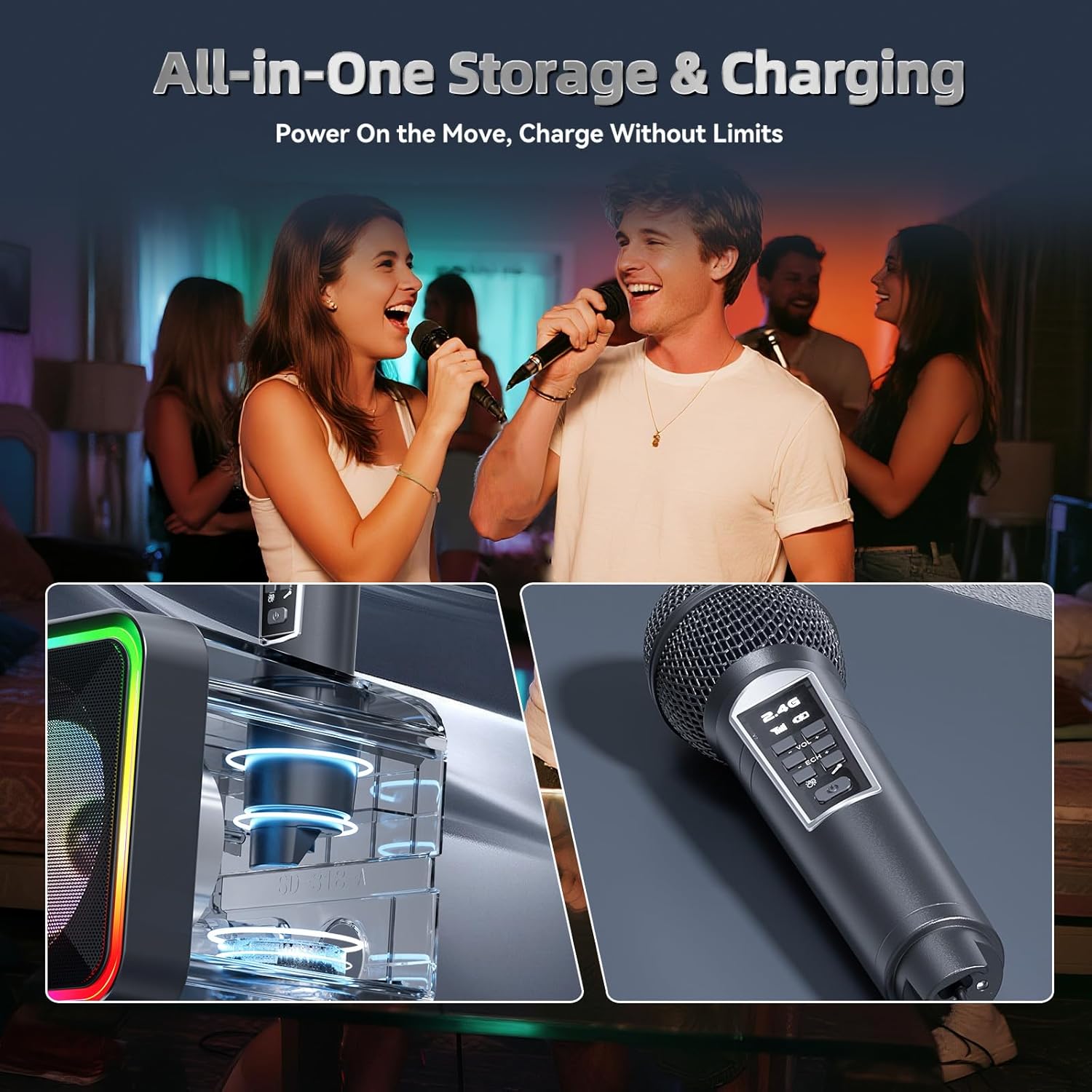
Image: The karaoke machine in use, highlighting its all-in-one storage and charging capabilities for the microphones.

Image: A detailed view of the karaoke machine's front, illustrating the dual dynamic LED zones that provide customizable lighting effects.
5. Setup Guide
5.1 Initial Charging
- Before first use, fully charge the karaoke machine and both wireless microphones.
- Connect the provided USB charging cable to the DC-5V port on the back of the karaoke machine and to a USB power adapter (not included). The charging indicator will light up.
- To charge the microphones, either place them into the designated slots on top of the main unit or connect them individually using the USB-C ports on the microphones to a USB power source.
- A full charge takes approximately 3 hours for the main unit.
5.2 Powering On/Off
Locate the ON/OFF switch on the back of the karaoke machine. Slide it to the "ON" position to power on the device. You will hear a voice prompt indicating the current mode (e.g., "Bluetooth Mode"). To power off, slide the switch to the "OFF" position.
5.3 Microphone Pairing
The wireless microphones are pre-paired with the main unit. Simply power on the microphones by pressing and holding their power buttons. They should automatically connect to the karaoke machine. The microphone display will show "2.4G" and a signal strength indicator when connected.
5.4 Connecting to Audio Sources
5.4.1 Bluetooth Connection
- Ensure the karaoke machine is powered on and in Bluetooth mode (indicated by "BLUE" on the display).
- On your smartphone, tablet, or TV, enable Bluetooth and search for available devices.
- Select "SD-215" from the list of devices to pair. You will hear a confirmation sound once connected.
- Once paired, you can play music from your device through the karaoke machine.
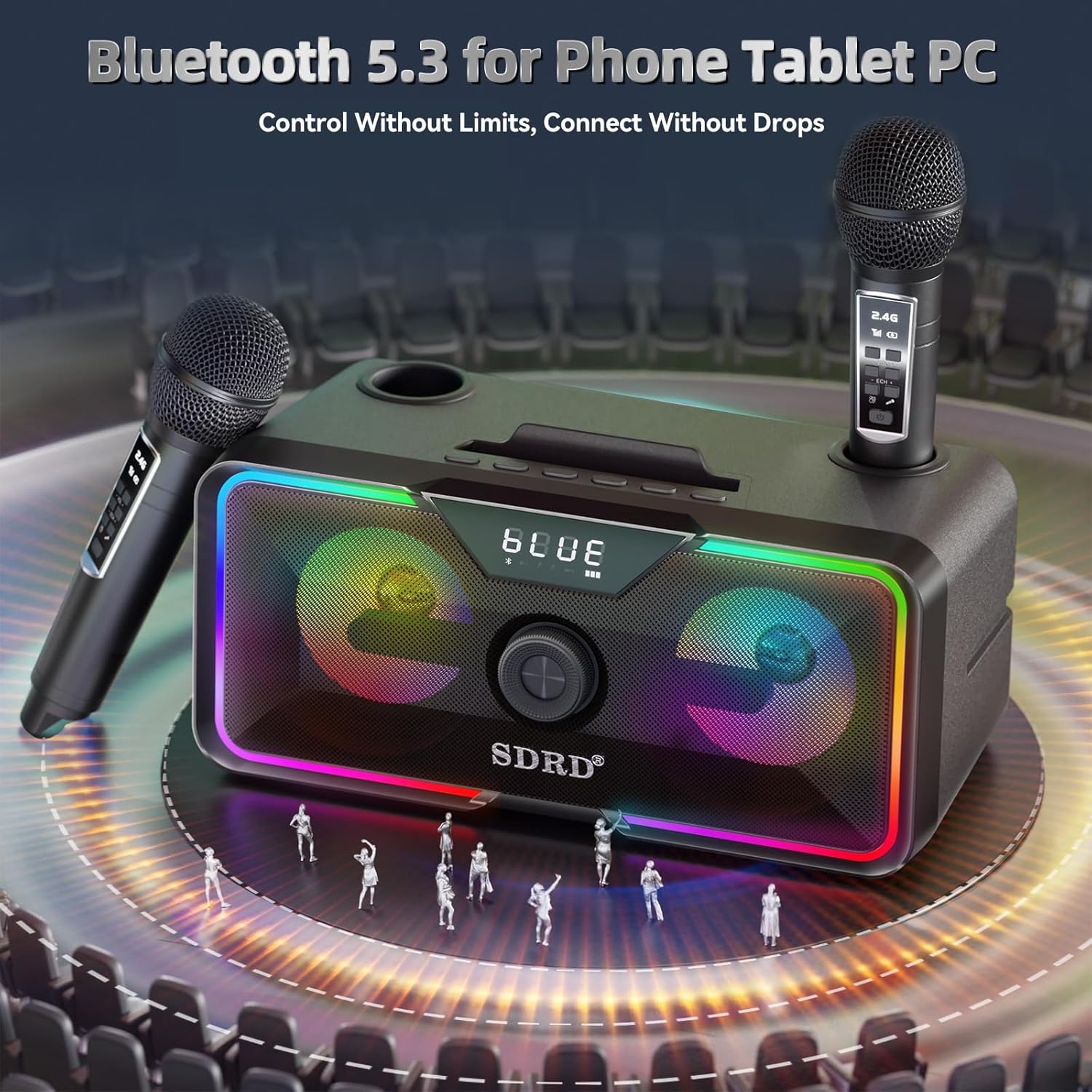
Image: The karaoke machine with a smartphone, illustrating its Bluetooth 5.3 connectivity for phones, tablets, and PCs.
5.4.2 USB Playback
Insert a USB flash drive containing MP3 audio files into the USB port on the back of the karaoke machine. The device will automatically switch to USB mode and begin playing music.
5.4.3 AUX Playback
Connect an external audio device (e.g., MP3 player, CD player) to the AUX (Line-in) port on the back of the karaoke machine using the provided 3.5mm AUX cable. The device will automatically switch to AUX mode.
6. Operating Instructions
6.1 Main Unit Controls
The main unit features an integrated command interface for easy control:
- Volume Knob: Rotate to adjust the main speaker volume.
- NEXT Button: Press to skip to the next track.
- Previous Button: Press to go back to the previous track.
- Pause/Play Button: Press to pause or resume playback.
- LED Light Button: Press to cycle through different LED light modes (dynamic, static, off).
- Mode Button: Press to switch between Bluetooth, USB, and AUX input modes.

Image: A detailed diagram of the karaoke machine's top panel, illustrating the integrated command interface with clearly labeled buttons for music, volume, sound modes, and input ports.
6.2 Microphone Controls
Each wireless microphone has its own controls:
- Power Button: Press and hold to power on/off the microphone.
- VOL+ / VOL- Buttons: Adjust the microphone's volume.
- ECH+ / ECH- Buttons: Adjust the echo effect intensity.
- Sound Effects Button: Press to activate one-touch sound effects (e.g., applause, laughter, cheers).
6.3 Using the Karaoke Function
- Connect your audio source (e.g., phone with karaoke app or YouTube) to the karaoke machine via Bluetooth, USB, or AUX.
- Ensure both the karaoke machine and microphones are powered on and connected.
- Play your desired karaoke track.
- Adjust the main unit's volume using the knob.
- Adjust your microphone's volume and echo effect using the controls on the microphone itself.
- Utilize the one-touch sound effects on the microphone for added fun.
7. Maintenance
- Cleaning: Use a soft, dry cloth to clean the surface of the karaoke machine and microphones. Do not use abrasive cleaners or solvents.
- Battery Care: To prolong battery life, avoid fully discharging the battery frequently. If storing for a long period, charge the battery to about 50% every 3 months.
- Storage: Store the device in a cool, dry place away from direct sunlight and extreme temperatures.
- Microphone Care: Handle microphones with care. Avoid dropping them or exposing them to excessive force.
8. Troubleshooting
| Problem | Possible Cause | Solution |
|---|---|---|
| No power | Battery is low or dead. | Charge the karaoke machine fully. Ensure the power switch is ON. |
| No sound from speaker | Volume is too low; incorrect input mode; device not connected. | Increase main unit volume. Press MODE button to select correct input (Bluetooth/USB/AUX). Reconnect Bluetooth device or check cables. |
| Microphone not working | Microphone is off; battery low; not paired. | Power on microphone. Charge microphone. Microphones are pre-paired, but if issues persist, try powering off/on both the machine and mics. |
| Bluetooth connection unstable | Device too far; interference. | Move the connected device closer to the karaoke machine (within 30 meters/100 feet). Avoid obstacles or other strong wireless signals. |
| LED lights not working | Lights are turned off. | Press the LED Light button to cycle through modes and turn them on. |
9. Specifications
- Model: SD-215
- Brand: SDRD
- Speaker Output: 20W
- Connectivity: Bluetooth 5.3, USB, AUX (3.5mm)
- Wireless Microphones: 2.4GHz (2 included)
- Battery Capacity: 4000mAh (Karaoke Machine)
- Playtime: 6-8 hours (approx.)
- Charging Time: 3 hours (approx.)
- Dimensions: 11.4 x 5.5 x 5.5 inches
- Weight: 4.34 lbs
- Color: Black
- Power Source: Battery Powered (Lithium Ion)
- Special Features: Built-In Microphone, Indicator Light, PA System, Portable, Rechargeable, LED Lights

Image: The karaoke machine with its dimensions (11.4 x 5.5 x 5.5 inches) and weight (4.34 lbs) indicated, emphasizing its compact and portable design.
10. Warranty and Support
10.1 Warranty Information
The SDRD SD-215 Bluetooth Karaoke Machine comes with a standard limited warranty against defects in materials and workmanship. Please refer to the warranty card included in your packaging for specific terms and conditions, or visit the official SDRD website for more details.
10.2 Customer Support
If you encounter any issues or have questions regarding your SDRD SD-215 Karaoke Machine, please contact our customer support team. You can find contact information on the official SDRD website or through your purchase platform.
For online resources and FAQs, please visit: SDRD Official Store on Amazon