
Gembird TWST-01-W
Gembird TWST-01-W Transparent Bluetooth Earbuds User Manual
Model: TWST-01-W
1. Introduction
This manual provides detailed instructions for the safe and efficient use of your Gembird TWST-01-W Transparent Bluetooth Earbuds. These earbuds feature a unique transparent design, offering up to 4 hours of listening time per charge. Key functionalities include automatic music muting for incoming calls, an LCD battery indicator, and a color-changing backlight. Please read this manual thoroughly before operating the device.
2. Package Contents
Ensure all items listed below are present in your package:
- Gembird TWST-01-W Transparent Bluetooth Earbuds (Left and Right)
- Charging Case
- Charging Cable or Connector
- Instruction Manual
3. Product Overview
Familiarize yourself with the components of your Gembird TWST-01-W earbuds.

Figure 3.1: The Gembird TWST-01-W Transparent Bluetooth Earbuds shown within their charging case. The case features a clear design, revealing the internal components and an LCD display indicating battery levels for both earbuds (L and R) and the case itself.
Key Features:
- Transparent Design: Unique clear housing for both earbuds and charging case.
- Extended Listening: Up to 4 hours of continuous listening per charge.
- Call Management: Automatically mutes music for incoming calls.
- Battery Indicator: LCD display on the charging case shows battery levels.
- Dynamic Backlight: Charging case features a color-changing backlight.
- Touch Control: Intuitive touch-sensitive controls for various functions.
- Water Resistant: Designed to withstand splashes and sweat.
4. Setup
4.1 Initial Charging
Before first use, fully charge the earbuds and the charging case.
- Place both earbuds into the charging case.
- Connect the charging cable to the charging port on the case and to a USB power source.
- The LCD display on the case will show the charging status. Allow sufficient time for a full charge.

Figure 4.1: Side view of the Gembird TWST-01-W charging case, highlighting its transparent construction and the integrated LCD battery display. The charging port is typically located at the bottom or rear of the case.
4.2 Bluetooth Pairing
To connect your earbuds to a device:
- Ensure the earbuds are charged and placed in the charging case.
- Open the charging case. The earbuds will automatically enter pairing mode (indicated by flashing lights on the earbuds).
- On your device (smartphone, tablet, etc.), go to Bluetooth settings and turn Bluetooth on.
- Search for available devices and select "Gembird TWST-01-W" from the list.
- Once connected, the earbuds will indicate successful pairing (e.g., a voice prompt or steady light).
- For subsequent use, the earbuds will automatically connect to the last paired device when removed from the case.
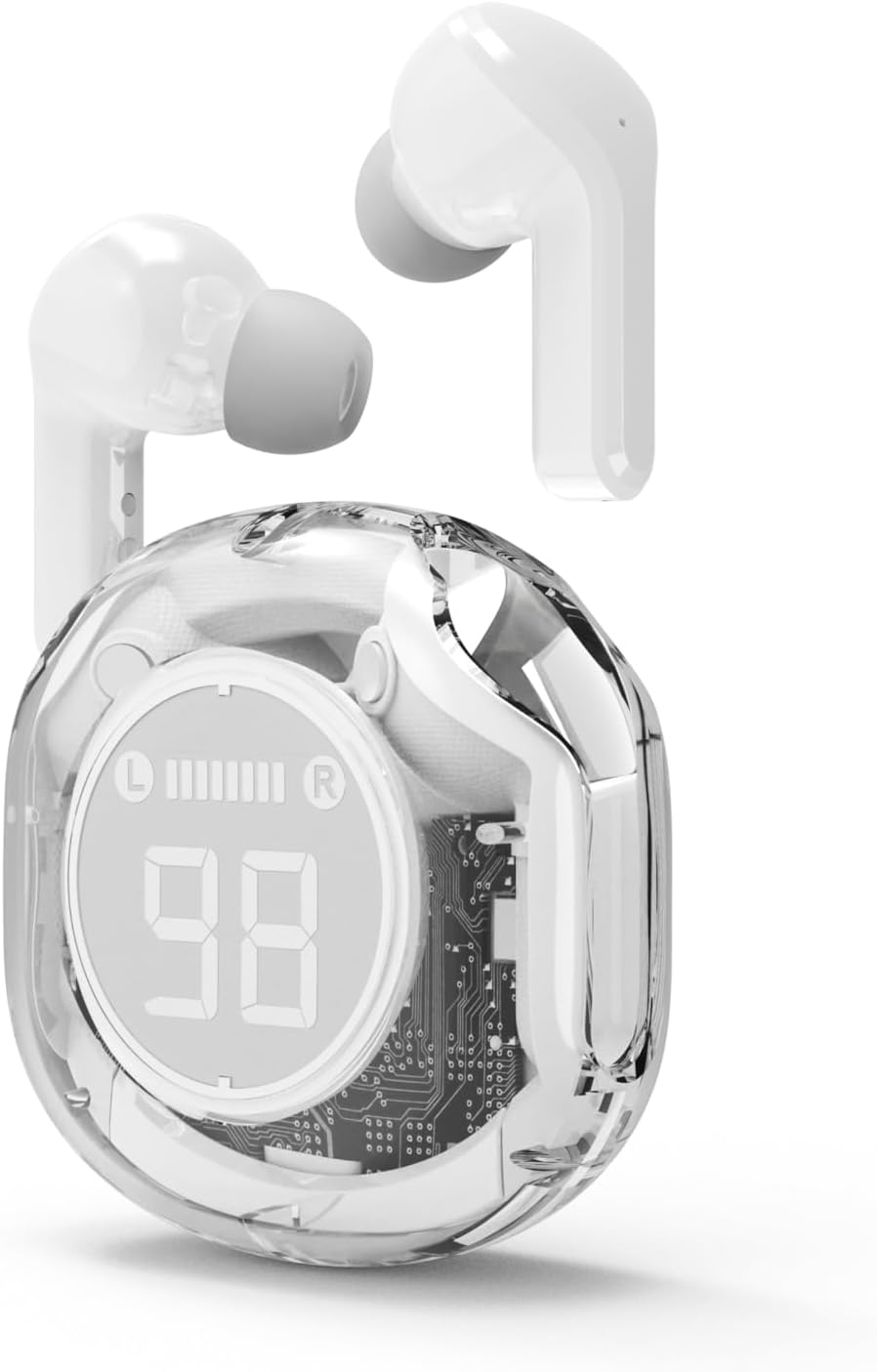
Figure 4.2: The Gembird TWST-01-W Transparent Bluetooth Earbuds shown outside their charging case, ready for use or pairing. The transparent design of the earbuds themselves is visible.
5. Operating Instructions
The Gembird TWST-01-W earbuds utilize touch controls. Specific gestures may vary slightly; refer to the quick start guide included in your package for precise commands.
| Function | Action (Touch Control) |
|---|---|
| Power On | Remove from charging case. |
| Power Off | Place back into charging case. |
| Play/Pause Music | Single tap on either earbud. |
| Next Track | Double tap on the right earbud. |
| Previous Track | Double tap on the left earbud. |
| Answer/End Call | Single tap on either earbud during an incoming call. |
| Reject Call | Press and hold either earbud for 2 seconds during an incoming call. |
| Activate Voice Assistant | Triple tap on either earbud (functionality depends on device support). |
Note: Touch control sensitivity and specific functions may vary. Experiment to find the optimal touch points.
6. Charging
6.1 Charging the Earbuds
To charge the earbuds, simply place them into their designated slots within the charging case. Ensure the charging contacts align. The LCD display on the case will show the individual battery levels of the left (L) and right (R) earbuds.
6.2 Charging the Case
When the charging case battery is low, connect the provided charging cable to the case's charging port and to a standard USB power adapter (not included) or a computer's USB port. The LCD display will show the charging progress of the case. The color-changing backlight indicates active charging.
A full charge for the case typically takes a few hours. The earbuds provide up to 4 hours of listening time, and the fully charged case can provide multiple additional charges, extending total playback time.
7. Maintenance
7.1 Cleaning
- Use a soft, dry, lint-free cloth to clean the earbuds and charging case.
- Do not use abrasive cleaners, alcohol, or chemical solvents.
- Gently clean the charging contacts on both the earbuds and the case to ensure proper connection.
7.2 Storage
- Store the earbuds in their charging case when not in use to protect them and keep them charged.
- Avoid storing in extreme temperatures (hot or cold) or in highly humid environments.
7.3 Water Resistance
The earbuds are water resistant, meaning they can withstand splashes and sweat. They are not designed for submersion in water. Do not use them while swimming or showering. Ensure the earbuds are dry before placing them back into the charging case to prevent damage.
8. Troubleshooting
If you encounter issues, try the following solutions:
| Problem | Solution |
|---|---|
| Earbuds not pairing |
|
| No sound from one earbud |
|
| Charging issues |
|
| Poor audio quality |
|
9. Specifications
| Feature | Detail |
|---|---|
| Model | TWST-01-W |
| Brand | Gembird |
| Material | Plastic |
| Weight | 80 g |
| Battery Type | Lithium Ion (1 AAAA battery included) |
| Listening Time | Up to 4 hours per charge |
| Control Method | Touch |
| Speaker Diameter | 5 cm |
| Water Resistance | Water resistant (splash and sweat proof) |
| Connectivity | Bluetooth (USB for charging) |
| Recommended Use | Indoor |
10. Warranty and Support
Your Gembird TWST-01-W Transparent Bluetooth Earbuds come with a three-year warranty against manufacturing defects. This warranty covers defects in materials and workmanship under normal use.
For warranty claims or technical support, please contact your retailer or the official Gembird support channels. Keep your proof of purchase for warranty validation.
Related documentsTWST-01-W


Ask a question about this manual
Ask about setup, troubleshooting, compatibility, parts, safety, or missing instructions. Manuals+ will review the question and use this page’s manual context to help answer it.